> For the complete documentation index, see [llms.txt](https://help.aikido.dev/llms.txt). Markdown versions of documentation pages are available by appending `.md` to page URLs; this page is available as [Markdown](https://help.aikido.dev/ai-and-dev-tools/ide-plugins-overview/features/open-source-dependency-scanning-sca-in-ide.md).
# Open-Source Dependency Scanning (SCA) in IDE
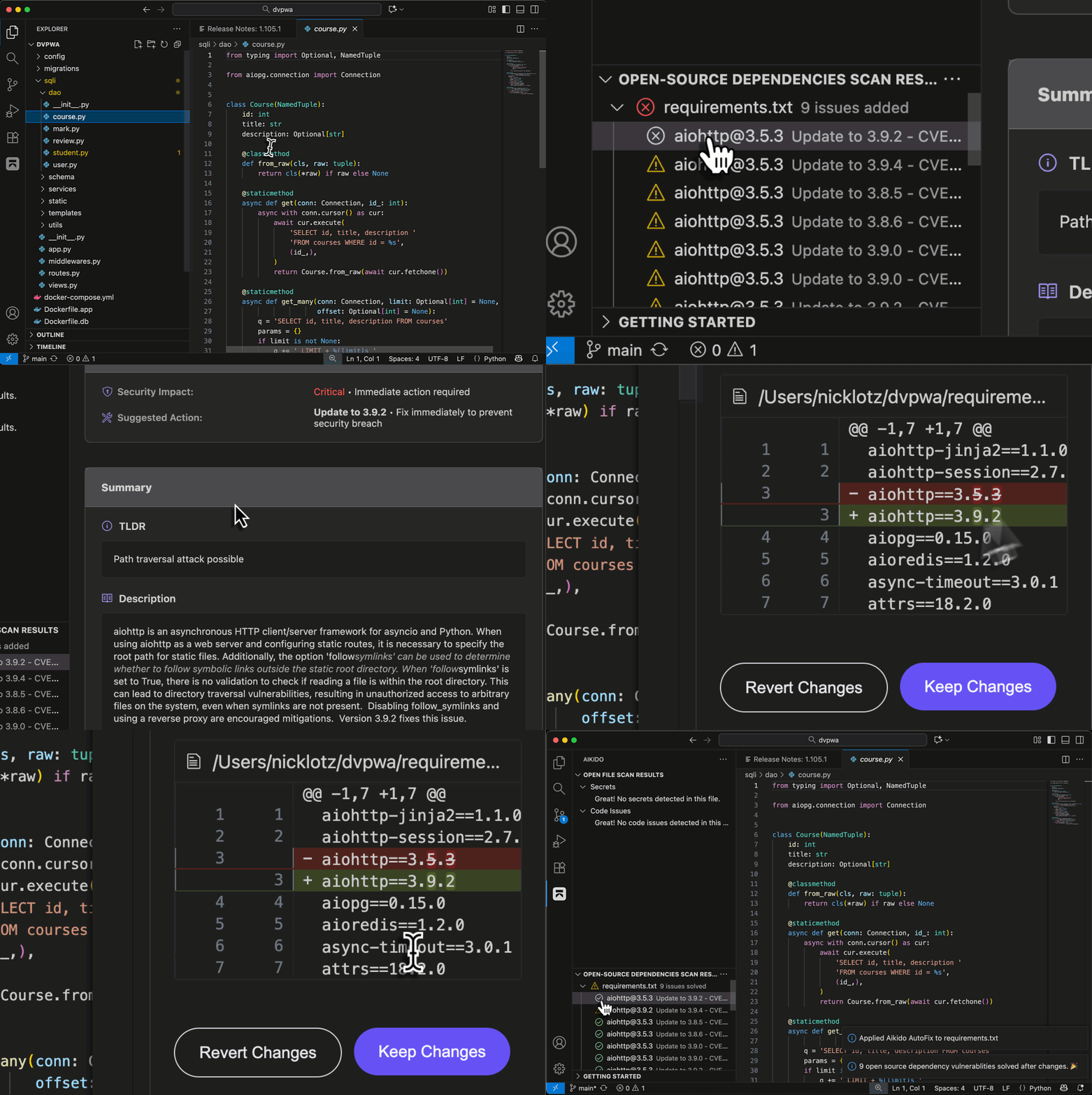
Aikido’s IDE extension helps you find and fix vulnerabilities in your open-source dependencies without leaving your editor. It scans your project’s manifests and lockfiles to detect outdated or insecure packages, highlight affected versions, and suggest safe upgrades.
### How it works
* Aikido reads your dependency manifests and lockfiles to build an accurate list of packages and versions.
* Results include known CVEs, severity, affected versions, and safe upgrade ranges.
* After you run a manual SCA scan once, the extension watches your workspace for lockfile changes and refreshes results automatically.
### Run a manual SCA scan
#### VSCode
1. Open the Aikido sidebar in VS Code.
2. Go to Open-source dependencies.
3. Click Start scanning.
4. When results appear, select a package to view details, advisories, and fix guidance.
5. Each finding shows the minimum safe version or version ranges that resolve the issue.
6. For supported ecosystems, [AI AutoFix](/ai-and-dev-tools/ide-plugins-overview/features/aikido-ai-in-ide.md) can update the manifest or suggest a safe version bump that you can apply from the IDE.
#### Eclipse
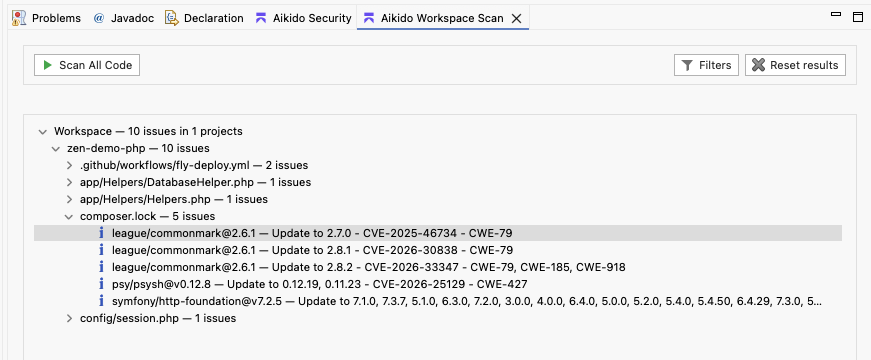
1. Open "Aikido Workspace Scan"
2. Press "Scan All Code"
3. When results appear, select a package lockfile to view details, advisories, and fix guidance.
4. Each finding shows the minimum safe version or version ranges that resolve the issue.
---
# Agent Instructions
This documentation is published with GitBook. GitBook is the documentation platform designed so that both humans and AI agents can read, navigate, and reason over technical content effectively. Learn more at gitbook.com.
## Querying This Documentation
If you need additional information that is not directly available in this page, you can query the documentation dynamically by asking a question.
Perform an HTTP GET request on the current page URL with the `ask` query parameter, and the optional `goal` query parameter:
```
GET https://help.aikido.dev/ai-and-dev-tools/ide-plugins-overview/features/open-source-dependency-scanning-sca-in-ide.md?ask=&goal=
```
`ask` is the immediate question: it should be specific, self-contained, and written in natural language.
`goal` is optional and describes the broader end goal you are ultimately trying to accomplish on behalf of the user. GitBook uses it to tailor the answer towards what is most useful for that goal.
The response will contain a direct answer to the question and relevant excerpts and sources from the documentation.
Use this mechanism when the answer is not explicitly present in the current page, you need clarification or additional context, or you want to retrieve related documentation sections.