> For the complete documentation index, see [llms.txt](https://help.aikido.dev/llms.txt). Markdown versions of documentation pages are available by appending `.md` to page URLs; this page is available as [Markdown](https://help.aikido.dev/ai-code-analysis/what-is-dspm/data-exposure-audit.md).
# Run a Data Exposure Audit
Select Data Exposure Audit, choose repositories, and confirm the credit cost.
A Data Exposure Audit is Aikido's code-based data security posture management (DSPM). It runs inside [AI Code Analysis](/ai-code-analysis/ai-code-analysis.md) and reasons over your repositories to find how sensitive data is handled. It does not connect to your databases.
## Prerequisites
* You need the **Manage Pentests and AI Code Analysis** [permission](/getting-started/automated-user-management/setting-roles-and-permissions.md) to create an audit. You can still open AI Code Analysis and existing assessments without it.
* At least one repository is connected. [Self-scanned repositories](/code-scanning/local-code-scanning.md) are excluded from the picker. There is a limit on how many repositories you can pick. [Contact support](/miscellaneous-info/contact-support.md) if you need more.
* Your wallet has enough credits for the quoted cost. See [Wallet & Credits](/miscellaneous-info/wallet-and-credits.md).
## Set up the audit
Go to [**AI Code Analysis**](https://app.aikido.dev/agentic-review), then click **Create Audit**.
{% stepper %}
{% step %}
### Select Data Exposure Audit
On **Select Audit Type**, select **Data Exposure Audit**, then click **Continue**.
**Cancel** returns to the AI Code Analysis home.
{% endstep %}
{% step %}
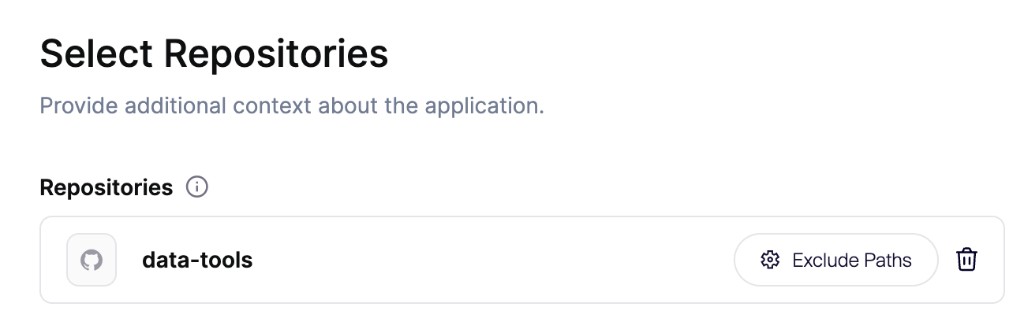
### Select repositories
1. Open **Repositories** and select the connected repositories for this audit. **Continue** stays disabled until at least one repository is selected.
2. To keep a monorepo focused, click **Exclude Paths** next to a selected repository and add directories that are not part of this audit.
3. Under **Scope**, leave **Audit all selected repositories** selected, or choose **Audit specific parts only** and describe the data handling to review.
4. **Additional Notes** are optional and apply to this audit only. Add them when context is missing from the source, such as intentionally exposed private data, known issues to ignore, or proxy-level protection. Put guidance that should apply to every audit in a markdown file in the repository. See [Guide Agents with Repository Files](/ai-and-dev-tools/guide-an-audit-with-repository-files.md).
{% hint style="info" %}
Leave documentation and READMEs in the repository. Agents can read that markdown for data flows and how sensitive data is handled. Exclude unrelated applications or services.
{% endhint %}
**Cancel** returns to **Audit Type**.
{% endstep %}
{% step %}
### Confirm pricing and start
Wait until the **Pricing** step shows the credit total. Your balance is in the footer. Click **Add Credits** if the wallet is short.
The card title depends on scope:
* **Full AI Code Analysis** when you audit all selected repositories.
* **Scoped AI Code Analysis** when you chose **Audit specific parts only**. The step also shows the scope you wrote.
When **Configure** appears, use it to set the depth of the audit:
* **High risk only** prioritizes the areas most likely to expose serious vulnerabilities. Some areas get less coverage, or none.
* **Recommended coverage** investigates the security-sensitive parts of your selected audit scope.
* **Deeper coverage** builds on recommended coverage with additional investigation of lower-priority areas and less common code paths or cloud resources.
The credit total updates before you start.
Click **Start Audit** to launch. Credits are charged when you click **Start Audit**.
{% endstep %}
{% endstepper %}
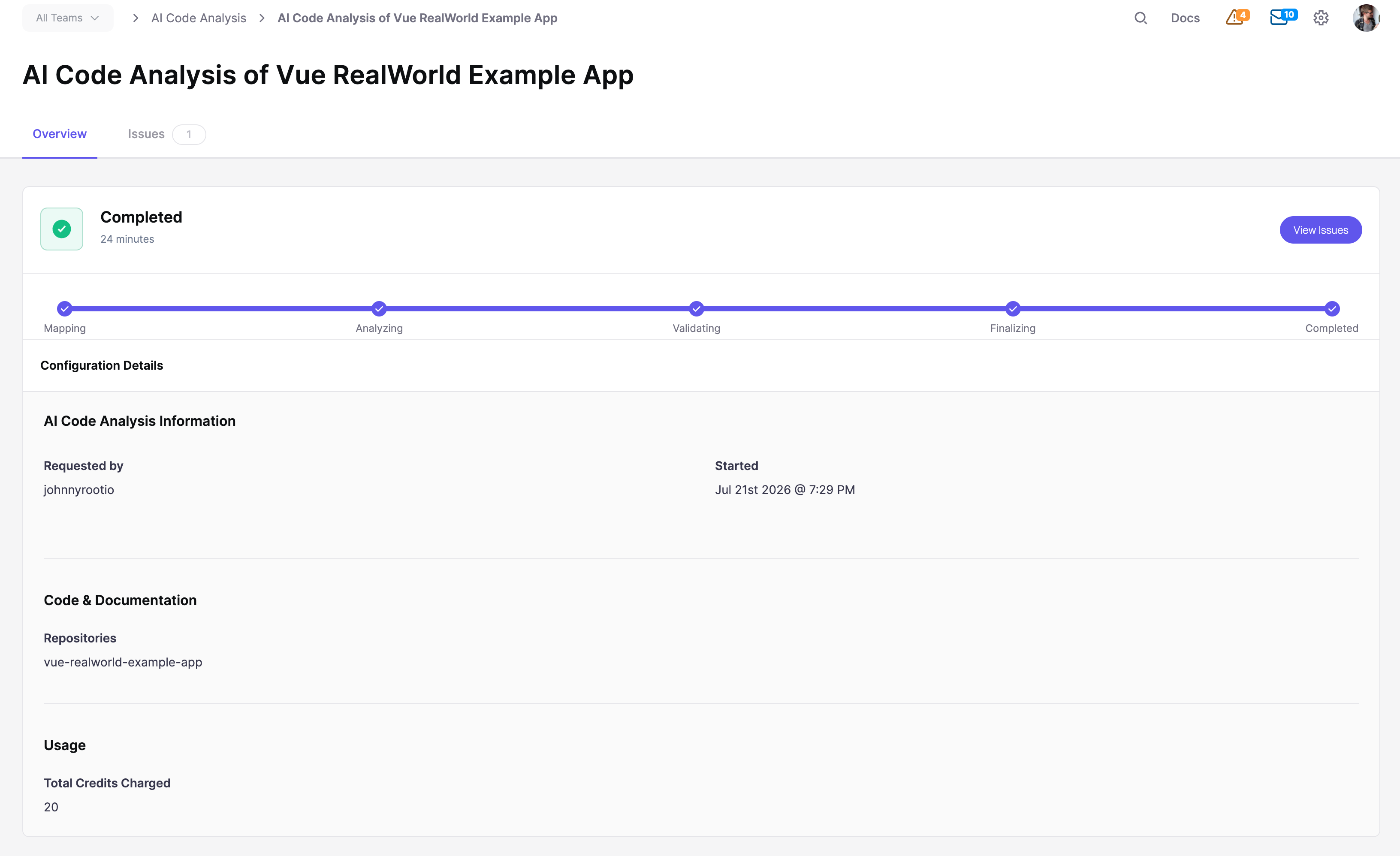
Aikido opens the assessment detail page. See [Track Progress and Findings](/ai-code-analysis/ai-code-audit-overview/track-progress-and-findings.md).
For the data-handling classes in scope, see [What Data Exposure Audit Finds](/ai-code-analysis/what-is-dspm/what-data-exposure-audit-finds.md).
## FAQ
### Why is there a repository limit?
The picker limits how many repositories you can include so the audit stays focused. If you need more in one audit, [contact support](/miscellaneous-info/contact-support.md).
## Related
{% content-ref url="/pages/Io2yJZC8MsZHFIvz5M38" %}
[Data Exposure Audit (DSPM)](/ai-code-analysis/what-is-dspm.md)
{% endcontent-ref %}
{% content-ref url="/pages/JBku8PCFiQ3TRj8Zw7Lp" %}
[What Data Exposure Audit Finds](/ai-code-analysis/what-is-dspm/what-data-exposure-audit-finds.md)
{% endcontent-ref %}
---
# Agent Instructions
This documentation is published with GitBook. GitBook is the documentation platform designed so that both humans and AI agents can read, navigate, and reason over technical content effectively. Learn more at gitbook.com.
## Querying This Documentation
If you need additional information that is not directly available in this page, you can query the documentation by asking a question.
Perform an HTTP GET request on the following URL with the `ask` and `goal` query parameters:
```
GET https://help.aikido.dev/ai-code-analysis/what-is-dspm/data-exposure-audit.md?ask=&goal=
```
`ask` is the immediate question: it should be specific, self-contained, and written in natural language.
`goal` is what the user is ultimately trying to achieve, the reason they need the answer. Sharing it helps GitBook give you a better, more relevant answer. A goal is most helpful when it describes the outcome the user wants rather than restating the question. For example, with `ask=how do I create an API token`, a goal like `automate deployments from our CI pipeline` lets GitBook tailor the answer to that use case.
The response will contain a direct answer to the question and relevant excerpts and sources from the documentation.
Use this mechanism when the answer is not explicitly present in the current page, you need clarification or additional context, or you want to retrieve related documentation sections.