> For the complete documentation index, see [llms.txt](https://help.aikido.dev/llms.txt). Markdown versions of documentation pages are available by appending `.md` to page URLs; this page is available as [Markdown](https://help.aikido.dev/aikido-device-protection/using-aikido-endpoint/ai-monitoring.md).
# AI Usage
The AI Usage tab shows you the AI activity happening on your team's devices. The Device Protection agent detects three things and surfaces them here: the Model Context Protocol (MCP) servers in use, the AI models being called, and the tool calls those servers run.
This gives security and IT teams a live inventory of AI usage across the organization, without asking developers to self-report. You can also allow or block individual tools, so an AI assistant cannot run the ones you don't approve.
{% hint style="info" %}
Blocking applies to tools today. The ability to block models and MCP servers is coming soon.
{% endhint %}
Go to [Device Protection and open the AI Usage tab](https://app.aikido.dev/endpoint-protection/ai-usage). Use the **MCP Servers**, **Models**, and **Tools** filters to switch between the three views.
## What to look for
* **Unfamiliar models, servers, or tools** - Something you don't recognize may be an unapproved tool or a personal account being used on a work device
* **High device counts on unexpected items** - Wide adoption of something you haven't vetted is worth reviewing
* **Remote MCP servers** - A remote server means device data is leaving for a third party, so confirm it is approved
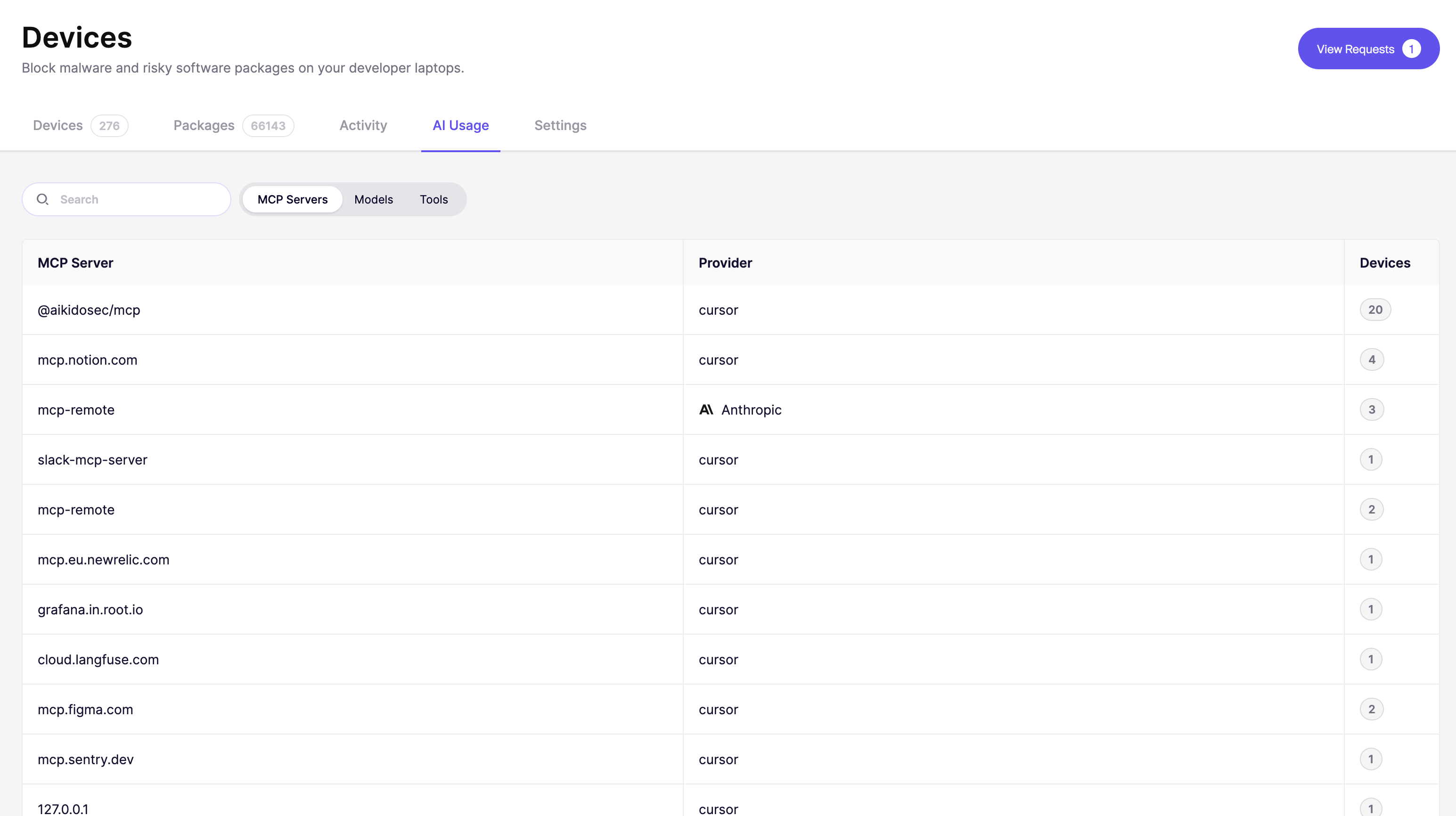
## MCP servers
Each row is an MCP server that a device has connected to.
* **MCP Server** - The server identifier (e.g. `@aikidosec/mcp`, `mcp.notion.com`). Aikido detects both local servers running on the device itself and remote servers the device connects to over the network
* **Provider** - The AI client or vendor that connected to the server (e.g. `cursor`, `Anthropic`)
* **Devices** - How many devices have connected to this server
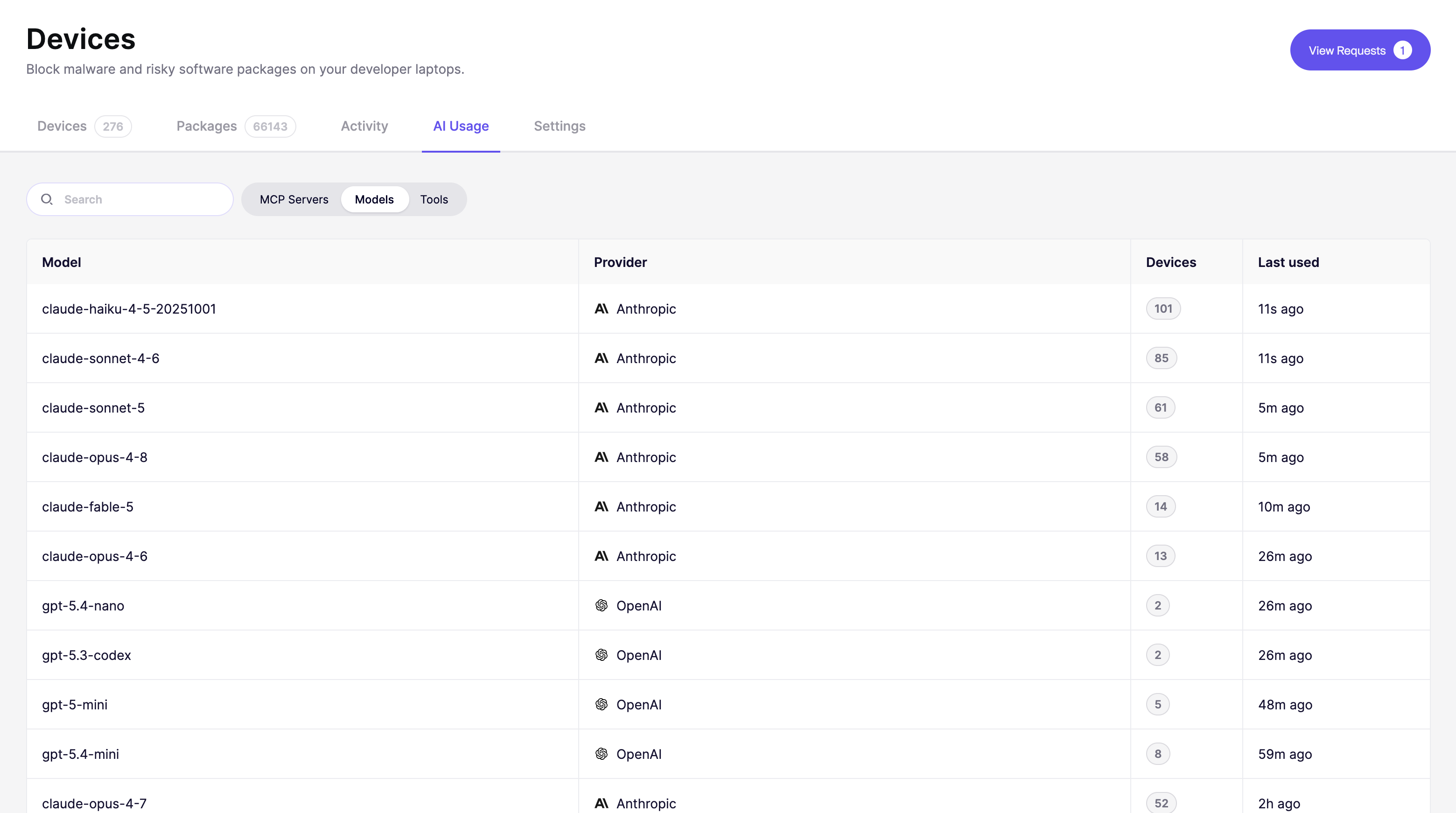
## Models
Each row is a unique model that has been called from at least one device.
* **Model** - The specific model identifier (e.g. `claude-opus-4-8`, `gpt-5-mini`)
* **Provider** - The company that provides the model (e.g. `Anthropic`, `OpenAI`)
* **Devices** - How many devices have called this model
* **Last used** - When the most recent call was detected
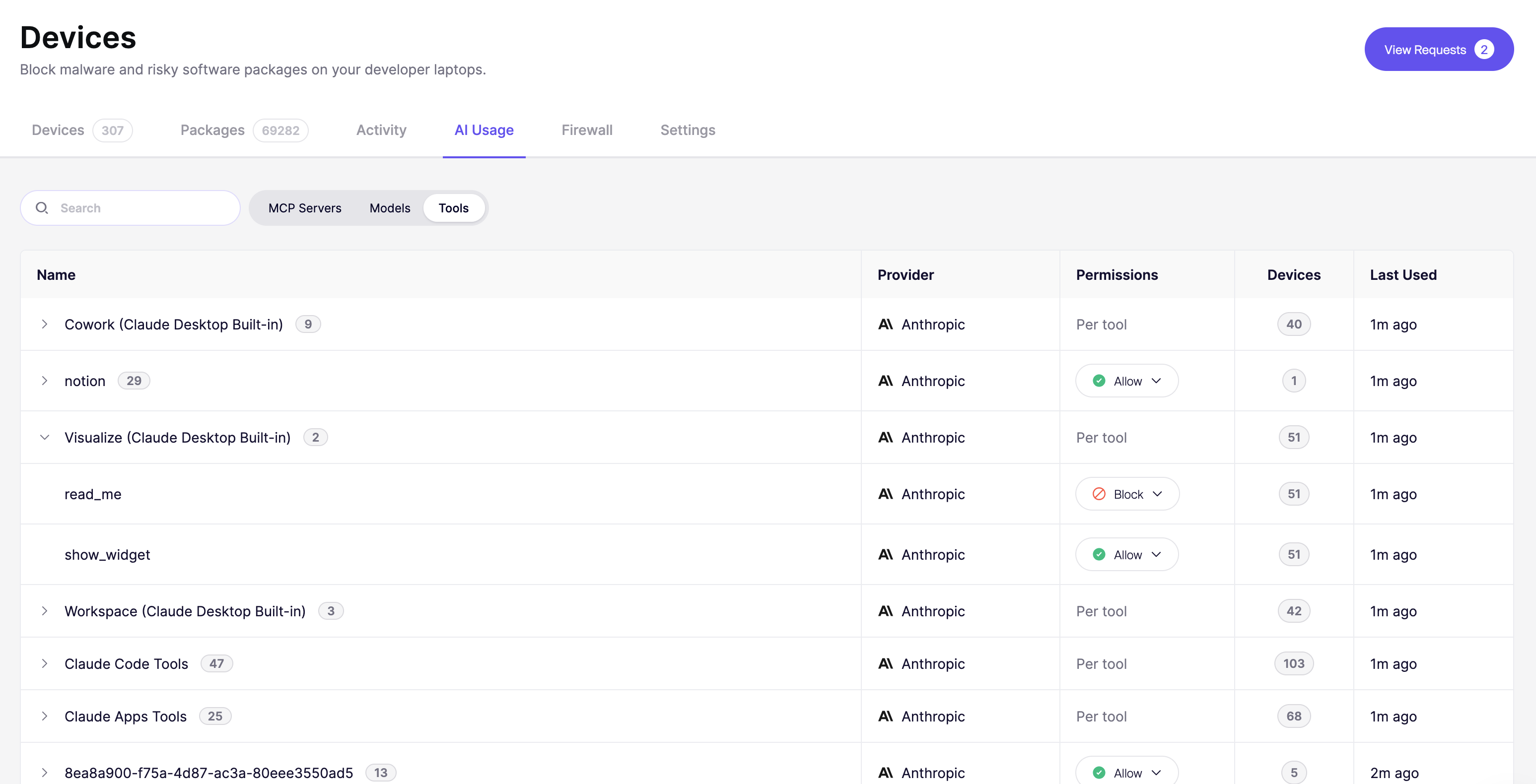
## Tools
Each row is a tool called from a device, for example a file-read tool or a database query tool. This shows what AI assistants are actually doing, not just which servers they are connected to.
* **Name** - The tool identifier (e.g. `Edit`, `Bash`, `Write`). Tools that come from the same MCP server or AI client are grouped, with the number of tools next to the group name. Select the arrow to expand a group
* **Provider** - The AI client or vendor associated with the tool (e.g. `Anthropic`)
* **Permissions** - Whether the tool is allowed or blocked on your devices
* **Devices** - How many devices have called this tool
* **Last used** - When the tool was most recently called
### Allow or block a tool
1. Go to [Device Protection and open the AI Usage tab](https://app.aikido.dev/endpoint-protection/ai-usage), then select the **Tools** filter.
2. Find the tool you want to change. Expand a group to see the individual tools inside it.
3. Select the dropdown in the **Permissions** column and choose **Allow** or **Block**.
A blocked tool cannot run on your devices, even though the MCP server or AI client stays available.
## See which devices use it
Select the device count on any row to see the exact devices behind it. Use this to trace an unfamiliar model, server, or tool back to the people using it.
Use the **Search** bar to find a specific model, provider, server, or tool by name.
{% hint style="info" %}
Aikido does not detect AI activity from the ChatGPT desktop app yet.
{% endhint %}
---
# Agent Instructions
This documentation is published with GitBook. GitBook is the documentation platform designed so that both humans and AI agents can read, navigate, and reason over technical content effectively. Learn more at gitbook.com.
## Querying This Documentation
If you need additional information that is not directly available in this page, you can query the documentation dynamically by asking a question.
Perform an HTTP GET request on the current page URL with the `ask` query parameter, and the optional `goal` query parameter:
```
GET https://help.aikido.dev/aikido-device-protection/using-aikido-endpoint/ai-monitoring.md?ask=&goal=
```
`ask` is the immediate question: it should be specific, self-contained, and written in natural language.
`goal` is optional and describes the broader end goal you are ultimately trying to accomplish on behalf of the user. GitBook uses it to tailor the answer towards what is most useful for that goal.
The response will contain a direct answer to the question and relevant excerpts and sources from the documentation.
Use this mechanism when the answer is not explicitly present in the current page, you need clarification or additional context, or you want to retrieve related documentation sections.