> For the complete documentation index, see [llms.txt](https://help.aikido.dev/llms.txt). Markdown versions of documentation pages are available by appending `.md` to page URLs; this page is available as [Markdown](https://help.aikido.dev/autofix-and-remediation/automation-and-merging/automatic-creation-of-pull-requests.md).
# Automatic Creation of Pull Requests
Aikido allows for automatic Pull Request creation on a **daily basis**, handling mass dependency updates, fixing SAST issues, updating container base images & fixing pentest issues. You can fine tune the pull request title, description, labels and other settings with "PR Configuration".
### Setup automatic creation
**Step 1:** Go to [Autofix Settings](https://app.aikido.dev/issues/fix/settings) page
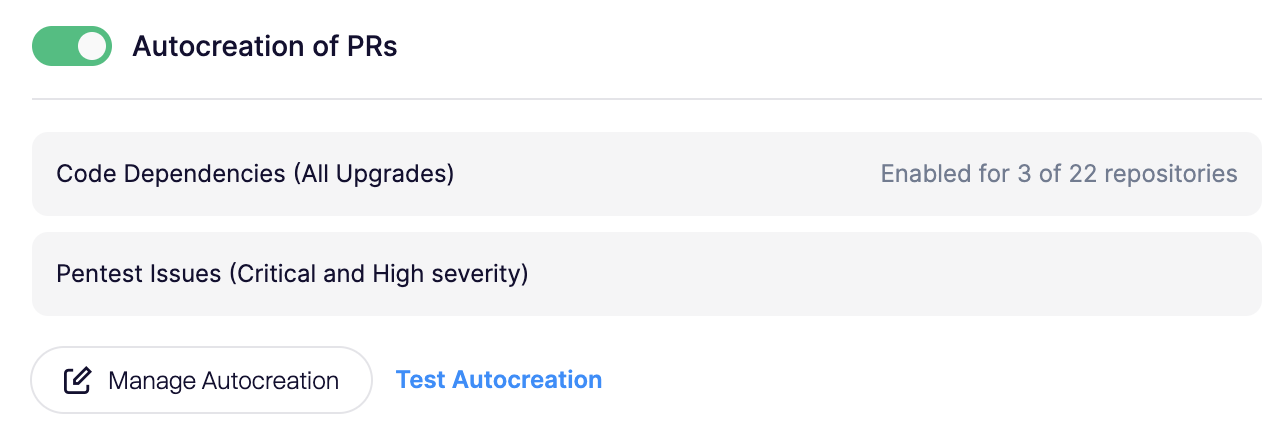
**Step 2:** Scroll down to Automated PRs. Enable the toggle for 'Autocreation of PRs'
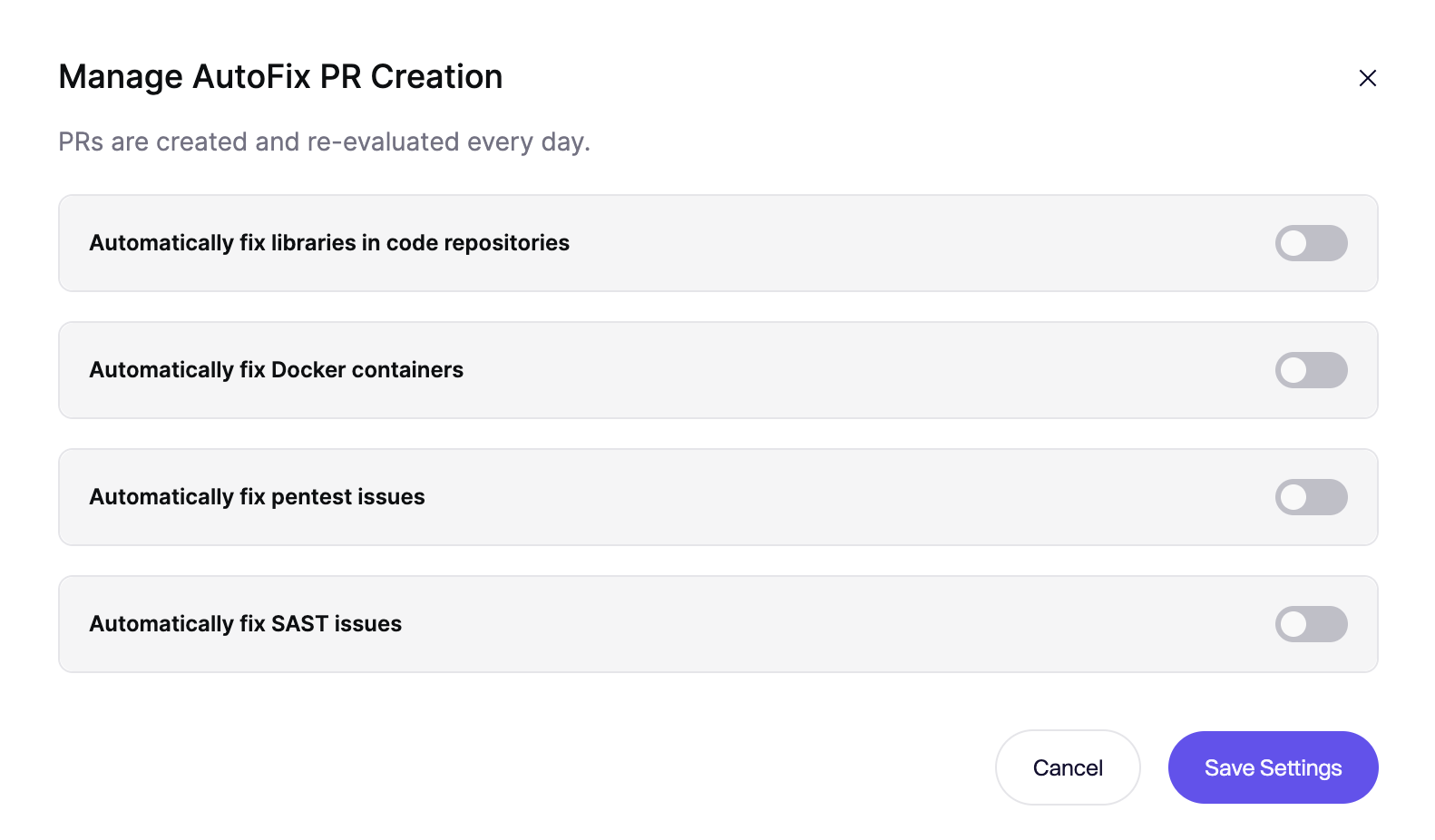
**Step 3:** The configuration modal opens. You can enable autocreation for dependencies in code repos, automated fixes for Docker containers or automatically fix SAST/IaC and pentest issues. Make sure to select code repositories and containers for which you want PRs created.
**Step 4:** Test whether new PRs are created correctly by clicking the **Test Autocreation** button.
### Code Dependency Automatic PR creation limits
AutoFix creates a maximum of **10 PRs per repo** during the **daily** run.
### SAST/IaC Automatic PR creation limits
When you perform SAST scanning on a repository for the first time, you will typically discover a large amount of issues. To keep the number of pull requests manageable have the following limits when creating PRs for SAST issues:
* PRs are only created for issues where AutoFix has **medium** or **high confidence**
* During the **daily** run, AutoFix will create a **maximum** of **2 PRs per repo** containing a maximum of **5 changed files**.
* AutoFix limits the amount of **open SAST AutoFix PRs** to **10 per repo**. Once that limit is hit, AutoFix doesn't automatically create new SAST AutoFix PRs. When you close or merge the PRs, you will receive new PRs during the next daily run.
If you need higher limits, reach out to us in the Aikido UI.
### Pull Request Configuration
You can configure pull request properties (such as the title, labels, branch name, and commit message) on the AutoFix PR Configuration page. More docs can be found [here](/autofix-and-remediation/configure/autofix-pr-configuration.md).
---
# Agent Instructions
This documentation is published with GitBook. GitBook is the documentation platform designed so that both humans and AI agents can read, navigate, and reason over technical content effectively. Learn more at gitbook.com.
## Querying This Documentation
If you need additional information that is not directly available in this page, you can query the documentation dynamically by asking a question.
Perform an HTTP GET request on the current page URL with the `ask` query parameter, and the optional `goal` query parameter:
```
GET https://help.aikido.dev/autofix-and-remediation/automation-and-merging/automatic-creation-of-pull-requests.md?ask=&goal=
```
`ask` is the immediate question: it should be specific, self-contained, and written in natural language.
`goal` is optional and describes the broader end goal you are ultimately trying to accomplish on behalf of the user. GitBook uses it to tailor the answer towards what is most useful for that goal.
The response will contain a direct answer to the question and relevant excerpts and sources from the documentation.
Use this mechanism when the answer is not explicitly present in the current page, you need clarification or additional context, or you want to retrieve related documentation sections.