> For the complete documentation index, see [llms.txt](https://help.aikido.dev/llms.txt). Markdown versions of documentation pages are available by appending `.md` to page URLs; this page is available as [Markdown](https://help.aikido.dev/autofix-and-remediation/automation-and-merging/breaking-changes-and-upgrade-impact-analysis.md).

# Breaking changes & upgrade impact analysis

## Breaking changes

Aikido makes an assessment on whether a version upgrade contains breaking changes by looking at the library changelogs.

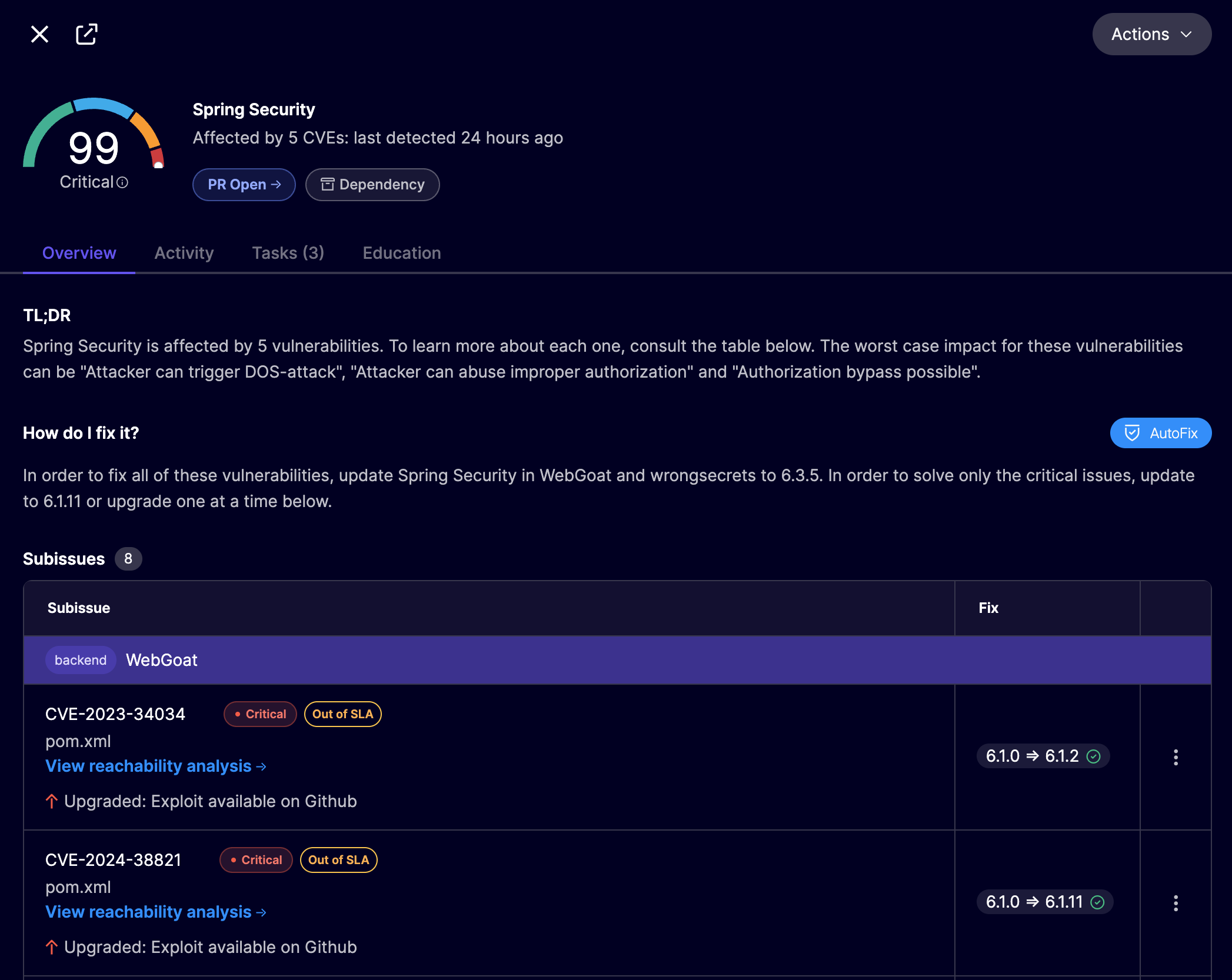
Clicking on an open-source dependency issue in the Aikido feed pops up the issue details, showing the minimal version upgrade required to fix the issue. In the following Spring Security example, CVE-2023-34034 can be fixed by upgrading from version 6.1.0 to version 6.1.2. Aikido has determined that there are no breaking changes in this update, shown by the :white\_check\_mark:.

<figure><img src="/files/tIQ3EnQye1wbmavWlLaT" alt=""><figcaption></figcaption></figure>

Clicking the :white\_check\_mark: reveals the details and a link to the changelogs. In this case there are no breaking changes.
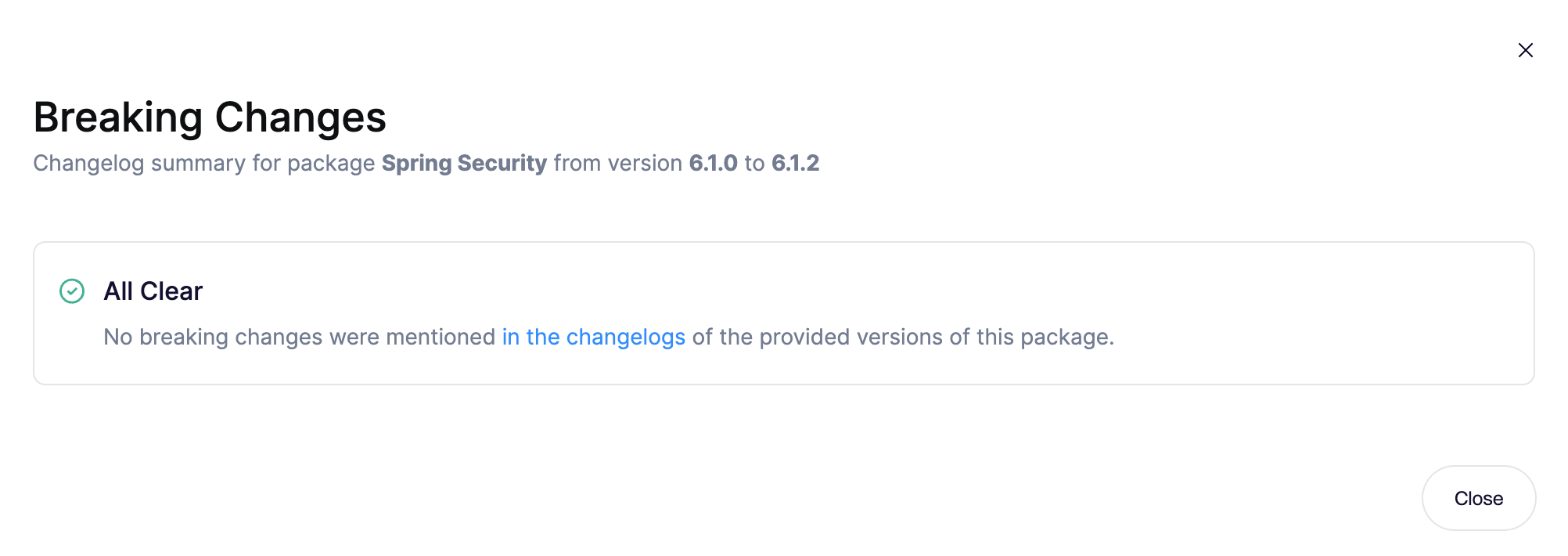
<figure><img src="/files/7YdS2fTca0XYm8mcKC4S" alt=""><figcaption></figcaption></figure>

If there are breaking changes like for the following Tomcat upgrade from version 8.5.11 to version 9.0.99, Aikido shows a :warning: icon.

<figure><img src="/files/huApdGHymtM0HXlLibBp" alt=""><figcaption></figcaption></figure>

Clicking the :warning: reveals a description of the breaking changes and a link to the changelog.
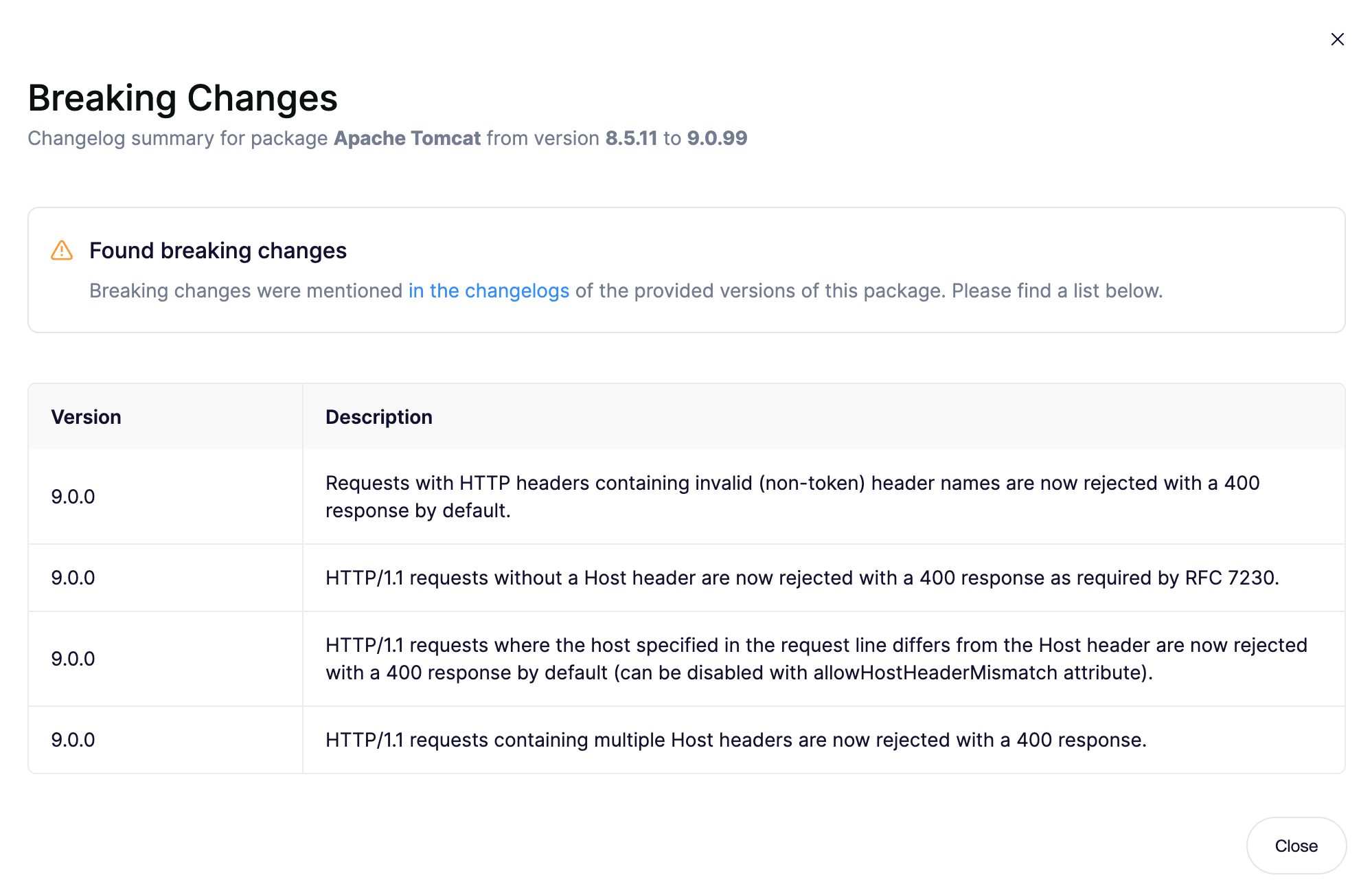
<figure><img src="/files/dSOkySNfEamEko969wVL" alt=""><figcaption></figcaption></figure>

## Upgrade impact analysis

Even if there are breaking changes in the dependency update, this does not mean your code is affected by these changes. The breaking changes could be in a function that is not used in your codebase. Upgrade impact analysis goes one step further by scanning the codebase for usages of the library to determine whether the breaking changes affect your codebase.

Aikido AutoFix performs upgrade impact analysis when a pull request is created. The description of the pull request contains the analysis results, falling into 1 of 3 categories:

* No breaking changes in the library upgrade :white\_check\_mark:
* Breaking changes but they do not affect your codebase :white\_check\_mark:
* Breaking changes that affect your codebase, manual mitigation is required :warning:

In the following example mongoose is updated from version 5.13.21 to 6.13.6. The pull request shows there are 2 breaking changes affecting the codebase and outlines which files are affected and what the impact is:
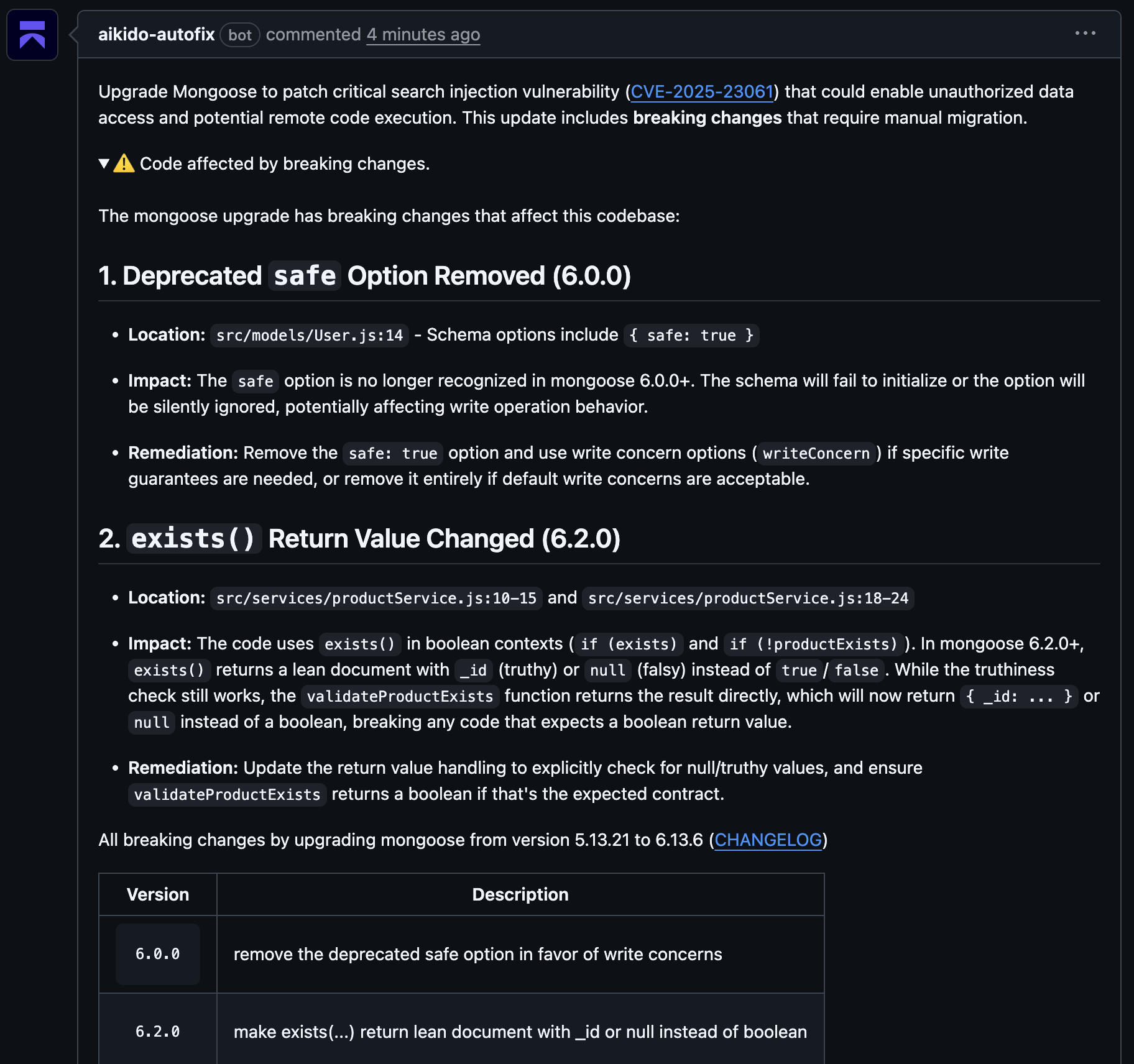
<figure><img src="/files/JVmqsrqJlDCxjVcO4MN7" alt=""><figcaption></figcaption></figure>


---

# Agent Instructions
This documentation is published with GitBook. GitBook is the documentation platform designed so that both humans and AI agents can read, navigate, and reason over technical content effectively. Learn more at gitbook.com.

## Querying This Documentation
If you need additional information that is not directly available in this page, you can query the documentation dynamically by asking a question.

Perform an HTTP GET request on the current page URL with the `ask` query parameter, and the optional `goal` query parameter:

```
GET https://help.aikido.dev/autofix-and-remediation/automation-and-merging/breaking-changes-and-upgrade-impact-analysis.md?ask=<question>&goal=<endgoal>
```

`ask` is the immediate question: it should be specific, self-contained, and written in natural language.
`goal` is optional and describes the broader end goal you are ultimately trying to accomplish on behalf of the user. GitBook uses it to tailor the answer towards what is most useful for that goal.

The response will contain a direct answer to the question and relevant excerpts and sources from the documentation.

Use this mechanism when the answer is not explicitly present in the current page, you need clarification or additional context, or you want to retrieve related documentation sections.