
AutoFix for GitLab Self Managed
#Introduction
Aikido AutoFix is a tool designed to resolve vulnerabilities in third-party dependencies within your projects. It achieves this by generating pull requests that update packages or implement other solutions to eliminate vulnerabilities. In certain situations, Aikido AutoFix can address an entire class of vulnerabilities rather than just a single issue.
#Setup Autofix for GitLab Self Managed
By default, Aikido only has read access on your Gitlab Self Managed instance. To use Aikido AutoFix a separate access token with write access is required.
Step 1. Enable write access on the AutoFix Settings page.
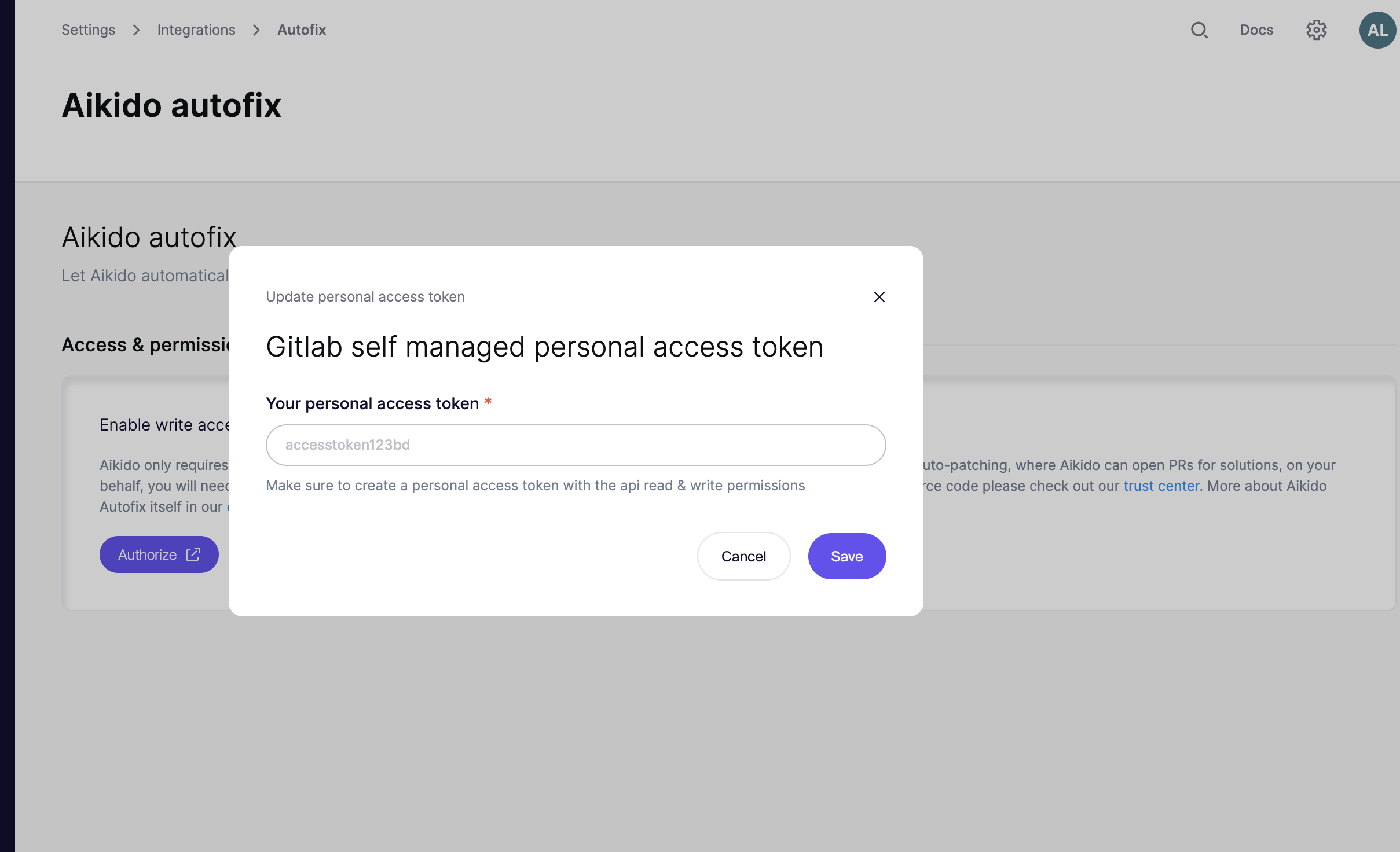
Step 2. Click Authorize, and you will see this modal:
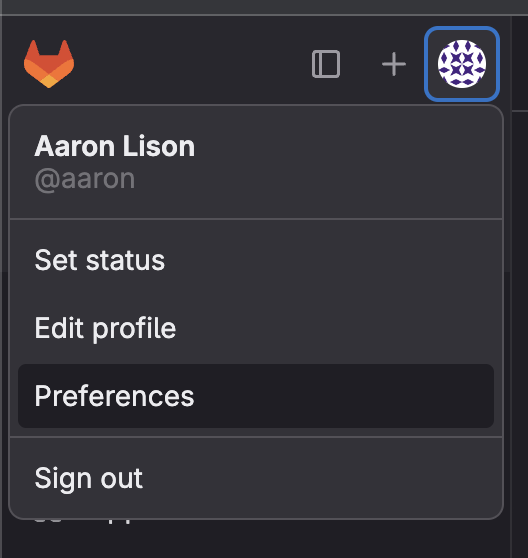
Step 3. Head over to your Self Managed Gitlab account. Click on your personal account icon top left and go to preferences.
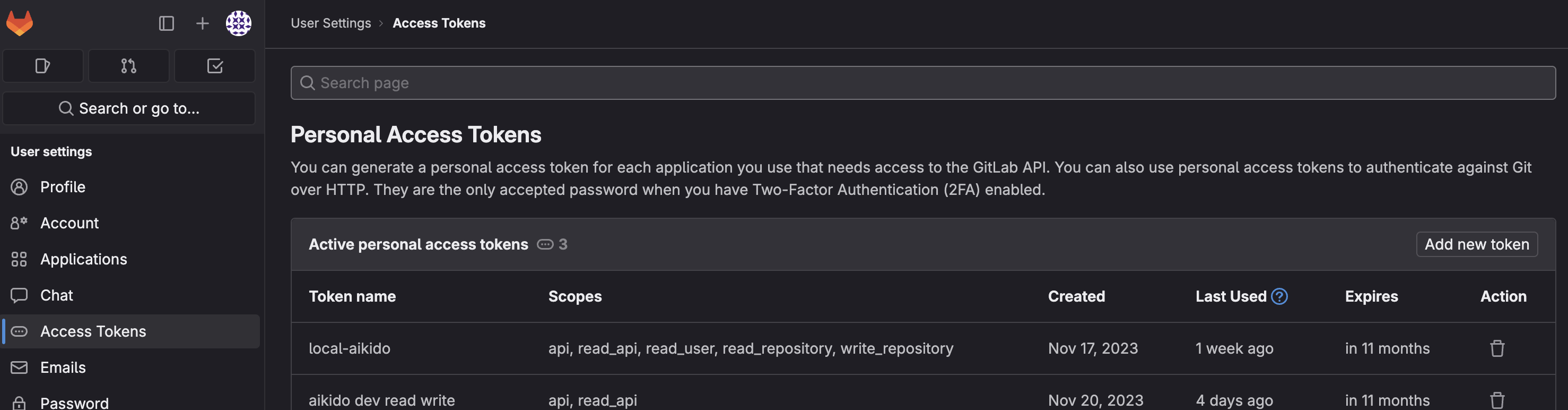
Step 4. In the sidebar, select Access Token. Then click the "Add new token"-button
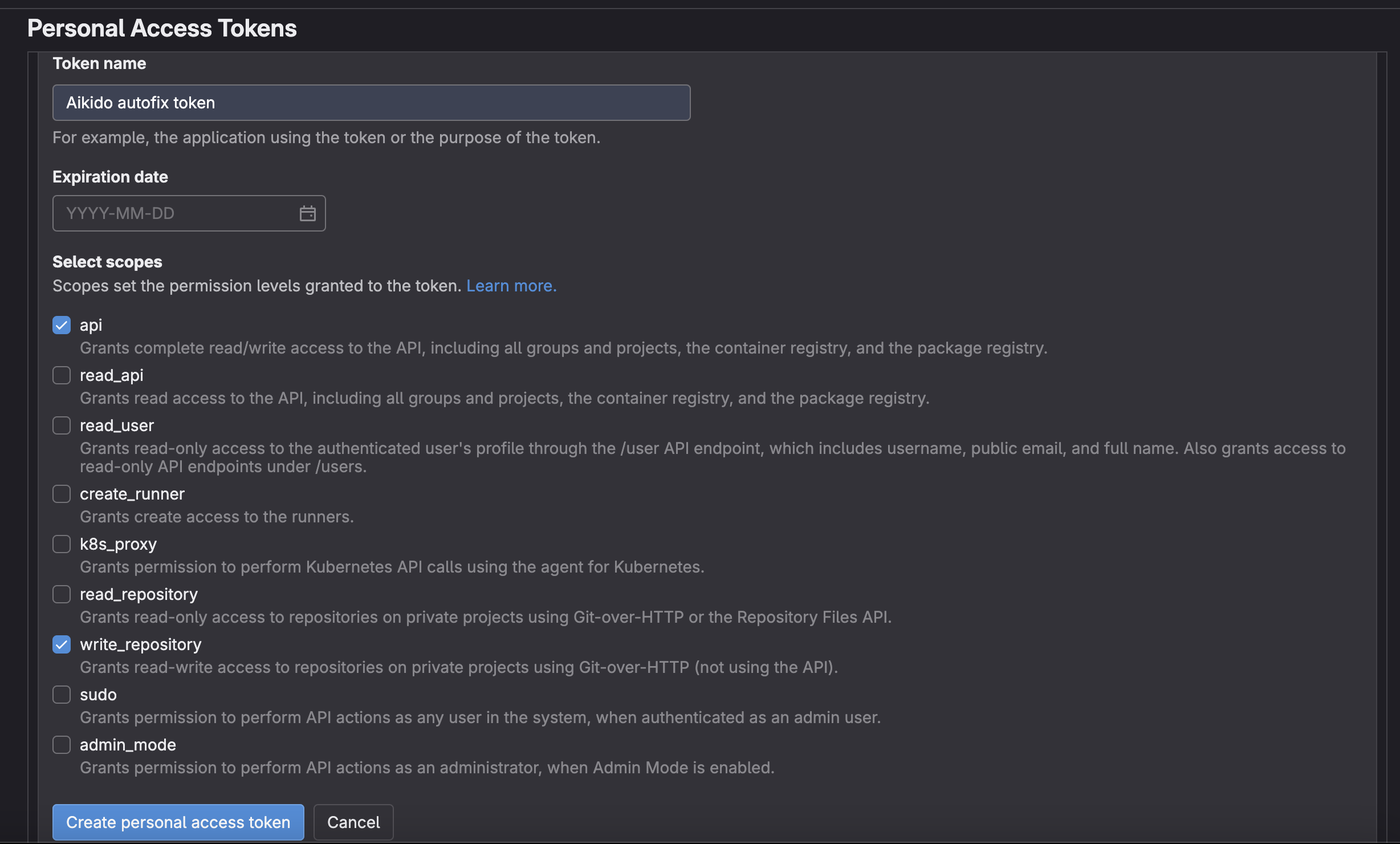
Step 5. Name the token 'Aikido Autofix' and add the following permissions: api & write_repository
Step 6. Copy the newly created token and paste it into the modal in Aikido.

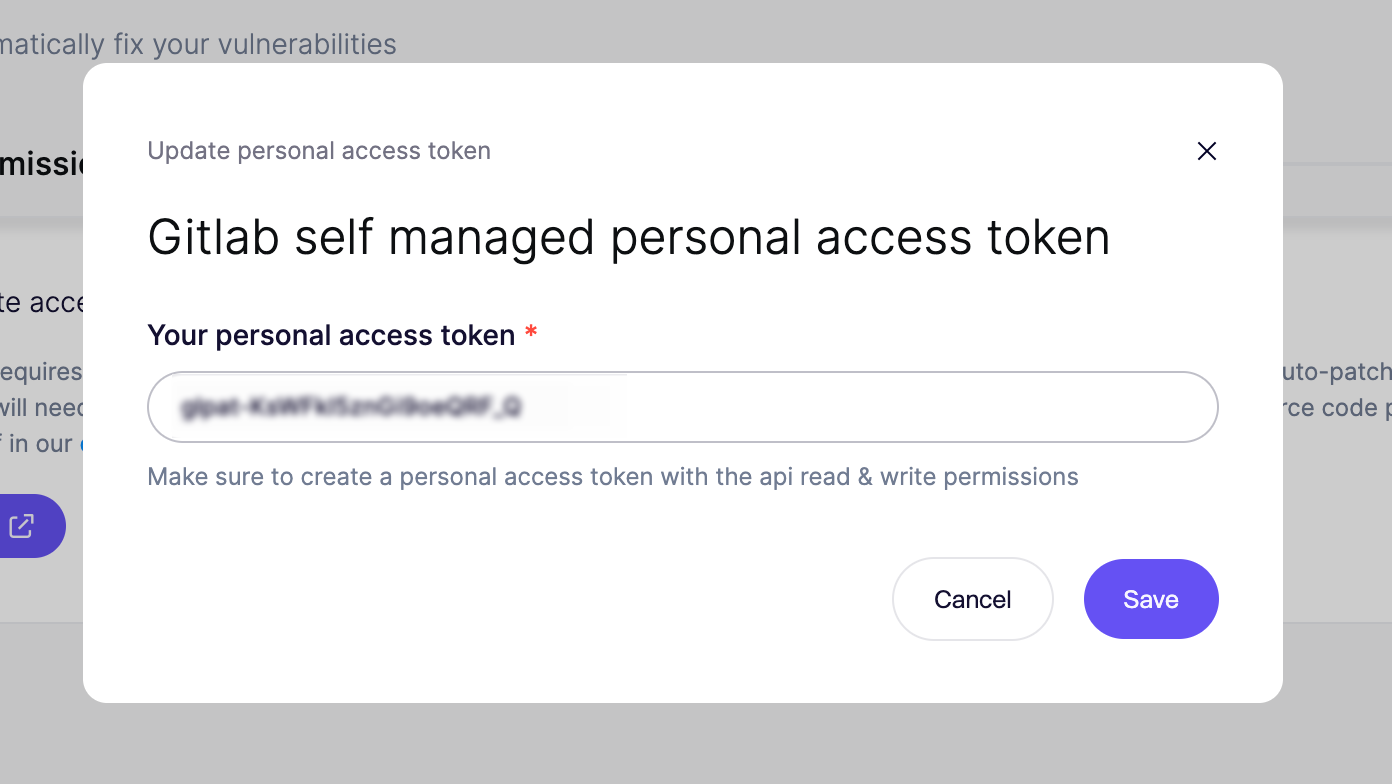
Step 7. Click save and you are all set. You will now be able to execute autofix PRs from the Autofix page or from the action menu for subissues in the sidebar.
#Using a service account
If you setup Autofix with a PAT for your Gitlab user, you will be the author of the Merge Requests created by AutoFix, which can be confusing.
For premium Gitlab self managed users, we recommend setting up a service account for Aikido AutoFix. This will make it easy to see which PRs are coming from Aikido.
Step 1. Setup a service account
In Gitlab, navigate to Group > Your group > Settings > Service accounts to setup a service account.
Step 2. Create a PAT for the service account
Click Manage access tokens in the 3 dots menu on the service account page in Gitlab to create a new access token. Create a PAT with api and write_repository permissions.
Step 3. Add the service account as a member of the Gitlab group
In Gitlab, navigate to Group > Your Group > Manage > Members > Invite Members and add the newly created service account as a member of the Gitlab group.
Step 4. Paste the PAT into the Aikido UI
Copy the newly created token from Gitlab and paste it into the modal in Aikido.