# Container AutoFix for Docker Hardened Images
Container AutoFix can upgrade base images from Docker Hardened Images (DHI) on `dhi.io`. Pulling from `dhi.io` requires a Docker login, so connect a Docker Hub registry in Aikido and AutoFix uses its credentials to pull the images.
## Prerequisites
* A Docker account with access to Docker Hardened Images.
* A Dockerfile that uses `dhi.io` base images, for example:
{% code title="Dockerfile" %}
```dockerfile
FROM dhi.io/node:24-alpine3.23-dev AS build-base
# ...
FROM dhi.io/node:24-alpine3.23 AS runner
# ...
```
{% endcode %}
## How it works
Container AutoFix rebuilds your image with newer base image tags to check which issues each upgrade fixes. When the base image starts with `dhi.io/`, Aikido logs in to `dhi.io` with the credentials of the Docker Hub registry connected to your workspace.
Without a connected Docker Hub registry, Container AutoFix fails with this error:
```text
The registry for the private base image could not be found, container autofix is not available.
```
## Connect Docker Hub for Docker Hardened Images
{% stepper %}
{% step %}
### Create a Docker access token
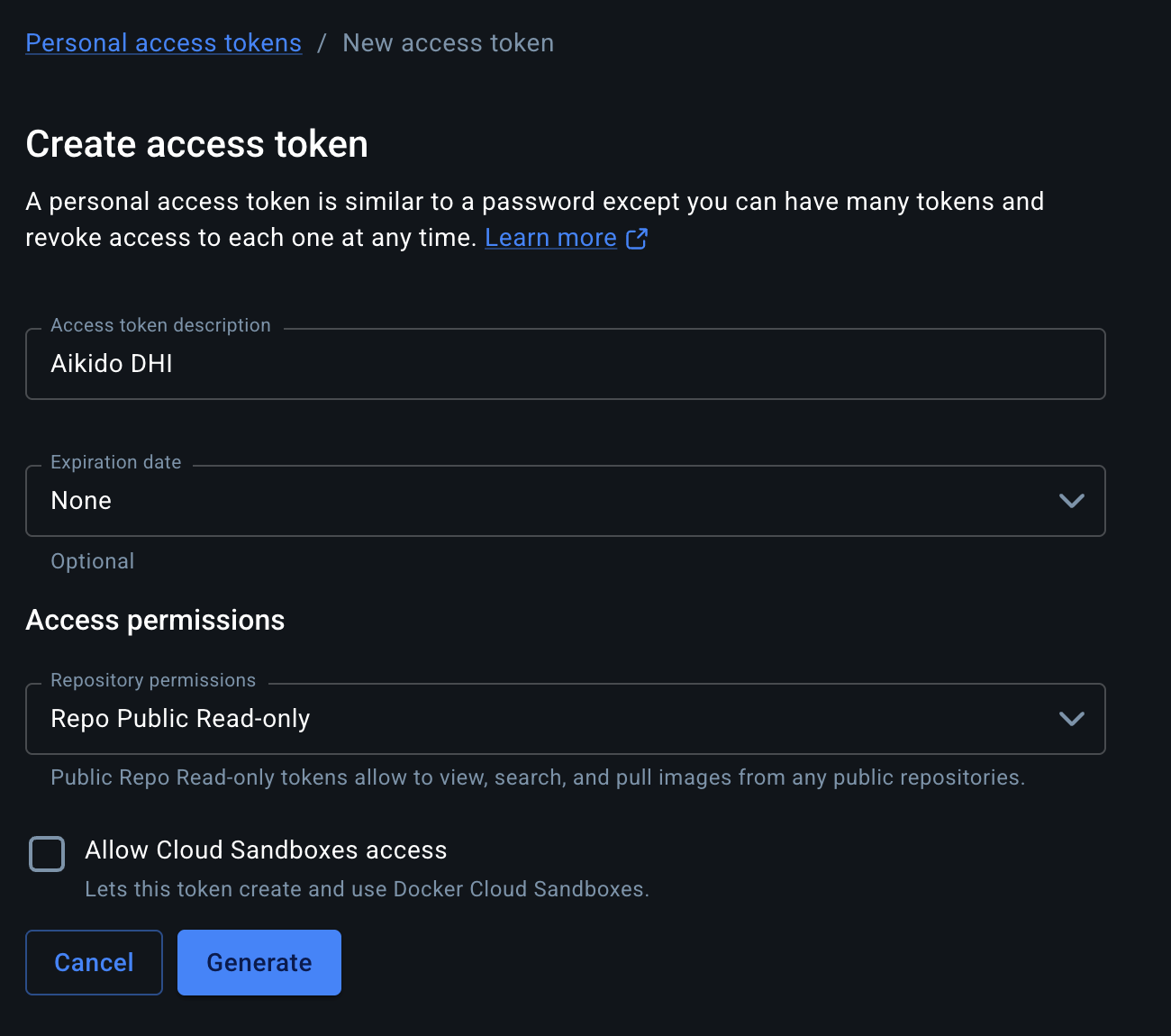
In [Docker Home](https://app.docker.com/), go to **Account settings** → **Personal access tokens** and click **Generate new token**. Enter a description, set **Repository permissions** to **Repo Public Read-only**, and click **Generate**. Copy the token.
To use an organization access token instead, give it the **Read public repositories** permission. Use your Docker organization name as the username in the next step.
{% endstep %}
{% step %}
### Connect Docker Hub in Aikido
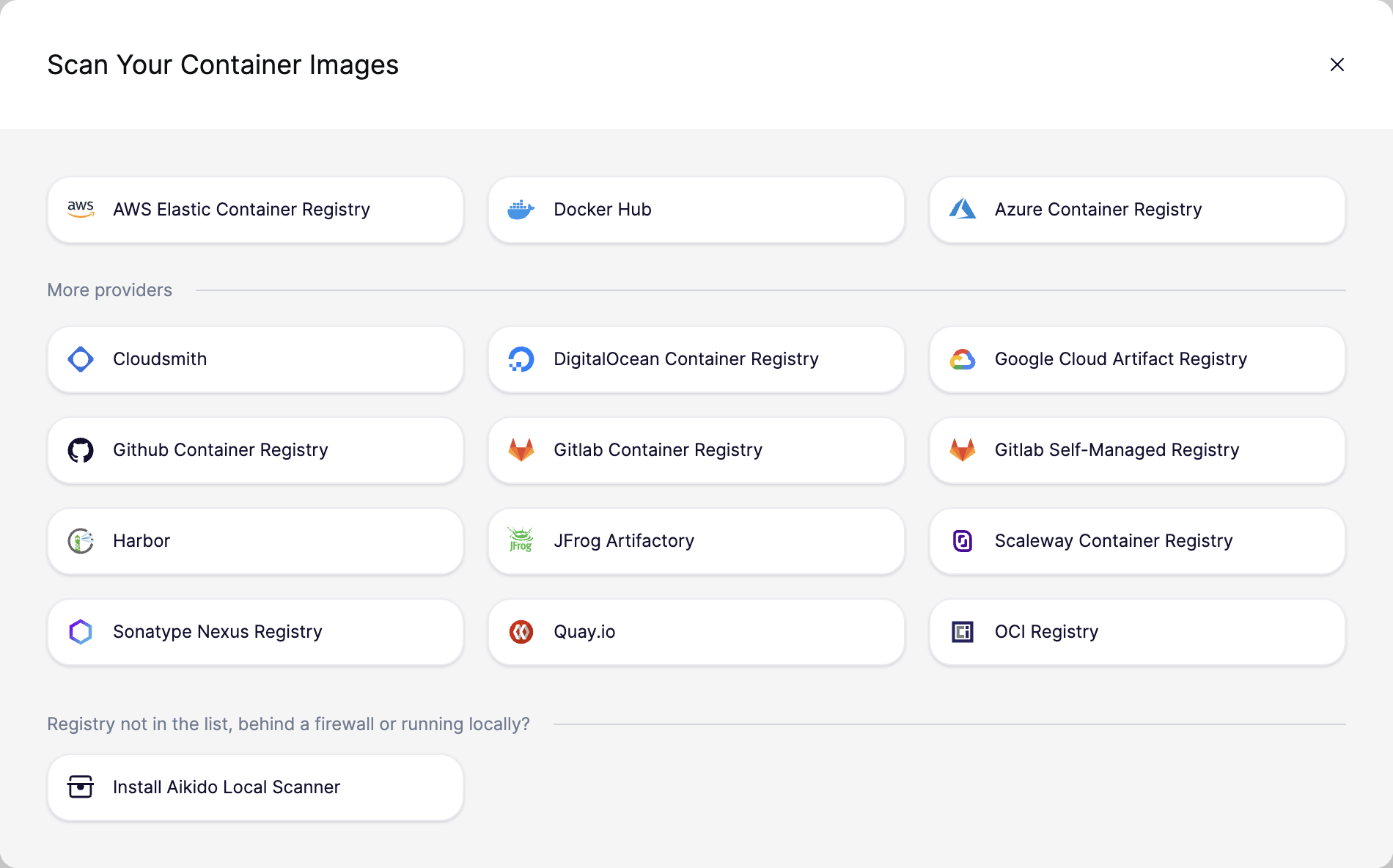
Go to [**Settings** → **Containers**](https://app.aikido.dev/settings/container-image-registry), click **Connect Registry**, and select **Docker Hub**.
{% endstep %}
{% step %}
### Enter the credentials
Fill in the form and click **Save**:
* **Username:** your Docker username, or your Docker organization name for an organization access token.
* **Access token:** the token from the first step.
* **Organization name:** optional. You don't need it for Docker Hardened Images.
{% endstep %}
{% step %}
### Run Container AutoFix again
Go to [**AutoFix** → **Cloud** → **Containers**](https://app.aikido.dev/issues/fix/container) and click **Regenerate AutoFix** in the action menu of your container, or **Create AutoFix** if it has no AutoFix yet. AutoFix now pulls the `dhi.io` base images and suggests upgrades.
{% endstep %}
{% endstepper %}
## Troubleshooting
### AutoFix still can't find the registry
Check that a Docker Hub registry is connected and active on [**Settings** → **Containers**](https://app.aikido.dev/settings/container-image-registry).
### AutoFix can't pull the `dhi.io` image
Aikido uses the first active Docker Hub registry in your workspace. Check that its token is still valid and that the account has access to Docker Hardened Images. If the token expired or was revoked, generate a new one and update the registry.
## Related
{% content-ref url="setting-up-container-autofix.md" %}
[setting-up-container-autofix.md](https://help.aikido.dev/autofix-and-remediation/configure/setting-up-container-autofix)
{% endcontent-ref %}
{% content-ref url="../scope/ai-autofix-for-containers.md" %}
[ai-autofix-for-containers.md](https://help.aikido.dev/autofix-and-remediation/scope/ai-autofix-for-containers)
{% endcontent-ref %}
{% content-ref url="../../container-image-scanning/standalone-registries/docker-hub-images.md" %}
[docker-hub-images.md](https://help.aikido.dev/container-image-scanning/standalone-registries/docker-hub-images)
{% endcontent-ref %}