> For the complete documentation index, see [llms.txt](https://help.aikido.dev/llms.txt). Markdown versions of documentation pages are available by appending `.md` to page URLs; this page is available as [Markdown](https://help.aikido.dev/autofix-and-remediation/aikido-libraries-overview.md).
# Aikido Libraries
Secured, drop-in replacements for vulnerable packages. No upgrades. No breaking changes.
Upgrading a vulnerable dependency means using a version you haven't tested, risking breaking changes, and coordinating deploying that upgrade across your team. Transitioning to Aikido Libraries removes that tradeoff. It patches the exact version already in use - same package, same version, same API, same behavior - so you get the security fix without touching your application code.
Aikido has more than **9,500** secured libraries across JavaScript, Java, Python, PHP, Go, .NET and Ruby. Aikido Libraries is most useful when:
* A CVE has no safe upstream fix yet
* The upstream fix requires a major version bump you cannot take
* A package is no longer maintained
### Roll out Aikido Libraries to one or more repositories
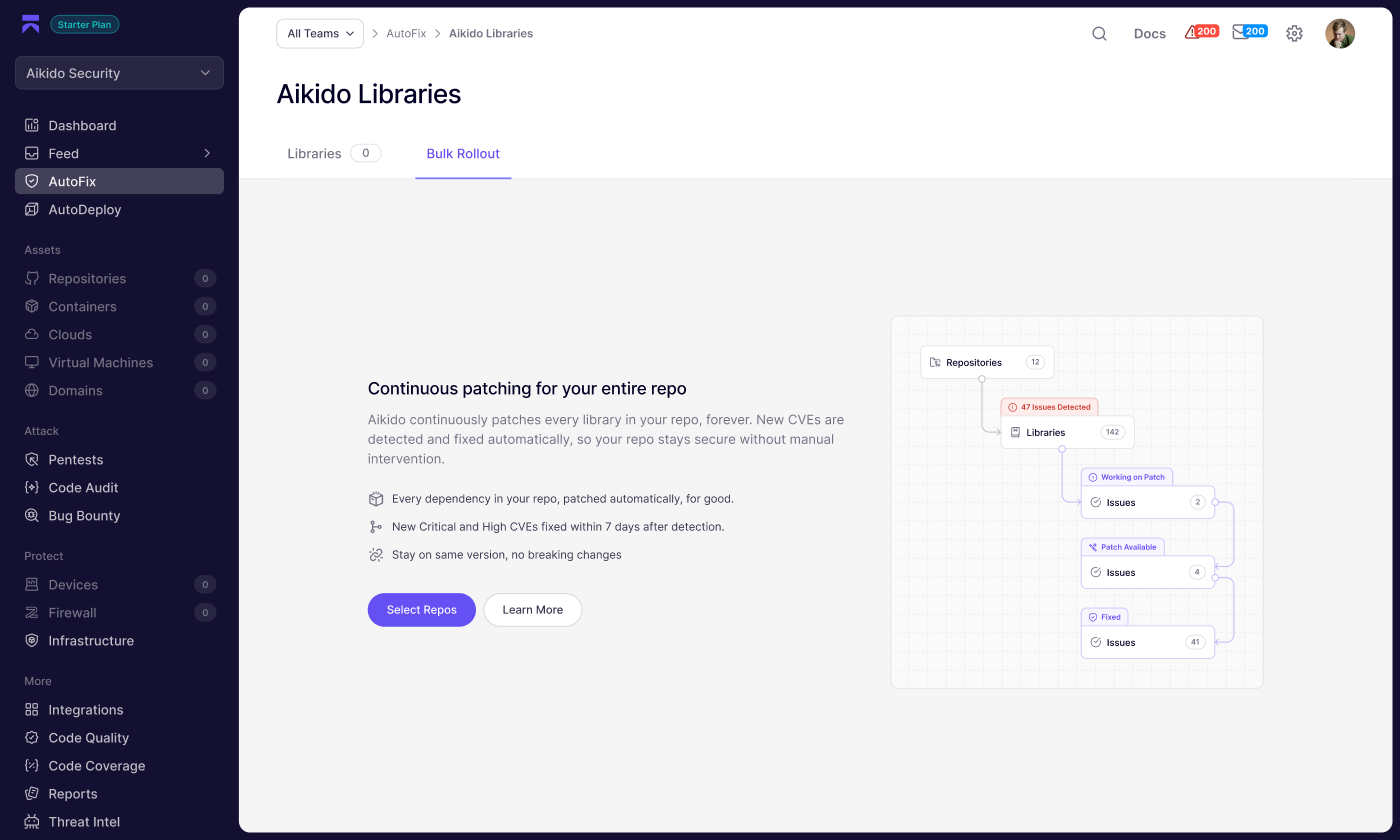
1. In the left sidebar, go to **AutoFix** and click **Aikido Libraries**.
2. Open the **Bulk Rollout** tab and click **Select Repos**.
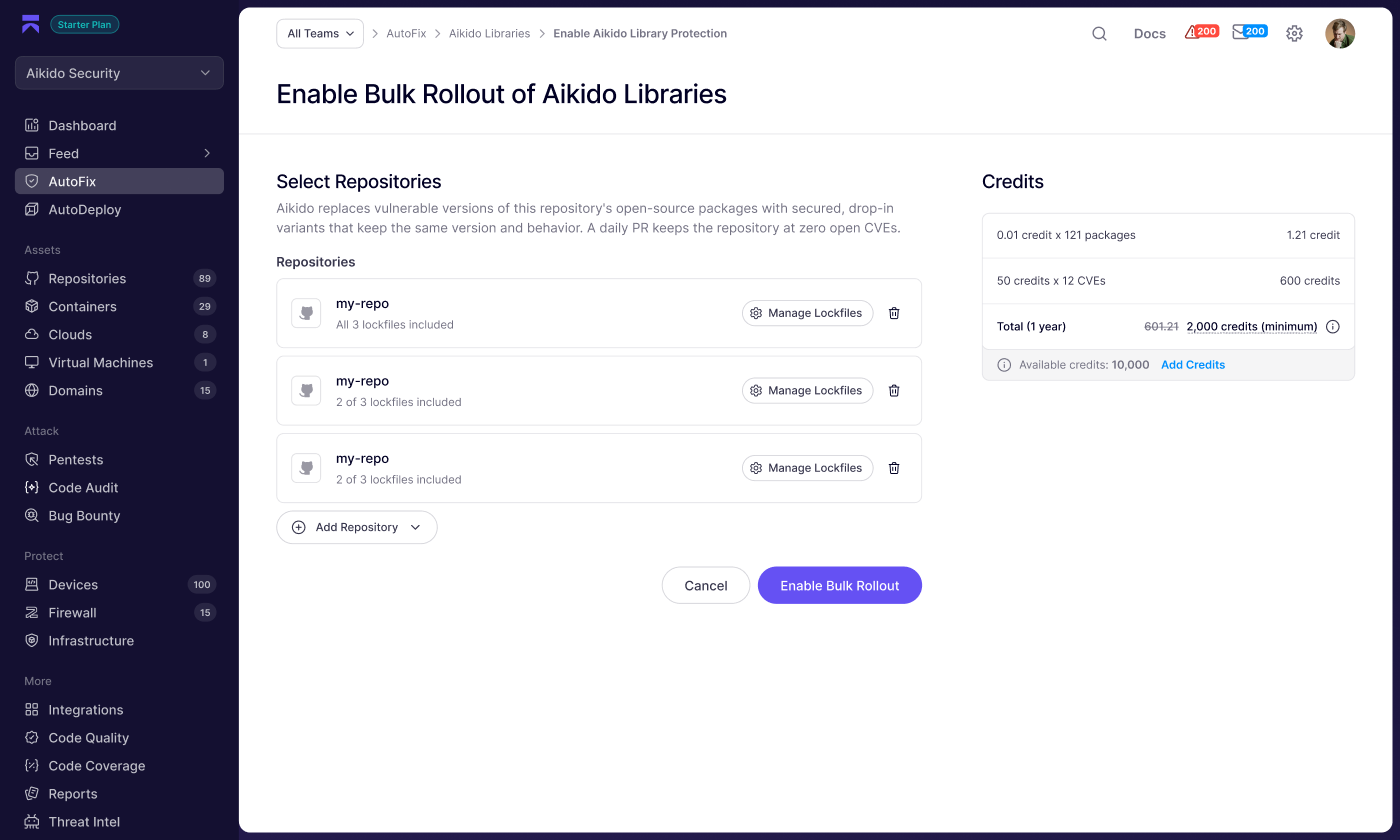
3. Click **Add Repo** and select the repositories you want to protect.
4. Review the credit breakdown in the **Credits** panel on the right.
5. Click **Enable Bulk Rollout** to confirm.
Once enabled, Aikido opens a daily PR that pins your packages to secured Aikido variants. New CVEs are picked up automatically and included in subsequent PRs - no manual intervention needed.
Pricing
Repository protection is a credit-based 1-year subscription, renewed annually. The cost is based on the number of packages and open CVEs in your repository at the time of enrollment. The exact cost is shown in the Credits panel before you confirm.
### Fix a single dependency
When an Aikido Libraries variant is available for a vulnerable dependency, Aikido surfaces it as a fix option in two places. No credits required for one-off fixes.
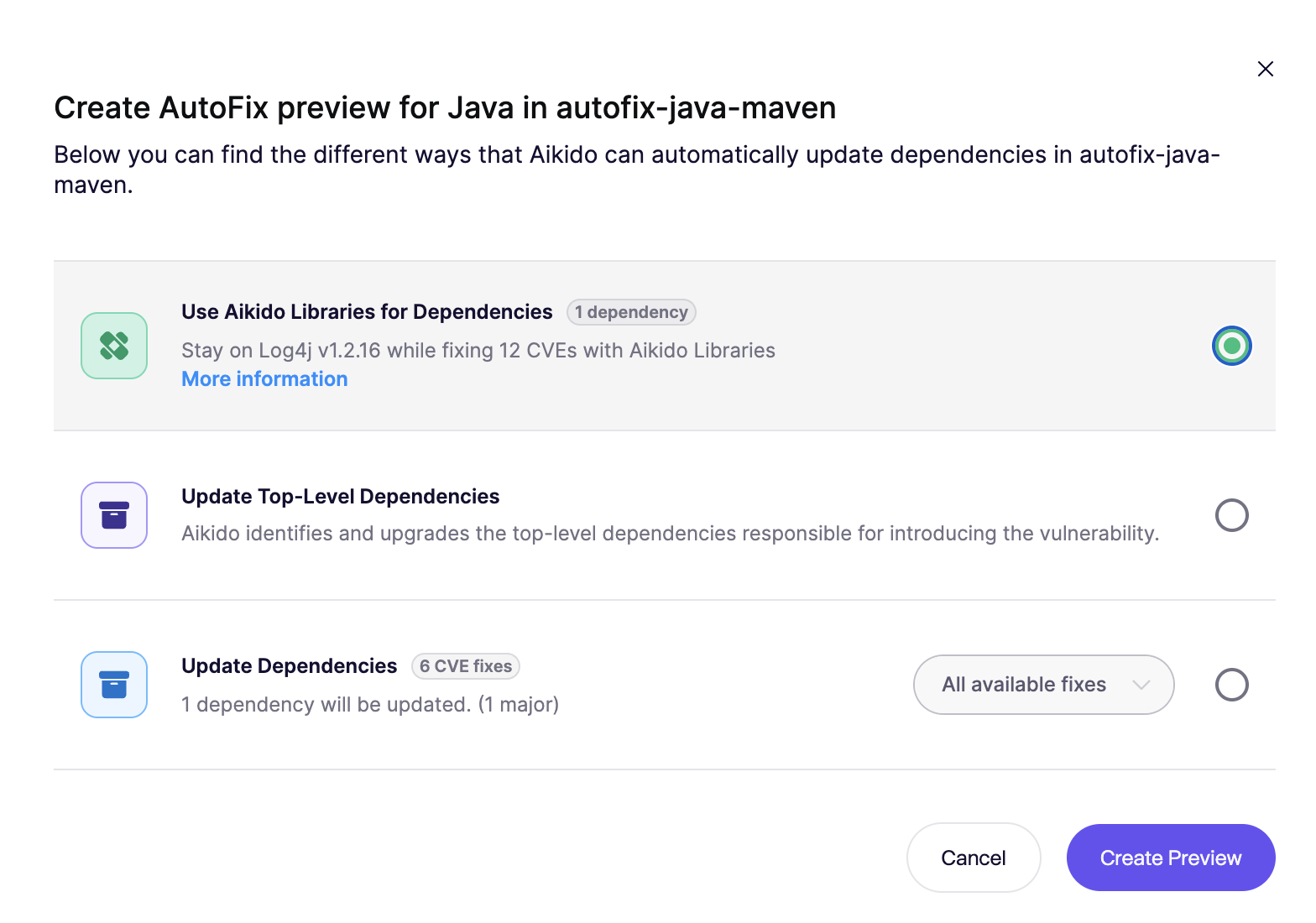
* **From the Feed:** open the issue detail and select the Aikido Libraries option when creating the AutoFix PR.
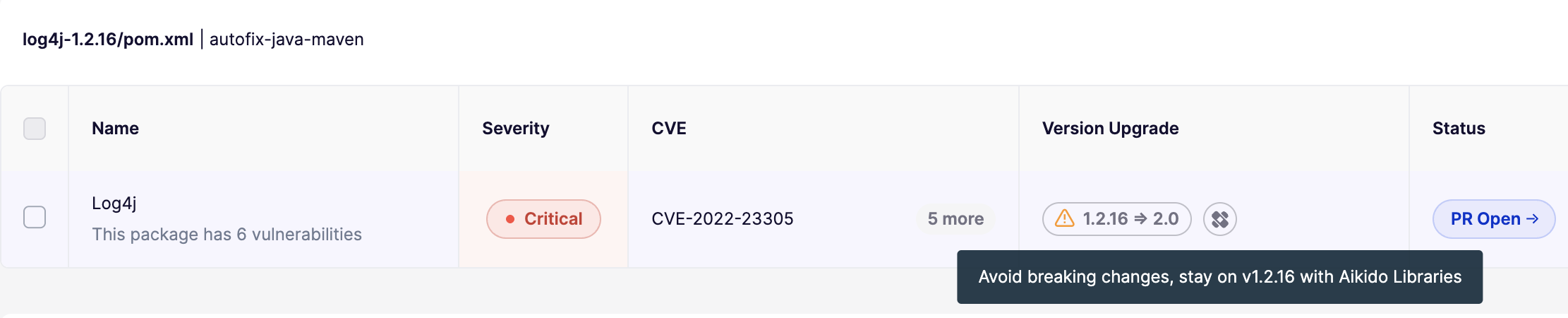
* **From AutoFix > Dependencies:** click **View Fix** on the dependency and choose the Aikido Libraries variant in the modal. Example: log4j@1.2.16
Although released more than 20 years ago, version 1.2.16 of log4j is still used by many teams because upgrading to log4j 2.x is a breaking change.
Version `1.2.16` contains these critical issues:
* [CVE-2019-17571](https://nvd.nist.gov/vuln/detail/cve-2019-17571) - remote code execution
* [CVE-2020-9493](https://nvd.nist.gov/vuln/detail/cve-2020-9493) - malicious code execution
* [CVE-2022-23305](https://nvd.nist.gov/vuln/detail/cve-2022-23305) - SQL injection
The Aikido Libraries variant of `log4j 1.2.16` fixes these CVEs without forcing a migration to `2.x`.
You can safely transition from your existing log4j\@1.2.16 library to the respective Aikido version of it using AutoFix.
AutoFix proposes a transition to an Aikido Libraries variant when one is available. You can review this in the [AutoFix dependency overview](https://app.aikido.dev/issues/fix).
To transition to the Aikido Libraries variant, select this option in the AutoFix creation modal.
---
# Agent Instructions
This documentation is published with GitBook. GitBook is the documentation platform designed so that both humans and AI agents can read, navigate, and reason over technical content effectively. Learn more at gitbook.com.
## Querying This Documentation
If you need additional information that is not directly available in this page, you can query the documentation by asking a question.
Perform an HTTP GET request on the following URL with the `ask` and `goal` query parameters:
```
GET https://help.aikido.dev/autofix-and-remediation/aikido-libraries-overview.md?ask=&goal=
```
`ask` is the immediate question: it should be specific, self-contained, and written in natural language.
`goal` is what the user is ultimately trying to achieve, the reason they need the answer. Sharing it helps GitBook give you a better, more relevant answer. A goal is most helpful when it describes the outcome the user wants rather than restating the question. For example, with `ask=how do I create an API token`, a goal like `automate deployments from our CI pipeline` lets GitBook tailor the answer to that use case.
The response will contain a direct answer to the question and relevant excerpts and sources from the documentation.
Use this mechanism when the answer is not explicitly present in the current page, you need clarification or additional context, or you want to retrieve related documentation sections.