> For the complete documentation index, see [llms.txt](https://help.aikido.dev/llms.txt). Markdown versions of documentation pages are available by appending `.md` to page URLs; this page is available as [Markdown](https://help.aikido.dev/code-scanning/scanning-practices/add-custom-sast-iac-rules.md).
# Add Custom SAST & IaC Rules
## Introduction
With these custom rules you can make Aikido scan for specific risks in your codebase, especially those risks that are particularly relevant for your environment. This way you can detect vulnerabilities that broader SAST or IaC rules might overlook.
## Step-by-Step Guide
{% hint style="info" %}
This functionality is not by default enabled in your workspace. Contact Aikido to enable.
{% endhint %}
**Step 1:** Go to the [repositories checks](https://app.aikido.dev/repositories/checks) page.
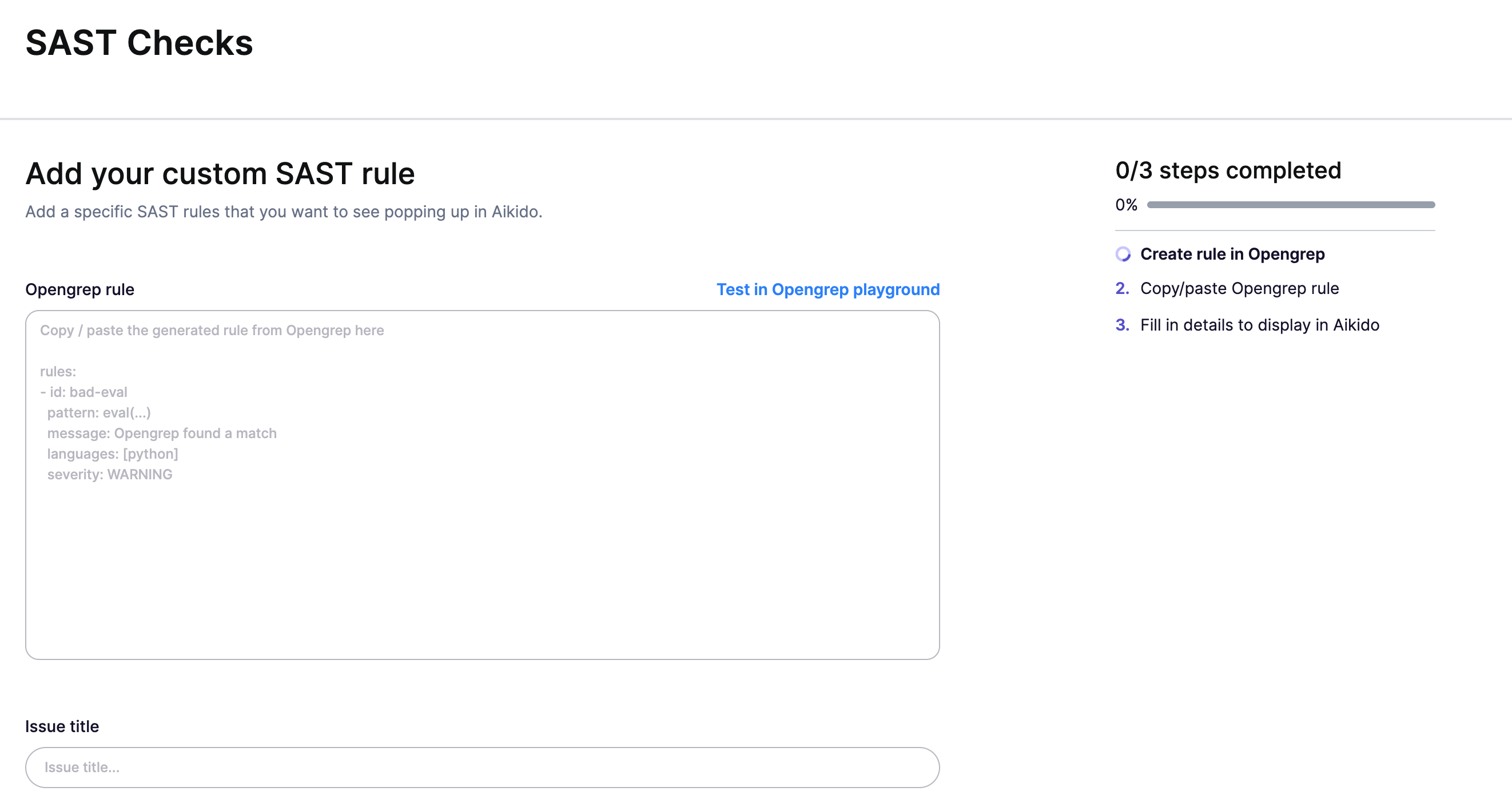
**Step 2:** Click on "[Create Custom Rule](https://app.aikido.dev/repositories/sast/custom/add)" in the SAST section\

**Step 3:** Enter the following details for your rule:
* **Opengrep rule:** Define the rule Aikido will search for. **Tip:** Use the [Opengrep playground](https://github.com/opengrep/opengrep-playground?tab=readme-ov-file#installation)[ ](https://semgrep.dev/playground)to test your rule's effectiveness before saving.
* **Title:** Name your rule for easy identification.
* **TL;DR:** Provide a concise description of the issue. This will show up in the sidebar.
* **How to fix it:** Let your team know the best way to fix this issue.
* **Language:** Specify the programming language.
* **Aikido Score:** Set the priority level for issue reporting in the main Feed.
**Step 4:** Once you're satisfied with the rule's configuration, click "Save" to add it to your Aikido SAST checks. Your custom rule is now active and will be automatically applied in future scans.
### Extra Info
* Overall, the language attribute in the Opengrep rule will always prevail. This can be helpful when you are looking to implement a custom rule that needs to be applied to all languages and files at once.
* If you want to create IaC rules, you can do this by setting the language to yaml/terraform/...
## Examples
* **SAST Rule:** Looking for use of the weak MD5 hashing algorithm in javascript.
```
rules:
- id: CUSTOM-RULE-XXXX
message: It looks like MD5 is used
languages:
- javascript
paths:
include
- "*.js"
severity: WARNING
pattern-either:
- pattern: $CRYPTO.createHash("md5")
- pattern: CryptoJS.MD5(...)
```
* **IaC Rule:** A custom rule for detecting lambda functions that might be dangerous.
```
rules:
- id: CUSTOM-RULE-530
languages:
- hcl
severity: WARNING
message: >
A Lambda function was found with the "type:monitored" tag, but without a "service" tag.
patterns:
- pattern: |-
resource "aws_lambda_function" $ANYTHING {
...
tags = {..., type = "monitored", ...}
}
- pattern-not: |-
resource "aws_lambda_function" $ANYTHING {
...
tags = {..., service= "...", ...}
}
```
---
# Agent Instructions
This documentation is published with GitBook. GitBook is the documentation platform designed so that both humans and AI agents can read, navigate, and reason over technical content effectively. Learn more at gitbook.com.
## Querying This Documentation
If you need additional information that is not directly available in this page, you can query the documentation dynamically by asking a question.
Perform an HTTP GET request on the current page URL with the `ask` query parameter, and the optional `goal` query parameter:
```
GET https://help.aikido.dev/code-scanning/scanning-practices/add-custom-sast-iac-rules.md?ask=&goal=
```
`ask` is the immediate question: it should be specific, self-contained, and written in natural language.
`goal` is optional and describes the broader end goal you are ultimately trying to accomplish on behalf of the user. GitBook uses it to tailor the answer towards what is most useful for that goal.
The response will contain a direct answer to the question and relevant excerpts and sources from the documentation.
Use this mechanism when the answer is not explicitly present in the current page, you need clarification or additional context, or you want to retrieve related documentation sections.