# Gitlab Container Registry

You can now integrate your (cloud) Gitlab Container Registry with Aikido to scan your containers for known vulnerabilities.

Follow the simple steps below to activate this feature:

**Step 1:** Log into your Gitlab account to gather some data.

We'll have to gather your username (see screenshot)
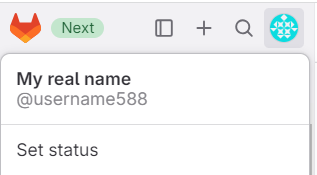
![User profile dropdown displaying name, username, and status option in a web application.](/files/taEO6nYDOkazcixCWC7R)

**Step 2:** Copy the group ID where the container registry resides (see screenshot)

![Organization profile showing group name, privacy status, plan type, and group ID.](/files/TeqygzSHw8wUqtZX0yqX)

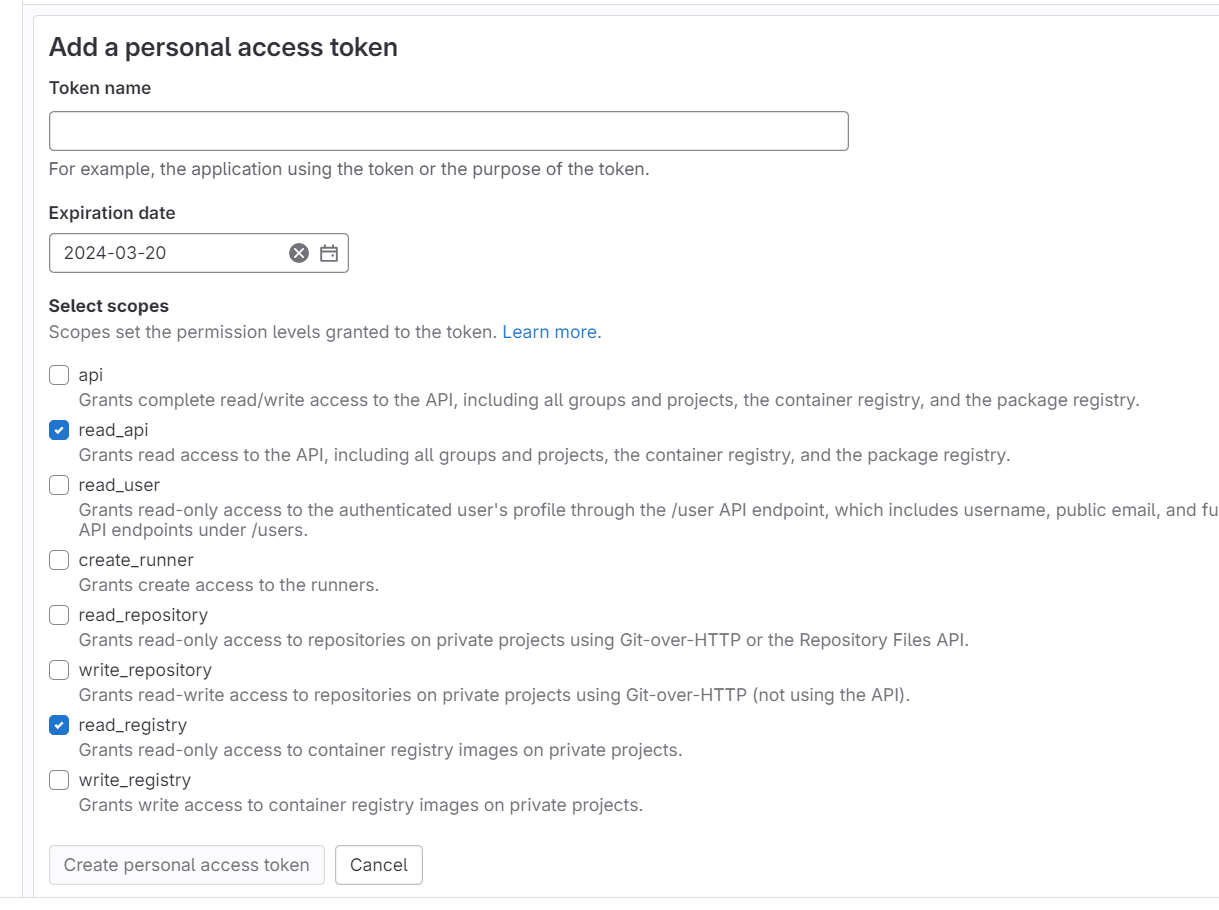
**Step 3:** Under personal preferences, Access tokens, create a new token for Aikido (direct link: <https://gitlab.com/-/user_settings/personal_access_tokens>).

The scopes included must be: read\_api, read\_registry

See screenshot:

![Form for creating a new personal access token with selectable API access scopes.](/files/E12Ctt3ODcEsizoqi0as)

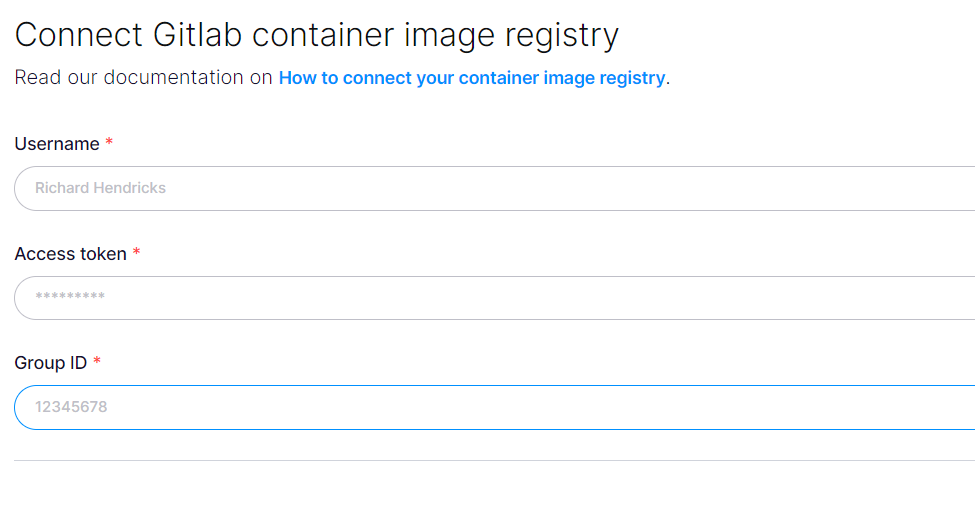
**Step 4:** Enter the collected data in Aikido (direct link: <https://app.aikido.dev/settings/container-image-registry/add/gitlab>)

![GitLab container registry connection form: enter username, access token, and group ID.](/files/HIdYfGbowNZ4VzOKiEsk)

**Step 5:** Aikido will now find all container repositories you can access and list them.

**Step 6:** Repositories can be linked to a code repository in order to perform better deduplication of findings. This step is optional!

**Step 7:** In the action menu next to the registry, click 'scan repos in registry' to get started. Results will appear in the Feed!

***


---

# Agent Instructions: Querying This Documentation

If you need additional information that is not directly available in this page, you can query the documentation dynamically by asking a question.

Perform an HTTP GET request on the current page URL with the `ask` query parameter:

```
GET https://help.aikido.dev/container-image-scanning/standalone-registries/gitlab-container-registry.md?ask=<question>
```

The question should be specific, self-contained, and written in natural language.
The response will contain a direct answer to the question and relevant excerpts and sources from the documentation.

Use this mechanism when the answer is not explicitly present in the current page, you need clarification or additional context, or you want to retrieve related documentation sections.