> For the complete documentation index, see [llms.txt](https://help.aikido.dev/llms.txt). Markdown versions of documentation pages are available by appending `.md` to page URLs; this page is available as [Markdown](https://help.aikido.dev/dast-surface-monitoring/attack-surface-scanning/add-or-ignore-subdomains-in-attack-surface.md).
# Add or Ignore Subdomains in Attack Surface
By default, Aikido automatically discovers subdomains related to your domain. In some cases, you may want to manually add a subdomain (for assets that aren’t detected automatically) or exclude a subdomain (for assets that fall outside of your scope or don’t need scanning).
## Why manage subdomains?
* Add subdomains: Ensure important assets (like api.example.com) are included in your security scans.
* Exclude subdomains: Reduce noise and avoid scanning third-party or out-of-scope services (like a test environment or marketing site hosted elsewhere).
## Adding a subdomain
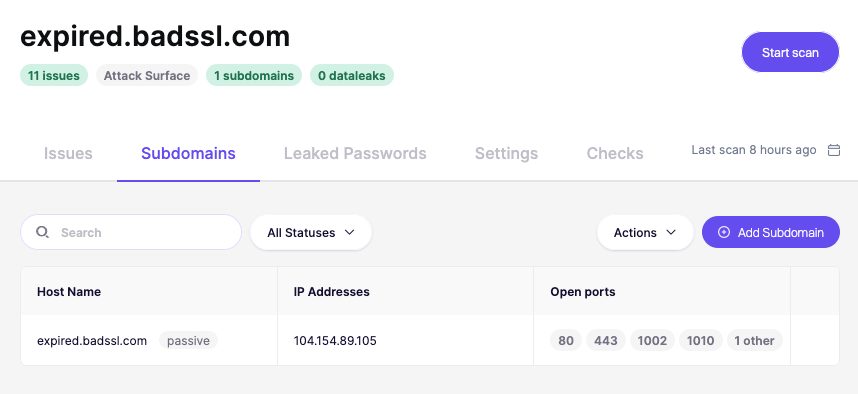
1. Navigate to your domain overview page.
2. Go to the Subdomains tab.
3. Click Add Subdomain in the top right.
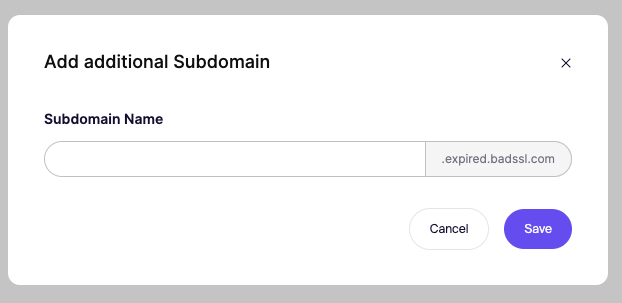
4. Enter the subdomain you want to monitor.
5. Confirm to include it in future scans.
## Excluding a subdomain
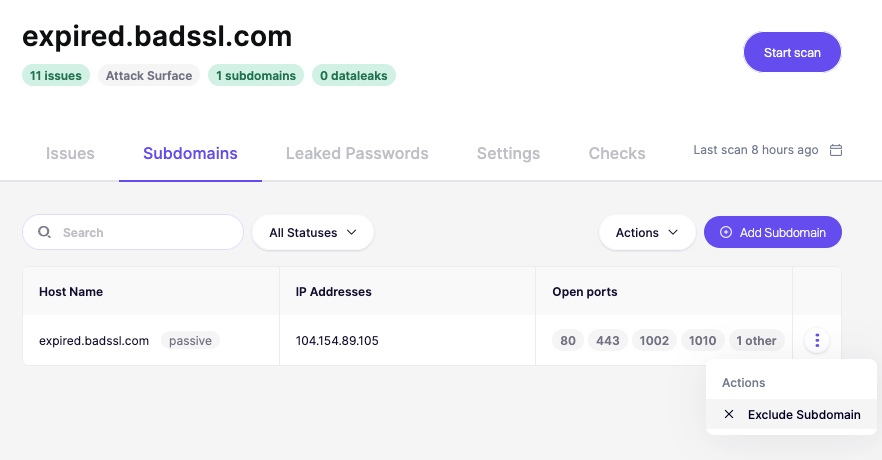
1. From the Subdomains tab, find the subdomain in the list.
2. Open the Actions menu (three dots on the right).
3. Select Exclude Subdomain.
4. The subdomain will no longer be scanned.
---
# Agent Instructions
This documentation is published with GitBook. GitBook is the documentation platform designed so that both humans and AI agents can read, navigate, and reason over technical content effectively. Learn more at gitbook.com.
## Querying This Documentation
If you need additional information that is not directly available in this page, you can query the documentation dynamically by asking a question.
Perform an HTTP GET request on the current page URL with the `ask` query parameter, and the optional `goal` query parameter:
```
GET https://help.aikido.dev/dast-surface-monitoring/attack-surface-scanning/add-or-ignore-subdomains-in-attack-surface.md?ask=&goal=
```
`ask` is the immediate question: it should be specific, self-contained, and written in natural language.
`goal` is optional and describes the broader end goal you are ultimately trying to accomplish on behalf of the user. GitBook uses it to tailor the answer towards what is most useful for that goal.
The response will contain a direct answer to the question and relevant excerpts and sources from the documentation.
Use this mechanism when the answer is not explicitly present in the current page, you need clarification or additional context, or you want to retrieve related documentation sections.