> For the complete documentation index, see [llms.txt](https://help.aikido.dev/llms.txt). Markdown versions of documentation pages are available by appending `.md` to page URLs; this page is available as [Markdown](https://help.aikido.dev/docs/docs-ja/ai-totsru/ide-plugins-overview/cursor-ide.md).
# Cursor IDE
Aikido は、プロジェクト内のハードコードされたシークレット(API キー、トークン)や安全でないコードパターン(SQL インジェクション、パストラバーサルなど)を自動的にスキャンするため、問題を早期に見つけてコードベースを安全に保てます。
スキャンは、ファイルを開いたときや変更を保存したときに自動的に実行されるため、開発の早い段階で問題を簡単に見つけられます。
セキュリティ上の問題が見つかると、コード内で直接ハイライト表示され、Aikido ウィンドウにも一覧で表示されます。
{% stepper %}
{% step %}
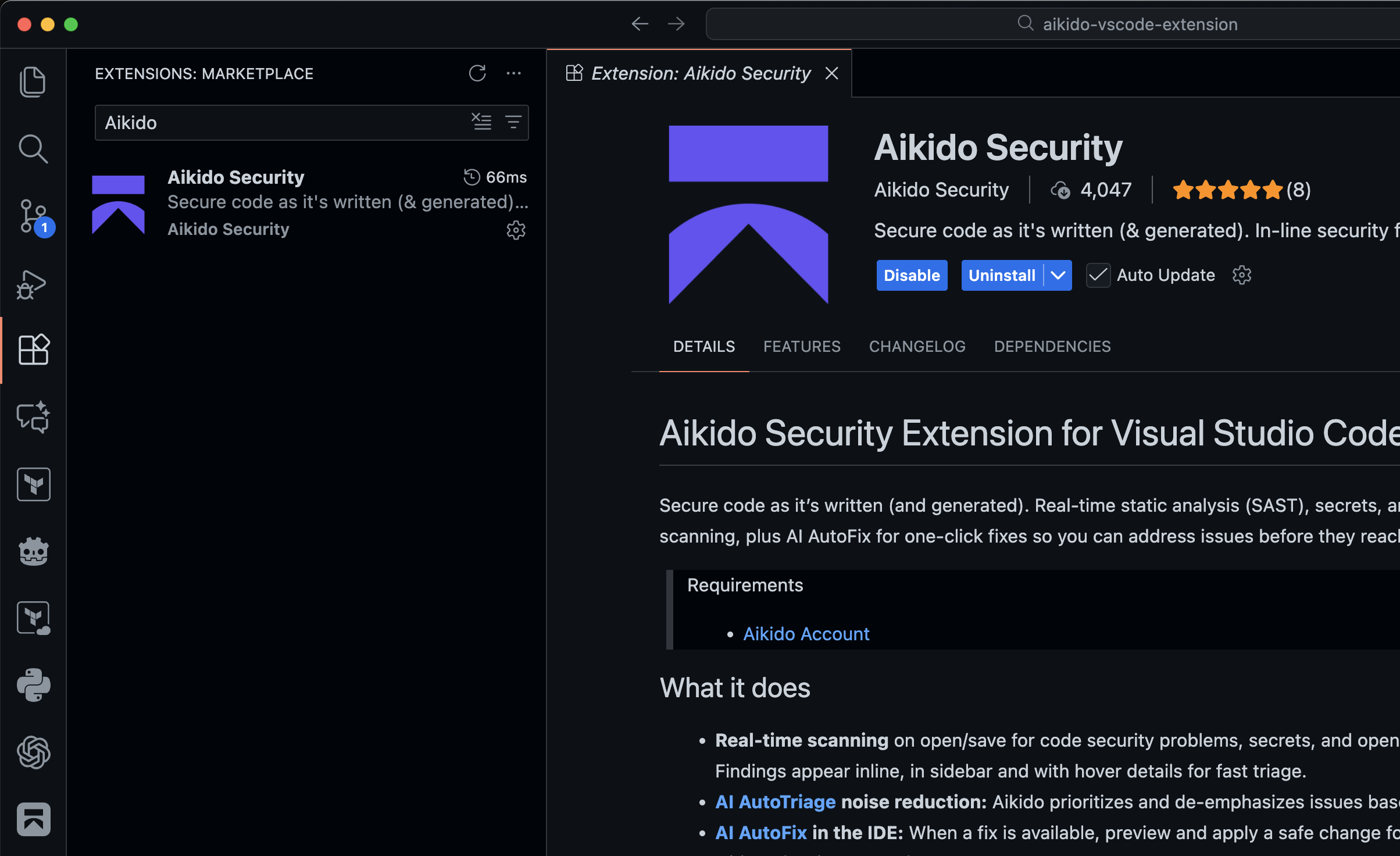
### 拡張機能を開いて「Aikido Security」をインストールしてください
代わりに、以下のリンクから各マーケットプレイスへ移動できます
* [VS Code](https://marketplace.visualstudio.com/items?itemName=AikidoSecurity.aikido)
* [Windsurf](https://open-vsx.org/extension/AikidoSecurity/aikido) / [Cursor](https://open-vsx.org/extension/AikidoSecurity/aikido) / [Kiro](https://open-vsx.org/extension/AikidoSecurity/aikido) / [Google Antigravity](https://open-vsx.org/extension/AikidoSecurity/aikido)
{% endstep %}
{% step %}
### Aikidoで認証する
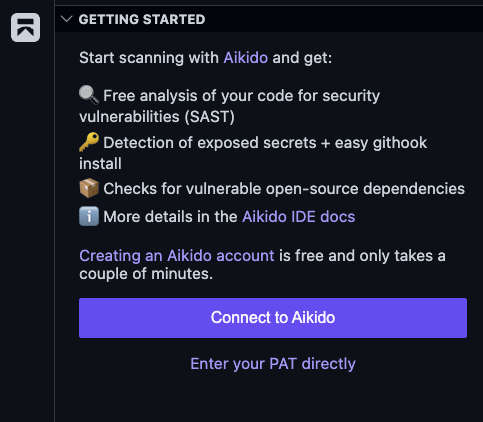
AikidoのサイドバーアイコンをクリックしてAikidoプラグインを開き、「Connect to Aikido」をクリックしてAikidoプラットフォームに認証してください。
または、コマンドパレットを開いて次を実行できます `Aikido: ログイン`
自動認証が機能しない場合は、Aikido内で個人用アクセスを手動で作成できます。以下へ移動してください [Integrationsページに移動し、手順に従ってください](https://app.aikido.dev/settings/integrations?section=ide).
{% endstep %}
{% step %}
### サンプルを試してみましょう
以下に例があります `index.js` 拡張機能が正しく動作しているかを確認するために使用できるファイルで、SASTの問題が1件(SQLインジェクション)と、露出したシークレットが1件(SQL Server接続文字列)検出されるはずです。
```javascript
const app = {}
app.get("/user", (req, res) => {
const connStr = "Server=tcp:myserver.database.windows.net,1433;Initial Catalog=mydb;Persist Security Info=False;User ID=myuser;Password=$uperSecret123!@#";
const username = req.query.username
const unsafeQuery = `SELECT * FROM users WHERE username = '${username}'`
sql.connect(connStr).query(unsafeQuery, (err, result) => {
res.status(200).send(result)
})
})
```
{% endstep %}
{% step %}
### 追加のセキュリティツールを有効にする
次のような拡張パックで、IDE内のAikidoを拡張しましょう [AIエージェント向けMCP](/docs/docs-ja/ai-totsru/aikido-mcp.md), [コミット前フック](/docs/docs-ja/ai-totsru/aikido-secrets-pre-commit-hook.md)、および [Safe Chain](/docs/docs-ja/kdosukyan/aikido-malware-scanning.md)。詳細は以下のドキュメントをご覧ください。
{% content-ref url="/pages/22e70f9450fcdcd2a38b4535fb8a9cf951d68cd2" %}
[Aikido拡張パック](/docs/docs-ja/ai-totsru/ide-plugins-overview/features/aikido-expansion-packs.md)
{% endcontent-ref %}
{% endstep %}
{% endstepper %}
プラグインがインストールされたので、作業中にセキュリティ上の問題を見つけるのに役立つ機能を見ていきましょう:
{% content-ref url="/pages/3dfde686ecf7d74a621887ca00e5f424b7977ac7" %}
[IDEでのリアルタイムSAST、シークレット、IaCスキャン](/docs/docs-ja/ai-totsru/ide-plugins-overview/features/real-time-code-scanning-in-ide.md)
{% endcontent-ref %}
{% content-ref url="/pages/b92562cb2024df554e808edc27e5331630c25e76" %}
[Broken mention](broken://pages/b92562cb2024df554e808edc27e5331630c25e76)
{% endcontent-ref %}
{% content-ref url="/pages/fff307894e2c08dfd40a07ab0f4892e23b70da2d" %}
[IDEでのオープンソース依存関係スキャン(SCA)](/docs/docs-ja/ai-totsru/ide-plugins-overview/features/open-source-dependency-scanning-sca-in-ide.md)
{% endcontent-ref %}
{% content-ref url="/pages/29e684dbc14043d4f997ce83025f0d97ebccf593" %}
[IDEでのワークスペース全体スキャン](/docs/docs-ja/ai-totsru/ide-plugins-overview/features/full-workspace-scan-in-ide.md)
{% endcontent-ref %}
{% content-ref url="/pages/f1c11358da27d679d241d27159a227eee3d517fb" %}
[IDE内のAikido AI](/docs/docs-ja/ai-totsru/ide-plugins-overview/features/aikido-ai-in-ide.md)
{% endcontent-ref %}
{% content-ref url="/pages/b65694ed0557e5a962ebbb85aac5b0a82784cf41" %}
[VS Code - 拡張機能が接続解除を繰り返す](/docs/docs-ja/ai-totsru/ide-plugins-overview/troubleshooting/vs-code-extension-keeps-disconnecting.md)
{% endcontent-ref %}
{% content-ref url="/pages/e0ef2730dd79e43791f0305e22201871e5ff6a87" %}
[VS Code - サポート向け情報](/docs/docs-ja/ai-totsru/ide-plugins-overview/troubleshooting/vs-code-information-for-support.md)
{% endcontent-ref %}
## Cursor向けAikido MCP
Aikido Cursorプラグインは、Expansion PacksまたはCursor Marketplaceを通じて、CursorのAIワークフローに追加できます。このプラグインを使うと、Cursorは作業中にコードをスキャンしてセキュリティ上の問題を検出できます。
[Cursor向けAikido MCPを設定する](https://help.aikido.dev/ai-and-dev-tools/aikido-mcp/cursor-mcp)
---
# Agent Instructions
This documentation is published with GitBook. GitBook is the documentation platform designed so that both humans and AI agents can read, navigate, and reason over technical content effectively. Learn more at gitbook.com.
## Querying This Documentation
If you need additional information that is not directly available in this page, you can query the documentation by asking a question.
Perform an HTTP GET request on the following URL with the `ask` and `goal` query parameters:
```
GET https://help.aikido.dev/docs/docs-ja/ai-totsru/ide-plugins-overview/cursor-ide.md?ask=&goal=
```
`ask` is the immediate question: it should be specific, self-contained, and written in natural language.
`goal` is what the user is ultimately trying to achieve, the reason they need the answer. Sharing it helps GitBook give you a better, more relevant answer. A goal is most helpful when it describes the outcome the user wants rather than restating the question. For example, with `ask=how do I create an API token`, a goal like `automate deployments from our CI pipeline` lets GitBook tailor the answer to that use case.
The response will contain a direct answer to the question and relevant excerpts and sources from the documentation.
Use this mechanism when the answer is not explicitly present in the current page, you need clarification or additional context, or you want to retrieve related documentation sections.
 AikidoのサイドバーアイコンをクリックしてAikidoプラグインを開き、「Connect to Aikido」をクリックしてAikidoプラットフォームに認証してください。