> For the complete documentation index, see [llms.txt](https://help.aikido.dev/llms.txt). Markdown versions of documentation pages are available by appending `.md` to page URLs; this page is available as [Markdown](https://help.aikido.dev/docs/docs-ja/aikdo/what-is-dspm/data-exposure-audit.md).
# データ漏えい監査を実行する
データ露出監査を選択し、リポジトリを選んで、クレジット消費を確認します。
データ露出監査は、Aikidoのコードベースのデータセキュリティ態勢管理(DSPM)です。これは内部で実行されます [AIコード解析](/docs/docs-ja/aikdo/ai-code-analysis.md) リポジトリを解析して、機密データがどのように扱われているかを把握します。データベースには接続しません。
## 前提条件
* 必要なのは **ペンテストとAIコード解析を管理** [権限](/docs/docs-ja/hajimeni/automated-user-management/setting-roles-and-permissions.md) 監査を作成するために使用します。これがなくても、AIコード解析や既存の評価を開くことはできます。
* 少なくとも 1 つのリポジトリが接続されています。 [自己スキャン済みリポジトリ](/docs/docs-ja/kdosukyan/local-code-scanning.md) ピッカーからは除外されます。選択できるリポジトリ数には上限があります。 [サポートに問い合わせる](/docs/docs-ja/miscellaneous-info/contact-support.md) さらに必要な場合は。
* ウォレットのクレジットは、見積もり費用に対して十分です。詳細は [ウォレットとクレジット](/docs/docs-ja/miscellaneous-info/wallet-and-credits.md).
## 監査を設定
次へ移動します: [**AIコード解析**](https://app.aikido.dev/agentic-review)を入力してから **監査を作成**.
{% stepper %}
{% step %}
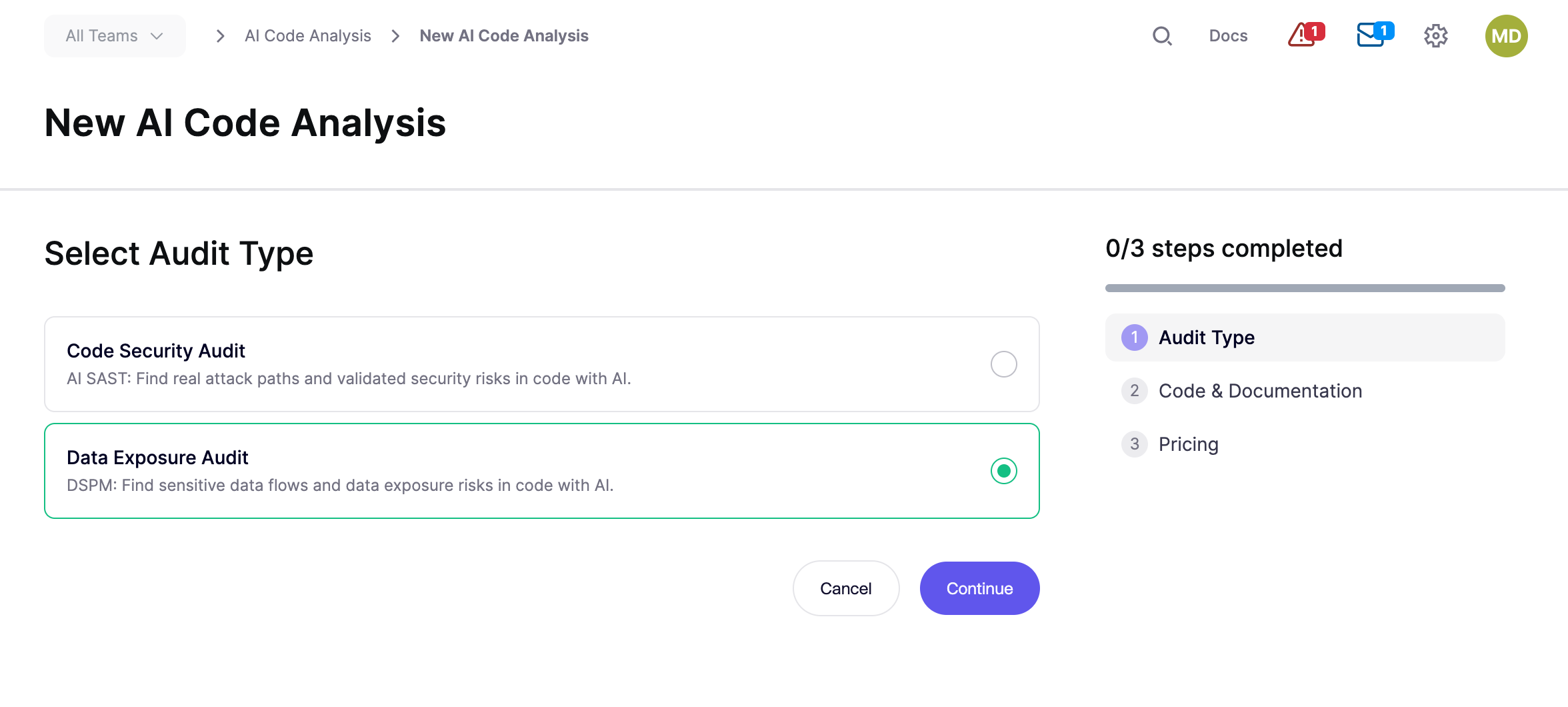
### データ露出監査を選択
で **監査タイプを選択**、次を選択します **データ漏えい監査**を入力してから **続行**.
**キャンセル** AIコード解析のホームに戻ります。
{% endstep %}
{% step %}
### リポジトリを選択する
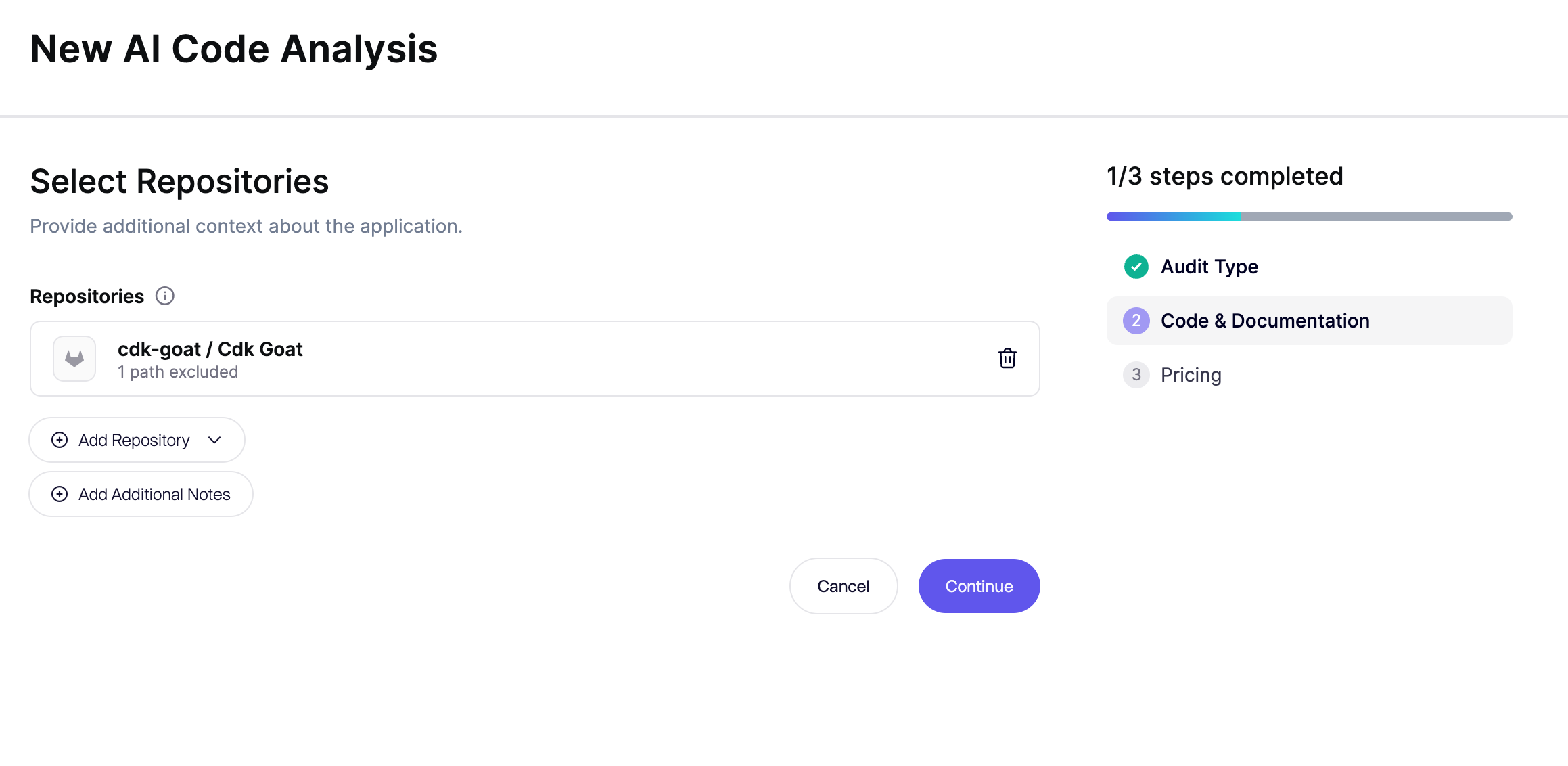
1. 次を開きます: **リポジトリ** そして、この監査の接続済みリポジトリを選択してください。 **続行** 少なくとも1つのリポジトリが選択されるまで無効のままです。
2. モノレポの対象を絞るには、 **除外するパス** 選択したリポジトリの横にある項目をクリックし、この監査に含めないディレクトリを追加します。
3. 次の項目の下で **スコープ**、そのままにして **選択したすべてのリポジトリを監査** を選択するか、 **特定の部分のみを監査** そして、確認するデータの取り扱いを記述します。
4. **追加メモ** 任意で、この監査にのみ適用されます。ソースに文脈が不足している場合、たとえば意図的に公開された個人データ、無視すべき既知の問題、またはプロキシレベルの保護などがあるときに追加してください。すべての監査に適用すべき指針は、リポジトリ内のMarkdownファイルに記載してください。参照 [リポジトリファイルでエージェントをガイドする](/docs/docs-ja/ai-totsru/guide-an-audit-with-repository-files.md).
{% hint style="info" %}
ドキュメントとREADMEはリポジトリに残してください。エージェントは、そのMarkdownを読んでデータの流れや機密データの扱いを把握できます。関連のないアプリケーションやサービスは除外してください。
{% endhint %}
**キャンセル** に戻ります **監査タイプ**.
{% endstep %}
{% step %}
### 料金を確認して開始
まで待ってください **料金** のステップでクレジット合計が表示されます。残高はフッターにあります。 **クレジットを追加** ウォレットの残高が不足している場合。
カードタイトルはスコープによって異なります:
* **フルAIコード分析** 選択したすべてのリポジトリを監査する場合。
* **スコープ付きAIコード解析** を選択した場合 **特定の部分のみを監査**。このステップには、入力したスコープも表示されます。
次の場合 **設定** 表示された場合は、監査の深さを設定するためにこれを使用します:
* **高リスクのみ** 重大な脆弱性を露呈する可能性が最も高い領域を優先します。いくつかの領域はカバー範囲が少なくなり、場合によってはまったく対象外になります。
* **推奨カバレッジ** 選択した監査範囲のうち、セキュリティ上重要な部分を調査します。
* **より深いカバレッジ** 推奨カバレッジを基に、優先度の低い領域や、あまり一般的ではないコードパス、クラウドリソースを追加で調査します。
クレジット総数は開始前に更新されます。
クリックします **監査を開始** 起動するために使用します。クレジットは、クリックしたときに消費されます **監査を開始**.
{% endstep %}
{% endstepper %}
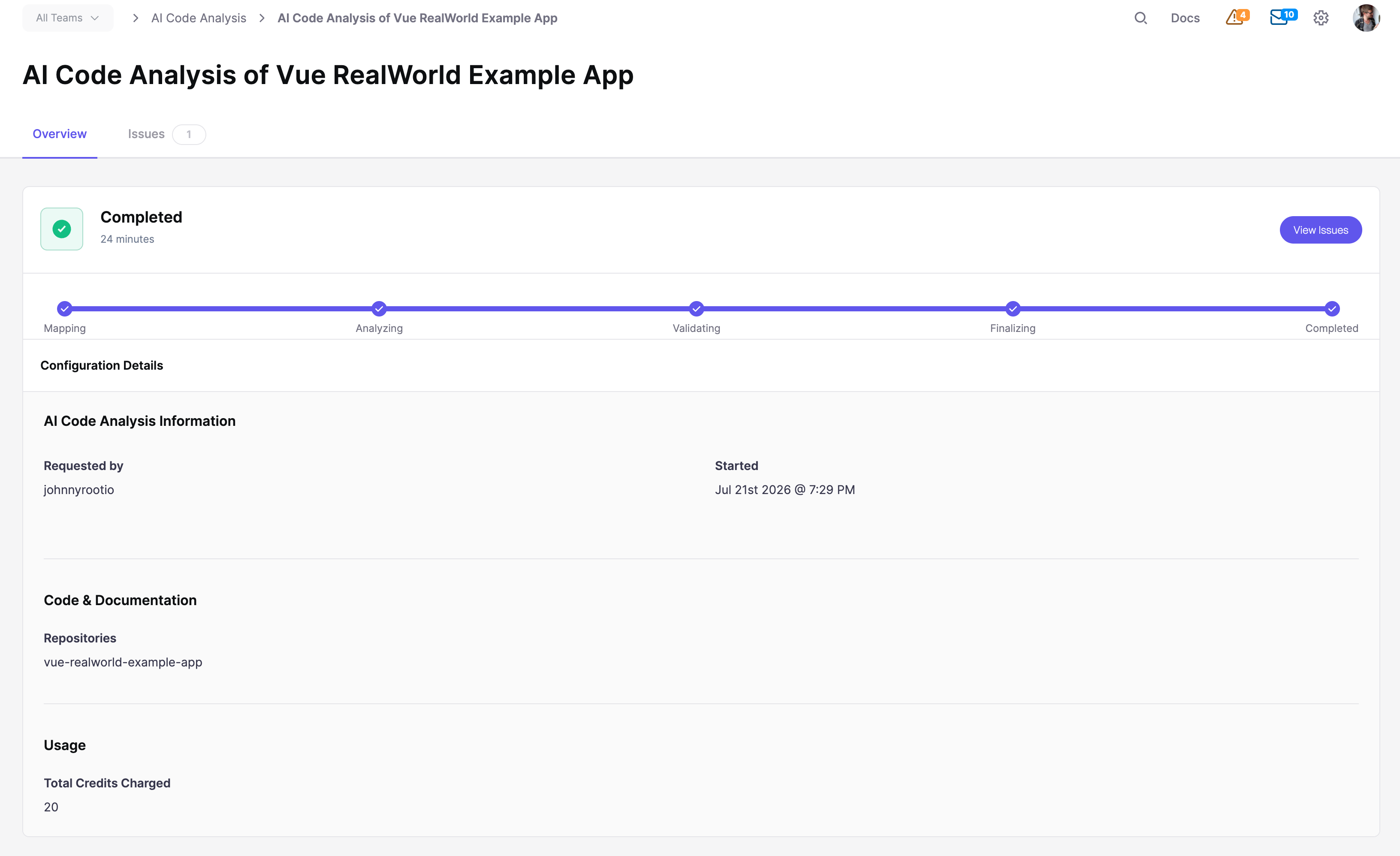
Aikidoが評価の詳細ページを開きます。参照: [進捗と検出結果を追跡する](/docs/docs-ja/aikdo/ai-code-audit-overview/track-progress-and-findings.md).
スコープ内のデータ取り扱いクラスについては、参照: [データ漏えい監査で見つかるもの](/docs/docs-ja/aikdo/what-is-dspm/what-data-exposure-audit-finds.md).
## FAQ
### なぜリポジトリ数に上限があるのですか?
監査の焦点を絞るため、ピッカーでは含められるリポジトリ数に制限があります。1回の監査でさらに必要な場合は、 [サポートにお問い合わせください](/docs/docs-ja/miscellaneous-info/contact-support.md).
## 関連
{% content-ref url="/pages/c9203dbeb6e85bafb645a94077b7fd4d294e9f86" %}
[データ漏えい監査(DSPM)](/docs/docs-ja/aikdo/what-is-dspm.md)
{% endcontent-ref %}
{% content-ref url="/pages/e25a45ee66c94ac92022af6e94385b7073ed4b49" %}
[データ漏えい監査で見つかるもの](/docs/docs-ja/aikdo/what-is-dspm/what-data-exposure-audit-finds.md)
{% endcontent-ref %}
---
# Agent Instructions
This documentation is published with GitBook. GitBook is the documentation platform designed so that both humans and AI agents can read, navigate, and reason over technical content effectively. Learn more at gitbook.com.
## Querying This Documentation
If you need additional information that is not directly available in this page, you can query the documentation by asking a question.
Perform an HTTP GET request on the following URL with the `ask` and `goal` query parameters:
```
GET https://help.aikido.dev/docs/docs-ja/aikdo/what-is-dspm/data-exposure-audit.md?ask=&goal=
```
`ask` is the immediate question: it should be specific, self-contained, and written in natural language.
`goal` is what the user is ultimately trying to achieve, the reason they need the answer. Sharing it helps GitBook give you a better, more relevant answer. A goal is most helpful when it describes the outcome the user wants rather than restating the question. For example, with `ask=how do I create an API token`, a goal like `automate deployments from our CI pipeline` lets GitBook tailor the answer to that use case.
The response will contain a direct answer to the question and relevant excerpts and sources from the documentation.
Use this mechanism when the answer is not explicitly present in the current page, you need clarification or additional context, or you want to retrieve related documentation sections.