> For the complete documentation index, see [llms.txt](https://help.aikido.dev/llms.txt). Markdown versions of documentation pages are available by appending `.md` to page URLs; this page is available as [Markdown](https://help.aikido.dev/docs/docs-ja/aikidodebaisu/using-aikido-endpoint/end-user-experience.md).
# デスクトップ体験
Aikido Device Protection エージェントはバックグラウンドで静かに動作します。ほとんどのインストールでは何も起こらず、パッケージは通常どおりインストールされます。何かがブロックされたときだけ通知が表示されます。
## ダッシュボード
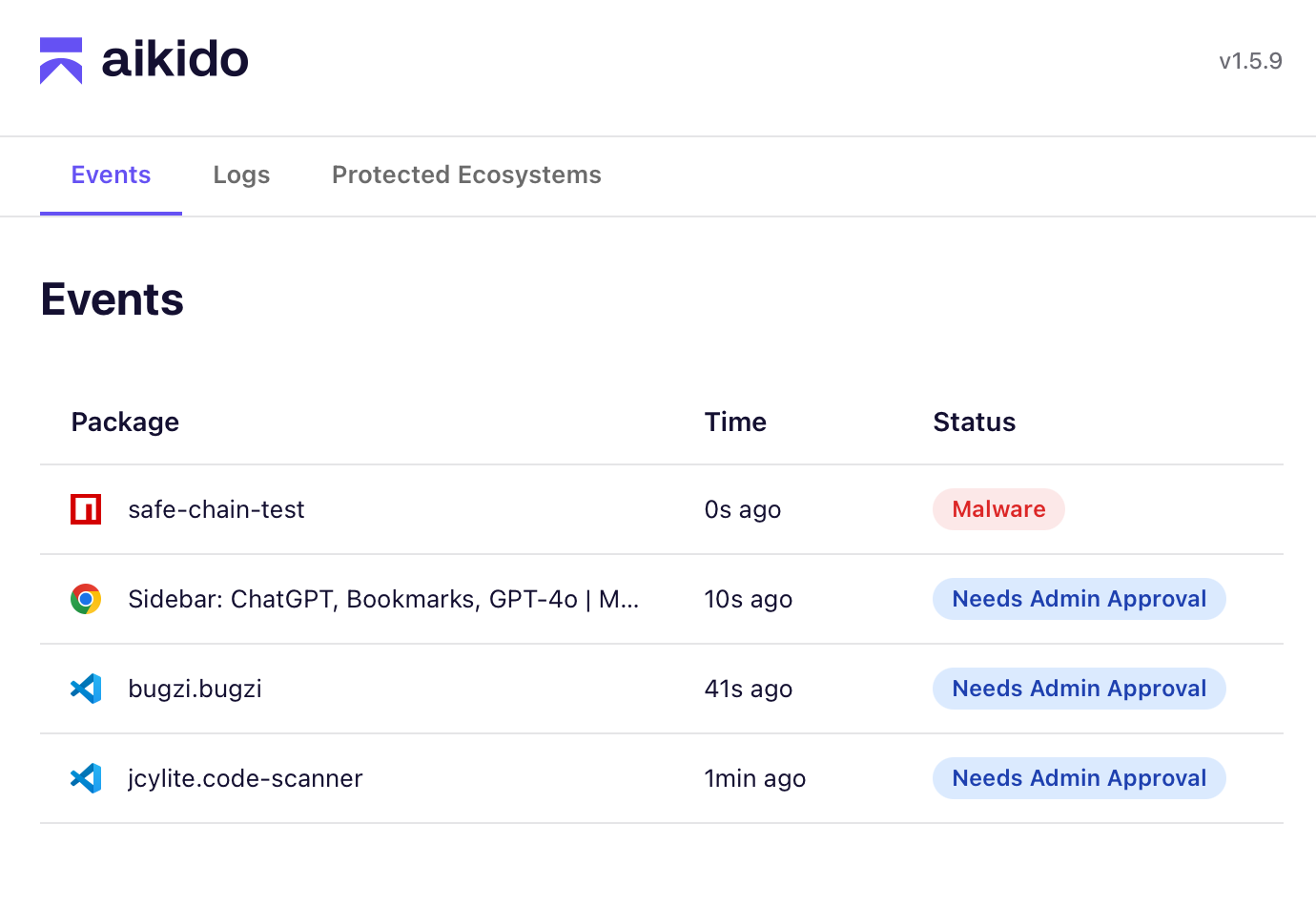
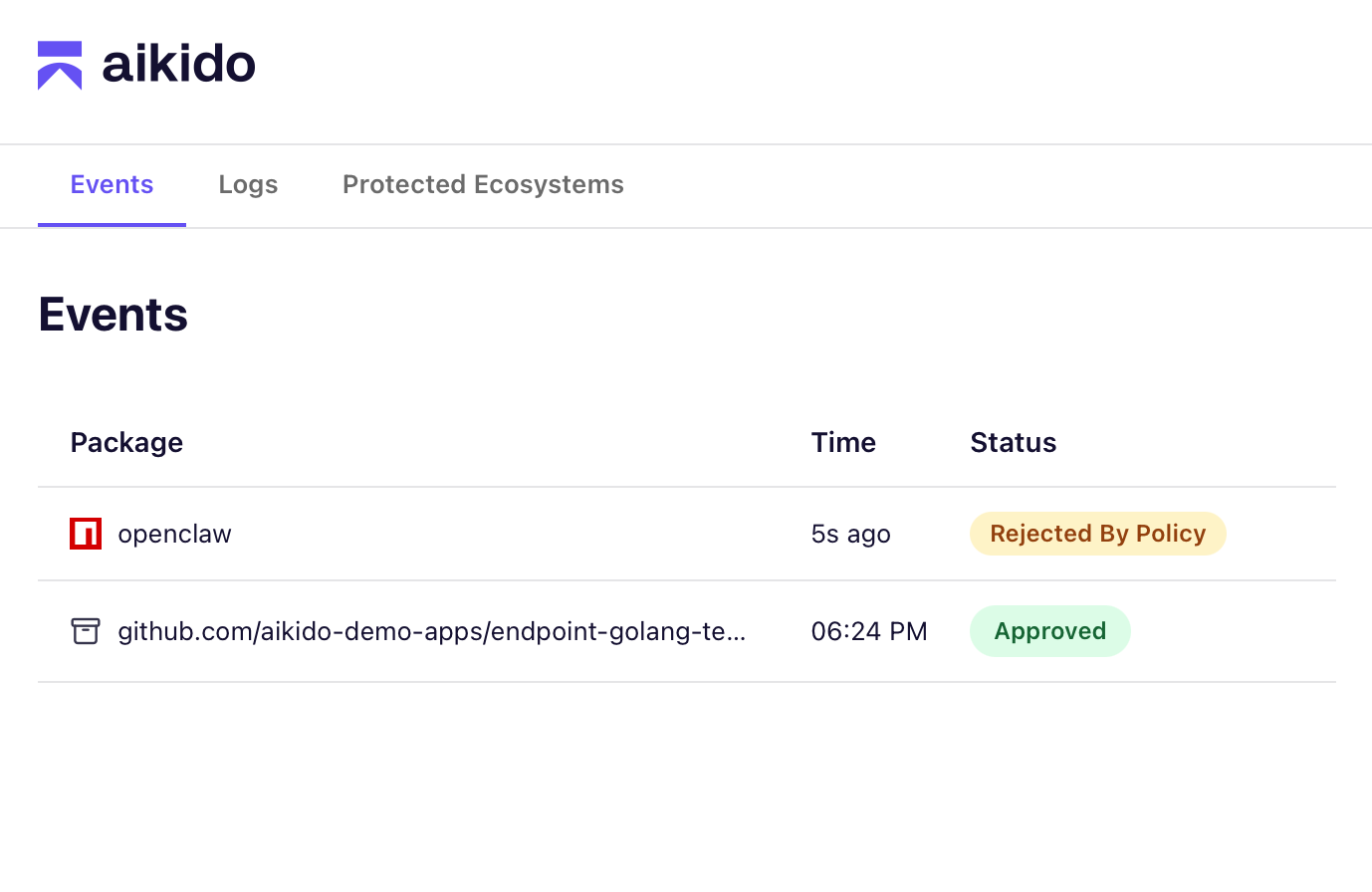
タスクバーの Aikido アイコンをクリックし、「ダッシュボードを開く」を選択すると、Device Protection ダッシュボードにアクセスできます
ダッシュボードには最近の **マルウェアやポリシーによるブロックなどのイベントが表示されます**。 **ログタブ** には追加情報があります **パッケージの年齢制限によるブロック**.
各項目をクリックすると、詳細情報を確認できます。
## 通知 / イベント
{% columns %}
{% column %}
{% endcolumn %}
{% column %}
{% endcolumn %}
{% endcolumns %}
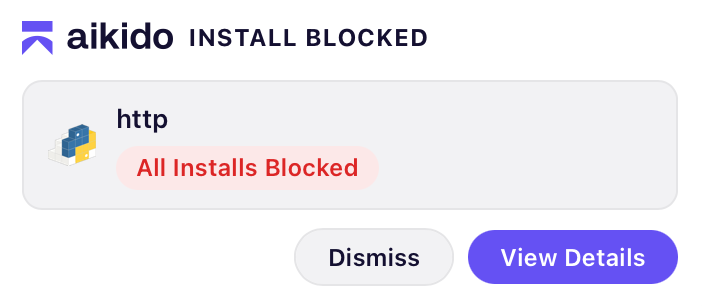
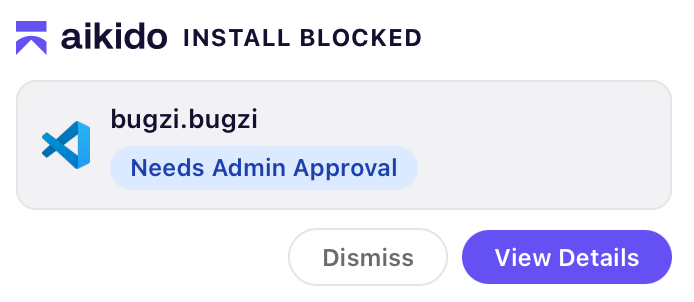
パッケージにマルウェアが含まれているか、またはポリシーによってブロックされるたびに通知が表示されます。
通知の種類:
* **マルウェア** は、そのパッケージが悪意のあるものとして識別されたことを意味します。このブロックは最終的なものであり、異議申し立てはできません。
* **ポリシー** は、組織がこのエコシステムからのインストールを制限しているか、またはこの特定のパッケージをブロックしていることを意味します。
できます **閉じる** 通知を閉じるか、 **ダッシュボードを開く** Aikido アプリで詳細を表示するには。
## イベントの詳細
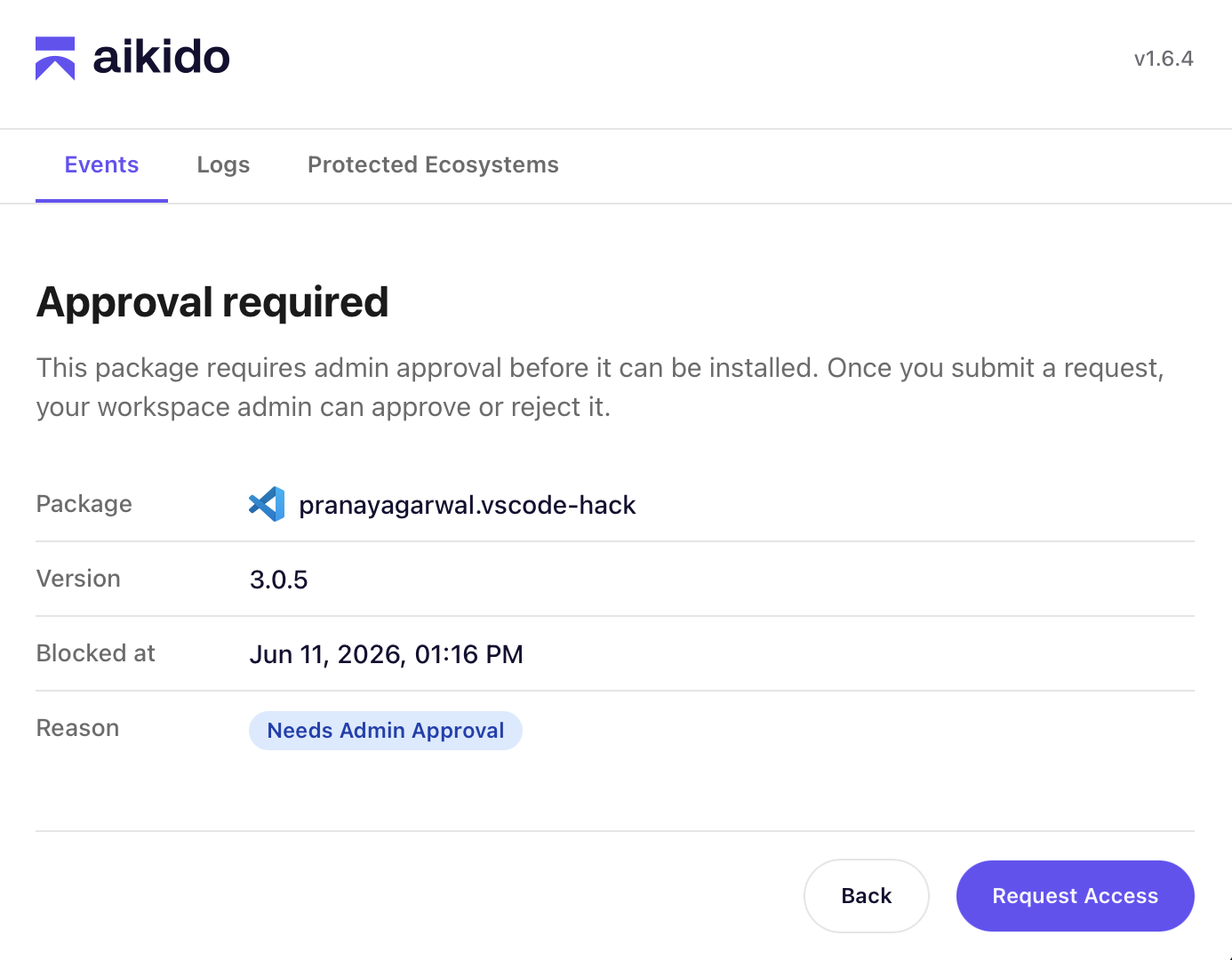
イベントページでは、パッケージの詳細、ブロックされた日時、その理由を確認できます。ポリシーによるブロックでは、場合によっては次の操作を行えます **アクセスをリクエスト**。これにより、例外をワークスペース管理者に申請できます。
パッケージが承認または拒否されると、その結果がダッシュボード内にメッセージとして表示されます。
---
# Agent Instructions
This documentation is published with GitBook. GitBook is the documentation platform designed so that both humans and AI agents can read, navigate, and reason over technical content effectively. Learn more at gitbook.com.
## Querying This Documentation
If you need additional information that is not directly available in this page, you can query the documentation dynamically by asking a question.
Perform an HTTP GET request on the current page URL with the `ask` query parameter, and the optional `goal` query parameter:
```
GET https://help.aikido.dev/docs/docs-ja/aikidodebaisu/using-aikido-endpoint/end-user-experience.md?ask=&goal=
```
`ask` is the immediate question: it should be specific, self-contained, and written in natural language.
`goal` is optional and describes the broader end goal you are ultimately trying to accomplish on behalf of the user. GitBook uses it to tailor the answer towards what is most useful for that goal.
The response will contain a direct answer to the question and relevant excerpts and sources from the documentation.
Use this mechanism when the answer is not explicitly present in the current page, you need clarification or additional context, or you want to retrieve related documentation sections.