> For the complete documentation index, see [llms.txt](https://help.aikido.dev/llms.txt). Markdown versions of documentation pages are available by appending `.md` to page URLs; this page is available as [Markdown](https://help.aikido.dev/docs/docs-ja/autofix-to/automation-and-merging/automatic-creation-of-pull-requests.md).
# プルリクエストの自動作成
Aikidoでは、毎日 **自動でPull Requestを作成できます**、大量の依存関係更新の処理、SAST の問題の修正、コンテナのベースイメージの更新、ペネトストの問題の修正、コード品質の問題の修正を行います。「PR Configuration」で、プルリクエストのタイトル、説明、ラベル、その他の設定を細かく調整できます。
### 自動作成を設定する
**ステップ 1:** 次へ移動します: [Autofix 設定](https://app.aikido.dev/issues/fix/settings) ページ
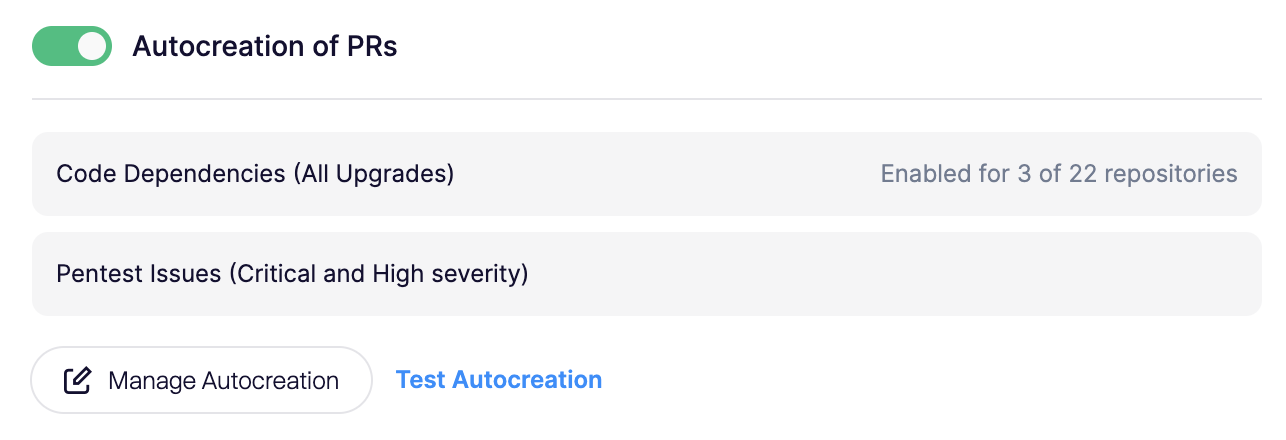
**ステップ 2:** Automated PRs まで下にスクロールします。'Autocreation of PRs' のトグルを有効にします
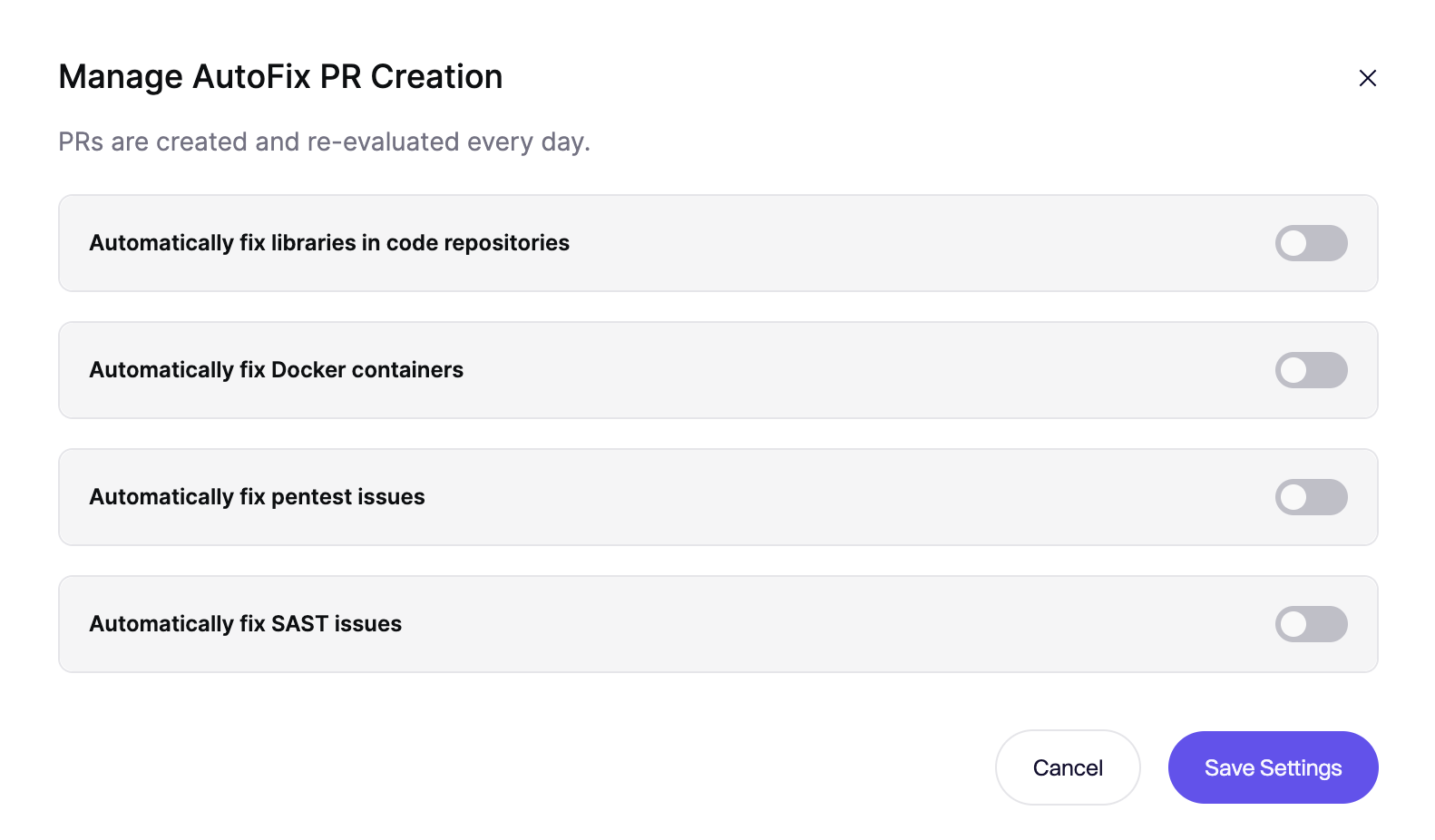
**ステップ 3:** 設定モーダルが開きます。コードリポジトリの依存関係に対する自動作成、Docker コンテナに対する自動修正、または SAST/IaC、ペネトスト、コード品質の問題を自動的に修正するように設定できます。PR を作成したいコードリポジトリとコンテナを選択してください。
**ステップ 4:** 次のをクリックして、新しいPRが正しく作成されるかテストしてください **自動作成をテスト** ボタン。
### コードの依存関係に対する自動PR作成の制限
AutoFixは最大で **1リポジトリあたり10件のPRを作成します** 実行中に **毎日** 。
### SAST/IaCの自動PR作成の制限
リポジトリに対してSASTスキャンを初めて実行すると、通常は多数の問題が見つかります。Pull Requestの数を管理しやすくするため、SASTの問題に対するPR作成には次の制限があります:
* PRが作成されるのは、AutoFixに **medium** または **高い確信度**
* 〜の間に **毎日** 実行では、AutoFixは **最大** の **1リポジトリあたり2件のPRを作成し** 最大で **5個の変更ファイルを含みます**.
* AutoFixは、 **オープンなSAST AutoFix PRの数** を **を1リポジトリあたり10件に制限します**。この上限に達すると、AutoFixは新しいSAST AutoFix PRを自動的に作成しません。PRを閉じるかマージすると、次の日次実行で新しいPRを受け取ります。
より高い上限が必要な場合は、AikidoのUIからお問い合わせください。
### プルリクエスト設定
AutoFixのPR Configurationページで、プルリクエストのプロパティ(タイトル、ラベル、ブランチ名、コミットメッセージなど)を設定できます。詳細なドキュメントはこちら [こちら](/docs/docs-ja/autofix-to/configure/autofix-pr-configuration.md).
---
# Agent Instructions
This documentation is published with GitBook. GitBook is the documentation platform designed so that both humans and AI agents can read, navigate, and reason over technical content effectively. Learn more at gitbook.com.
## Querying This Documentation
If you need additional information that is not directly available in this page, you can query the documentation by asking a question.
Perform an HTTP GET request on the following URL with the `ask` and `goal` query parameters:
```
GET https://help.aikido.dev/docs/docs-ja/autofix-to/automation-and-merging/automatic-creation-of-pull-requests.md?ask=&goal=
```
`ask` is the immediate question: it should be specific, self-contained, and written in natural language.
`goal` is what the user is ultimately trying to achieve, the reason they need the answer. Sharing it helps GitBook give you a better, more relevant answer. A goal is most helpful when it describes the outcome the user wants rather than restating the question. For example, with `ask=how do I create an API token`, a goal like `automate deployments from our CI pipeline` lets GitBook tailor the answer to that use case.
The response will contain a direct answer to the question and relevant excerpts and sources from the documentation.
Use this mechanism when the answer is not explicitly present in the current page, you need clarification or additional context, or you want to retrieve related documentation sections.