> For the complete documentation index, see [llms.txt](https://help.aikido.dev/llms.txt). Markdown versions of documentation pages are available by appending `.md` to page URLs; this page is available as [Markdown](https://help.aikido.dev/docs/docs-ja/autofix-to/automation-and-merging/refine-autofixes-with-aikido-ai.md).
# Aikido AI で AutoFix を洗練する
Aikidoでは、さまざまな種類の検出結果を自動的に修正できます。その **Aikido AIで微調整する** チャットパネルを使うと、差分表示を離れずに自然言語でAutoFixを段階的に調整できます。これは [Aikido Agent](/docs/docs-ja/aikido-agent/aikido-agent.md)、同じインテリジェンスによって [Ask Aikido](/docs/docs-ja/aikido-agent/ask-aikido.md).
#### ユースケース
AutoFixで作業の大半は完了します。微調整が役立つのは、次のような場合です:
* 修正内容は正しいが、コードベースの命名規則やパターンに一致しない
* 説明コメントを追加したい
* ユニットテストを含めたい
* エラーハンドリングやログ出力の呼び出しなど、特定のロジックを導入したい
* その修正には、AIが利用できないコンテキストを考慮する必要がある
* 範囲を絞りたい。たとえば、サニタイズまたは検証する対象を制限したい
#### 修正を微調整する方法
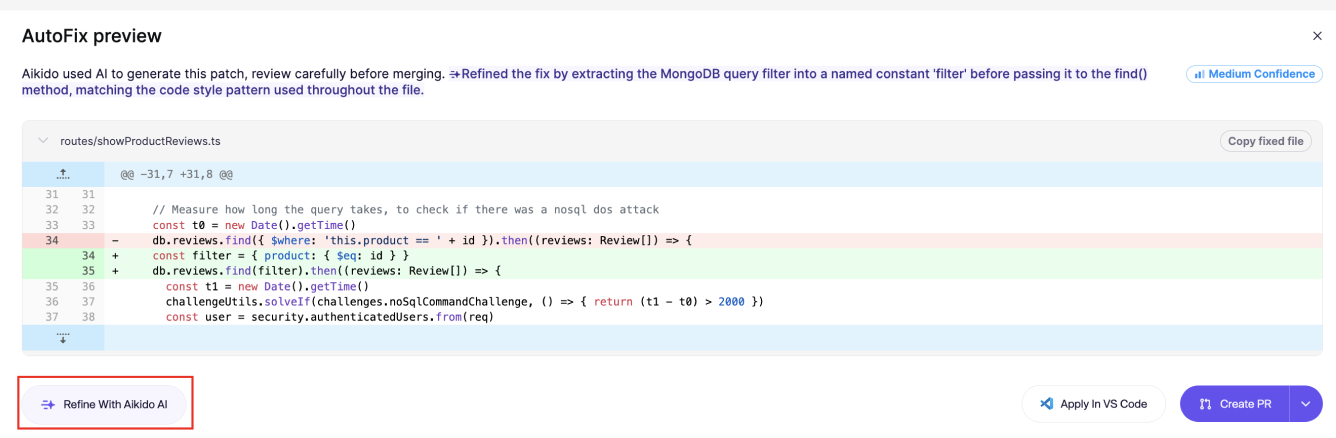
**手順 1.** 次の `表示` アクションからクリックし `Aikido AIで微調整する` 左下の
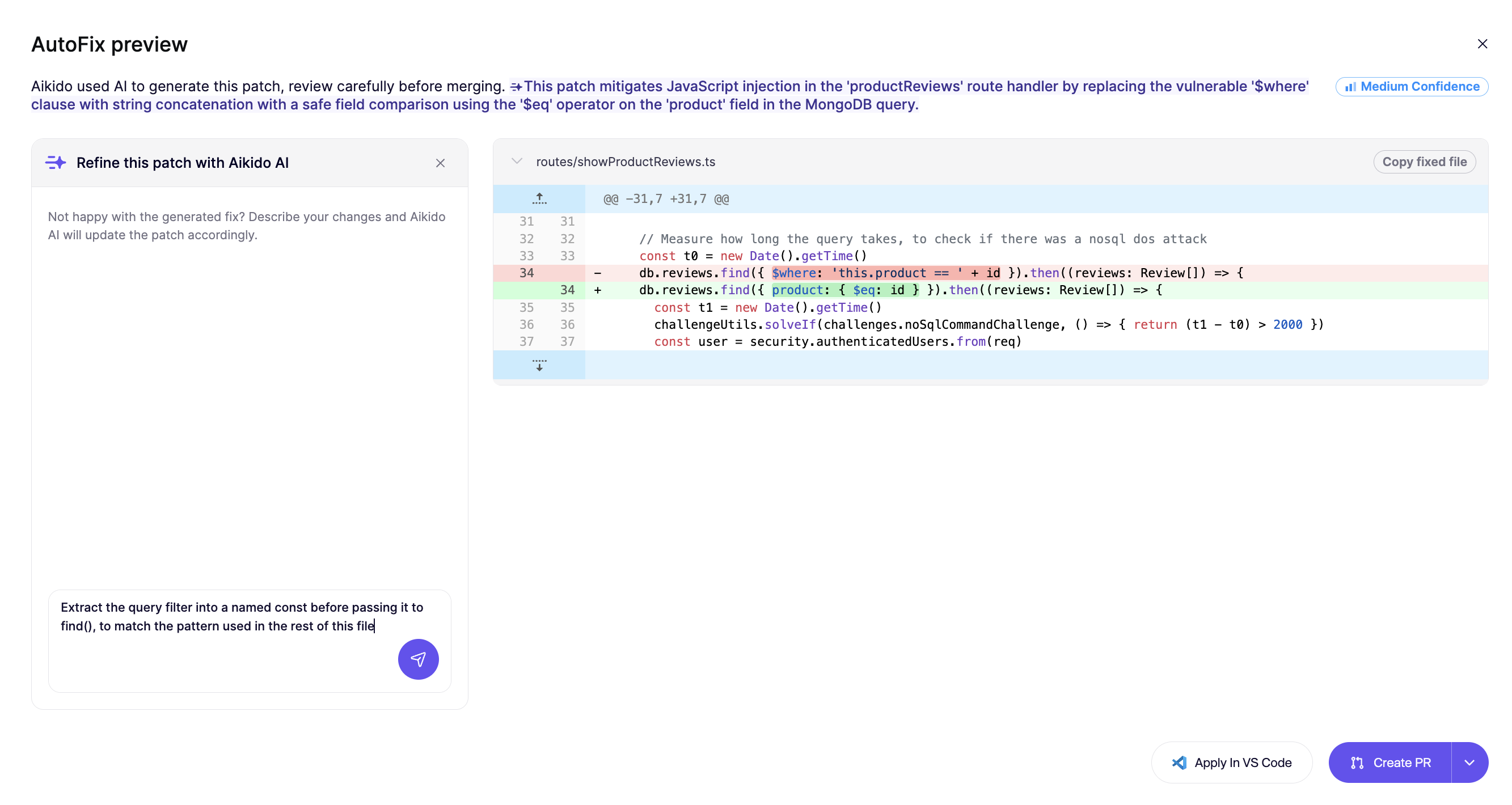
**手順 2.** テキスト欄に指示を入力します。
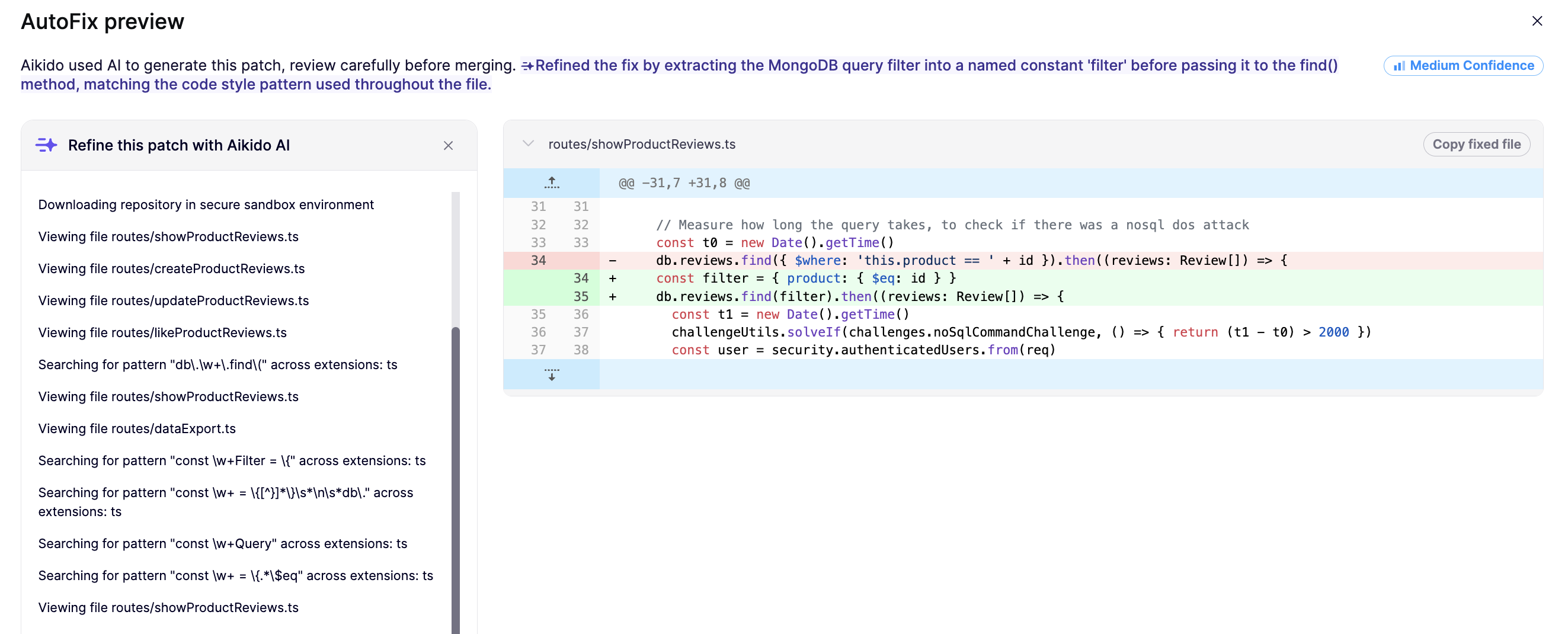
**手順 3.** 微調整した修正の準備ができると、差分表示は自動的に更新されます。
{% hint style="info" %}
送信した各指示は、後続の微調整のためのコンテキストとして保持されるため、AIは新たに始めるのではなく、前の指示を踏まえて作業します。
{% endhint %}
#### 指示を書くときのヒント
症状だけでなく、意図を具体的に書きましょう:
* 「空のオブジェクトを返す代わりに例外を投げる」
* 「サニタイズした変数名を次のように変更する `safe_input` を `safeInput` "
* 「正規表現が一致したときにログを追加する」
## コンテキストを保持する
AutoFixの作成時にAikidoに常にあなたの設定を考慮させたい場合は、 [AutoFix のカスタムコンテキスト](/docs/docs-ja/autofix-to/automation-and-merging/custom-context-for-autofixes.md).
---
# Agent Instructions
This documentation is published with GitBook. GitBook is the documentation platform designed so that both humans and AI agents can read, navigate, and reason over technical content effectively. Learn more at gitbook.com.
## Querying This Documentation
If you need additional information that is not directly available in this page, you can query the documentation dynamically by asking a question.
Perform an HTTP GET request on the current page URL with the `ask` query parameter, and the optional `goal` query parameter:
```
GET https://help.aikido.dev/docs/docs-ja/autofix-to/automation-and-merging/refine-autofixes-with-aikido-ai.md?ask=&goal=
```
`ask` is the immediate question: it should be specific, self-contained, and written in natural language.
`goal` is optional and describes the broader end goal you are ultimately trying to accomplish on behalf of the user. GitBook uses it to tailor the answer towards what is most useful for that goal.
The response will contain a direct answer to the question and relevant excerpts and sources from the documentation.
Use this mechanism when the answer is not explicitly present in the current page, you need clarification or additional context, or you want to retrieve related documentation sections.