> For the complete documentation index, see [llms.txt](https://help.aikido.dev/llms.txt). Markdown versions of documentation pages are available by appending `.md` to page URLs; this page is available as [Markdown](https://help.aikido.dev/docs/docs-ja/autofix-to/configure/signed-commits.md).
# 署名付きコミット
Aikido は両方で署名付きコミットをサポートしています **GitHub** と **GitLab** コード変更の真正性を保証するためです。GitHub では設定は不要ですが、GitLab ユーザーは Aikido が提供する特定の SSH キーをプロフィールに追加する必要があります。
## なぜ署名付きコミットを使うのか?
署名付きコミットは暗号学的な保証の層を提供し、コード変更が Aikido に由来し、改ざんされていないことを証明します。これは次のために重要です:
* **本人確認:** そのコミットが実際に認可されたサービスによって作成されたことを保証します。
* **信頼とセキュリティ:** 悪意ある攻撃者が信頼された貢献者になりすます「コミットのなりすまし」を防ぎます。
* **監査対応:** 次のようなセキュリティコンプライアンスフレームワークへの対応に役立ちます **SOC2**, **ISO 27001**、および **HIPAA**.
## セットアップ
### GitHub
**設定は不要です。** GitHub は Aikido 連携経由で作成されたコミットを自動的に認識し、署名します。これらは次の表示で **「Verified」** バッジとして即座にコミット履歴に表示されます。
### GitLab
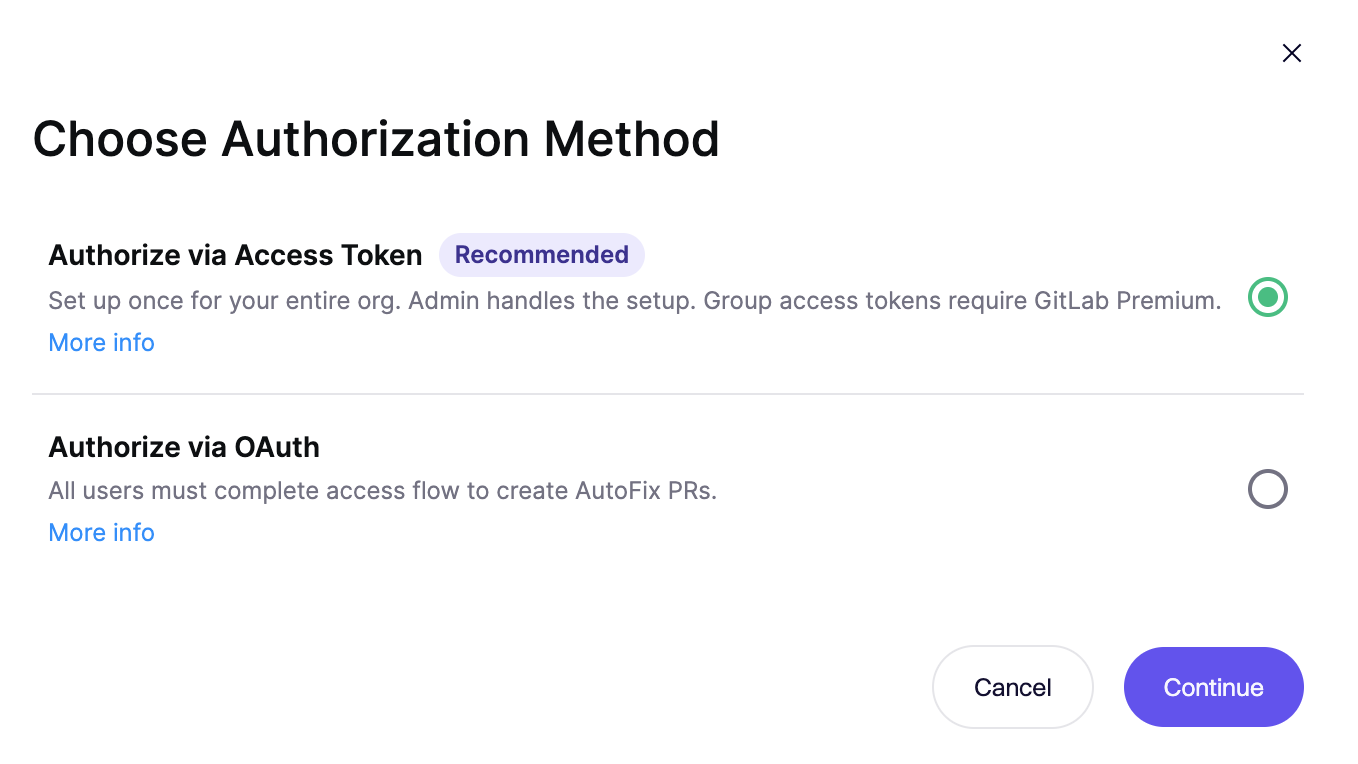
GitLab で署名付きコミットを有効にするには、 **Personal Access Token (PAT)** による認証を使用する必要があります。この機能は OAuth では利用できません。
**ユーザーに関する重要な注意:** GitLab は署名付きコミットを **実ユーザーアカウント**のみサポートしており、サービスアカウントは対象外です。Aikido で使用する PAT は実ユーザーのものでなければなりません。
設定手順:
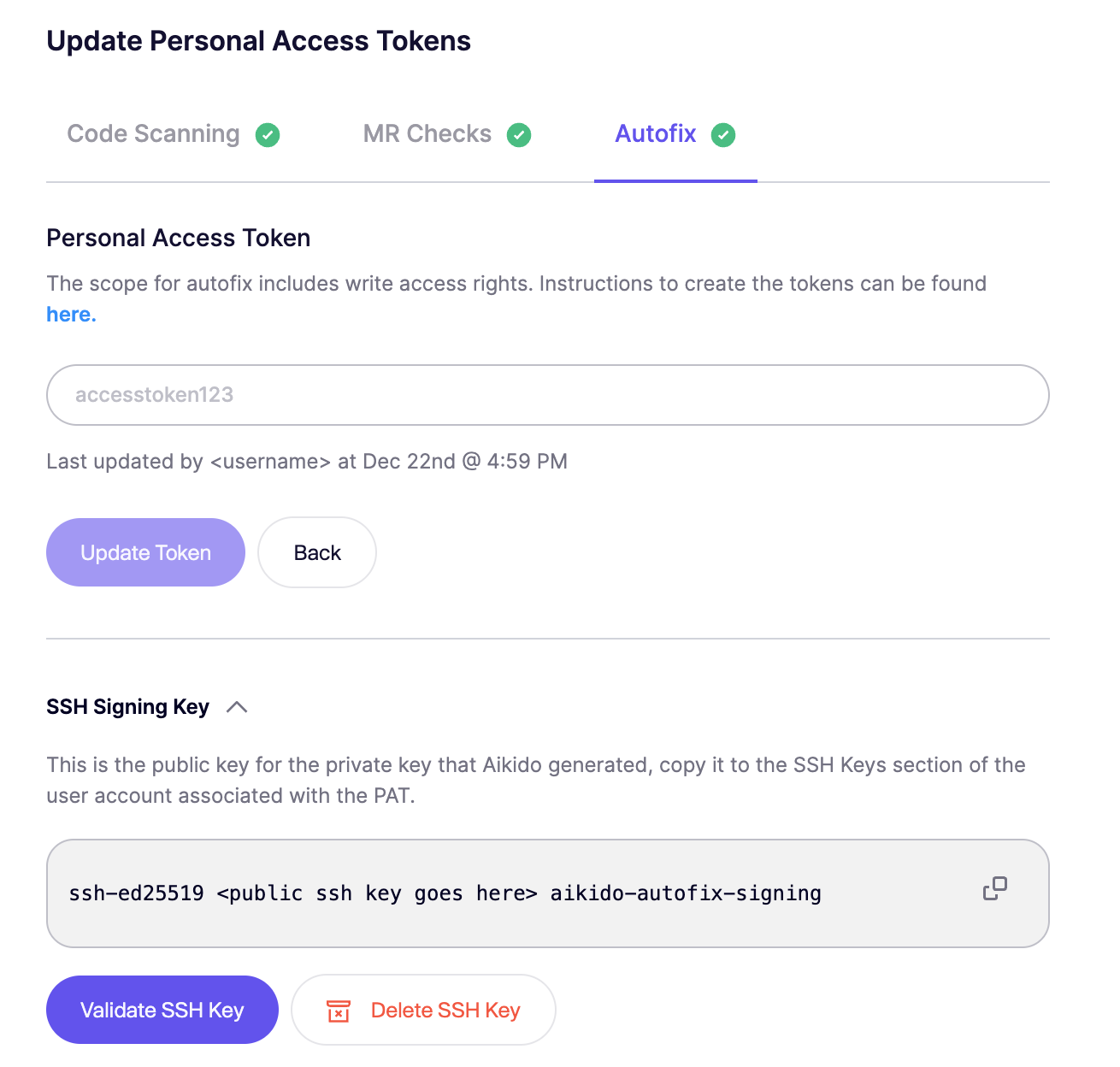
1. **設定に移動:** Aikido で [**AutoFix 設定** ページ](https://app.aikido.dev/issues/fix/settings) に移動し、 **承認** (初回設定時)または **Personal Access Token を管理** (トークンがすでに設定されている場合)をクリックします。
2. **PAT を設定:** GitLab のユーザー設定で生成した Personal Access Token を Aikido に入力します。
3. **SSH キーを生成:** クリックします **SSH キーを生成** を Aikido 内で実行し、独自の署名キーを作成します。
4. **GitLab に追加:**
* Aikido が提供する公開鍵をコピーします。
* GitLab で **ユーザーアイコン** を右上でクリックし、 **> プロフィールを編集 > SSH Keys > 新しいキーを追加**
* キーを貼り付け、 **使用タイプ** が **「Authentication & Signing」**.
5. **検証:** Aikido に戻り、 **SSH キーを検証** をクリックして、接続が有効であることを確認します。
これで `Verified` バッジが Aikido のコミットに表示されます:
Aikido は各アカウントごとに固有の SSH キーを作成します。この SSH キーは、 `SSH キーを削除` をクリックして新しいキーを作成することで再生成できます。
---
# Agent Instructions
This documentation is published with GitBook. GitBook is the documentation platform designed so that both humans and AI agents can read, navigate, and reason over technical content effectively. Learn more at gitbook.com.
## Querying This Documentation
If you need additional information that is not directly available in this page, you can query the documentation by asking a question.
Perform an HTTP GET request on the following URL with the `ask` and `goal` query parameters:
```
GET https://help.aikido.dev/docs/docs-ja/autofix-to/configure/signed-commits.md?ask=&goal=
```
`ask` is the immediate question: it should be specific, self-contained, and written in natural language.
`goal` is what the user is ultimately trying to achieve, the reason they need the answer. Sharing it helps GitBook give you a better, more relevant answer. A goal is most helpful when it describes the outcome the user wants rather than restating the question. For example, with `ask=how do I create an API token`, a goal like `automate deployments from our CI pipeline` lets GitBook tailor the answer to that use case.
The response will contain a direct answer to the question and relevant excerpts and sources from the documentation.
Use this mechanism when the answer is not explicitly present in the current page, you need clarification or additional context, or you want to retrieve related documentation sections.