> For the complete documentation index, see [llms.txt](https://help.aikido.dev/llms.txt). Markdown versions of documentation pages are available by appending `.md` to page URLs; this page is available as [Markdown](https://help.aikido.dev/docs/docs-ja/autofix-to/connect-private-packages/bundle-private-gems.md).
# Bundler - プライベートGem
Aikido が private gems を含む依存関係を更新するには、正確な AutoFix を生成できるよう、private gems へのアクセスが必要です。これを行うために、Aikido で private gem registry の設定を指定できるようになりました。
## Aikido の設定 - プライベート RubyGems レジストリ
以下の手順に従うことで、依存関係を更新する際に Aikido があなたのプライベート RubyGems レジストリで認証するよう設定できます:
1. Aikido の autofixer のアカウント設定ページに移動し、 [こちら](https://app.aikido.dev/issues/fix/settings).
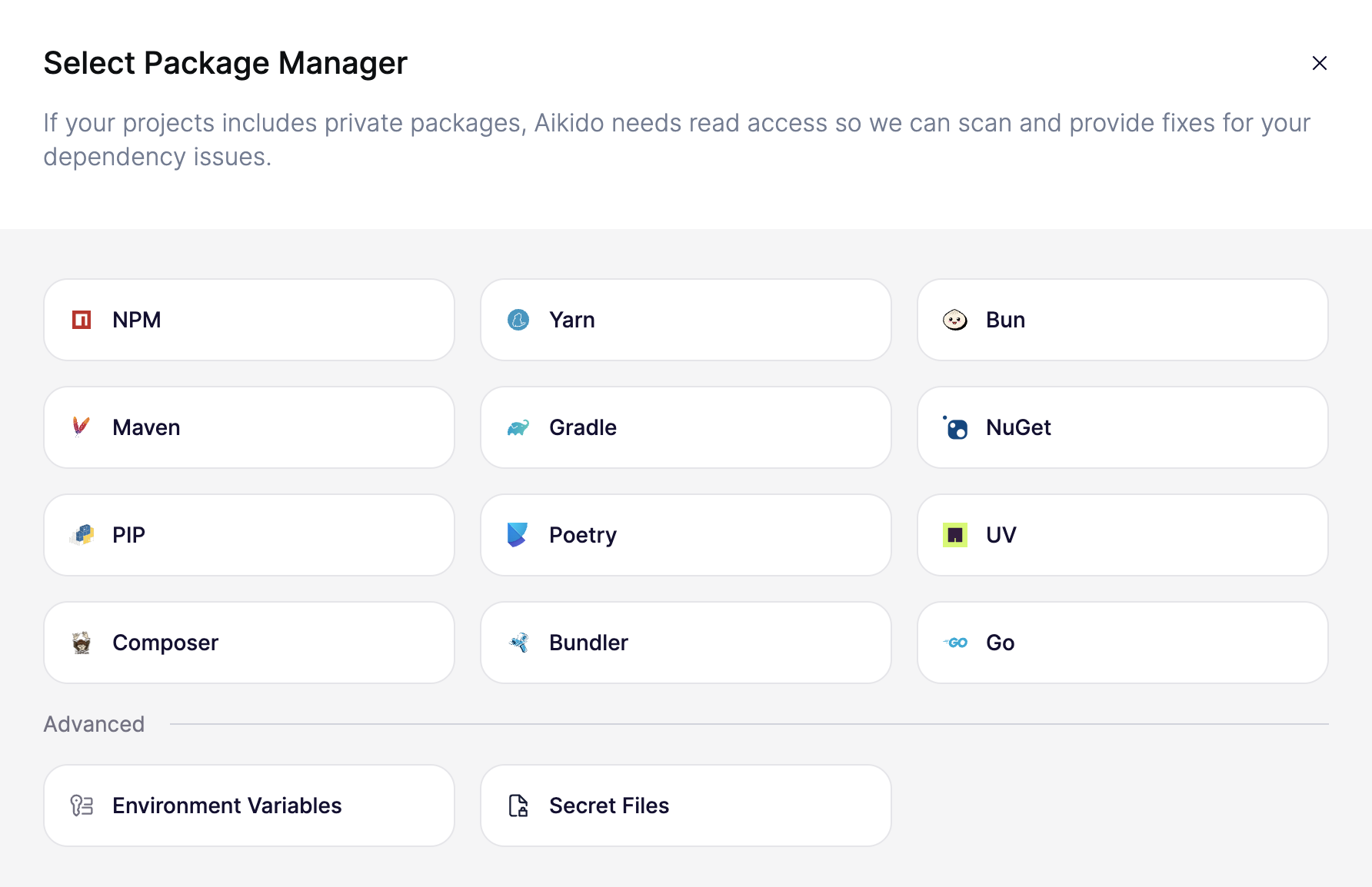
2. 「Connect Registry」をクリックすると、プライベート レジストリのモーダルが表示されます
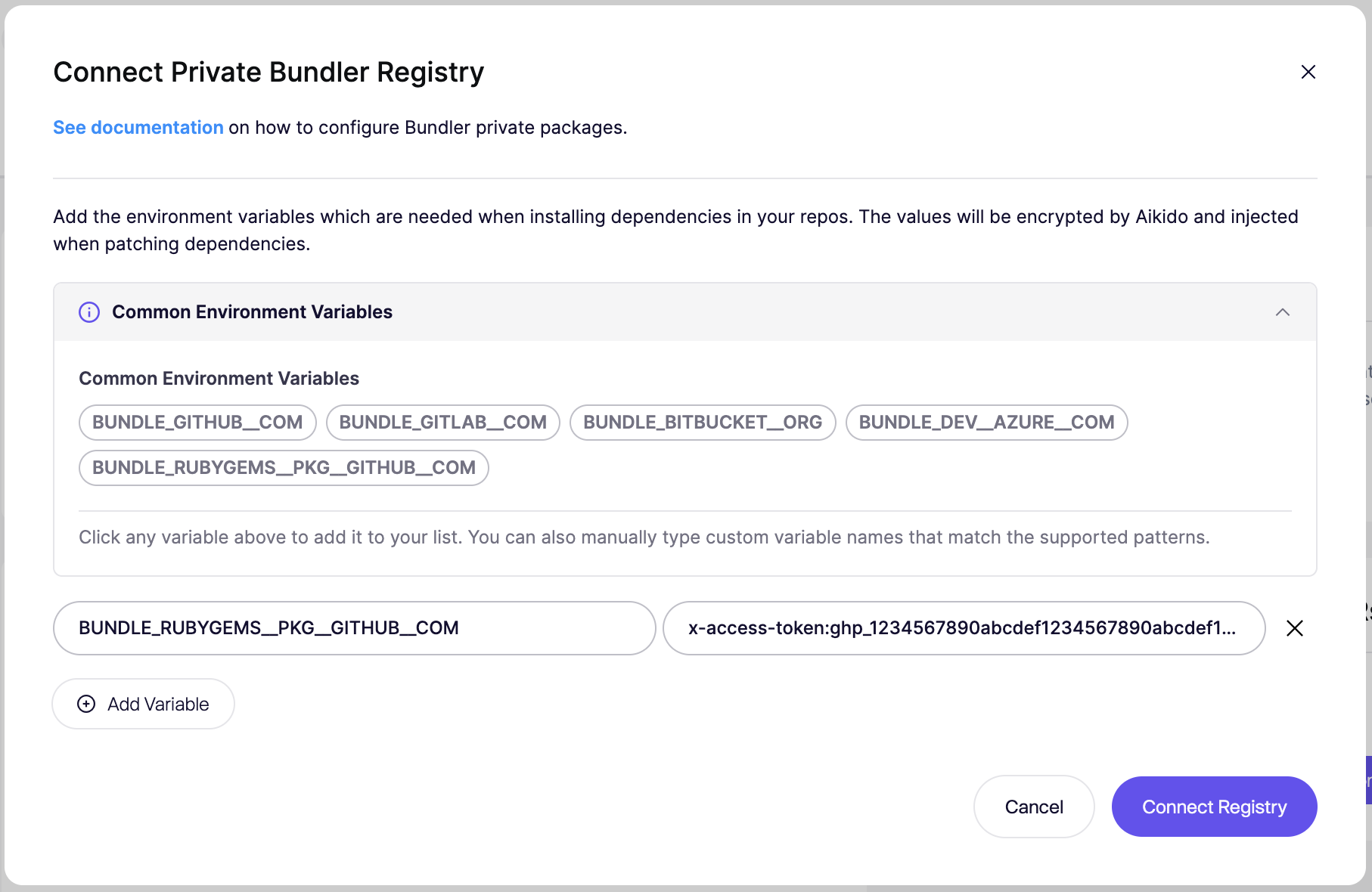
3. "Bundler" を選択します。以下の例では、プライベート GitHub RubyGems レジストリの設定例を示しています。環境変数キーは `BUNDLE_RUBYGEMS__PKG__GITHUB__COM`、値は GitHub アクセストークンで `read:packages` スコープです。これは、使用するプライベートレジストリによって異なります。
3. 「Connect Registry」をクリックして設定を保存します。
## Aikido の設定 - プライベート Git リポジトリ
### 同じ SCM 組織
gem のプライベート git リポジトリが、自動修正対象のコードと同じ組織内にある場合は、既存のアクセストークンの権限を拡張してプライベートリポジトリへのアクセスを含めることができます [こちら](https://app.aikido.dev/issues/fix/settings).
### 異なる SCM 組織
以下の手順に従うことで、依存関係を更新する際に Aikido があなたのプライベート RubyGems の git リポジトリで認証するよう設定できます:
1. Aikido の autofixer のアカウント設定ページに移動し、 [こちら](https://app.aikido.dev/issues/fix/settings).
2. 「Connect Registry」をクリックし、次に Bundler を選択します。
上の例では、プライベート GitHub Git リポジトリの設定例を示しています。環境変数キーは `BUNDLE_GITHUB__COM`で、値はリポジトリへのアクセス権を持つ GitHub アクセストークンです。
| プロバイダー | 環境変数キー | 値の形式 |
| ------------ | ------------------------ | ---------------------------------- |
| GitHub | `BUNDLE_GITHUB__COM` | `x-access-token:your-access-token` |
| GitLab | `BUNDLE_GITLAB__COM` | `oauth2:your-access-token` |
| Bitbucket | `BUNDLE_BITBUCKET__ORG` | `x-token-auth:your-access-token` |
| Azure DevOps | `BUNDLE_DEV__AZURE__COM` | `:your-access-token` |
3. 「Connect Registry」をクリックして設定を保存します。
---
# Agent Instructions
This documentation is published with GitBook. GitBook is the documentation platform designed so that both humans and AI agents can read, navigate, and reason over technical content effectively. Learn more at gitbook.com.
## Querying This Documentation
If you need additional information that is not directly available in this page, you can query the documentation by asking a question.
Perform an HTTP GET request on the following URL with the `ask` and `goal` query parameters:
```
GET https://help.aikido.dev/docs/docs-ja/autofix-to/connect-private-packages/bundle-private-gems.md?ask=&goal=
```
`ask` is the immediate question: it should be specific, self-contained, and written in natural language.
`goal` is what the user is ultimately trying to achieve, the reason they need the answer. Sharing it helps GitBook give you a better, more relevant answer. A goal is most helpful when it describes the outcome the user wants rather than restating the question. For example, with `ask=how do I create an API token`, a goal like `automate deployments from our CI pipeline` lets GitBook tailor the answer to that use case.
The response will contain a direct answer to the question and relevant excerpts and sources from the documentation.
Use this mechanism when the answer is not explicitly present in the current page, you need clarification or additional context, or you want to retrieve related documentation sections.