> For the complete documentation index, see [llms.txt](https://help.aikido.dev/llms.txt). Markdown versions of documentation pages are available by appending `.md` to page URLs; this page is available as [Markdown](https://help.aikido.dev/docs/docs-ja/autofix-to/connect-private-packages/custom-config-private-packages.md).
# 環境変数 - プライベートパッケージ
Aikido が private パッケージを含む依存関係を更新するには、正確な lockfile の更新を生成できるように、あなたの private レジストリへのアクセスが必要です。Bundle、Poetry、UV など多くのパッケージマネージャーは、認証の設定に環境変数を使用します。Aikido では環境変数を提供でき、それらは暗号化されてワークフローに注入されます。
つまり、システムが依存関係の脆弱性を検出すると、プライベートレジストリにシームレスに認証し、影響を受けたパッケージを自動的に修正し、lockfile を更新できます。その間も認証情報は安全に保たれます。
## Aikido での構成
リポジトリへの書き込みアクセスが設定されたら、以下の手順に従って Aikido をプライベートレジストリに認証するよう設定できます。
1. AutoFix のアカウント設定ページに移動し、 [こちら](https://app.aikido.dev/issues/fix/settings).
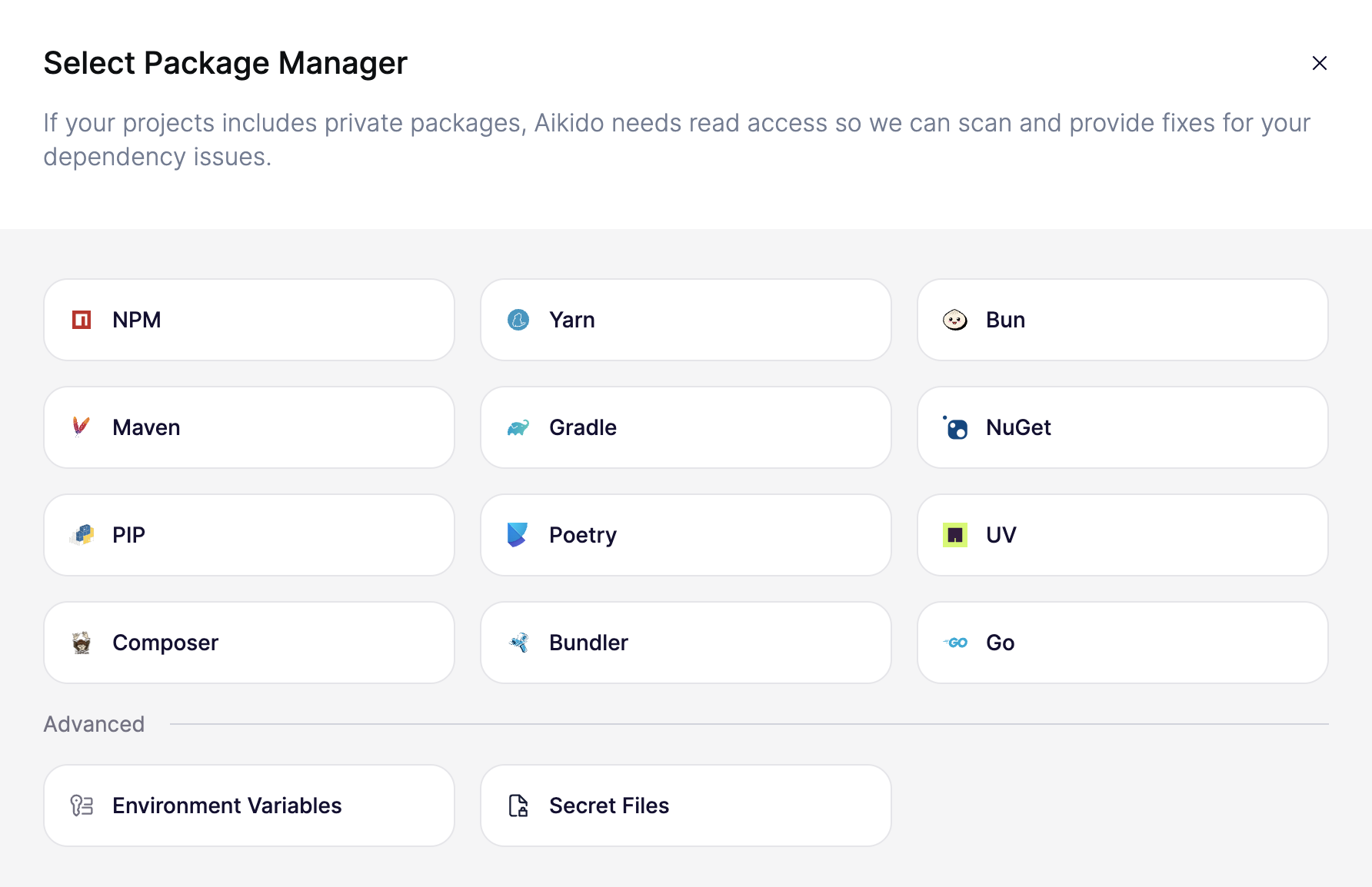
2. 「*レジストリを接続*」を選択すると、以下のモーダルが表示されます
3. 「*環境変数*」を選択すると、リポジトリで自動修正を作成するために必要な環境変数を入力できます。以下の例では、Poetry 用のプライベートレジストリの設定を示しています。
4. 「key」と「value」を入力し、必要なだけ変数を追加してください。Aikido がすべての値を自動的に暗号化します。
## 環境変数の使用
### NPM
JS ライブラリのプライベートレジストリで認証する一般的な方法は、 `.npmrc` パッケージをどこからダウンロードするかをパッケージマネージャーに伝えるために、リポジトリ内にファイルを含めることです。認証トークンをリポジトリに保存しないようにするため、環境変数を参照できます。
以下に例があります `.npmrc` レジストリを定義し、 `NPM_TOKEN` 認証用の環境変数:
```
//npm.pkg.github.com/:_authToken=${NPM_TOKEN}
@pied-piper:registry=https://npm.pkg.github.com
```
その他の NPM プライベートレジストリのオプションは以下で確認できます [こちら](https://help.aikido.dev/~/revisions/27oApOKWT7NW06uHiiU1/aikido-autofix/connect-private-packages/github-registry-private-packages).
### Poetry
環境変数を使用した Poetry の設定に関するドキュメントは以下で確認できます [こちら](https://help.aikido.dev/~/revisions/27oApOKWT7NW06uHiiU1/aikido-autofix/connect-private-packages/poetry-private-packages).
### Bundle
環境変数を使用した Bundle の設定に関するドキュメントは以下で確認できます [こちら](https://help.aikido.dev/~/revisions/27oApOKWT7NW06uHiiU1/aikido-autofix/connect-private-packages/bundle-private-gems).
---
# Agent Instructions
This documentation is published with GitBook. GitBook is the documentation platform designed so that both humans and AI agents can read, navigate, and reason over technical content effectively. Learn more at gitbook.com.
## Querying This Documentation
If you need additional information that is not directly available in this page, you can query the documentation by asking a question.
Perform an HTTP GET request on the following URL with the `ask` and `goal` query parameters:
```
GET https://help.aikido.dev/docs/docs-ja/autofix-to/connect-private-packages/custom-config-private-packages.md?ask=&goal=
```
`ask` is the immediate question: it should be specific, self-contained, and written in natural language.
`goal` is what the user is ultimately trying to achieve, the reason they need the answer. Sharing it helps GitBook give you a better, more relevant answer. A goal is most helpful when it describes the outcome the user wants rather than restating the question. For example, with `ask=how do I create an API token`, a goal like `automate deployments from our CI pipeline` lets GitBook tailor the answer to that use case.
The response will contain a direct answer to the question and relevant excerpts and sources from the documentation.
Use this mechanism when the answer is not explicitly present in the current page, you need clarification or additional context, or you want to retrieve related documentation sections.