> For the complete documentation index, see [llms.txt](https://help.aikido.dev/llms.txt). Markdown versions of documentation pages are available by appending `.md` to page URLs; this page is available as [Markdown](https://help.aikido.dev/docs/docs-ja/autofix-to/connect-private-packages/yarn-private-packages.md).
# Yarn - プライベートパッケージ
Aikido がプライベートパッケージを使用しているリポジトリの依存関係を更新する際、lockfile を正しく更新するためにそれらのパッケージへのアクセスが必要です。Aikido がプライベート NPM レジストリで認証してこれらの更新を実行するよう設定できます。
## 前提条件
もし〜を使用している場合 **Yarn v1**を使用している場合は、 `.npmrc` Aikido のオプションとして [NPM と PNPM のドキュメント](/docs/docs-ja/autofix-to/connect-private-packages/npm-private-packages.md)。次に **Yarn v2 以降**を使用している場合は、 `.yarnrc.yml` プライベートパッケージへのアクセスを設定するためのファイル。
### **設定 `.yarnrc.yml`**
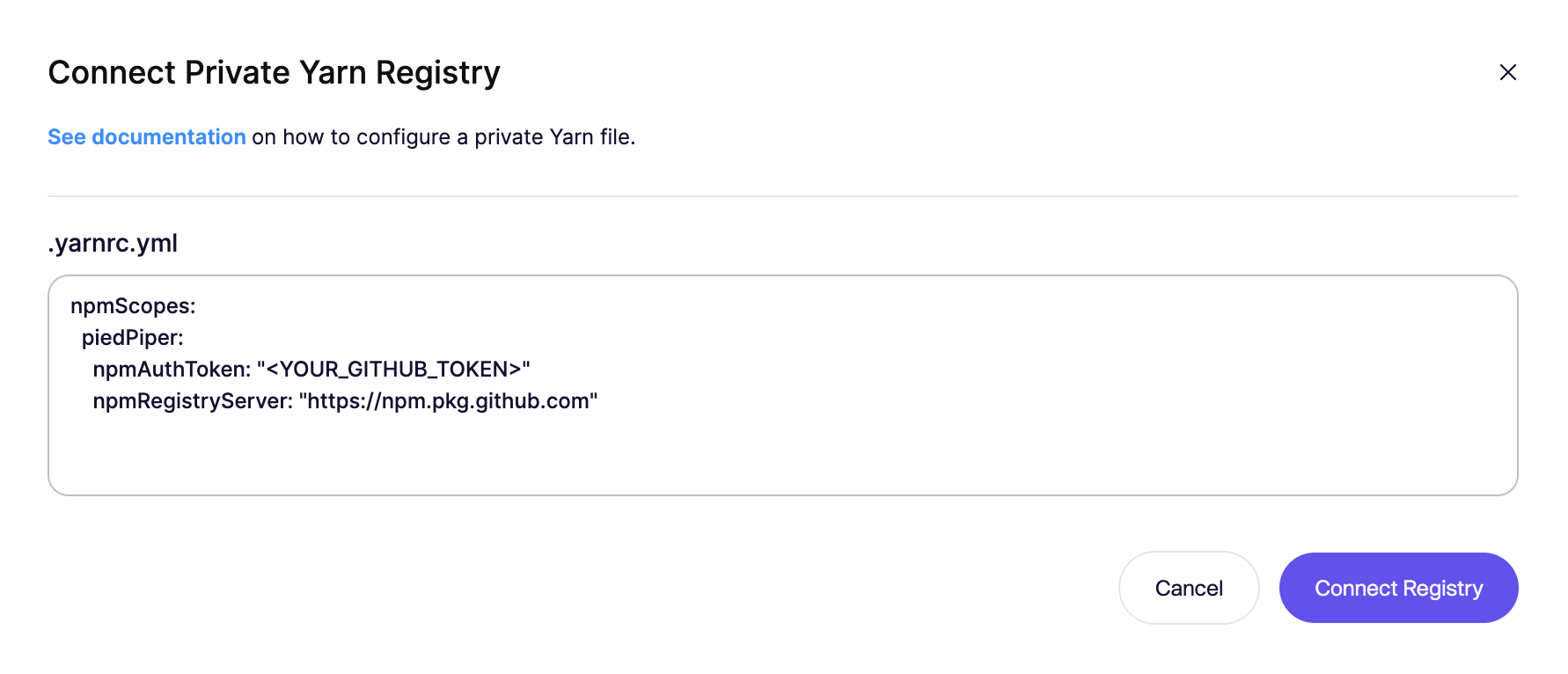
プライベートパッケージへのアクセスは、 `.yarnrc.yml` プロジェクト内のファイル。このファイルでは `npmScopes` プライベートパッケージ用に設定し、使用するレジストリを指定します。
もし `.yarnrc.yml` ファイルがAikidoで設定されている場合、私たちは `.yarnrc.yml` ファイルをあなたの `yarn.lock` 依存関係を更新する前にファイルを確認してください。もし `.yarnrc.yml` リポジトリにファイルが存在する場合、それは `.yarnrc.yml` Aikido で設定されたファイルによって上書きされます。
例 `.yarnrc.yml`
```yaml
npmScopes:
piedPiper:
npmAuthToken: ""
npmRegistryServer: "https://npm.pkg.github.com"
```
詳細は Yarn のドキュメントをご覧ください [こちら](https://yarnpkg.com/configuration/yarnrc#npmScopes).
## Aikido での設定
プライベートパッケージを使用するリポジトリを更新できるようにするには、Aikido UI でプライベートレジストリの設定を指定してください。Aikido は認証情報を暗号化して保存し、認証情報は Aikido UI や API から取得できません。
1. その後、Splunk Cloud と Splunk Enterprise の両方でトークンを作成します: *自動修正* > *設定* Aikido では、 [こちら](https://app.aikido.dev/issues/fix/settings).
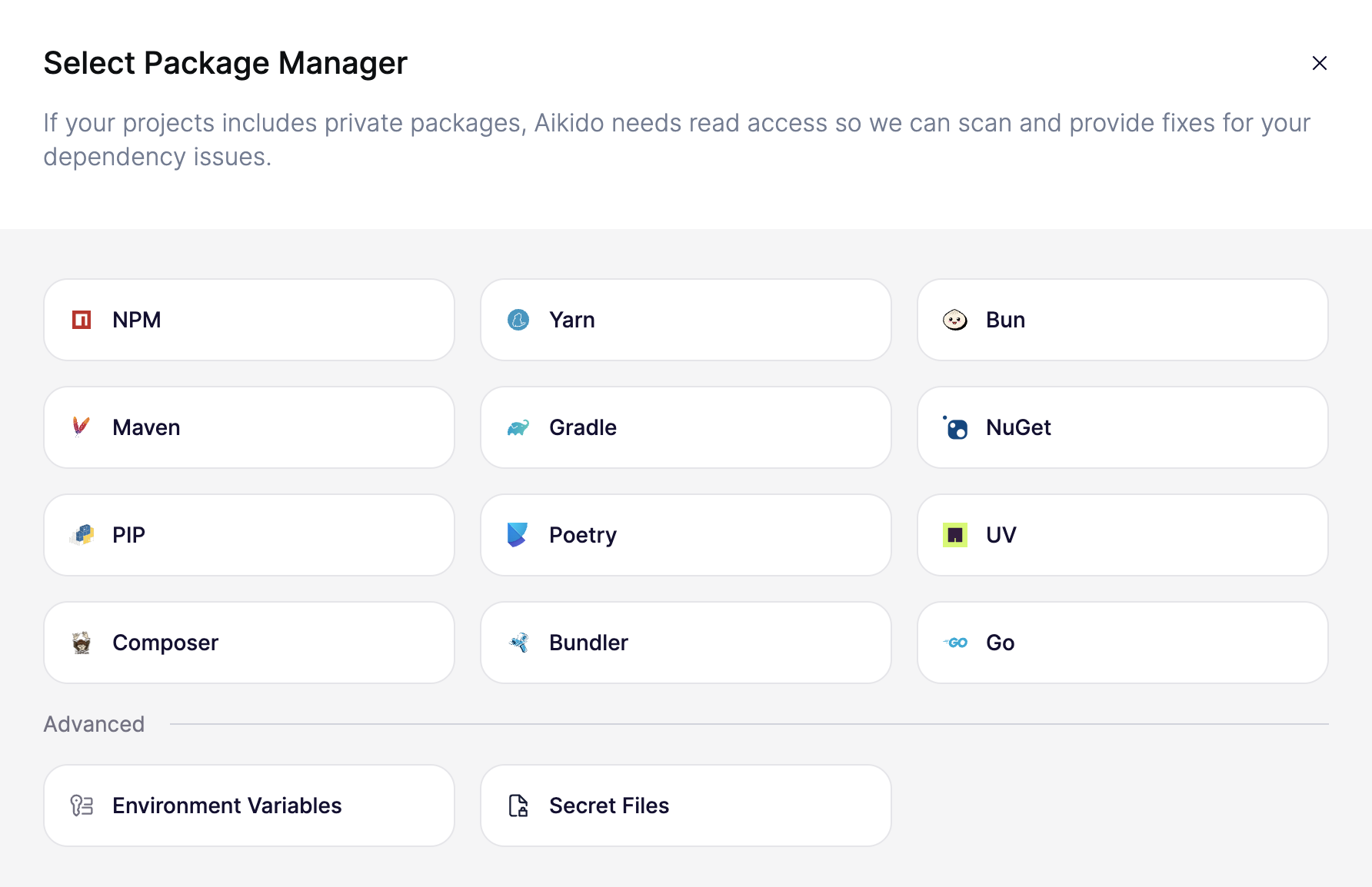
2. 「*レジストリを接続*」をクリックすると、選択モーダルが表示されます。
3. 入力するには Yarn を選択してください `.yarnrc.yml` ファイル。(Yarn V1 では NPM を選択する必要があることに注意してください。)
4. の内容を入力してください `.yarnrc.yml` ファイル。例では、piedPiper の GitHub 組織における GitHub Packages の設定を示しています。
5. 「*レジストリを接続*」をクリックして設定を保存します。
---
# Agent Instructions
This documentation is published with GitBook. GitBook is the documentation platform designed so that both humans and AI agents can read, navigate, and reason over technical content effectively. Learn more at gitbook.com.
## Querying This Documentation
If you need additional information that is not directly available in this page, you can query the documentation dynamically by asking a question.
Perform an HTTP GET request on the current page URL with the `ask` query parameter, and the optional `goal` query parameter:
```
GET https://help.aikido.dev/docs/docs-ja/autofix-to/connect-private-packages/yarn-private-packages.md?ask=&goal=
```
`ask` is the immediate question: it should be specific, self-contained, and written in natural language.
`goal` is optional and describes the broader end goal you are ultimately trying to accomplish on behalf of the user. GitBook uses it to tailor the answer towards what is most useful for that goal.
The response will contain a direct answer to the question and relevant excerpts and sources from the documentation.
Use this mechanism when the answer is not explicitly present in the current page, you need clarification or additional context, or you want to retrieve related documentation sections.