# Postman連携

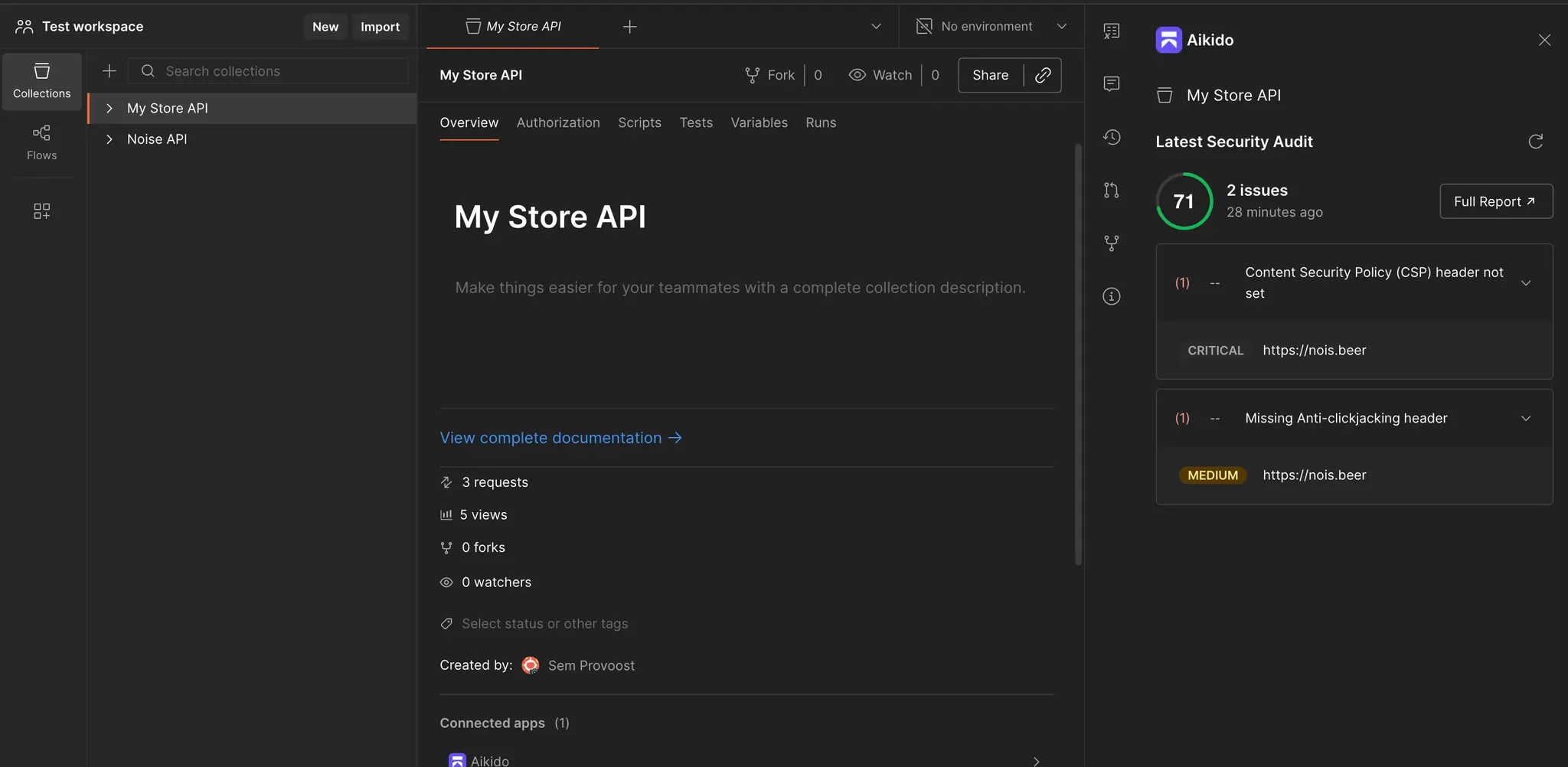
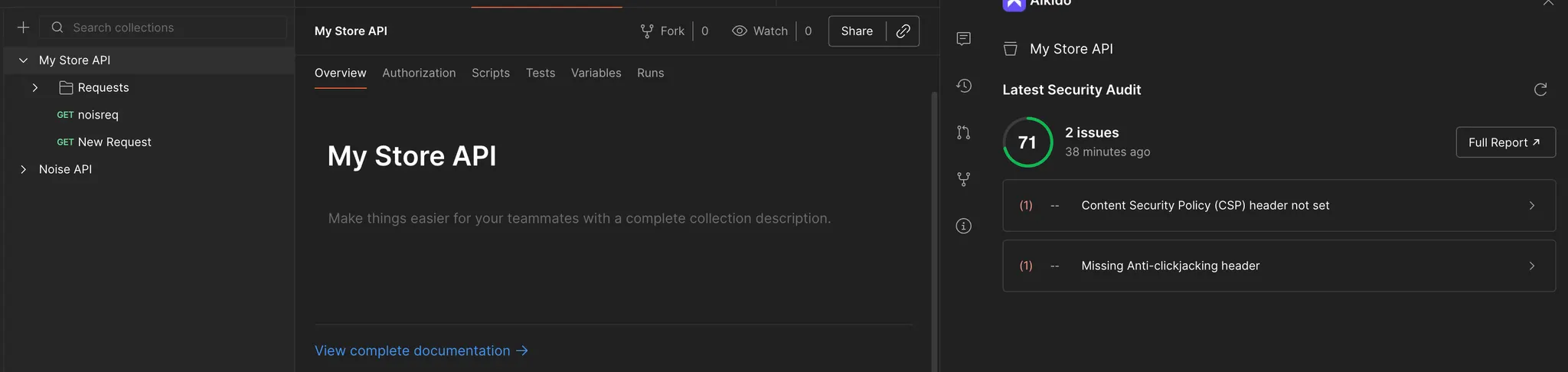
Postman連携を使うと、AikidoのAPIセキュリティの検出結果をPostmanに取り込めます。

テスト中のコレクションの横で脆弱性を確認できます。チームがすでにPostmanで作業していて、スキャン結果も同じ場所で見たい場合に便利です。

この連携は、APIがすでにAikidoでスキャンできるよう設定されている場合に最も効果的です。まだ設定が必要な場合は、 [REST APIとWebアプリのスキャン](https://help.aikido.dev/docs/docs-ja/dast-surface-monitoring/api-scanning/rest-api-scanning).

{% hint style="info" %}
アクティブなAPIスキャンには、ステージングまたはテスト環境を使用してください。本番システムに対してAPIファジングを実行しないでください。
{% endhint %}

### ユースケース

* Postmanを離れずにAikidoのAPI検出結果を確認する
* コレクションのテストや更新中に問題をトリアージする
* Postmanで作業しているAPI所有者と検出結果を共有する
* リリース前に最新のスキャン結果を確認する
<figure><img src="https://help.aikido.dev/_assets/c2042f9efcb7/image-37.png" alt=""><figcaption></figcaption></figure>

<figure><img src="https://help.aikido.dev/_assets/fa4c5622af07/image-38.png" alt=""><figcaption></figcaption></figure>

<figure><img src="https://help.aikido.dev/_assets/d8d7f1325ab9/image-39.png" alt=""><figcaption></figcaption></figure>

### セットアップ

{% stepper %}
{% step %}
**Postmanでアプリをインストールする**

Postmanで、 **設定** を開いて **インストール済みアプリ**.

追加 **Aikido** をインストール済みアプリとして。

<figure><img src="https://help.aikido.dev/_assets/c44b30e1ac66/image-40.png" alt=""><figcaption></figcaption></figure>

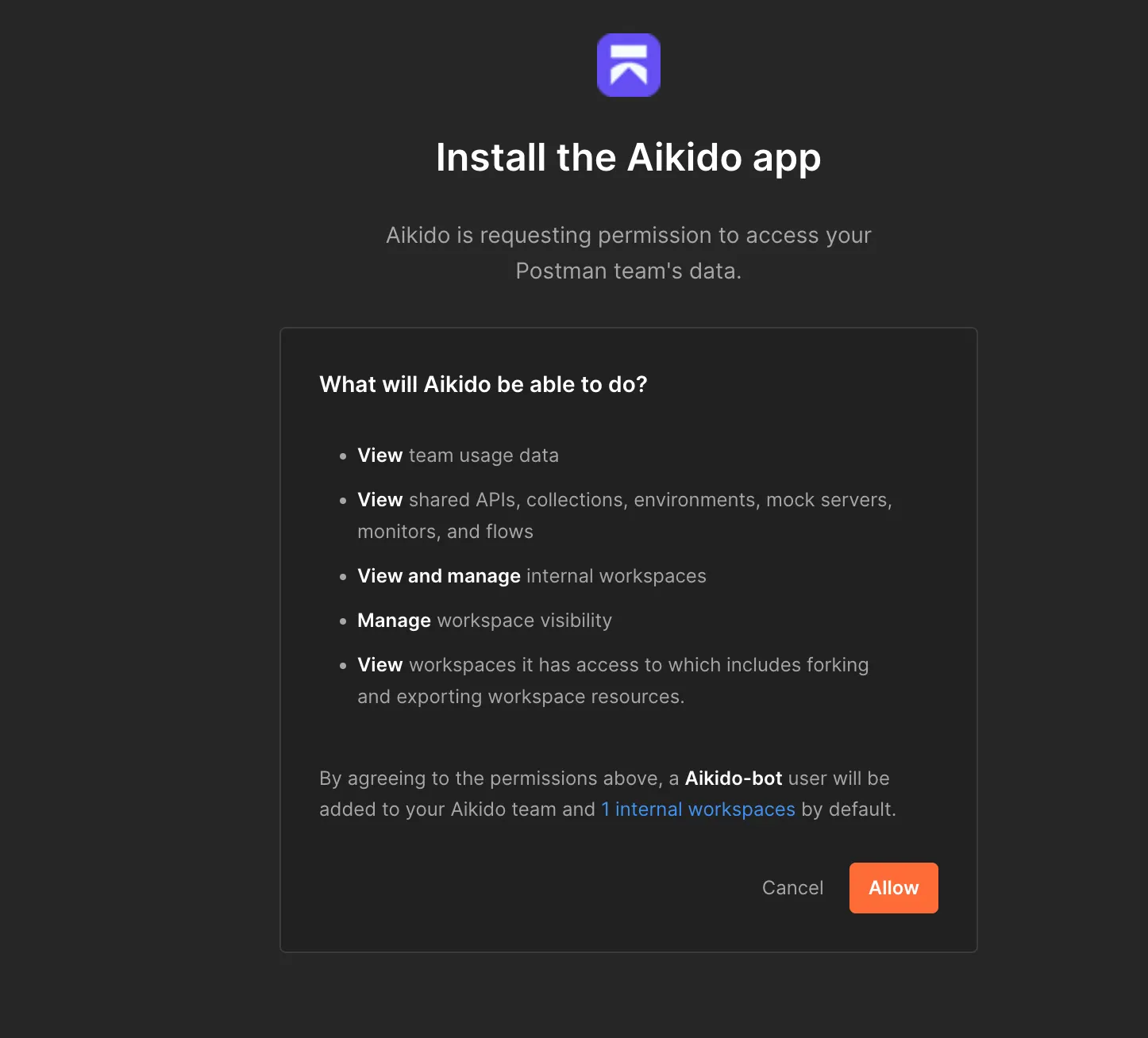
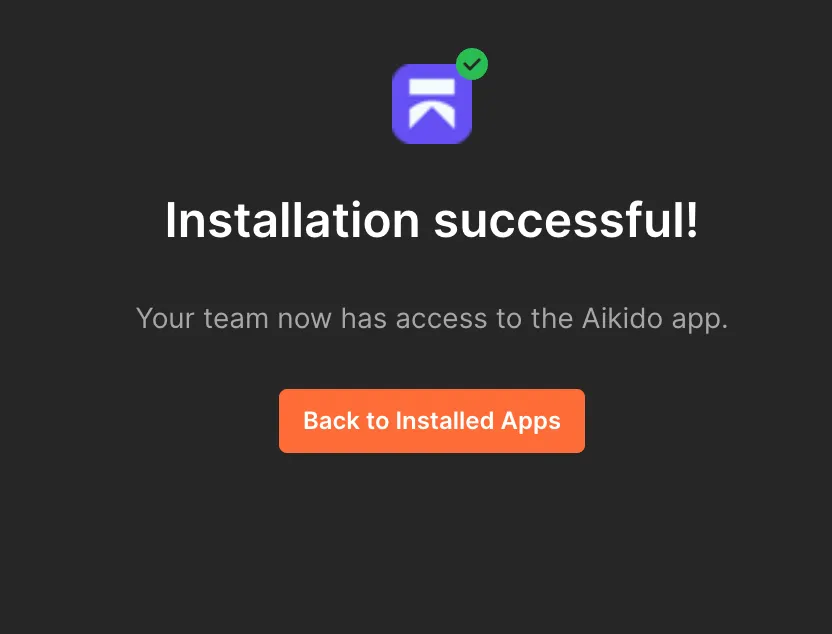
Postmanから権限を求められたら、インストールを承認します。

<figure><img src="https://help.aikido.dev/_assets/dcc6714b8475/image-41.png" alt="" width="563"><figcaption></figcaption></figure>
{% endstep %}

{% step %}
**AikidoでAPIキーを生成する**

を開き、 [Postman連携設定](https://app.aikido.dev/settings/integrations/postman?regionRedirect=1) Aikidoで。

APIキーを生成します。
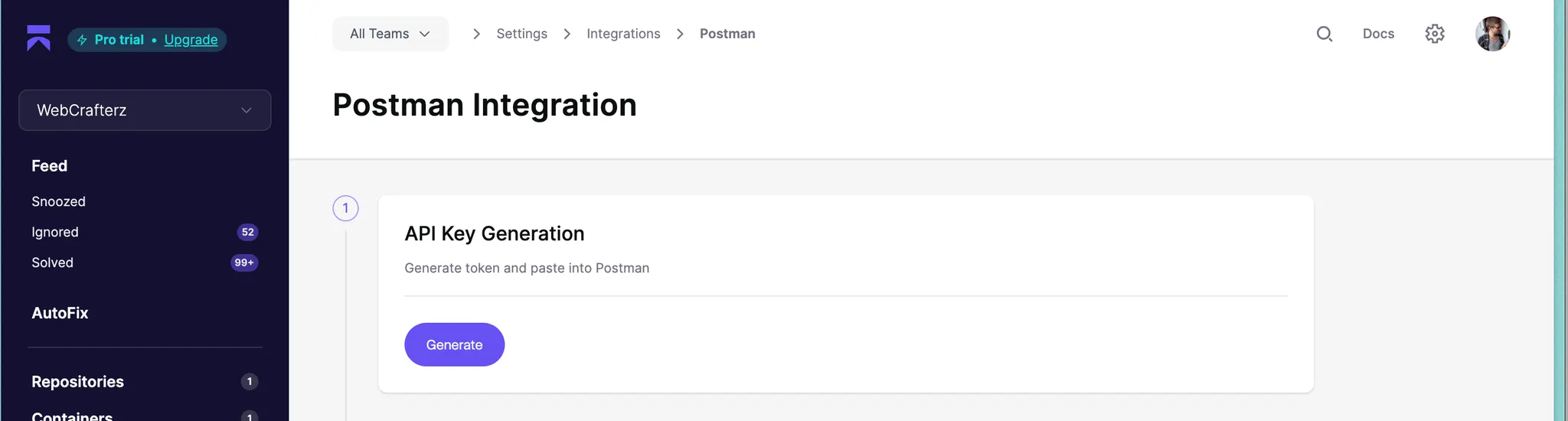
<figure><img src="https://help.aikido.dev/_assets/b01e7910d830/image-42.png" alt=""><figcaption></figcaption></figure>
{% endstep %}

{% step %}
**APIキーをPostmanに貼り付ける**

Postmanに戻って、AikidoのAPIキーを貼り付けます。
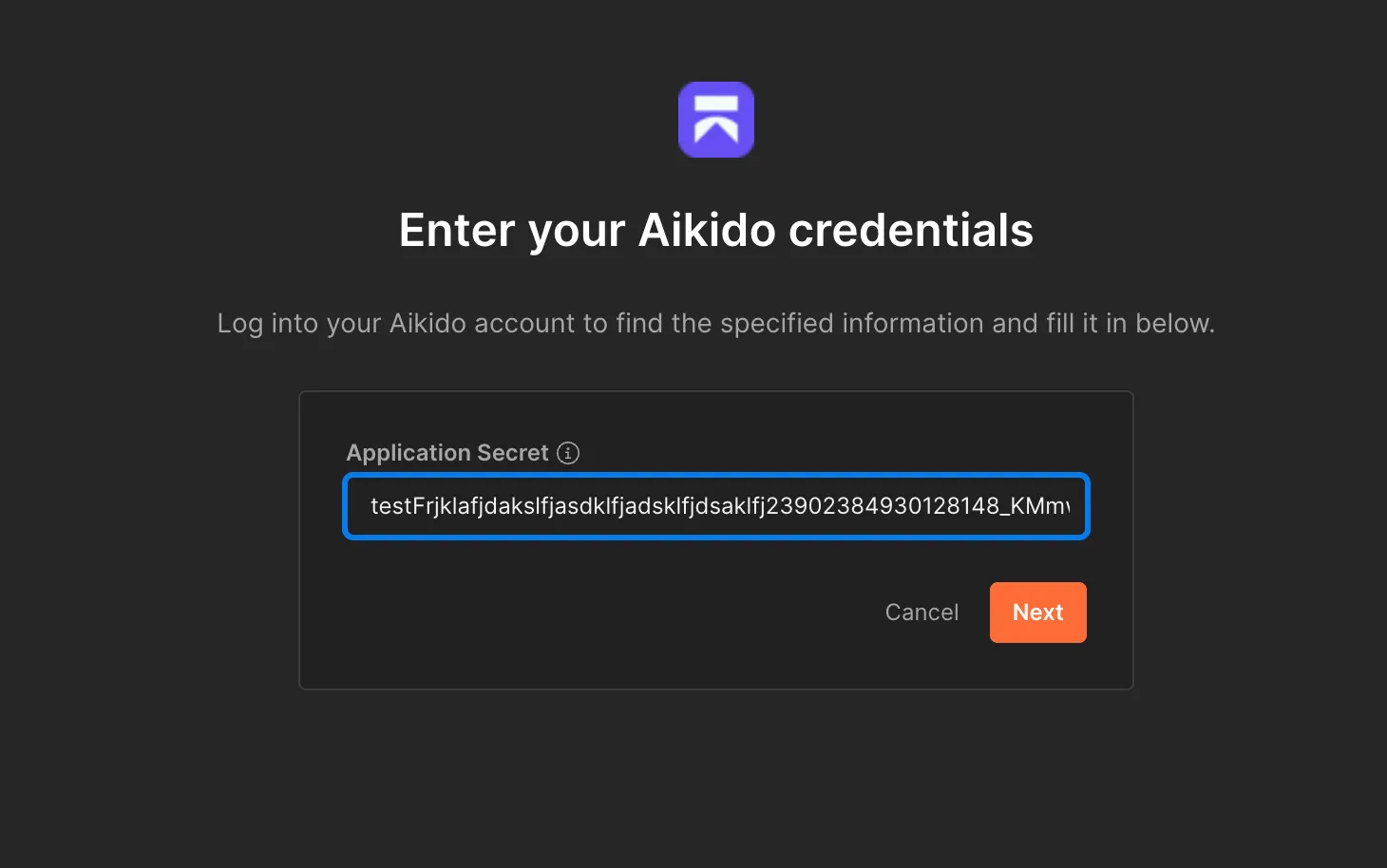
<figure><img src="https://help.aikido.dev/_assets/567b4e1a9f83/image-43.png" alt=""><figcaption></figcaption></figure>
{% endstep %}

{% step %}
**Postmanの認証情報をAikidoにコピーする**

次をコピーします： **クライアントID** と **クライアントシークレット** Postmanから。

両方の値をAikidoの連携設定に貼り付けます。
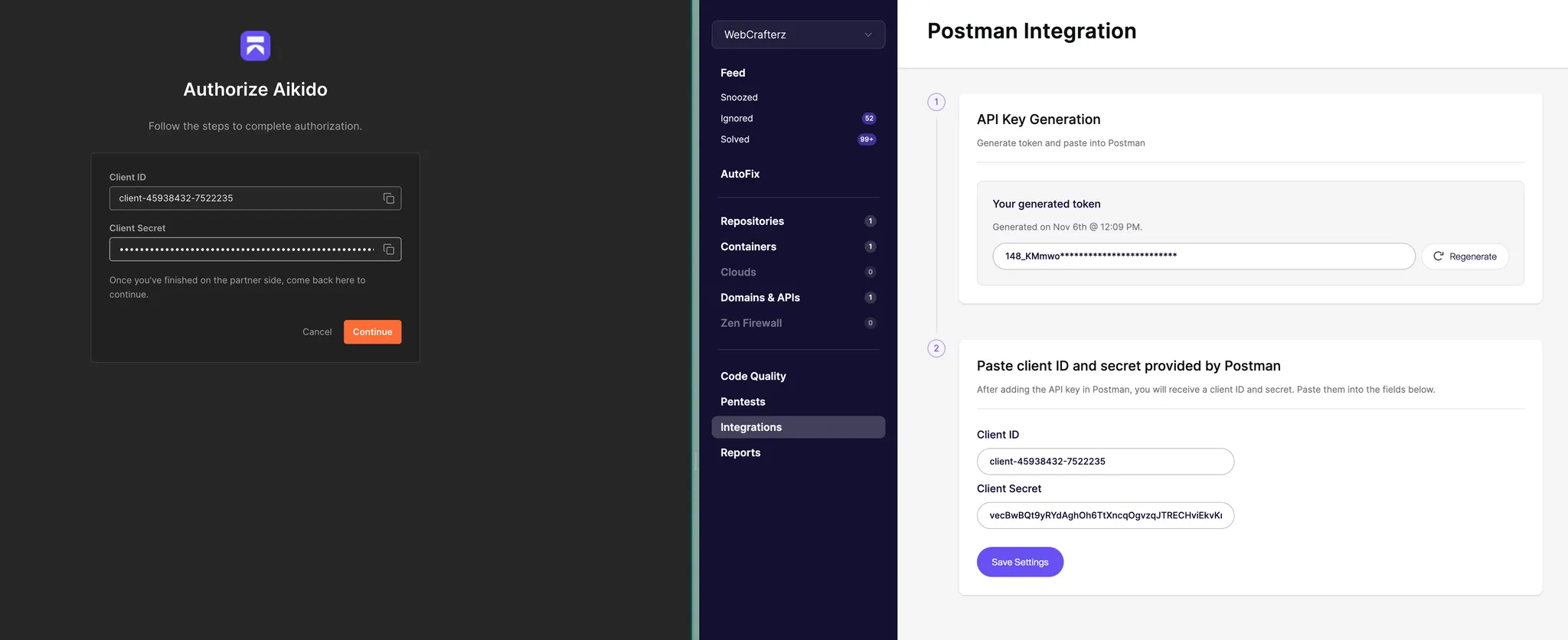
<figure><img src="https://help.aikido.dev/_assets/873d418194ec/image-44.png" alt=""><figcaption></figcaption></figure>

設定を保存して接続を完了します。

<figure><img src="https://help.aikido.dev/_assets/92befec0d3f8/image-45.png" alt=""><figcaption></figcaption></figure>
{% endstep %}

{% step %}
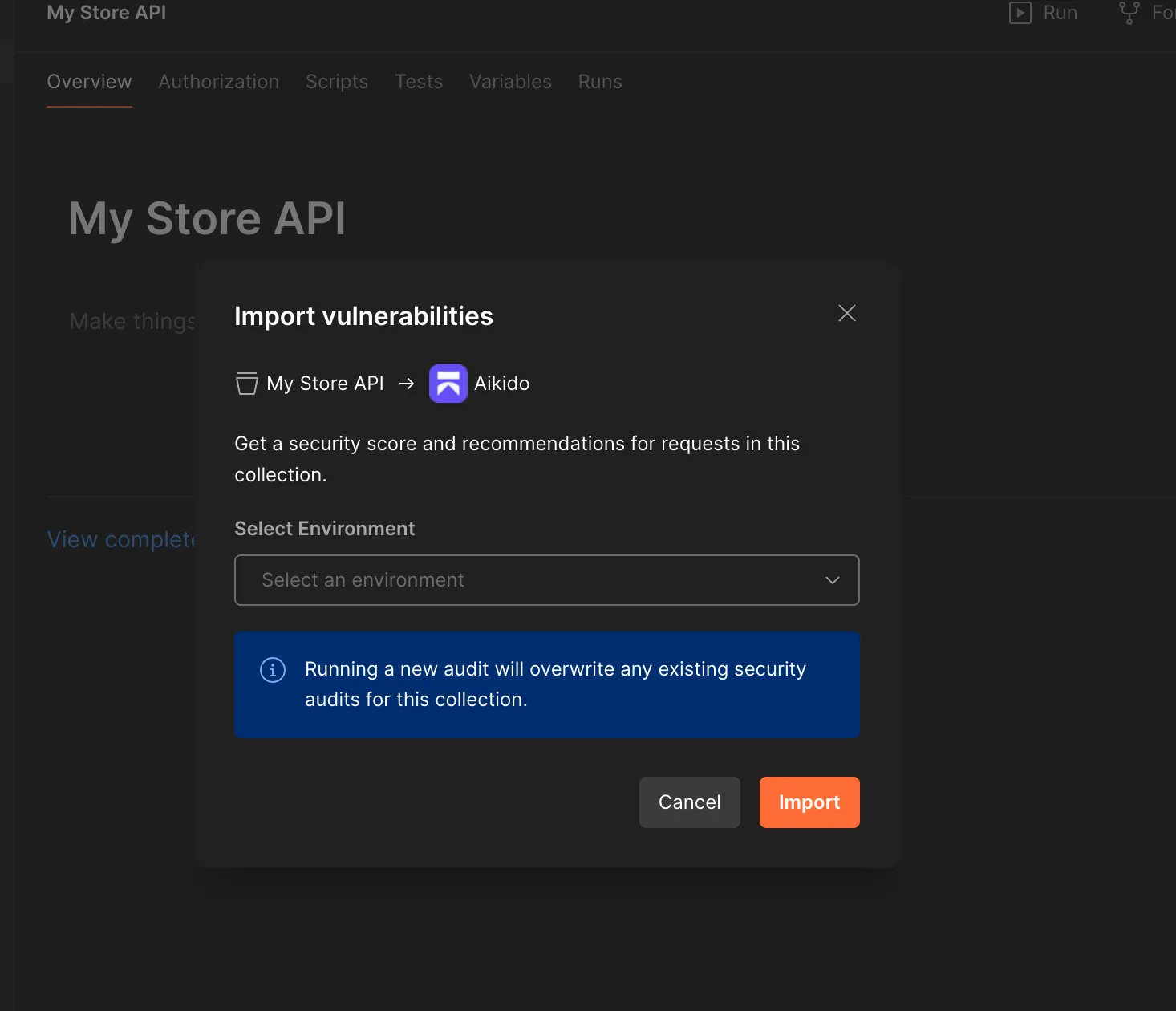
**検出結果をコレクションに取り込む**

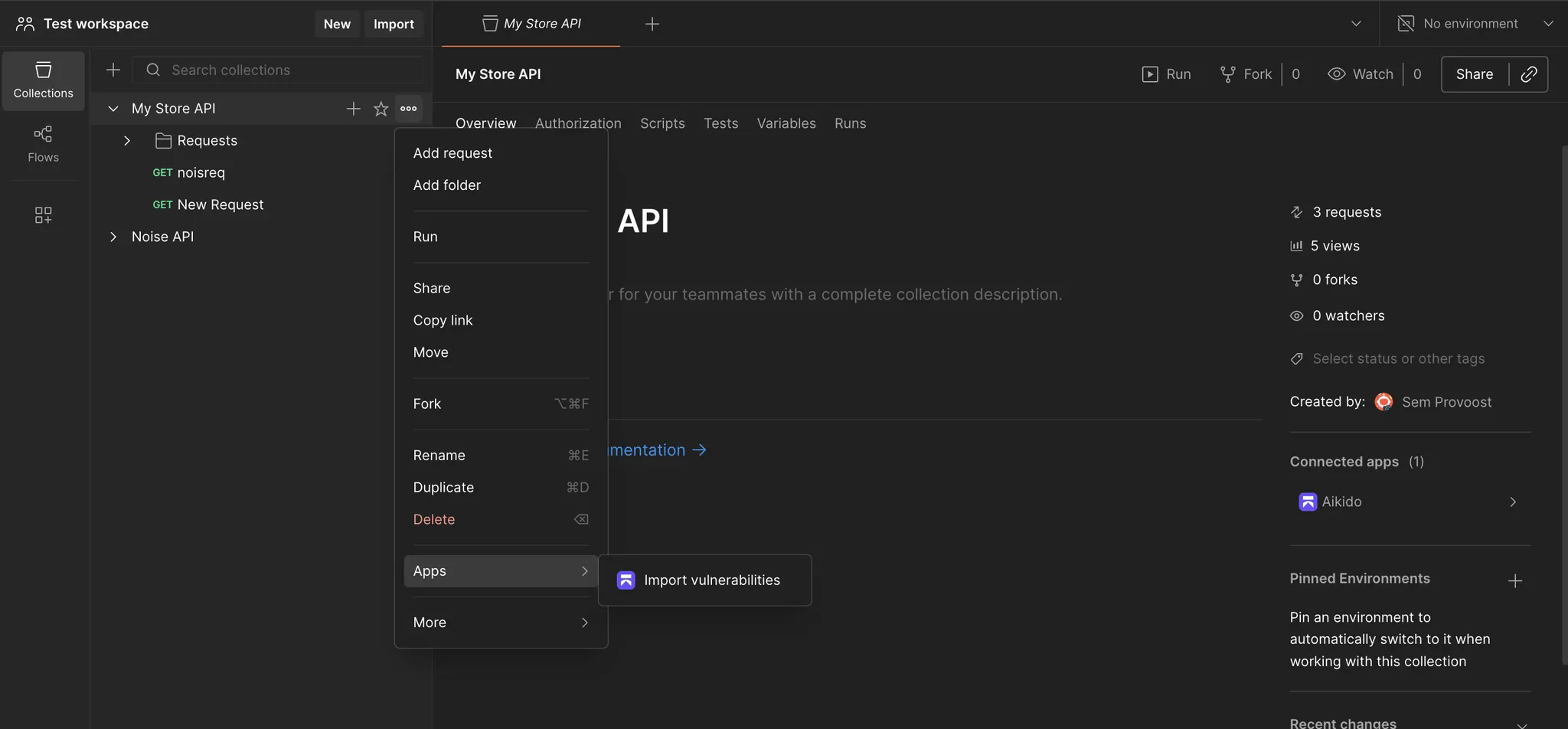
Postmanのコレクションを開きます。

三点メニューをクリックして、 **脆弱性をインポート**.
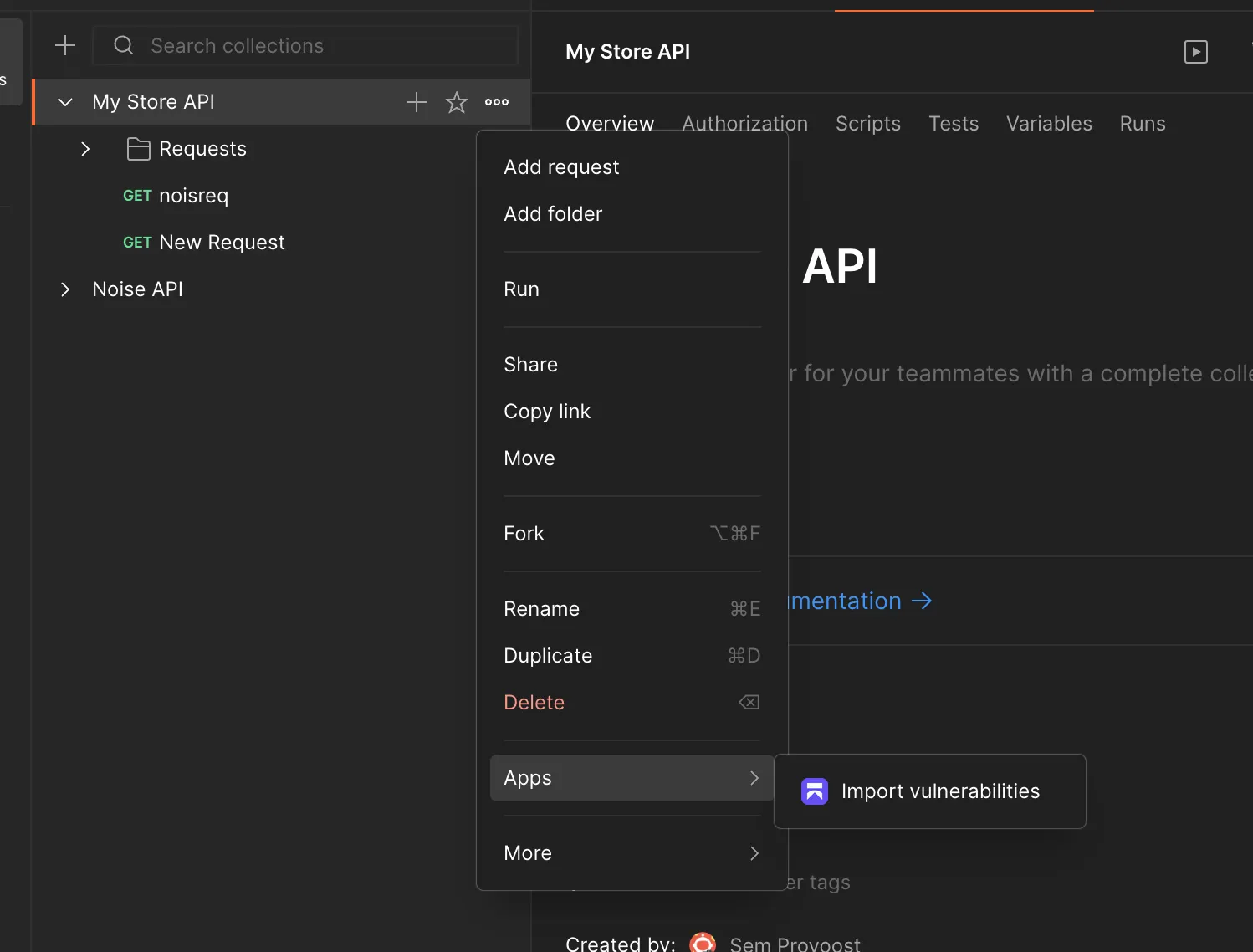
<figure><img src="https://help.aikido.dev/_assets/1cd3d560a9c9/image-46.png" alt=""><figcaption></figcaption></figure>

取り込まれた問題はサイドパネルに表示されます。

<figure><img src="https://help.aikido.dev/_assets/649ee42a0380/image-47.png" alt=""><figcaption></figcaption></figure>
{% endstep %}
{% endstepper %}

### データの取り扱い

この連携では脆弱性データのみをやり取りします。

ソースコードは転送しません。保存済みの侵害データにも依存しません。