> For the complete documentation index, see [llms.txt](https://help.aikido.dev/llms.txt). Markdown versions of documentation pages are available by appending `.md` to page URLs; this page is available as [Markdown](https://help.aikido.dev/docs/docs-ja/hajimeni/core-functionalities/resolving-malware-and-leaked-secret-issues.md).
# マルウェアと秘密情報漏えい問題の解決
**マルウェア** および **漏えいしたシークレットの検出** それらを手動で閉じる必要があります **解決済みとしてマーク**。漏えいしたシークレットについては、Aikido がバージョン履歴内でそのシークレットを検出しますが、無効化はお客様に委ねられます。これは外部システムで発生し、完全な検証ができないためです。マルウェアについては、Aikido が感染したパッケージにフラグを付けますが、クリーンな状態の自動検証は完全には信頼できないため、削除の確認はお客様に行っていただく必要があります。
{% hint style="info" %}
マルウェア検出と防止について詳しく見る?
* 詳しく読む [Aikido のマルウェア検出](/docs/docs-ja/kdosukyan/scanning-practices/malware-detection-in-open-source-dependencies.md)
* 使用してください [Safe Chain](/docs/docs-ja/kdosukyan/aikido-malware-scanning.md) インストール前に悪意のあるパッケージをブロックするための
{% endhint %}
### 問題を解決済みとしてマークする前に行うこと
#### 漏えいしたシークレット
シークレットは、最新のコミットから削除した後でも、Git の履歴に永久に残ることがあります。
問題を解決済みとしてマークする前に:
1. シークレットを直ちに失効またはローテーションしてください。
2. 古いシークレットがもう使えないことを確認してください。
3. どのシステムもまだそれに依存していないことを確認してください。
4. その後でのみ、問題を解決済みとしてマークしてください。
{% hint style="warning" %}
漏えいしたシークレットを解決済みとしてマークすることは **しません** シークレットがバージョン履歴から消えたことを意味するのではありません。無効化され、リスクが取り除かれたことを意味します。
{% endhint %}
#### マルウェアの検出結果
マルウェアについては、依存関係データに表示されなくならない限り、Aikido は削除を証明できません。
問題を解決済みとしてマークする前に:
1. 影響を受けたパッケージをプロジェクトから削除してください。
2. lockfile から削除してください。
3. 必要に応じて依存関係を再インストールしてください。
4. 依存関係ツリーにもう表示されないことを確認してください。
5. その後でのみ、問題を解決済みとしてマークしてください。
{% hint style="warning" %}
マルウェアパッケージが消えたか確信が持てない場合は、解決済みとしてマークする前に Aikido サポートへお問い合わせください。
{% endhint %}
### 問題を解決済みとしてマークする方法
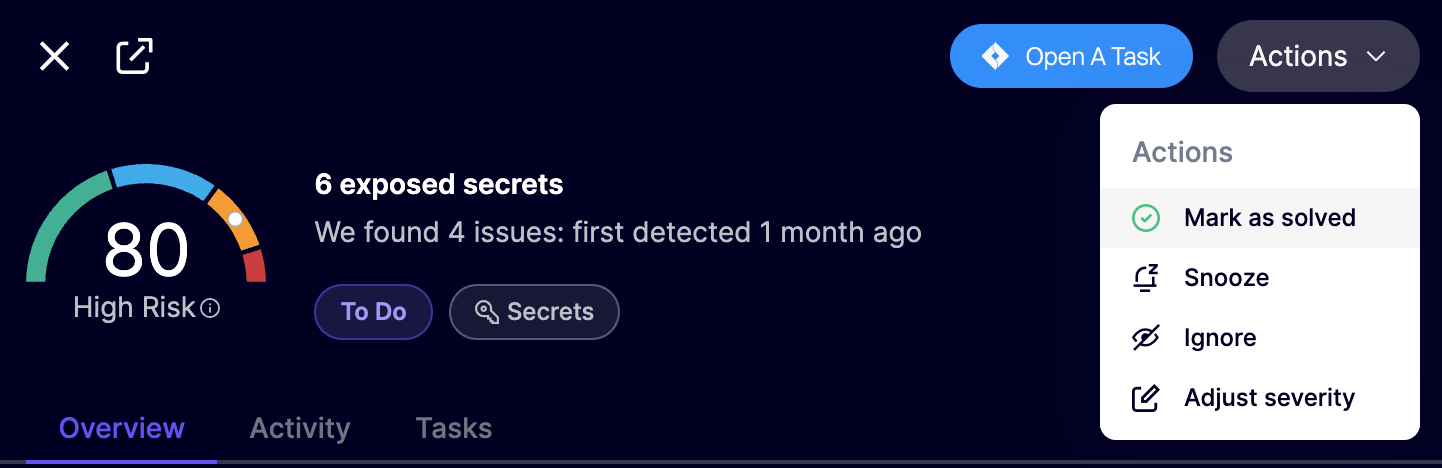
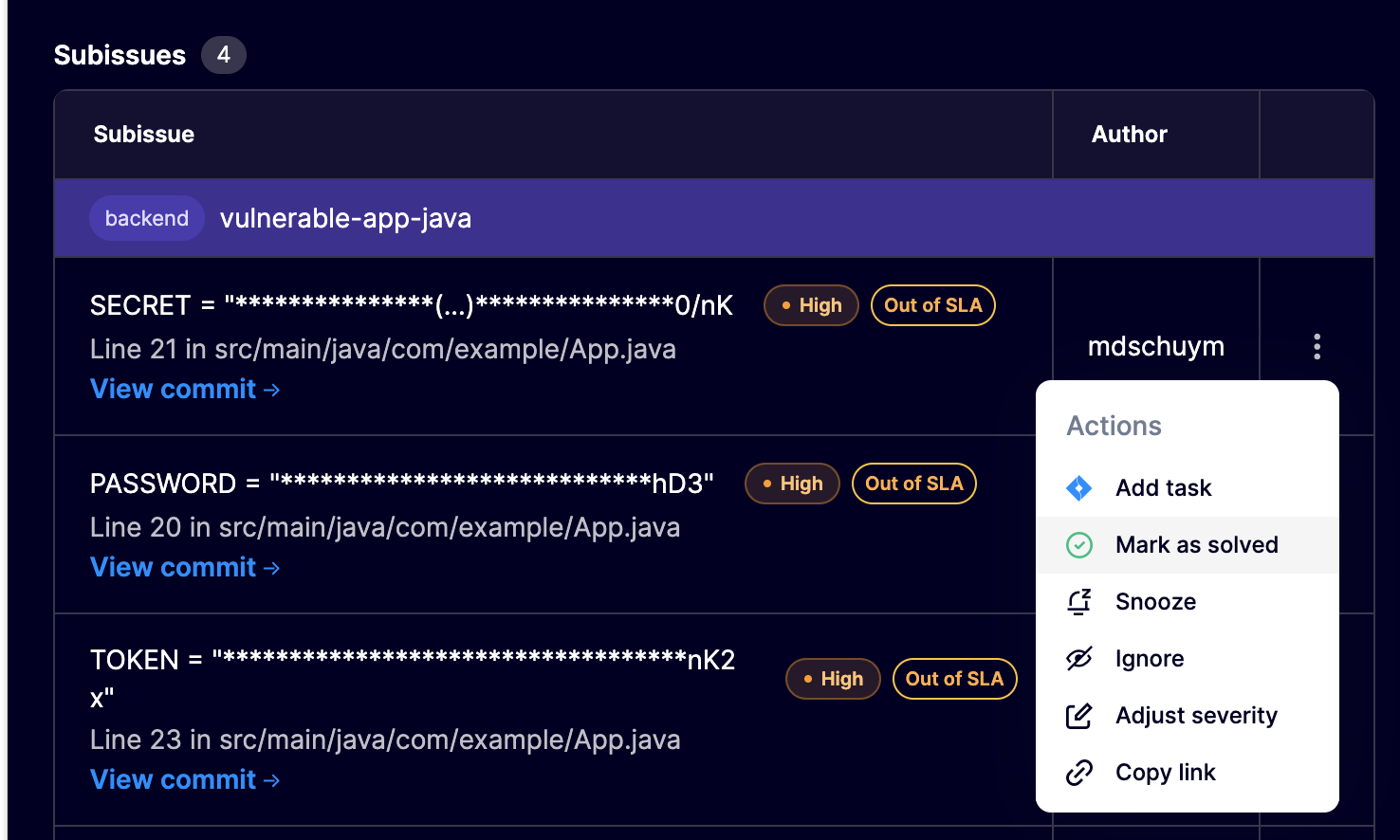
1. 問題一覧、グループ化された問題ビュー、またはキューのサイドバーから問題を開きます。
2. アクションメニューを開きます。
3. 選択 **解決済みとしてマーク**.
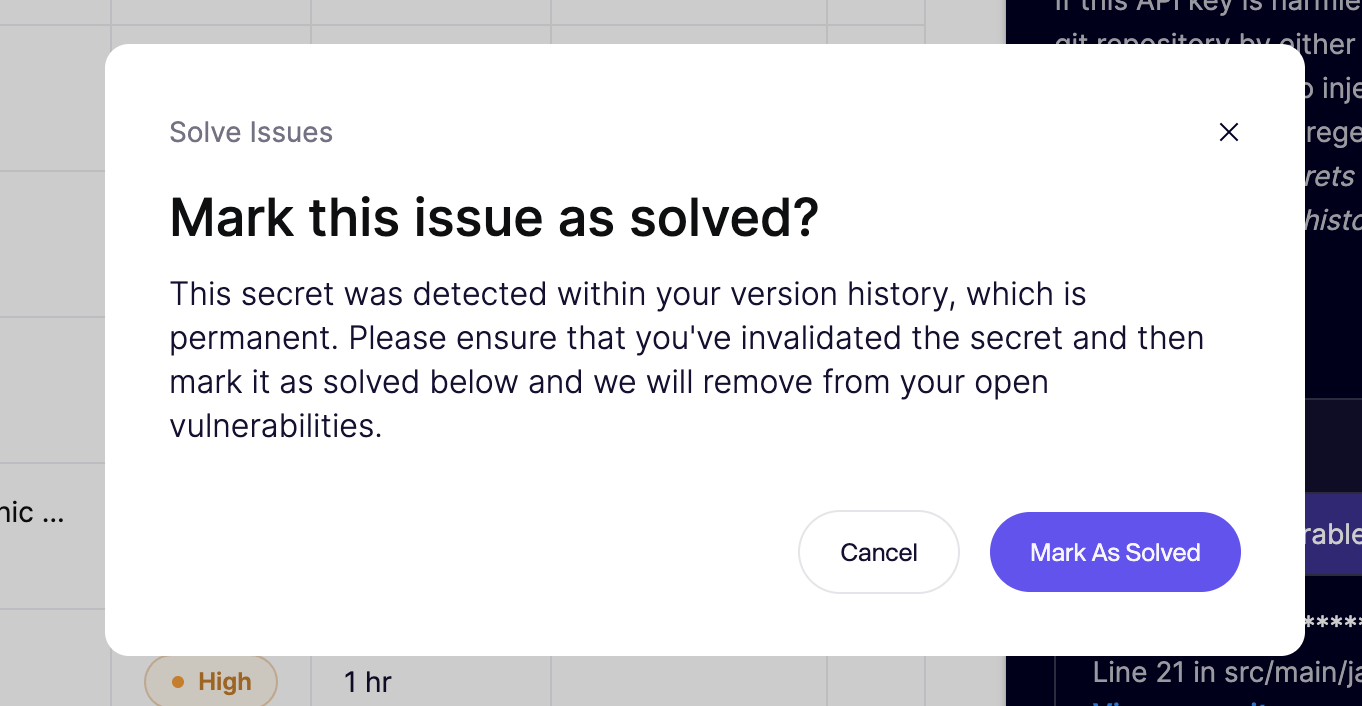
4. 確認メッセージを確認します。
5. 確認します。
---
# Agent Instructions
This documentation is published with GitBook. GitBook is the documentation platform designed so that both humans and AI agents can read, navigate, and reason over technical content effectively. Learn more at gitbook.com.
## Querying This Documentation
If you need additional information that is not directly available in this page, you can query the documentation dynamically by asking a question.
Perform an HTTP GET request on the current page URL with the `ask` query parameter, and the optional `goal` query parameter:
```
GET https://help.aikido.dev/docs/docs-ja/hajimeni/core-functionalities/resolving-malware-and-leaked-secret-issues.md?ask=&goal=
```
`ask` is the immediate question: it should be specific, self-contained, and written in natural language.
`goal` is optional and describes the broader end goal you are ultimately trying to accomplish on behalf of the user. GitBook uses it to tailor the answer towards what is most useful for that goal.
The response will contain a direct answer to the question and relevant excerpts and sources from the documentation.
Use this mechanism when the answer is not explicitly present in the current page, you need clarification or additional context, or you want to retrieve related documentation sections.