> For the complete documentation index, see [llms.txt](https://help.aikido.dev/llms.txt). Markdown versions of documentation pages are available by appending `.md` to page URLs; this page is available as [Markdown](https://help.aikido.dev/docs/docs-ja/hajimeni/manage-teams-and-applications/assigning-resources-to-teams.md).
# リソースをチームに割り当てる
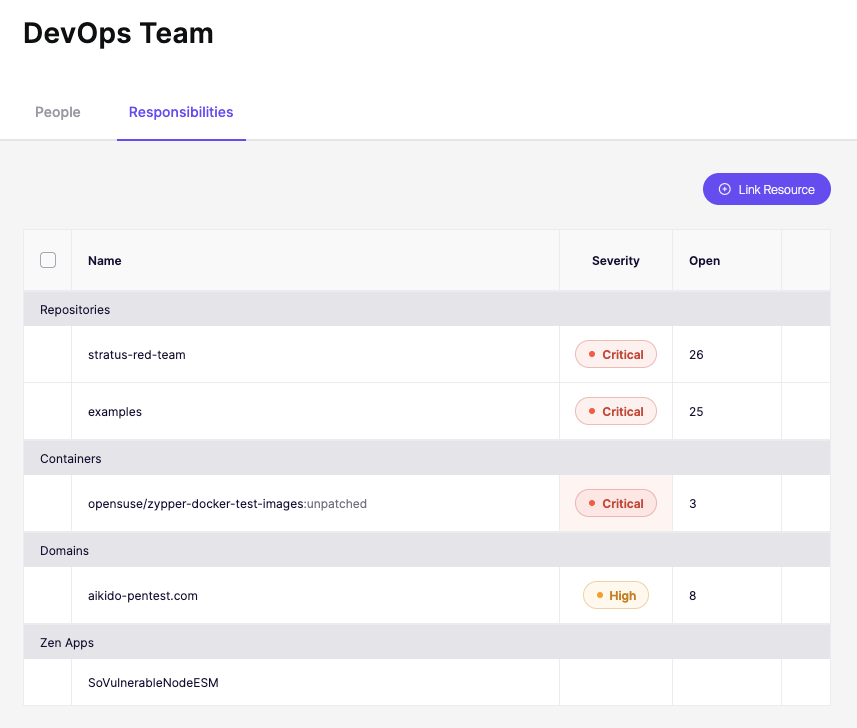
リソースをチームに割り当てることで、Aikido 内での所有権が定義されます。これにより、検出結果が適切な担当者に振り分けられ、ダッシュボードの関連性が保たれ、各チームは自分たちの責任範囲だけを表示できます。
このページでは、個別指定と一括指定を含む、リソースを割り当てるための利用可能なすべての方法を説明します。
### チームページから割り当てる
1. その後、Splunk Cloud と Splunk Enterprise の両方でトークンを作成します: [設定 → チーム](https://app.aikido.dev/settings/teams)
2. チームを選択
3. 責任タブを開く
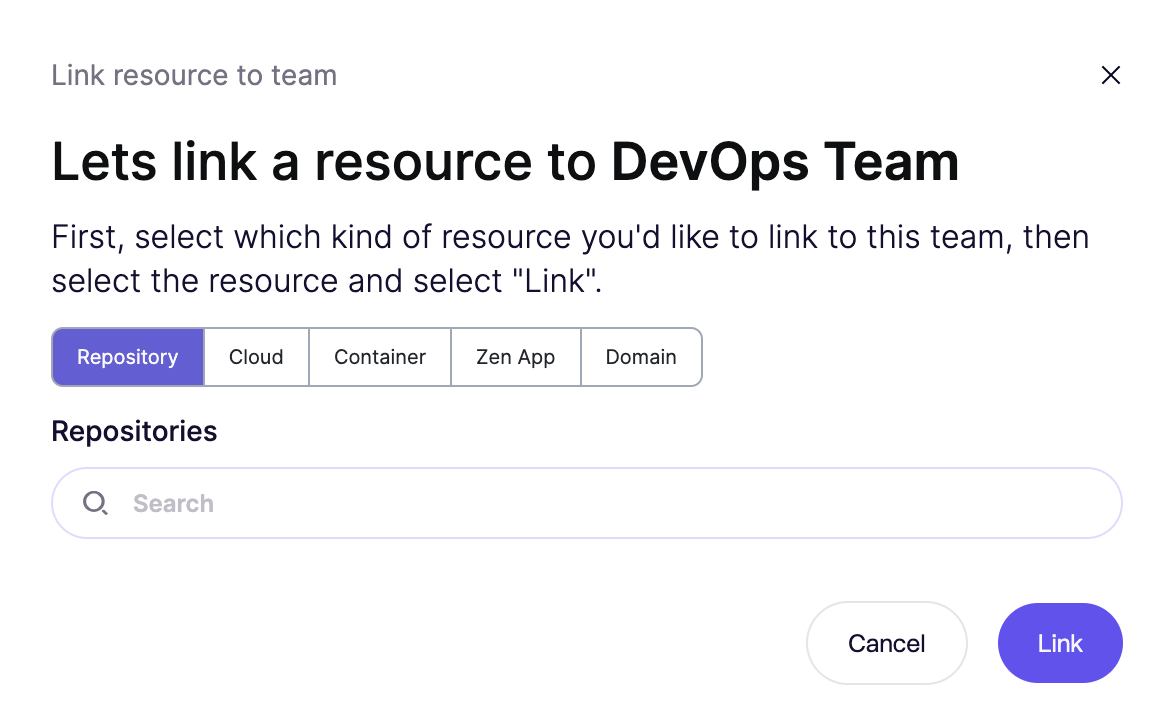
4. 「リソースをリンク」をクリック
5. リソースタイプを選択し、リソースを検索して追加します
### リソースページから割り当てる
リソース自体を表示しているときにも、チームを割り当てることができます。
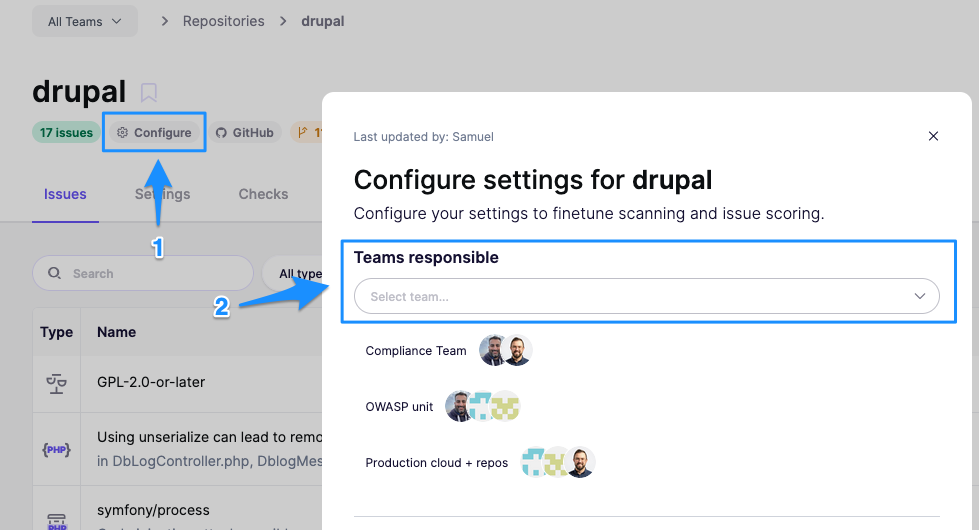
#### リポジトリ
リポジトリを開く → 設定 → 担当チーム
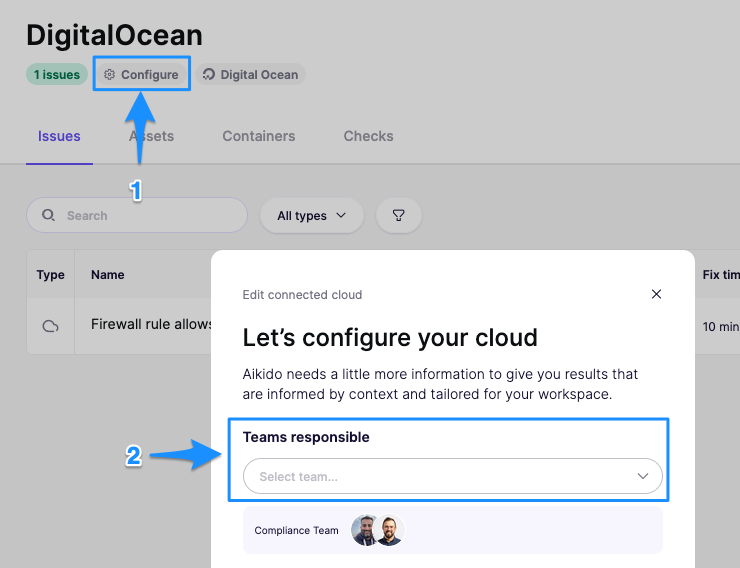
#### クラウドアカウント
クラウド接続を開く → 設定 → 担当チーム
### ドメイン & API
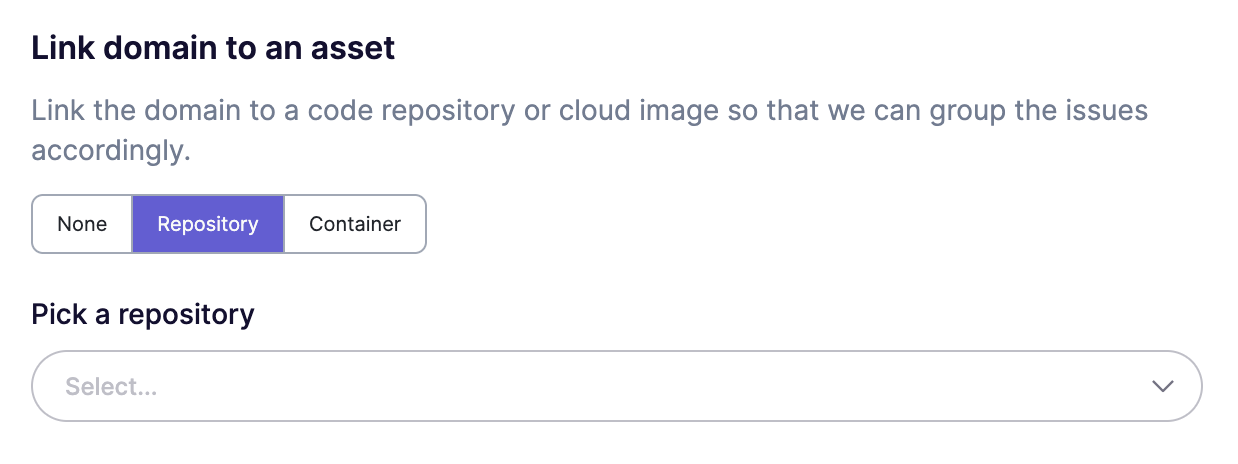
設定ページ(または一覧表示のアクションメニュー)からフロントエンド、REST、または GraphQL のスキャン設定を開き、ドメインをアセットにリンクします。
リポジトリまたはコンテナのどちらかにリンクできます。リンクすると、そのスキャンはそのアセットのチーム権限を継承します。
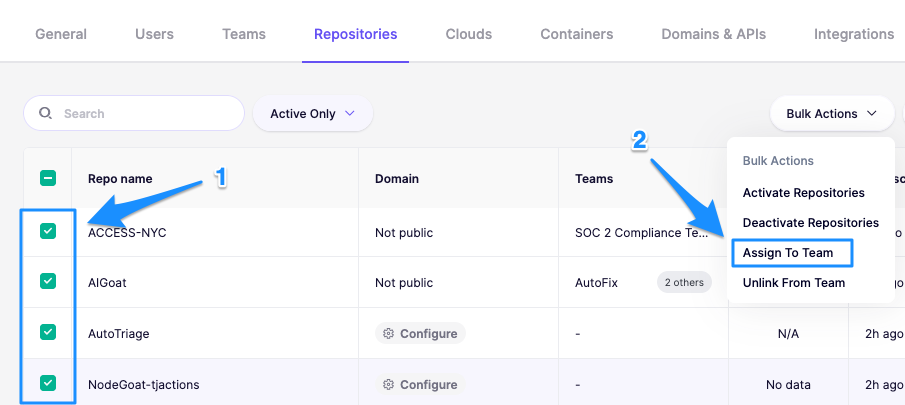
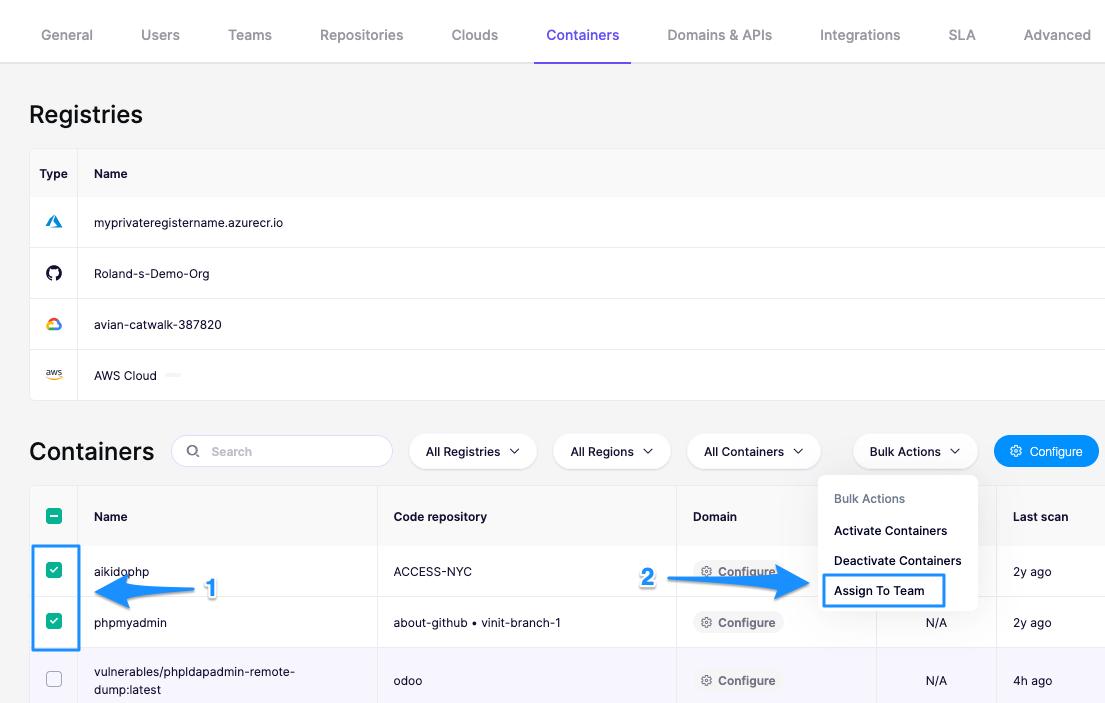
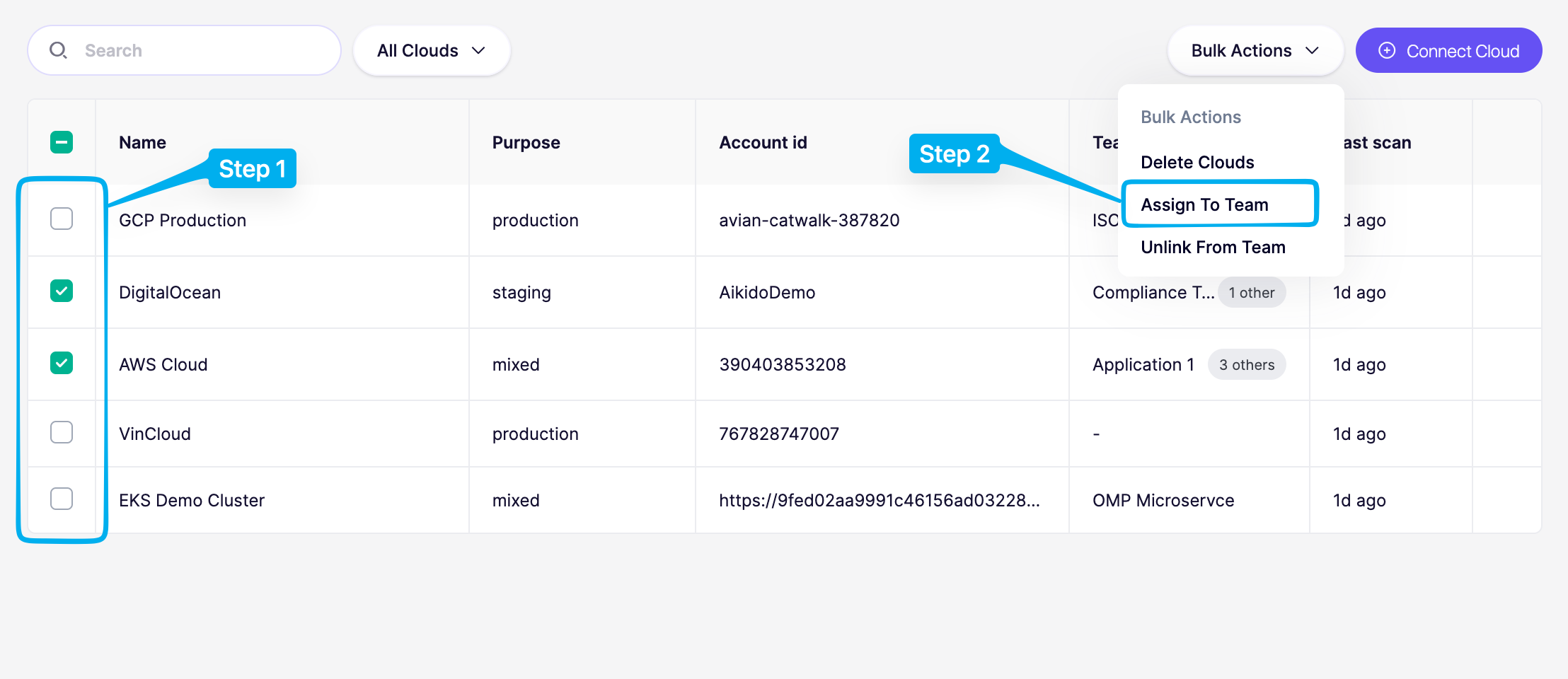
### 一括割り当て
一括操作は、以下のリソース一覧ページで利用できます [設定](https://app.aikido.dev/settings/account).
{% hint style="info" %}
一括操作が表示されない場合、割り当ては個別に行う必要があります。
{% endhint %}
**リポジトリ**
[設定 → リポジトリ](https://app.aikido.dev/settings/integrations/repositories) → 複数選択 → 一括操作 → チームに割り当て
**コンテナ**
[設定 → コンテナ](https://app.aikido.dev/settings/container-image-registry) → 複数選択 → 一括操作 → チームに割り当て
**クラウド**
[設定 -> クラウド](https://app.aikido.dev/settings/integrations/clouds) -> 複数選択 -> 一括操作 -> チームに割り当て
---
# Agent Instructions
This documentation is published with GitBook. GitBook is the documentation platform designed so that both humans and AI agents can read, navigate, and reason over technical content effectively. Learn more at gitbook.com.
## Querying This Documentation
If you need additional information that is not directly available in this page, you can query the documentation dynamically by asking a question.
Perform an HTTP GET request on the current page URL with the `ask` query parameter, and the optional `goal` query parameter:
```
GET https://help.aikido.dev/docs/docs-ja/hajimeni/manage-teams-and-applications/assigning-resources-to-teams.md?ask=&goal=
```
`ask` is the immediate question: it should be specific, self-contained, and written in natural language.
`goal` is optional and describes the broader end goal you are ultimately trying to accomplish on behalf of the user. GitBook uses it to tailor the answer towards what is most useful for that goal.
The response will contain a direct answer to the question and relevant excerpts and sources from the documentation.
Use this mechanism when the answer is not explicitly present in the current page, you need clarification or additional context, or you want to retrieve related documentation sections.