> For the complete documentation index, see [llms.txt](https://help.aikido.dev/llms.txt). Markdown versions of documentation pages are available by appending `.md` to page URLs; this page is available as [Markdown](https://help.aikido.dev/docs/docs-ja/hajimeni/task-management-systems/advanced-functionalities/smart-issue-routing-map-repositories-to-projects-in-your-task-manager.md).
# スマート課題ルーティング: タスク管理ツール内のプロジェクトにチームやリポジトリをマッピングする
## はじめに
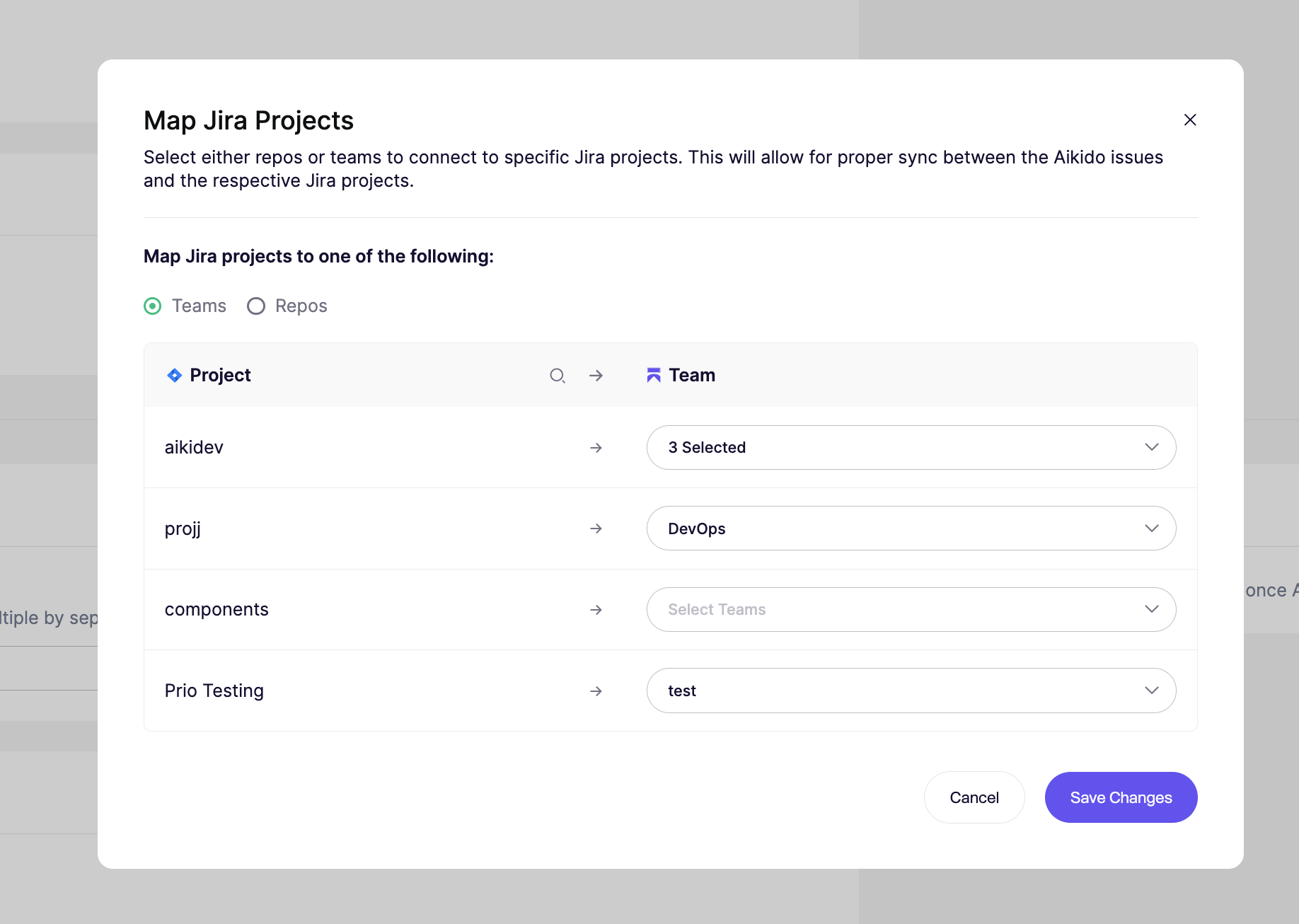
AikidoのチームまたはリポジトリをTask Manager内のプロジェクトにマッピングすると、自動タスクが適切なプロジェクトに正しく振り分けられるようになります。
## ユースケース
多くの場合、タスクトラッカー内にはAikidoの異なるチームに対応する複数のプロジェクトがあります。これは、特定のリポジトリ、クラウド、コンテナをまとめているチームがあり、それらの課題を特定のタスクトラッカープロジェクトに送る必要がある場合に便利です。
### 手順ガイド
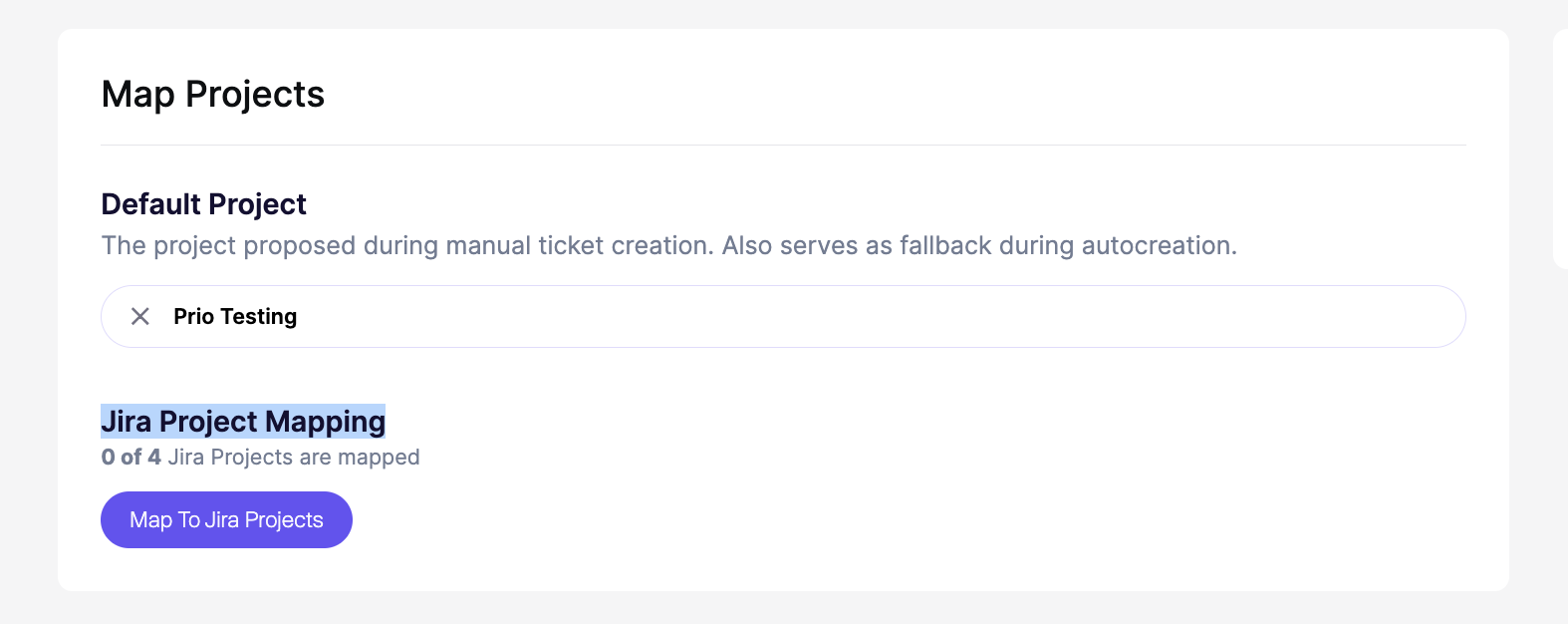
**ステップ 1**:〜に移動します [**タスクマネージャーの設定**](https://app.aikido.dev/settings/integrations/tasktracker)
**手順2**: 選択 **Jiraプロジェクトのマッピング**.
**ステップ3: マッピング** タスクトラッカーのプロジェクトをAikidoのチームまたはリポジトリに
{% hint style="info" %}
**重要**: 設定を忘れないでください **デフォルトプロジェクト**。このプロジェクトは、明示的にマッピングされていないチームやリポジトリのフォールバックとして機能し、タスクが未割り当てのままにならないようにします。
{% endhint %}
**追加メモ**
* このオプションはGitHub Issues / GitLab Issuesには含まれていません。
* Linearでは、プロジェクトはマッピングせず、チームをマッピングします
***
---
# Agent Instructions
This documentation is published with GitBook. GitBook is the documentation platform designed so that both humans and AI agents can read, navigate, and reason over technical content effectively. Learn more at gitbook.com.
## Querying This Documentation
If you need additional information that is not directly available in this page, you can query the documentation dynamically by asking a question.
Perform an HTTP GET request on the current page URL with the `ask` query parameter, and the optional `goal` query parameter:
```
GET https://help.aikido.dev/docs/docs-ja/hajimeni/task-management-systems/advanced-functionalities/smart-issue-routing-map-repositories-to-projects-in-your-task-manager.md?ask=&goal=
```
`ask` is the immediate question: it should be specific, self-contained, and written in natural language.
`goal` is optional and describes the broader end goal you are ultimately trying to accomplish on behalf of the user. GitBook uses it to tailor the answer towards what is most useful for that goal.
The response will contain a direct answer to the question and relevant excerpts and sources from the documentation.
Use this mechanism when the answer is not explicitly present in the current page, you need clarification or additional context, or you want to retrieve related documentation sections.