> For the complete documentation index, see [llms.txt](https://help.aikido.dev/llms.txt). Markdown versions of documentation pages are available by appending `.md` to page URLs; this page is available as [Markdown](https://help.aikido.dev/docs/docs-ja/hajimeni/task-management-systems/all-supported-task-trackers/jetbrains-youtrack.md).
# JetBrains YouTrack
この一度限りの設定 *ワークスペースごとに* Aikido組織の全員がYouTrackで直接課題を作成できるようにします。
次のユースケースがサポートされています:
* **チケットの自動作成**: セキュリティ問題をシームレスに追跡できるよう、指定したYouTrackプロジェクトにチケットを自動作成して送信します。
* **チケットの手動追加**: 重要な脆弱性に対して的確に対応できるよう、セキュリティ問題のチケットをYouTrackに手動で追加します。
## AikidoアプリをYouTrackに接続する
1. 次に移動します: [連携設定](https://app.aikido.dev/settings/integrations) を Aikido アプリ内で。
2. 「Task Trackers」セクションで「YouTrack」を選択します\
モーダルで次の情報の入力が求められます **サービスURL** (あなたのYouTrackスペースの)と **永続トークン**。永続トークンは、YouTrackの Profile -> Account Security で生成できます。\

3. 認証情報を正しく入力すると、「Connected」ステータスが表示されます。\

4. モーダルを閉じ、YouTrack Integrationページを開きます。\

## Aikido経由でYouTrackでタスクを作成するためのオプション
AikidoからYouTrackに新しいタスクを作成する方法は2つあります。
1. Aikido のインターフェースから手動でタスクを作成する
2. Aikido の自動作成機能を使って新しいタスクを自動作成する。
### 1. 手動でのタスク作成
1. フィード内の任意の課題にカーソルを合わせ、次をクリックします ***+*** を **担当者列。**\
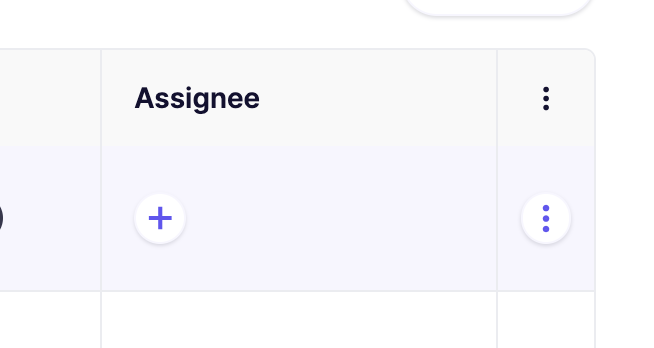
あるいは、最後の列にある三点メニューをクリックしてアクションメニューを開くこともできます。課題がグループ化されている場合、三点メニューのアクションメニューはすべてのサブ課題で利用できます。\

2. ポップアップモーダルで必要な詳細を入力します。\

3. YouTrackで新規作成されたタスクは、Aikidoの課題詳細の「Tasks」タブ(サイドパネル)にリンクされます。\

### 2. 自動タスク作成
{% hint style="info" %}
Aikido はタスクを自動的に作成します **毎時、一括で。** 現時点では、これを手動でトリガーするオプションはありません。
{% endhint %}
1. 次へ移動します [YouTrack連携](https://app.aikido.dev/settings/integrations/tasktracker) 設定ページ
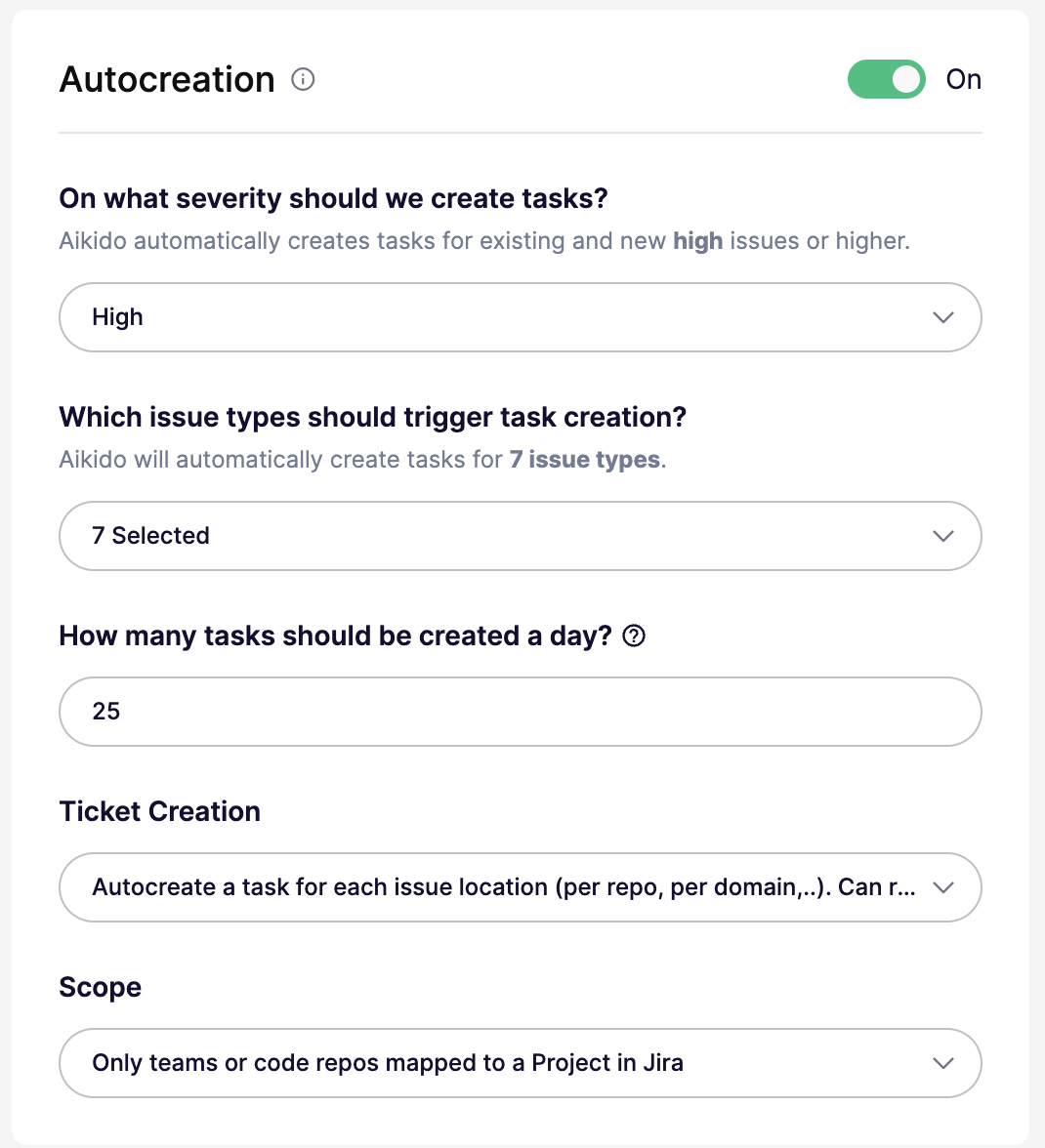
2. 『**Autocreation**』を有効にするにはトグルを **オンにします。**
3. 自動タスク作成の条件を定義します。
これらの設定はすべて自動作成モーダルで構成できます:
* **オン/オフ:** 自動作成を有効または無効にします。オフの場合、しきい値は実質的に `なし`.
* **重大度しきい値:** の問題に対してチケットを作成 `重大`, `高`, `中`、または `低` 以上。たとえば、 `高` チケットを作成します `高` および `重大`.
* **問題タイプ:** すべての問題タイプに対してチケットを作成するか、次のような特定のタイプに制限します `SCA`, `SAST`, `Secrets`, `クラウド`, `IaC`, `マルウェア`、または `ライセンス`.
* **1日あたりの上限:** 1日に作成されるチケットの最大数を設定します。デフォルトは `25`です。一部のプランでは、より高い上限がサポートされています。
* **チケット作成モード:** 問題グループごとに1件のチケットを作成するか、場所またはスコープごとに別々のチケットを作成します。場所ごとのモードでは、より多くのチケットが作成される場合があります。
* **スコープ:** 場所ごとのモードでのみ使用できます。すべてのリポジトリまたはクラウド、マッピング済みのリポジトリまたはチームのみ、または include と exclude のリストを使用して特定のリポジトリまたはクラウドを対象にします。
4. その後、Aikidoがこれらの設定に基づいてYouTrackチケットを自動生成します 🚀\
---
# Agent Instructions
This documentation is published with GitBook. GitBook is the documentation platform designed so that both humans and AI agents can read, navigate, and reason over technical content effectively. Learn more at gitbook.com.
## Querying This Documentation
If you need additional information that is not directly available in this page, you can query the documentation dynamically by asking a question.
Perform an HTTP GET request on the current page URL with the `ask` query parameter, and the optional `goal` query parameter:
```
GET https://help.aikido.dev/docs/docs-ja/hajimeni/task-management-systems/all-supported-task-trackers/jetbrains-youtrack.md?ask=&goal=
```
`ask` is the immediate question: it should be specific, self-contained, and written in natural language.
`goal` is optional and describes the broader end goal you are ultimately trying to accomplish on behalf of the user. GitBook uses it to tailor the answer towards what is most useful for that goal.
The response will contain a direct answer to the question and relevant excerpts and sources from the documentation.
Use this mechanism when the answer is not explicitly present in the current page, you need clarification or additional context, or you want to retrieve related documentation sections.