> For the complete documentation index, see [llms.txt](https://help.aikido.dev/llms.txt). Markdown versions of documentation pages are available by appending `.md` to page URLs; this page is available as [Markdown](https://help.aikido.dev/docs/docs-ja/kdosukyan/connect-your-source-code/connect-github-enterprise.md).
# GitHub Enterprise(Cloud & Server)を接続する
Aikido は〜と連携します [GitHub Enterprise Cloud](https://docs.github.com/en/get-started/onboarding/getting-started-with-github-enterprise-cloud) および [GitHub Enterprise Server](https://docs.github.com/en/enterprise-server@3.19/admin/overview/about-github-enterprise-server) 安全なアプリベースの接続を通じて行われます。これにより、Aikido は完全な制御を維持したまま、選択したリポジトリにアクセスできます。
{% hint style="warning" %}
アプリをインストールするには、GitHub Server の組織で十分な権限があることを確認してください。通常、これは組織管理者とオーナーのみが行えます。
{% endhint %}
### インストール
Aikido は、サーバー上に GitHub App を作成することで、GitHub Enterprise のセットアップに接続します。このアプリには、Aikido が動作するために必要な権限とコールバックが含まれています。作成後は、Aikido にリンクしたい GitHub Server インスタンス上の任意の組織にインストールできます。\
\
インスタンス上で GitHub App を作成するには、以下の手順に従ってください。
{% stepper %}
{% step %}
**アカウントを作成**
Aikido アカウントをまだお持ちでない場合は、まず Google または Microsoft 経由で作成してください。GitHub Enterprise Server を接続する前に必要です。
レポートの行で [オンボーディングページ](https://app.aikido.dev/onboarding/self-managed/select-onboarding-type) そして「GitHub Enterprise」を選択すると、インストールページに移動します。GitHub Enterprise の URL を入力し、 `次へ、アプリをインストール`.
{% hint style="warning" %}
GitHub Enterprise Server がインターネットから到達できない場合は、Broker 設定を有効にしてください。
Aikido Broker の仕組みについて詳しくは、 [ドキュメントをご覧ください。](/docs/docs-ja/miscellaneous-info/aikido-broker-for-internal-applications.md)
{% endhint %}
{% endstep %}
{% step %}
**GitHub Enterprise に Aikido GitHub App をインストール**
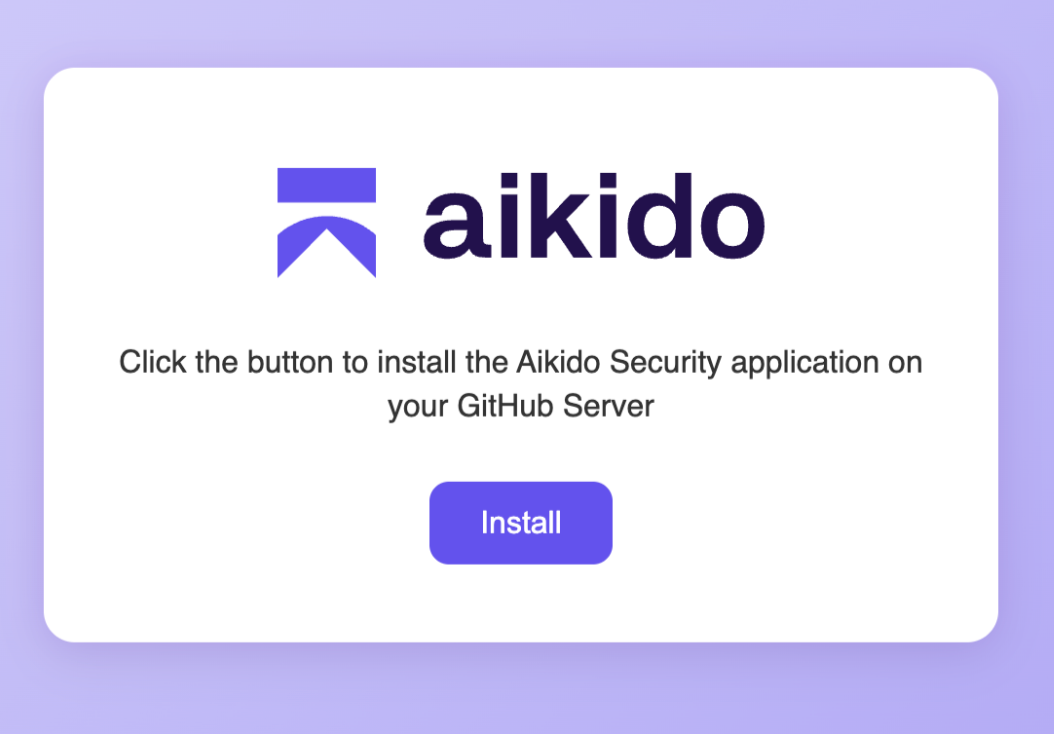
という名前のファイル `install.html` が、あなたのマシンにダウンロードされます。これには、GitHub App を作成するために JSON ペイロードを GitHub Enterprise に送信するフォームを含む HTML ページが入っています。
ブラウザでそのファイルを開き、「Install」を選択してセットアップを続行してください。
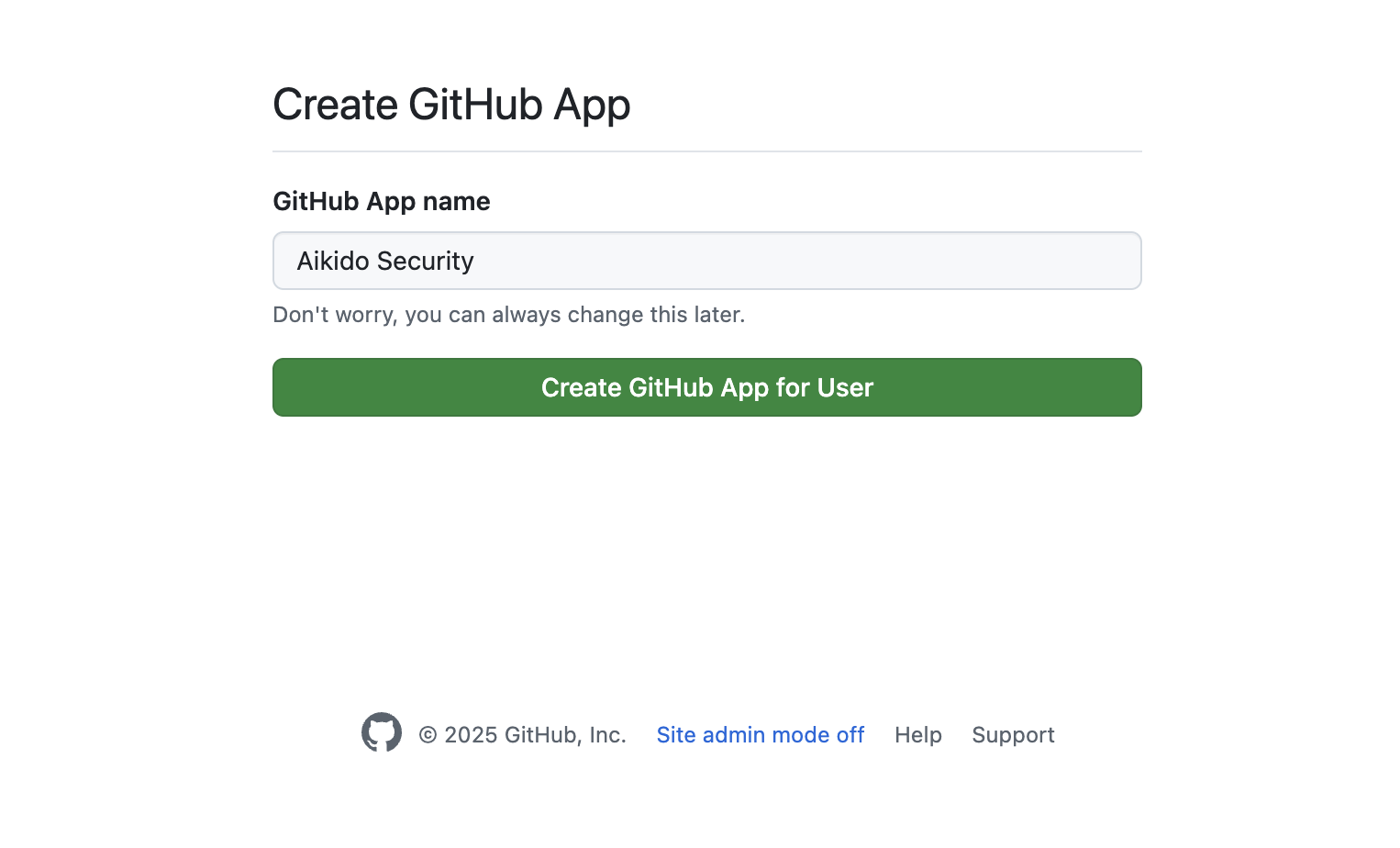
「Install」をクリックすると、GitHub Enterprise 上のアプリのインストールを促すページにリダイレクトされます。選択してください `ユーザー用の GitHub App を作成` を選んで、サーバー上にアプリを作成します。
{% endstep %}
{% step %}
**Aikido GitHub App を認可**
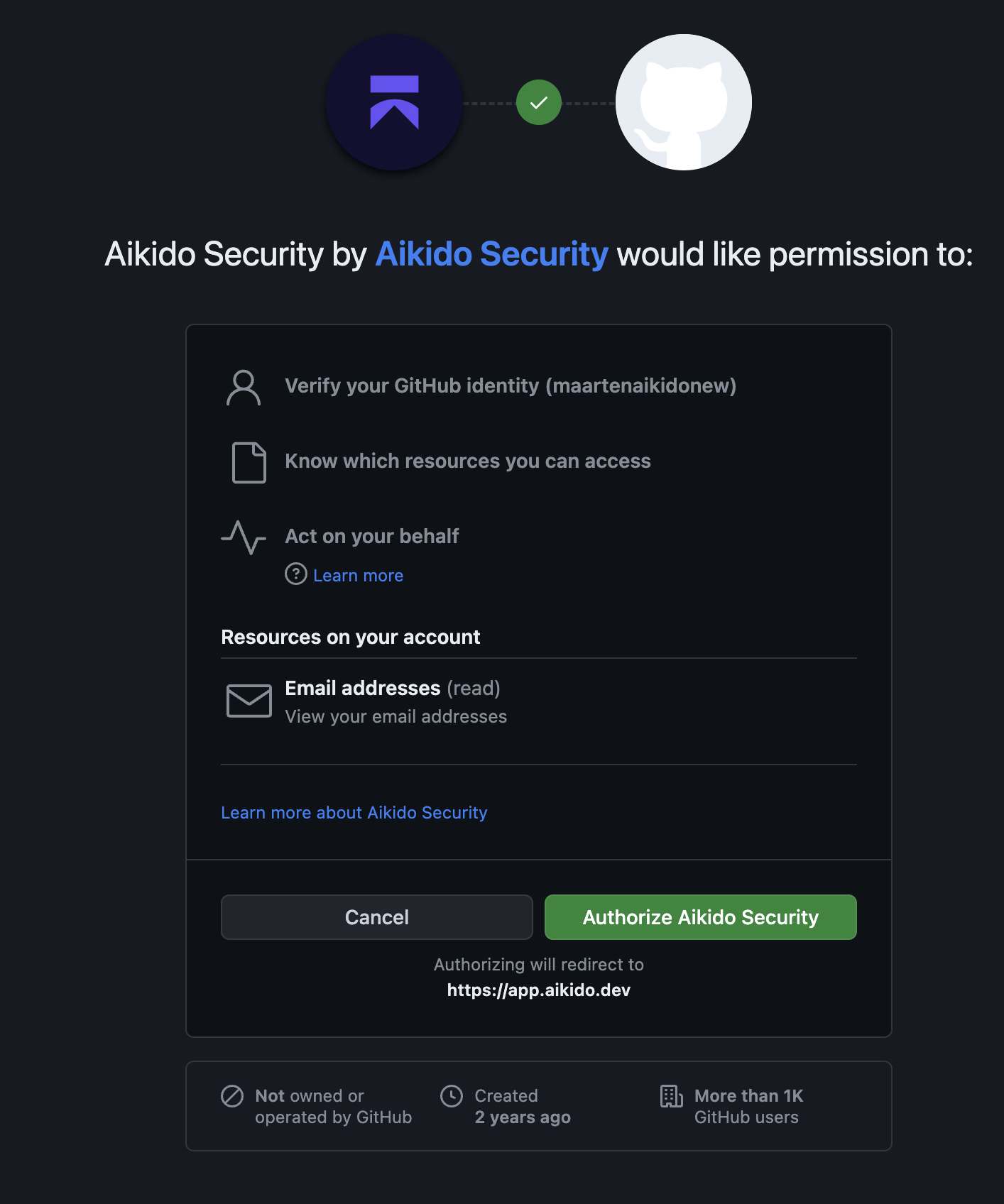
ここで、OAuth を通じてユーザーアカウントで新しい GitHub App を認可する必要があります。この手順により、アプリが正しく作成され、使用する権限があることが確認されます。表示される画面は以下の例に似ています。
{% endstep %}
{% step %}
**GitHub 組織を接続**
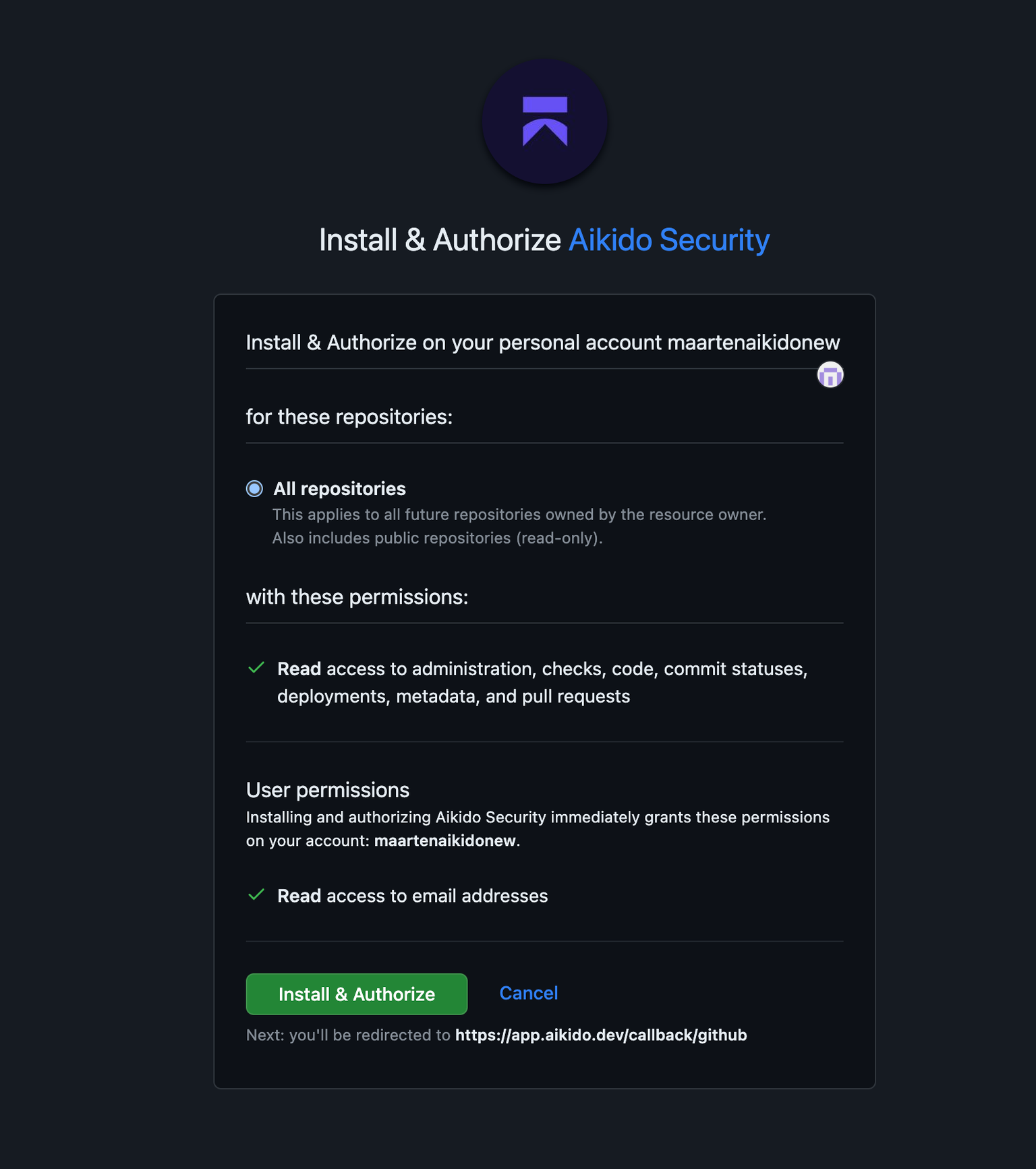
アプリケーションをインストールして Aikido にリンクしたい GitHub 組織を選択してください。組織は後から追加できます。組織を選択したら、GitHub App の認可を確認してください。
Aikido に戻ります。ここで、どのリポジトリをスキャンするかを選択できます。希望するリポジトリを選択して続行してください。Aikido が選択したアプリケーションのスキャンを開始します。
{% endstep %}
{% step %}
**Aikido を試す**
アクセスを許可し、スキャンしたいリポジトリを検証すると、Aikido が自動的にスキャンを開始します。約 1 分後には、最初の結果が表示され始めるはずです
{% endstep %}
{% endstepper %}
#### GitHub Enterprise App の管理
{% content-ref url="/pages/5db00363022dec75ac314cb68a6f9f2fa56e5ac4" %}
[追加の Organization を Aikido に接続する](/docs/docs-ja/kdosukyan/connect-your-source-code/connect-github-enterprise/connect-additional-organizations-to-aikido.md)
{% endcontent-ref %}
{% content-ref url="/pages/f34d9ca2a364c151de4b4403cc584a002ea64527" %}
[GitHub Enterprise(Cloud & Server)における Aikido アプリの所有権を移転する](/docs/docs-ja/kdosukyan/connect-your-source-code/connect-github-enterprise/transferring-ownership-of-the-aikido-app-in-github-enterprise.md)
{% endcontent-ref %}
---
# Agent Instructions
This documentation is published with GitBook. GitBook is the documentation platform designed so that both humans and AI agents can read, navigate, and reason over technical content effectively. Learn more at gitbook.com.
## Querying This Documentation
If you need additional information that is not directly available in this page, you can query the documentation dynamically by asking a question.
Perform an HTTP GET request on the current page URL with the `ask` query parameter, and the optional `goal` query parameter:
```
GET https://help.aikido.dev/docs/docs-ja/kdosukyan/connect-your-source-code/connect-github-enterprise.md?ask=&goal=
```
`ask` is the immediate question: it should be specific, self-contained, and written in natural language.
`goal` is optional and describes the broader end goal you are ultimately trying to accomplish on behalf of the user. GitBook uses it to tailor the answer towards what is most useful for that goal.
The response will contain a direct answer to the question and relevant excerpts and sources from the documentation.
Use this mechanism when the answer is not explicitly present in the current page, you need clarification or additional context, or you want to retrieve related documentation sections.