> For the complete documentation index, see [llms.txt](https://help.aikido.dev/llms.txt). Markdown versions of documentation pages are available by appending `.md` to page URLs; this page is available as [Markdown](https://help.aikido.dev/docs/docs-ja/kdosukyan/connect-your-source-code/connect-gitlab-account-to-aikido/code-scanning-with-a-personal-access-token.md).
# Personal Access Token を使ったコードスキャン
### ⚠️ 免責事項
対象は **Gitlab Premium と Gitlab Ultimate** 使用を推奨するユーザー [Gitlab サービスアカウント](/docs/docs-ja/prtorirsunogtingu/gitlab-mr-gating/gitlab-server-ci-mr-gating-via-aikido-dashboard-with-a-service-account-token.md)。この方法を使用する場合は、AikidoSec という名前の統合ユーザーを必ず設定してください。
### はじめに
個人アクセストークンまたはグループトークンのどちらも使用できます(Gitlab Premium が必要です)。Aikido はこれらを使用してコードスキャンを実行します。このトークンは次で更新できます: [このページ](https://app.aikido.dev/onboarding/gitlab/update-workspace-access-token).
### 個人アクセストークンまたはグループアクセストークンの作成
Gitlab Cloud は、複数の異なる個人アクセストークンをサポートしており、どれも同じように機能します。通常はグループ PAT の作成を推奨しますが、Gitlab Cloud ではこれは Premium のお客様のみ可能です。
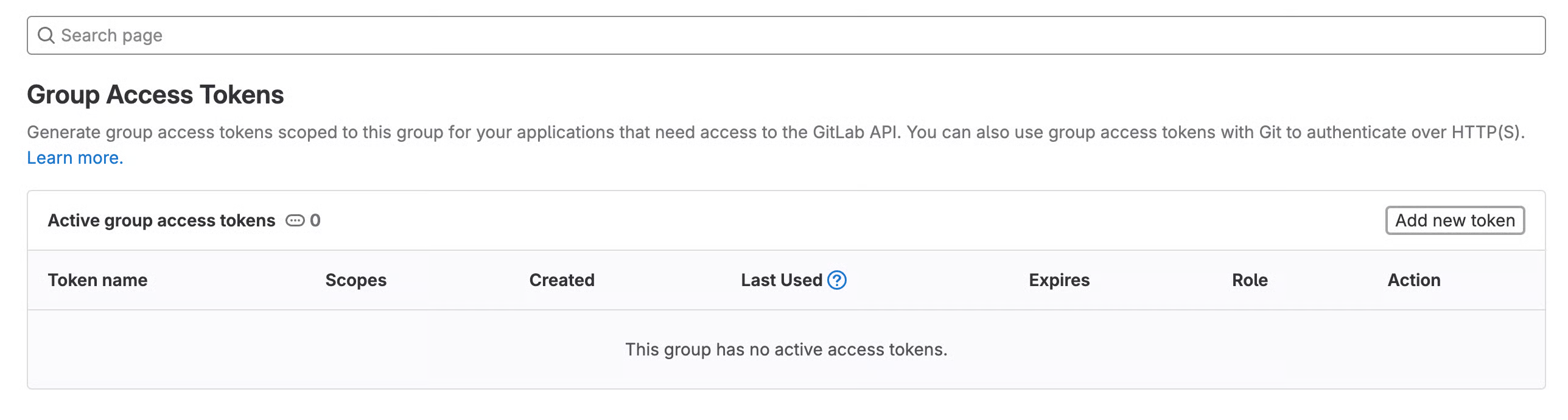
1. 〜へ移動してください **トークン設定ページ**
1. 〜の場合、 **グループアクセストークン**: グループページ > 設定 > アクセストークン に移動します
2. 〜の場合、 **個人アクセストークン**: プロフィールページ > ユーザー設定 > アクセストークン に移動します
2. 「**新しいトークンを追加**"
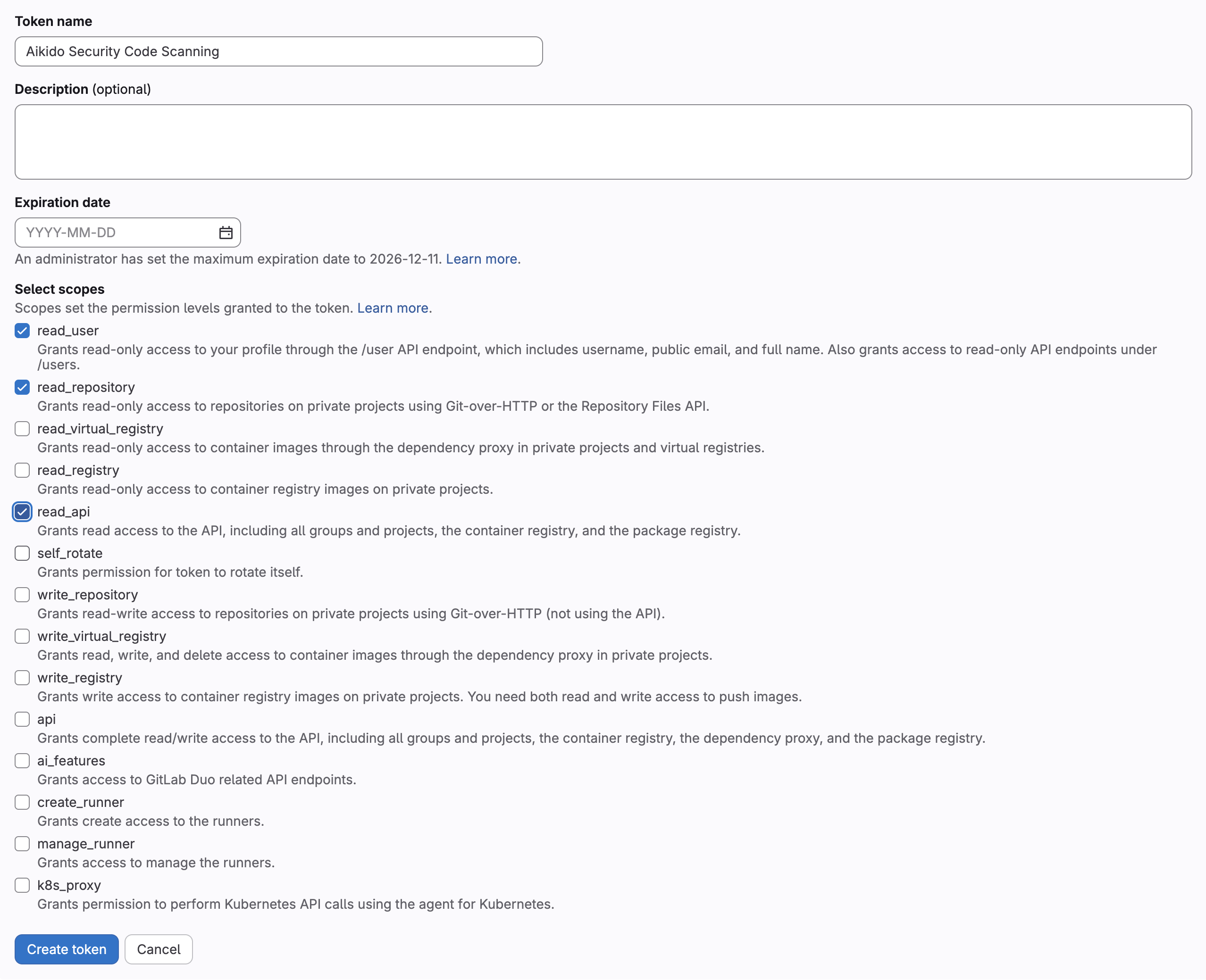
3. トークン名を入力し、有効期限を削除して、次を選択します **read\_api、read\_user、read\_repository** スコープ
4. 「**トークンを作成**"
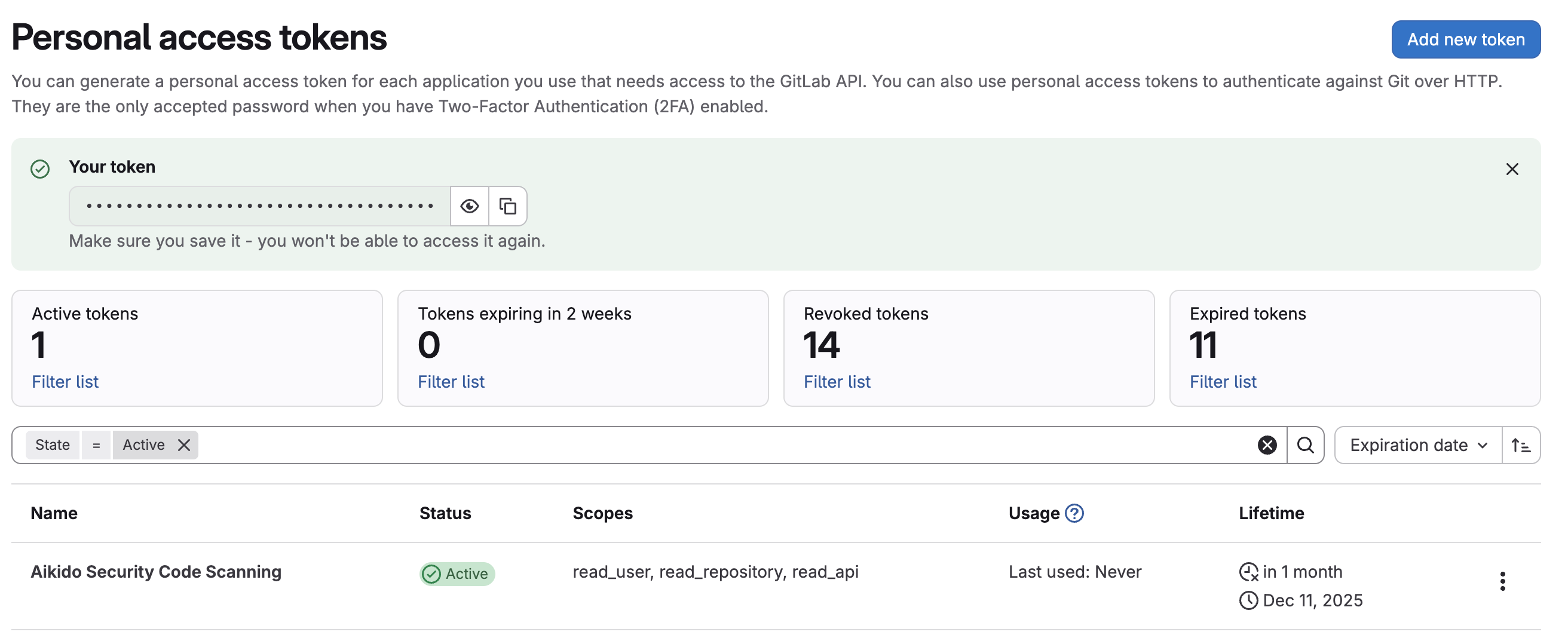
5. トークンをコピーして、Aikido のアクセストークン更新ページの入力欄に入力してください
---
# Agent Instructions
This documentation is published with GitBook. GitBook is the documentation platform designed so that both humans and AI agents can read, navigate, and reason over technical content effectively. Learn more at gitbook.com.
## Querying This Documentation
If you need additional information that is not directly available in this page, you can query the documentation dynamically by asking a question.
Perform an HTTP GET request on the current page URL with the `ask` query parameter, and the optional `goal` query parameter:
```
GET https://help.aikido.dev/docs/docs-ja/kdosukyan/connect-your-source-code/connect-gitlab-account-to-aikido/code-scanning-with-a-personal-access-token.md?ask=&goal=
```
`ask` is the immediate question: it should be specific, self-contained, and written in natural language.
`goal` is optional and describes the broader end goal you are ultimately trying to accomplish on behalf of the user. GitBook uses it to tailor the answer towards what is most useful for that goal.
The response will contain a direct answer to the question and relevant excerpts and sources from the documentation.
Use this mechanism when the answer is not explicitly present in the current page, you need clarification or additional context, or you want to retrieve related documentation sections.