> For the complete documentation index, see [llms.txt](https://help.aikido.dev/llms.txt). Markdown versions of documentation pages are available by appending `.md` to page URLs; this page is available as [Markdown](https://help.aikido.dev/docs/docs-ja/kdosukyan/scanning-practices/add-custom-sast-iac-rules.md).
# カスタムSAST & IaCルールを追加する
## はじめに
これらのカスタムルールを使うと、コードベース内の特定のリスク、特にあなたの環境にとって重要なリスクをAikidoでスキャンできます。これにより、より広範なSASTまたはIaCルールでは見逃される可能性のある脆弱性を検出できます。
## ステップごとのガイド
{% hint style="info" %}
この機能は、ワークスペースではデフォルトで有効になっていません。有効化するにはAikidoにお問い合わせください。
{% endhint %}
**ステップ 1:** 次の [リポジトリチェック](https://app.aikido.dev/repositories/checks) ページ。
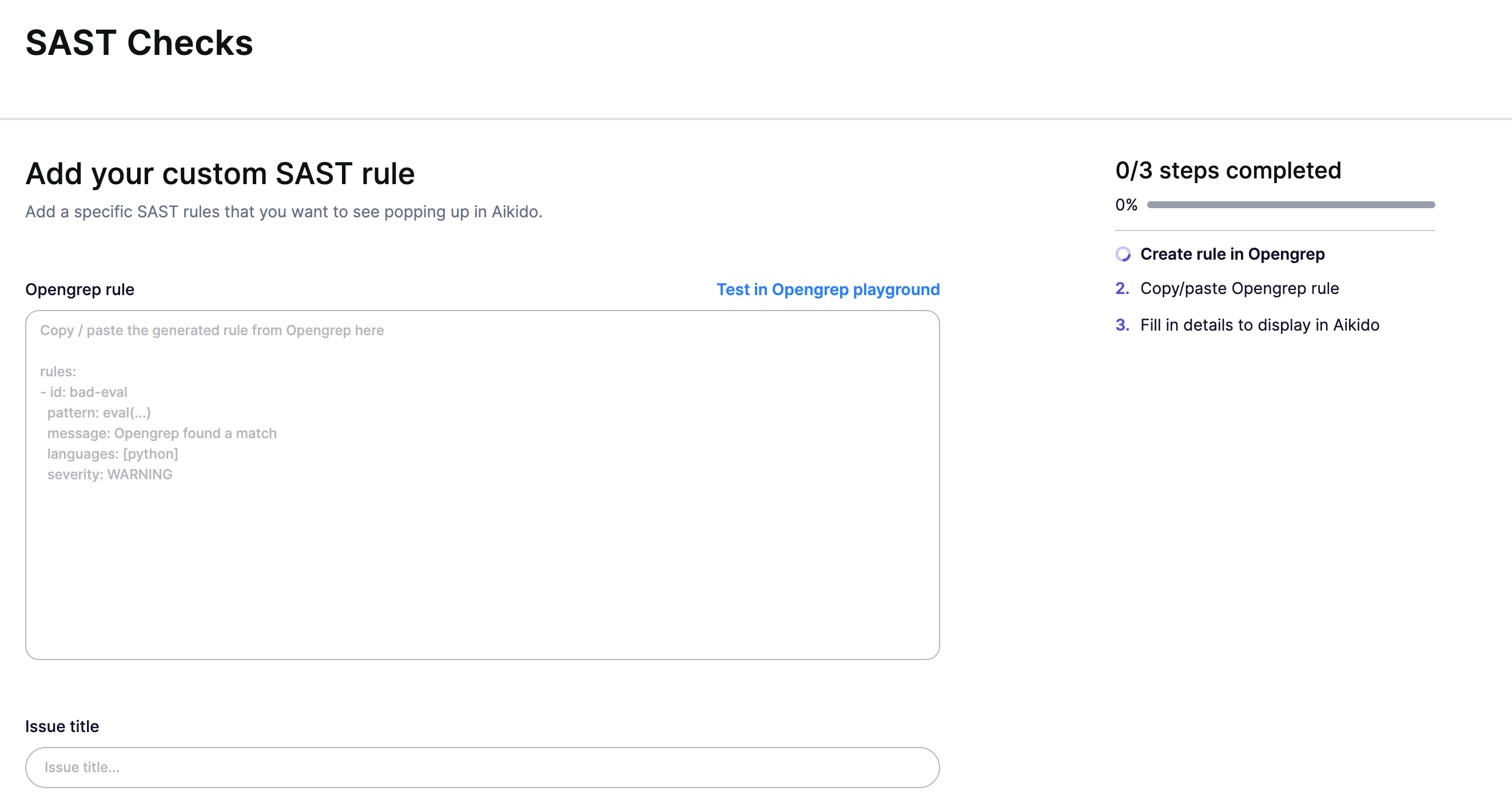
**ステップ 2:** 「[カスタムルールを作成](https://app.aikido.dev/repositories/sast/custom/add)」をSASTセクションで\

**ステップ 3:** ルールについて、以下の詳細を入力してください:
* **Opengrepルール:** Aikidoが検索するルールを定義します。 **ヒント:** 使用してください [Opengrep playground](https://github.com/opengrep/opengrep-playground?tab=readme-ov-file#installation)[ ](https://semgrep.dev/playground)保存する前に、ルールの有効性をテストするために。
* **タイトル:** 識別しやすいようにルールに名前を付けてください。
* **要約:** 問題の簡潔な説明を記入してください。これはサイドバーに表示されます。
* **対処方法:** この問題を修正する最善の方法をチームに知らせてください。
* **言語:** プログラミング言語を指定してください。
* **Aikidoスコア:** メインフィードでの問題報告の優先度を設定します。
**ステップ 4:** ルールの設定に満足したら、「保存」をクリックしてAikidoのSASTチェックに追加します。これでカスタムルールが有効になり、今後のスキャンで自動的に適用されます。
### 追加情報
* 全体として、Opengrepルール内のlanguage属性が常に優先されます。これは、すべての言語とファイルに一度に適用する必要があるカスタムルールを実装したい場合に役立ちます。
* IaCルールを作成したい場合は、languageをyaml/terraform/...に設定することで実現できます。
## 例
* **SASTルール:** javascriptで弱いMD5ハッシュアルゴリズムの使用を検出します。
```
rules:
- id: CUSTOM-RULE-XXXX
message: MD5が使用されているようです
languages:
- javascript
paths:
include
- "*.js"
severity: WARNING
pattern-either:
- pattern: $CRYPTO.createHash("md5")
- pattern: CryptoJS.MD5(...)
```
* **IaCルール:** 危険な可能性のあるlambda関数を検出するためのカスタムルール。
```
rules:
- id: CUSTOM-RULE-530
languages:
- hcl
severity: WARNING
message: >
"type:monitored"タグはあるが、"service"タグのないLambda関数が見つかりました。
patterns:
- pattern: |-
resource "aws_lambda_function" $ANYTHING {
...
tags = {..., type = "monitored", ...}
}
- pattern-not: |-
resource "aws_lambda_function" $ANYTHING {
...
tags = {..., service= "...", ...}
}
```
---
# Agent Instructions
This documentation is published with GitBook. GitBook is the documentation platform designed so that both humans and AI agents can read, navigate, and reason over technical content effectively. Learn more at gitbook.com.
## Querying This Documentation
If you need additional information that is not directly available in this page, you can query the documentation dynamically by asking a question.
Perform an HTTP GET request on the current page URL with the `ask` query parameter, and the optional `goal` query parameter:
```
GET https://help.aikido.dev/docs/docs-ja/kdosukyan/scanning-practices/add-custom-sast-iac-rules.md?ask=&goal=
```
`ask` is the immediate question: it should be specific, self-contained, and written in natural language.
`goal` is optional and describes the broader end goal you are ultimately trying to accomplish on behalf of the user. GitBook uses it to tailor the answer towards what is most useful for that goal.
The response will contain a direct answer to the question and relevant excerpts and sources from the documentation.
Use this mechanism when the answer is not explicitly present in the current page, you need clarification or additional context, or you want to retrieve related documentation sections.