> For the complete documentation index, see [llms.txt](https://help.aikido.dev/llms.txt). Markdown versions of documentation pages are available by appending `.md` to page URLs; this page is available as [Markdown](https://help.aikido.dev/docs/docs-ja/kdosukyan/scanning-practices/denoise-via-secret-keyword-filter.md).
# シークレットキーワードフィルターによるノイズ除去
Secret Keyword Filter は、シークレットスキャンのノイズを減らします。gitleaks が評価する前に、既知の安全なキーワードを含む行をワークスペース管理者がスキップできるようにします。
{% hint style="warning" %}
このフィルターは **行全体を** シークレットスキャンから除外します。慎重に使用してください。広すぎるキーワードは、該当する行にある実際のシークレットを隠してしまう可能性があります。
{% endhint %}
### ユースケース
Secret Keyword Filter を使うのは次のような場合です:
* 同じ誤検知が複数のファイルやリポジトリにまたがって発生する
* トリガーが設定キーや変数名のような安定した文字列である
* 行ごとのコメントではなく、ワークスペース全体の設定にしたい
〜する **しません** 一般的な allowlist の代替として使わないでください。gitleaks の allowlist を補完するものであり、置き換えるものではありません。
### Secret Keyword Filter の追加方法
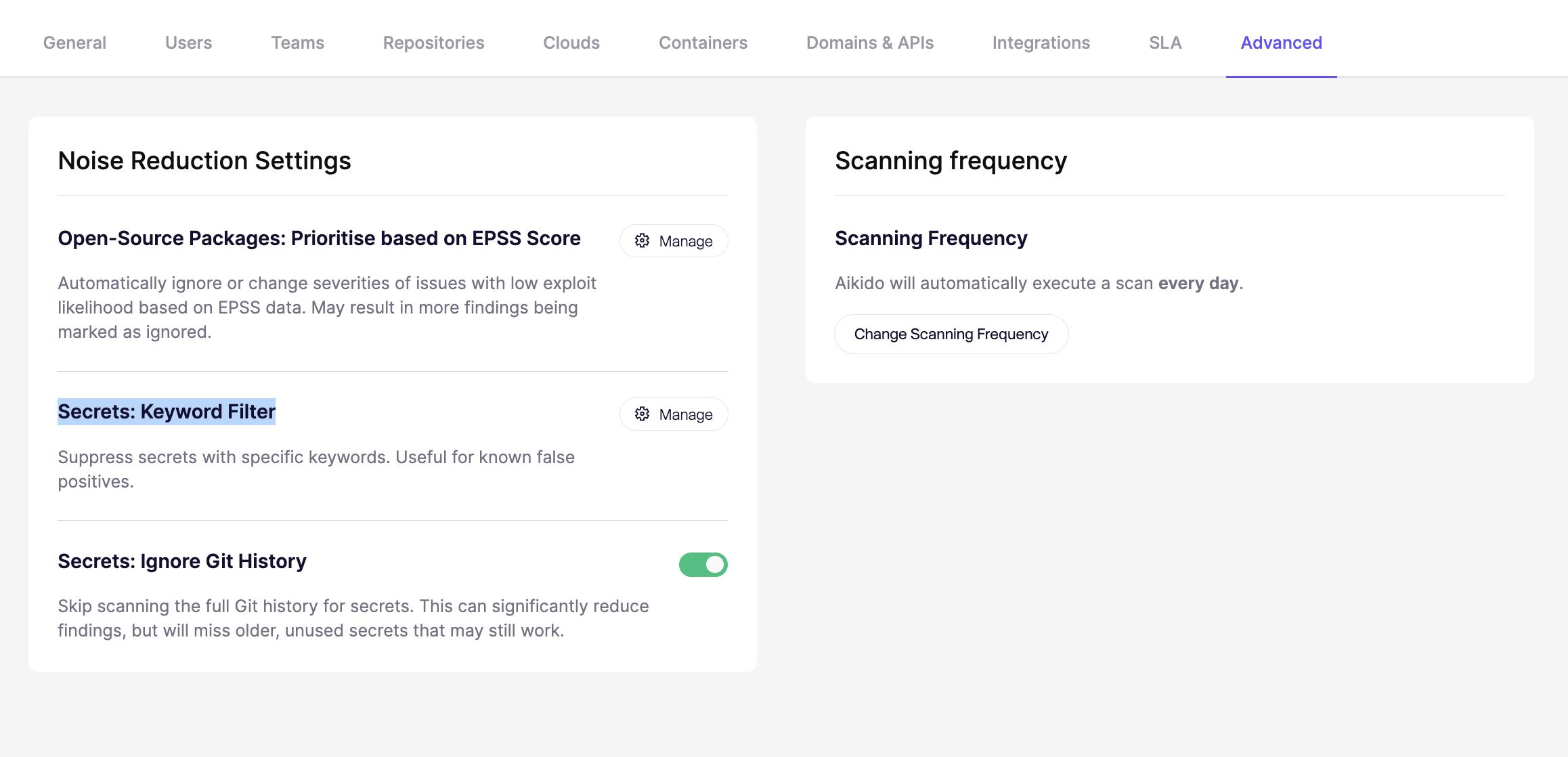
**手順 1.** その後、Splunk Cloud と Splunk Enterprise の両方でトークンを作成します: **設定** → **Advanced** → **Secret Keyword フィルター** を選択して Manage をクリックします
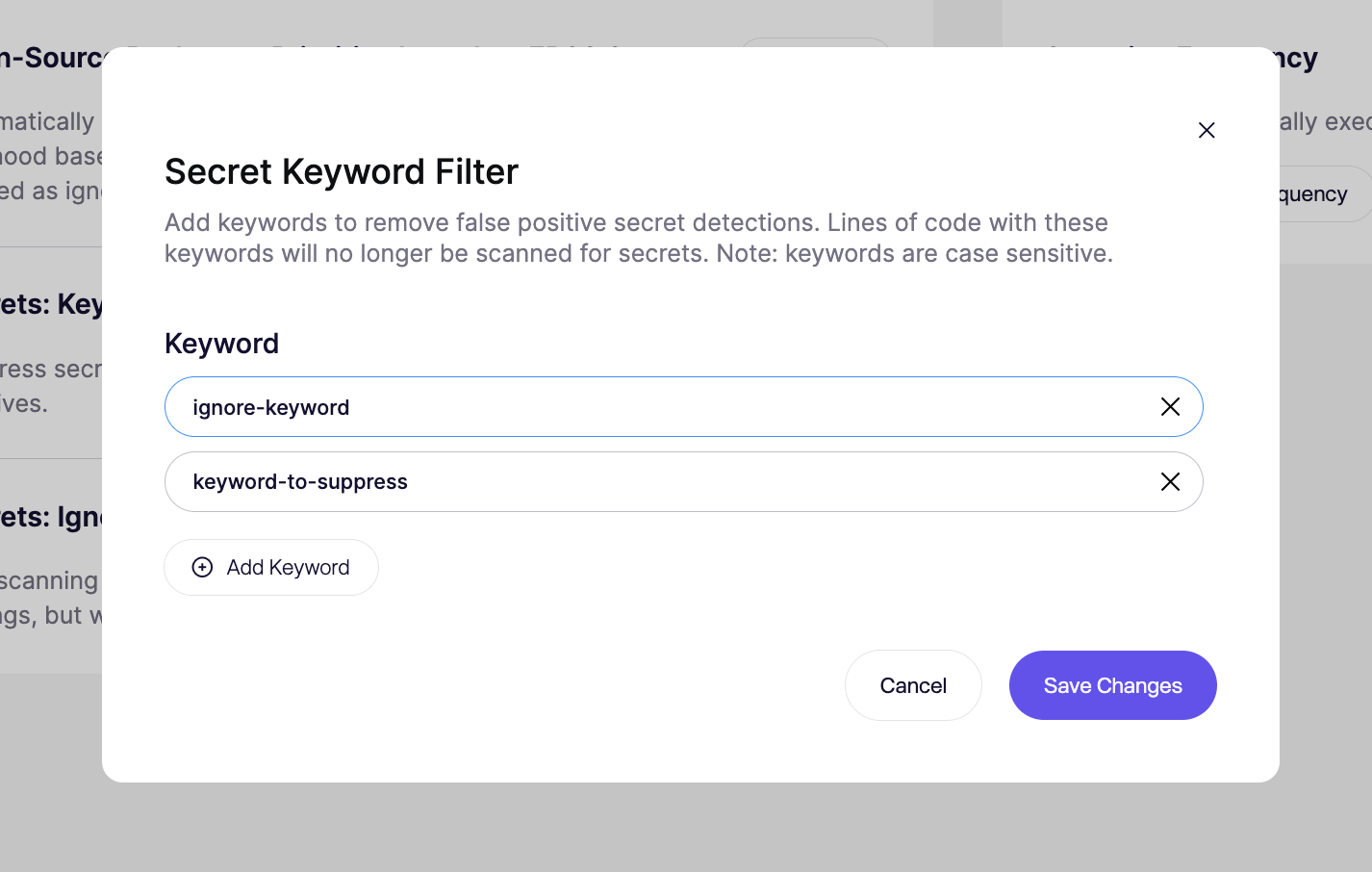
**ステップ 2. キーワードを追加** 入力欄に入力します。複数追加できます。
**ステップ 3. 保存してスキャンを実行し、変更を適用します**
### 重要な注意事項
* **最小 5 文字:** それより短いキーワードは拒否されます
* **大文字と小文字を区別します:** `MySecret` および `mysecret` は別のキーワードです
* **次回のスキャンのみ:** 保存した変更は今後のスキャンにのみ適用されます
### 一致の仕組み
このフィルターは **プレーン文字列一致を使用します**。これは **しません** 正規表現フィルターではありません。
設定したキーワードが行のどこかに現れると、その行全体がシークレット検出から除外されます。
例:
```javascript
const EXAMPLE_TOKEN = process.env.EXAMPLE_TOKEN;
const apiKey = "sk_live_123456";
```
もし `EXAMPLE_TOKEN` がキーワード一覧に含まれている場合、1 行目はスキップされます。2 行目は引き続きスキャンされます。
1 行目にも実際のシークレットが含まれていた場合、そのシークレットもスキップされます。このフィルターはトークン単位ではなく、行単位で動作します。
### ベストプラクティス
* 汎用的な用語ではなく、具体的なキーワードを使う
* 設定キーや変数名のような安定した識別子を優先する
* 必要に応じて複数の大文字・小文字のバリエーションを追加する
* 保存する前に一致を慎重に確認する
* 変更後に再スキャンして、実際の問題を隠さずにノイズが減ったことを確認する
適した候補:
* `EXAMPLE_SENDGRID_KEY`
* `dummyStripeSecret`
* `integration_test_token`
不適な候補:
* `token`
* `secret`
* `auth`
### その他の抑制方法
Secret Keyword Filter を使うのは **ワークスペース全体で繰り返し発生する誤検知**.
使用してください [コードコメント](/docs/docs-ja/kdosukyan/scanning-practices/ignoring-secrets-via-code-comments.md) 〜を抑制したい場合 **既知の安全な 1 行** をコード内で。
使用してください [.aikido ファイルによる除外](/docs/docs-ja/kdosukyan/scanning-practices/ignore-via-code-with-aikido-files.md) 〜を除外したいとき **特定のファイルまたはパス** をスキャンから除外する場合。
---
# Agent Instructions
This documentation is published with GitBook. GitBook is the documentation platform designed so that both humans and AI agents can read, navigate, and reason over technical content effectively. Learn more at gitbook.com.
## Querying This Documentation
If you need additional information that is not directly available in this page, you can query the documentation dynamically by asking a question.
Perform an HTTP GET request on the current page URL with the `ask` query parameter, and the optional `goal` query parameter:
```
GET https://help.aikido.dev/docs/docs-ja/kdosukyan/scanning-practices/denoise-via-secret-keyword-filter.md?ask=&goal=
```
`ask` is the immediate question: it should be specific, self-contained, and written in natural language.
`goal` is optional and describes the broader end goal you are ultimately trying to accomplish on behalf of the user. GitBook uses it to tailor the answer towards what is most useful for that goal.
The response will contain a direct answer to the question and relevant excerpts and sources from the documentation.
Use this mechanism when the answer is not explicitly present in the current page, you need clarification or additional context, or you want to retrieve related documentation sections.