> For the complete documentation index, see [llms.txt](https://help.aikido.dev/llms.txt). Markdown versions of documentation pages are available by appending `.md` to page URLs; this page is available as [Markdown](https://help.aikido.dev/docs/docs-ja/kdosukyan/scanning-practices/malware-detection-in-open-source-dependencies.md).
# オープンソース依存関係とコンテナのマルウェア検出
#### オープンソース依存関係におけるマルウェア検出
あなたのものを接続すると **コードリポジトリ** Aikidoに接続すると、難読化されたコード、予期せず未知のサーバーへデータを持ち出すコード、開発者のマシンでのインストール中にコマンドの実行を試みるコード、またはビットコインマイナーをインストールするコードなど、インストール済みのすべてのパッケージをマルウェアの有無についてスキャンします。
\
この機能は **Proプラン以上で**。Aikidoは **1日あたり10万件以上のパッケージを** 悪意のあるものを探して処理しています。最新の統計を表示するには、 [こちらをクリック](https://intel.aikido.dev/malware).
対応エコシステム数は15
* NPM
* PyPI
* GitHub Actions
* Packagist
* Ruby
* VS Code
* Open VSX
* NuGet
* Maven
* Chrome
* Rust
* Go
* WordPress
* Skills
* Drupal
#### 感染の有無を確認する
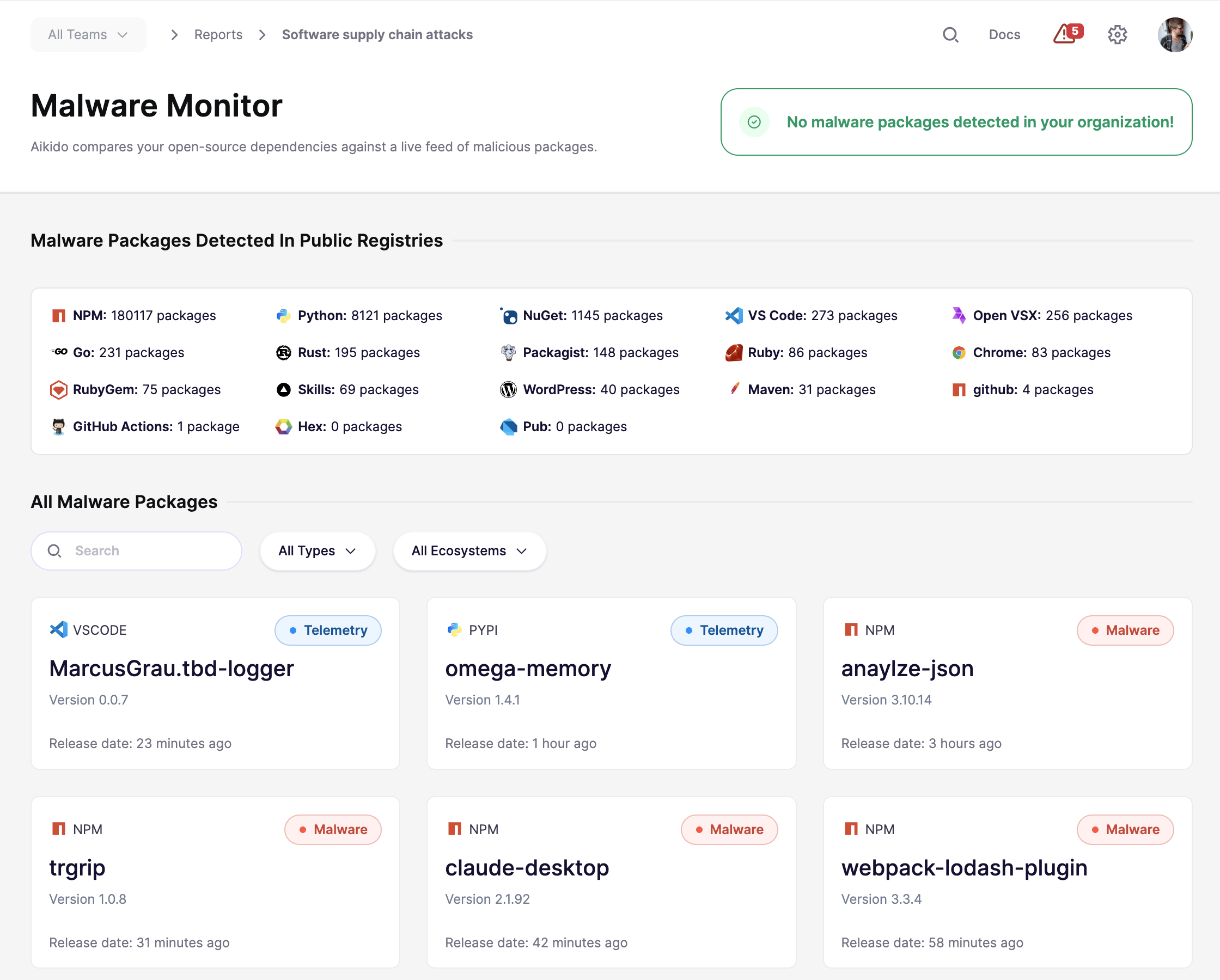
悪意のあるパッケージがあなたの環境に影響しているかどうかを、 [マルウェアモニター](https://app.aikido.dev/reports/malware/software-supply-chain-attacks) の下で **レポート** → **マルウェアモニター**.
#### コンテナ内のマルウェア検出
追加対策として、コンテナ内のマルウェアもスキャンします。これは、マルウェアを検出するはずのコード関連のLockfileが常に存在するとは限らないため、または、組織がマルウェアが本番環境に到達する前に公開/プライベートのレジストリから取り込む場合に重要です。
コンテナのマルウェアスキャンはProプランで自動的に有効化され、新しいコンテナイメージが環境に追加されるたびに継続的に実行されます。
#### Safe Chainでインストール時のマルウェアを防ぐ
開発者のワークステーションにインストールされる前に悪意のあるパッケージを止めたい場合は、 [Safe Chain](/docs/docs-ja/kdosukyan/aikido-malware-scanning.md).
Safe Chainは、パッケージのインストールに直接保護を追加します。インストール時にパッケージとネストされた依存関係をチェックし、難読化されたコード、データの流出、インストールスクリプト、暗号通貨マイナーなどの既知の悪意ある挙動をブロックします。
これは、リポジトリとコンテナにおけるマルウェア検出を補完します。コードベース、CI、本番システムに到達する前に、開発者のワークフローのより早い段階で脅威を検出するのに役立ちます。
---
# Agent Instructions
This documentation is published with GitBook. GitBook is the documentation platform designed so that both humans and AI agents can read, navigate, and reason over technical content effectively. Learn more at gitbook.com.
## Querying This Documentation
If you need additional information that is not directly available in this page, you can query the documentation dynamically by asking a question.
Perform an HTTP GET request on the current page URL with the `ask` query parameter, and the optional `goal` query parameter:
```
GET https://help.aikido.dev/docs/docs-ja/kdosukyan/scanning-practices/malware-detection-in-open-source-dependencies.md?ask=&goal=
```
`ask` is the immediate question: it should be specific, self-contained, and written in natural language.
`goal` is optional and describes the broader end goal you are ultimately trying to accomplish on behalf of the user. GitBook uses it to tailor the answer towards what is most useful for that goal.
The response will contain a direct answer to the question and relevant excerpts and sources from the documentation.
Use this mechanism when the answer is not explicitly present in the current page, you need clarification or additional context, or you want to retrieve related documentation sections.