> For the complete documentation index, see [llms.txt](https://help.aikido.dev/llms.txt). Markdown versions of documentation pages are available by appending `.md` to page URLs; this page is available as [Markdown](https://help.aikido.dev/docs/docs-ja/kdosukyan/scanning-practices/multifile-vulnerability-tracing.md).
# 複数ファイル / クロスファイルの脆弱性トレース
**テイント解析** プログラム内でデータがどのように移動するかを追跡することで、コード内のセキュリティリスクを見つける方法です。これは、Web リクエストやユーザーフォームのように、システム外部から来る「汚染された」入力から始まります。次に解析では、そのデータがどこへ流れるかを追跡し、事前にチェックやクリーニングがされないまま、データベースクエリやシステムコマンドなどの機微なコード部分に到達するかどうかを確認します。途中でそのデータが悪用される可能性があれば、Aikido はそれを潜在的な脆弱性としてフラグ付けします。テイント解析は、信頼できない入力がソフトウェア内をどのように流れ、適切に処理されなければ実世界のセキュリティ問題を引き起こしうるのかを、開発者が把握するのに役立ちます。
Aikido は信頼できないコードの流れを追跡し、危険なシンク(たとえば SQL 実行やコマンド実行)に到達したときにフラグを立てます。1つのファイル内だけでなくファイルをまたいだテイント解析もサポートしており、ある場所で受け付けた入力が別の場所のリスクのある操作につながっていることを関連付けられます。
データフローに加えて、Aikido は [到達可能性](/docs/docs-ja/hajimeni/reachability-analysis/reachability-engine-to-remove-false-positives.md) もチェックするため、実際にはアプリ内で実行されない問題(たとえば、呼び出していない脆弱な関数や、テストでのみ実行されるコード)について通知されることはありません。これもノイズを減らす仕組みの一部です。
### Aikido におけるテイント追跡
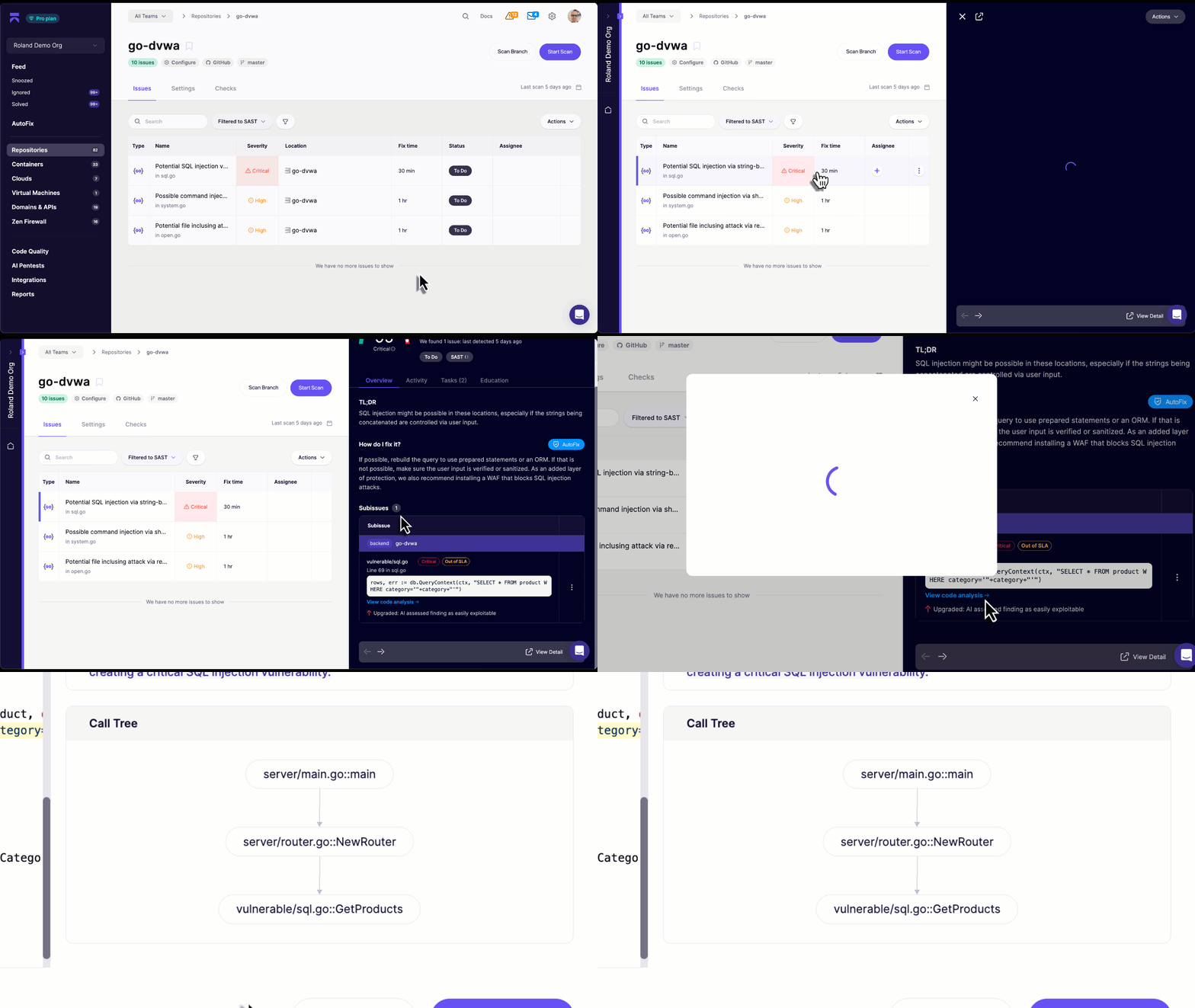
脆弱性が見つかると、Aikido は関連する関数呼び出しを通じてそれを追跡します。セキュリティ問題を開く際は、 **コード解析を表示** を選択すると、脆弱性の発生元を詳しく確認できるほか、実行フローを示すコールグラフも表示されます。
### ファイルをまたぐテイント解析が利用可能な場所
Aikido は現在、以下の言語でファイル間テイント追跡をサポートしています:
* JavaScript
* TypeScript
* PHP
* .NET/C#
* Java
* Rust
* Go
* Ruby
* Python
その他の言語では、現在ファイル内テイント解析をサポートしています:
* C/C++
* Swift
* Android
* Scala
* Kotlin
* Dart
* Elixir
---
# Agent Instructions
This documentation is published with GitBook. GitBook is the documentation platform designed so that both humans and AI agents can read, navigate, and reason over technical content effectively. Learn more at gitbook.com.
## Querying This Documentation
If you need additional information that is not directly available in this page, you can query the documentation dynamically by asking a question.
Perform an HTTP GET request on the current page URL with the `ask` query parameter, and the optional `goal` query parameter:
```
GET https://help.aikido.dev/docs/docs-ja/kdosukyan/scanning-practices/multifile-vulnerability-tracing.md?ask=&goal=
```
`ask` is the immediate question: it should be specific, self-contained, and written in natural language.
`goal` is optional and describes the broader end goal you are ultimately trying to accomplish on behalf of the user. GitBook uses it to tailor the answer towards what is most useful for that goal.
The response will contain a direct answer to the question and relevant excerpts and sources from the documentation.
Use this mechanism when the answer is not explicitly present in the current page, you need clarification or additional context, or you want to retrieve related documentation sections.