> For the complete documentation index, see [llms.txt](https://help.aikido.dev/llms.txt). Markdown versions of documentation pages are available by appending `.md` to page URLs; this page is available as [Markdown](https://help.aikido.dev/docs/docs-ja/kontenaimjisukyan/configuration/automatically-link-repository-to-container-via-smart-suggestions.md).
# スマート提案を使ってリポジトリをコンテナに自動リンクする
この機能は、インテリジェントな照合を使用して、コンテナを正しいコードリポジトリに自動的に接続するのに役立ちます。
#### なぜコンテナをリンクするのですか?
* 適切なリポジトリの文脈で、コンテナの脆弱性を直接確認できます。
* Dockerfile の問題を自動で修正できる Container Autofix を利用できるようになります。
### Aikido のスマート提案の仕組み
* Aikido は、リポジトリ名と一般的なパスパターンに基づくスマートマッチングを使用します。
* Aikido は、あなたが **確認して承認する**、そのため、何がリンクされるかを管理できます。
***
### スマート提案の使い方
{% stepper %}
{% step %}
**開く**[ **コンテナ設定**](https://app.aikido.dev/settings/container-image-registry)
スマート提案が利用可能な場合、ページ上部にバナーが表示されます。
{% endstep %}
{% step %}
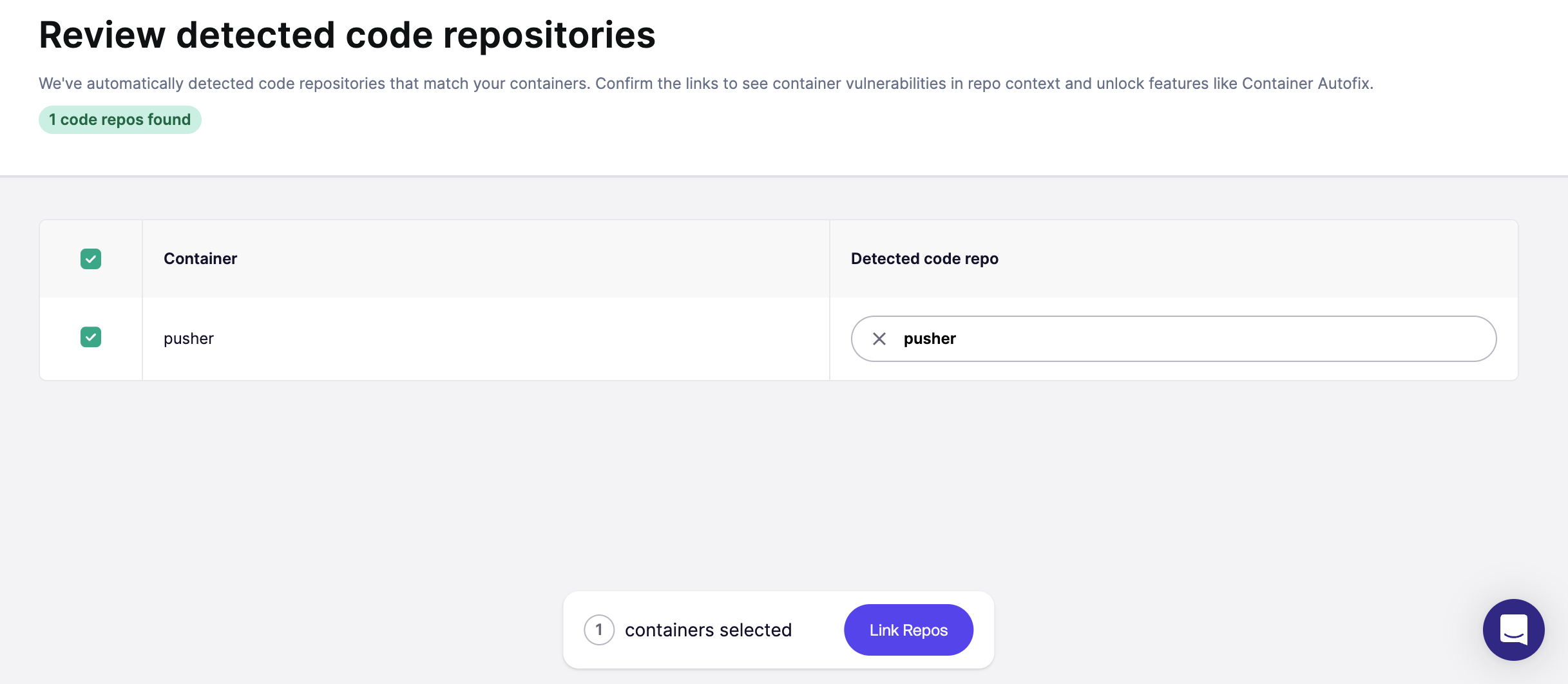
**提案を確認して承認する**
コンテナに対して提案されたリポジトリリンクを表示する概要ページに移動します。
* 提案された一致をすべて確認します。
* 承認したいものを選択します。
* 必要に応じて、リポジトリを調整するか、手動でリンクしてください。
{% endstep %}
{% endstepper %}
---
# Agent Instructions
This documentation is published with GitBook. GitBook is the documentation platform designed so that both humans and AI agents can read, navigate, and reason over technical content effectively. Learn more at gitbook.com.
## Querying This Documentation
If you need additional information that is not directly available in this page, you can query the documentation dynamically by asking a question.
Perform an HTTP GET request on the current page URL with the `ask` query parameter, and the optional `goal` query parameter:
```
GET https://help.aikido.dev/docs/docs-ja/kontenaimjisukyan/configuration/automatically-link-repository-to-container-via-smart-suggestions.md?ask=&goal=
```
`ask` is the immediate question: it should be specific, self-contained, and written in natural language.
`goal` is optional and describes the broader end goal you are ultimately trying to accomplish on behalf of the user. GitBook uses it to tailor the answer towards what is most useful for that goal.
The response will contain a direct answer to the question and relevant excerpts and sources from the documentation.
Use this mechanism when the answer is not explicitly present in the current page, you need clarification or additional context, or you want to retrieve related documentation sections.