> For the complete documentation index, see [llms.txt](https://help.aikido.dev/llms.txt). Markdown versions of documentation pages are available by appending `.md` to page URLs; this page is available as [Markdown](https://help.aikido.dev/docs/docs-ja/kontenaimjisukyan/container-reachability-analysis.md).
# コンテナ到達可能性分析
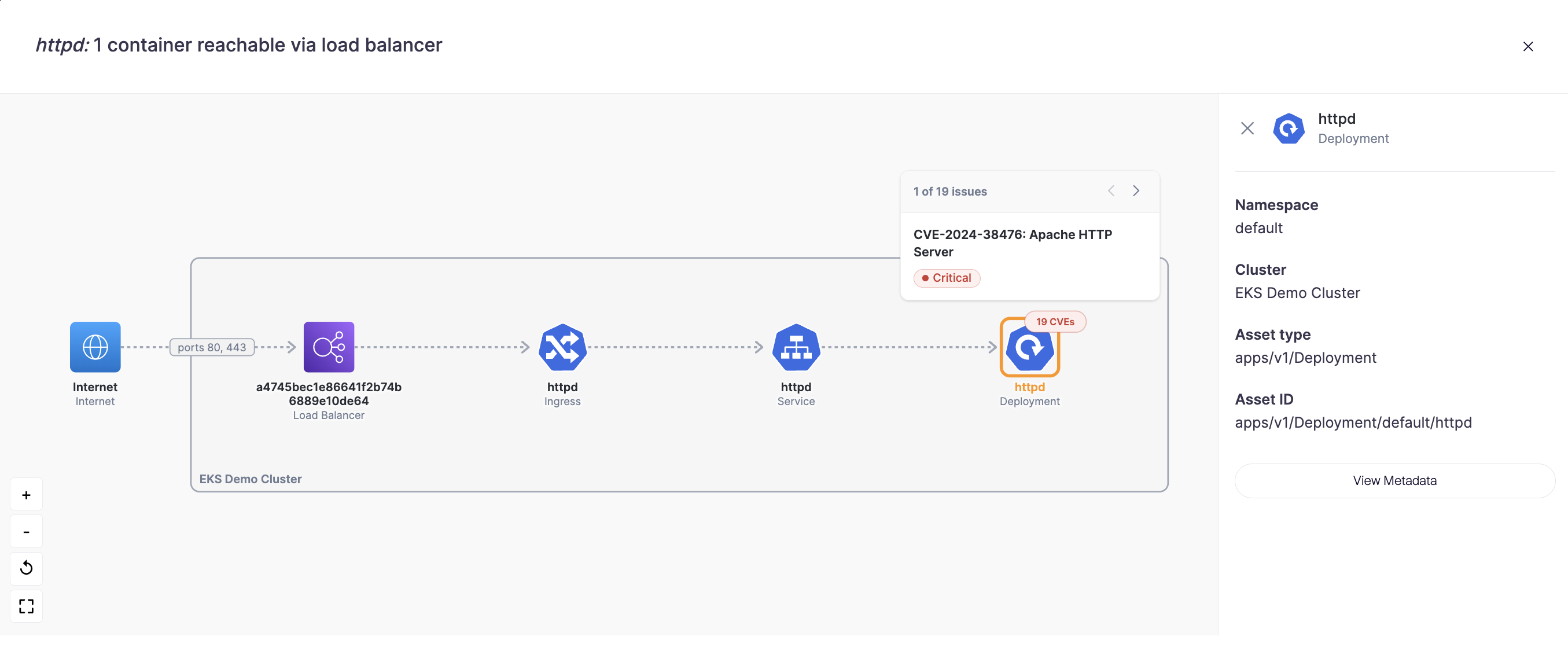
コンテナ到達可能性分析では、コンテナがクラウドネットワーク内でどのように到達可能かを示します。各コンテナイメージについて、Aikido はそのイメージがどこにデプロイされているかを見つけ、インターネットからそのワークロードまでのネットワーク経路を、途中のすべてのコンポーネントとポートを含めてたどります。
これは環境をまたいで機能します。Kubernetes クラスターまたはクラウド環境が接続されていれば、Aikido はコンテナイメージをそれぞれのデプロイ先に自動的に対応付けます。イメージ自体は、Docker Hub、ECR、GCR、その他接続済みのレジストリのいずれからでも構いません。
### 何ができるようになるか
* 実際にイメージがどこにデプロイされているかを確認できます: すべてのコンテナイメージがどこかで稼働しているわけではありません。稼働しているものについては、Aikido がどのワークロードがそのイメージを使用しているか、またどのように到達できるかを示します。
* フルな攻撃経路をたどる: インターネットからコンテナまでの正確な経路を確認できます。たとえば、インターネット → AWS ロードバランサー → Kubernetes Ingress → Service → Deployment です。図では、どのリソースが AWS レベルで、どのリソースが Kubernetes レベルかも示されます。
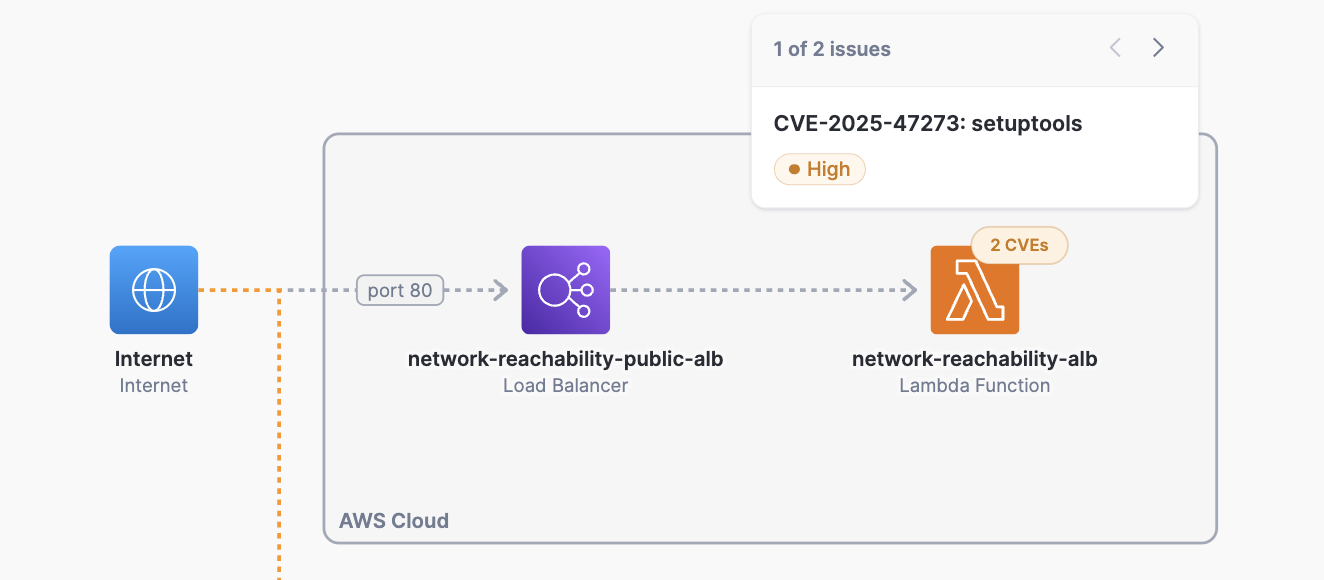
* デプロイ種別をまたいだ露出を把握できます: 1つのイメージが Kubernetes クラスター、ECS サービス、複数の Lambda 関数にデプロイされており、それぞれ露出のされ方が異なる場合があります。Aikido は各デプロイごとの到達可能性を個別に表示します。
* CVE を文脈の中で確認: 図の任意のコンポーネントにあるバッジをクリックすると、そのワークロードに影響する CVE を、デプロイ先と露出のされ方の文脈で確認できます。
### どこで見つけるか
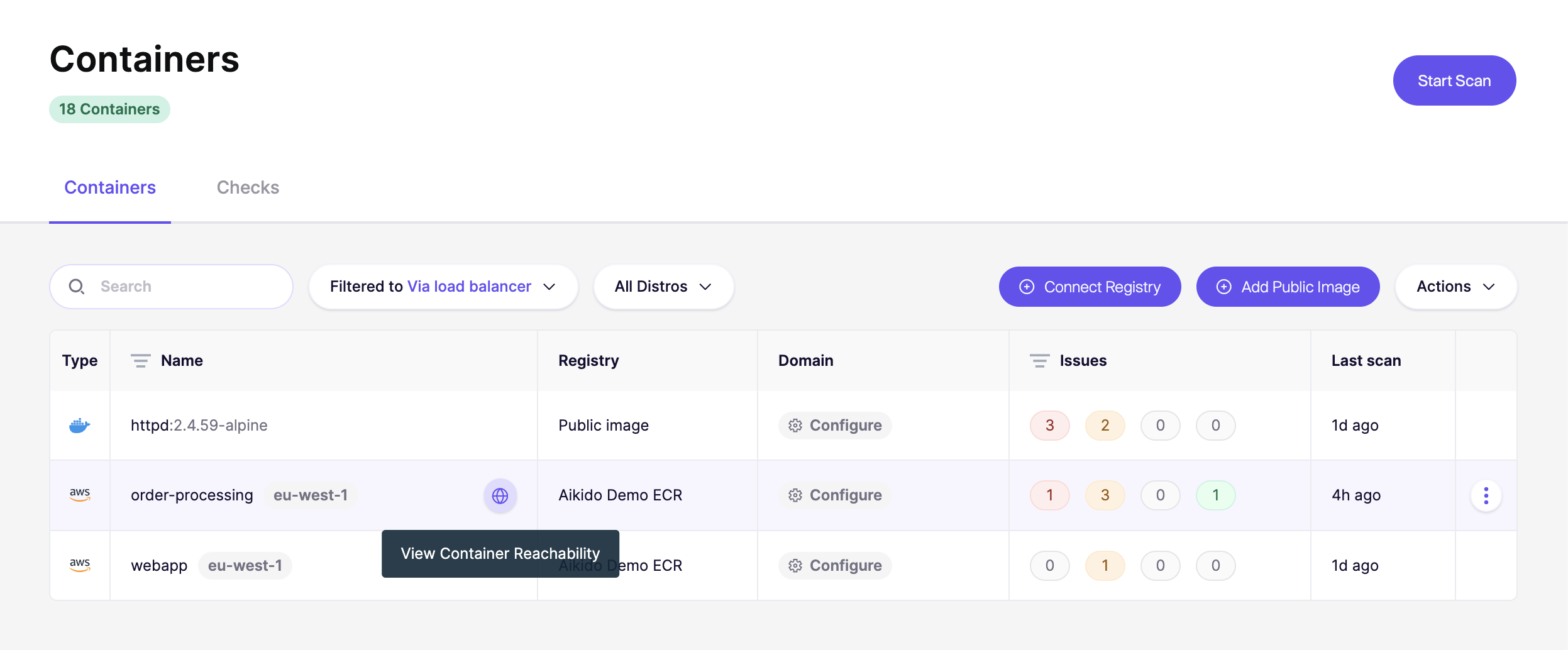
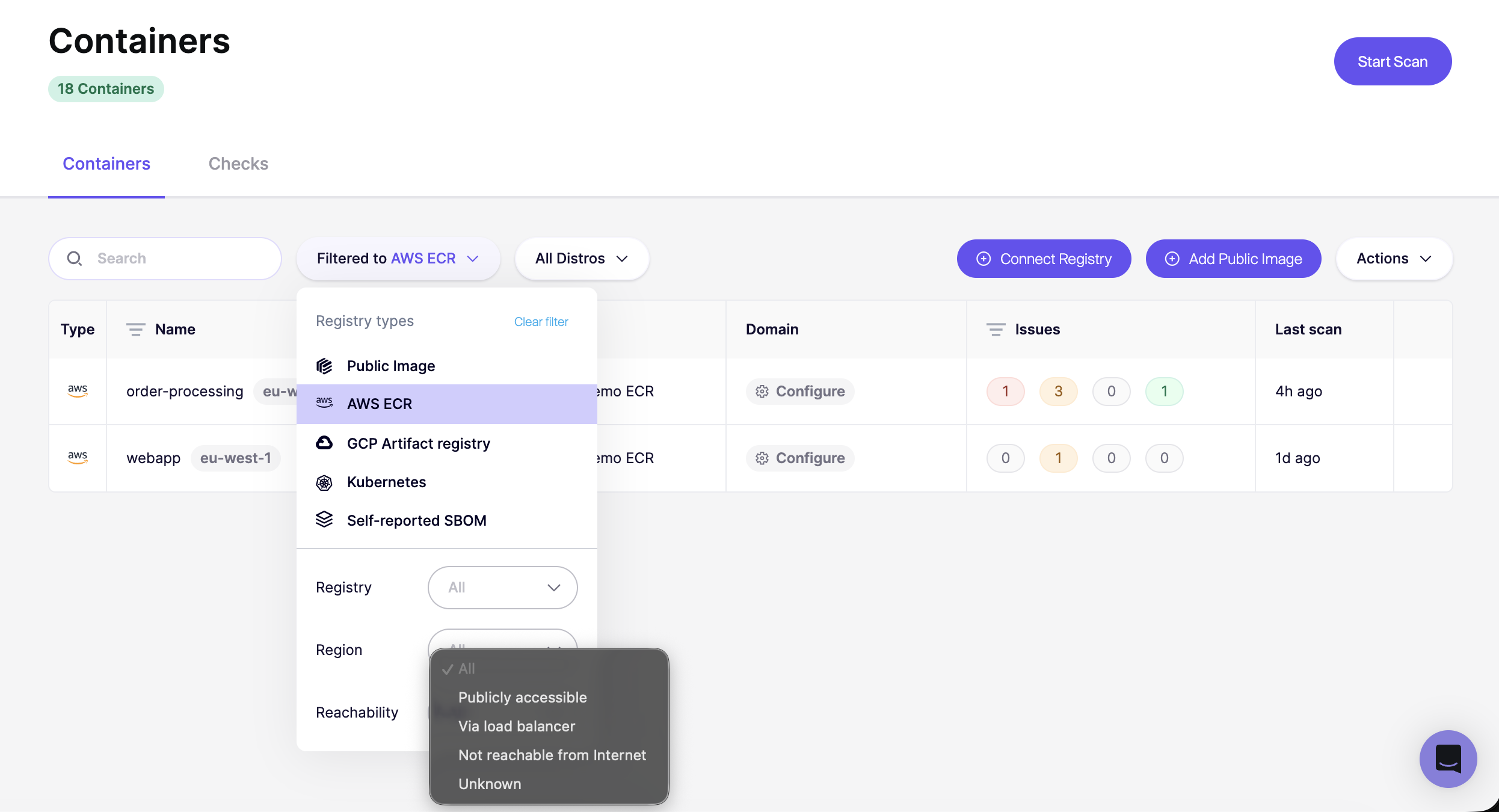
で [コンテナ](https://app.aikido.dev/containers)、各コンテナに到達可能性アイコンが表示されます。コンテナにカーソルを合わせて **「コンテナ到達可能性を表示」** を選択すると、図を開けます。
到達可能性ビューを開くと、コンテナへのネットワークパスを示すインタラクティブな図が表示されます。できることは次のとおりです:
* **CVE バッジをクリック** して、任意のコンポーネントに影響する脆弱性を確認できます。そこから、フィード内の該当する検出結果へ直接移動できます。
* **接続されたリソースを表示:** Aikido は、そのワークロードがアクセスできる先も表示します。たとえば、RDS データベースに接続された VM やコンテナでは、ポートを含むその関係が表示されます。
* **デプロイのメタデータを確認:** 任意のデプロイ(Lambda 関数、ECS サービス、Kubernetes ワークロード)をクリックすると、そのメタデータと設定の詳細を確認できます。
* **複数のデプロイを閲覧:** 同じイメージが複数の場所にデプロイされている場合、それぞれのデプロイが別々のエントリとして表示されます。たとえば、3つの Lambda 関数で実行されているイメージは、3つの経路として表示され、それぞれに独自の到達可能性ステータスがあります。インターネットから到達できるものもあれば、そうでないものもあります。
{% hint style="info" %}
**2026年3月30日より前に AWS アカウントを接続しましたか?** CloudFormation スタックを更新する必要がある場合があります。参照: [AWS CloudFormation スタックを更新](/docs/docs-ja/kuraudosukyan/connect-your-cloud/aws/connect-aws-account-to-aikido/update-aws-cloudformation-stack.md).
{% endhint %}
---
# Agent Instructions
This documentation is published with GitBook. GitBook is the documentation platform designed so that both humans and AI agents can read, navigate, and reason over technical content effectively. Learn more at gitbook.com.
## Querying This Documentation
If you need additional information that is not directly available in this page, you can query the documentation dynamically by asking a question.
Perform an HTTP GET request on the current page URL with the `ask` query parameter, and the optional `goal` query parameter:
```
GET https://help.aikido.dev/docs/docs-ja/kontenaimjisukyan/container-reachability-analysis.md?ask=&goal=
```
`ask` is the immediate question: it should be specific, self-contained, and written in natural language.
`goal` is optional and describes the broader end goal you are ultimately trying to accomplish on behalf of the user. GitBook uses it to tailor the answer towards what is most useful for that goal.
The response will contain a direct answer to the question and relevant excerpts and sources from the documentation.
Use this mechanism when the answer is not explicitly present in the current page, you need clarification or additional context, or you want to retrieve related documentation sections.