> For the complete documentation index, see [llms.txt](https://help.aikido.dev/llms.txt). Markdown versions of documentation pages are available by appending `.md` to page URLs; this page is available as [Markdown](https://help.aikido.dev/docs/docs-ja/kuraudosukyan/connect-your-cloud/connect-alibaba-account.md).
# Alibaba Cloud を接続する
### なぜ Alibaba Cloud を接続するのですか?
クラウドインフラの保護は、ユーザーデータを守るうえで非常に重要です。Aikido のセキュリティチェックを活用して、Alibaba Cloud 環境内の設定ミスを検出し、対処できます。
#### **主なユースケース**
* Aikido は、攻撃者が Alibaba Cloud 環境に侵入することを可能にする重大なクラウド設定ミスを可視化します。私たちは、実際のビジネス影響があるリスクに焦点を当て、ノイズを排除します。すべての設定チェックは [こちらで確認できます。](https://app.aikido.dev/clouds/checks)
* Aikido は、セットアップの進化に合わせて、新たなリスクがないか Alibaba Cloud 環境を継続的に監視します。
* Alibaba Cloud Container Registry(ACR)向けのコンテナイメージスキャン。
* Alibaba Cloud インスタンス上の Local VM Scanner を介した仮想マシンのスキャン。
Aikido は上記に対して毎日コンプライアンススキャンを実行します。
### はじめに
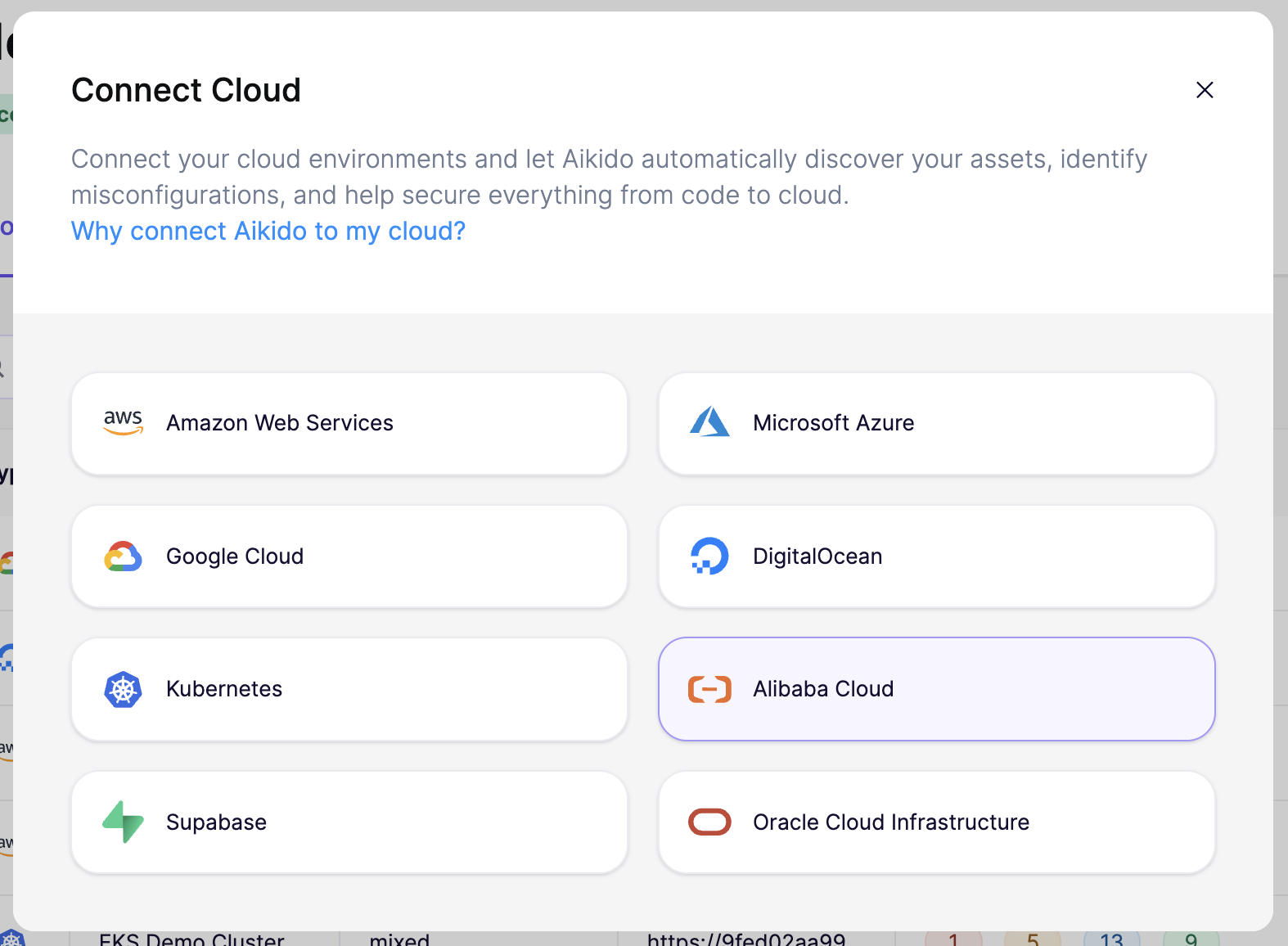
Aikido の [クラウド概要ページ](https://app.aikido.dev/clouds) で、 **「クラウドを接続」**、そして次を選択します **Alibaba Cloud** をリストから選択します。
{% stepper %}
{% step %}
**Alibaba Cloud にログインし、オンボーディングを設定します**
Alibaba Cloud には 2 つの方法で接続できます:
* **単一の Alibaba アカウント:** 一度に 1 つの Alibaba Cloud アカウントを接続します。アカウント数が少ない場合や、まず小さく始めたい場合に最適です。
* **Alibaba リソースディレクトリ全体:** 組織全体を一度に接続します。Aikido は、後から追加された新しいアカウントも含め、リソースディレクトリ内のすべてのアカウントを自動的に取り込みます。多数のアカウントを大規模に管理しているチームに最適です。
{% tabs %}
{% tab title="Alibaba リソースディレクトリ全体" %}
**Alibaba リソースディレクトリ全体**
1. にサインインし、 [Alibaba Cloud コンソール](https://www.alibabacloud.com/) の **管理アカウント** を使用します。
2. 次を確認してください [Stack Groups の信頼済みアクセス](https://www.alibabacloud.com/help/en/ros/user-guide/use-stack-groups-to-deploy-resources-across-accounts-and-regions) がリソースディレクトリで有効になっていること。
3. Aikido のウィザードで、次を入力します:
* **Resource Directory ID** (例: `rd-XXXXXX`)
* **ルートディレクトリ ID またはフォルダ ID** (例: `r-abcdef` または `fd-abcdefghij, fd-jihgfedcba`)。すべてをスキャンするにはルート ID を使用するか、範囲を絞るには特定のフォルダ ID を列挙します。
* **除外するアカウント ID** *(任意)*: Aikido にスキップさせたいアカウント。
* **ACR スキャンを有効にする** インフラとあわせて Aikido に Alibaba Cloud Container Registry のイメージをスキャンさせたい場合。
これらの値は Alibaba コンソールの **Resource Directory**.
{% endtab %}
{% tab title="単一の Alibaba アカウント" %}
**単一の Alibaba アカウント**
次へ移動します [Alibaba Cloud コンソール](https://www.alibabacloud.com/) で確認でき、接続したいアカウントでサインインしてください。
{% endtab %}
{% endtabs %}
{% endstep %}
{% step %}
**RAM ロールとポリシーを作成**
Aikido のウィザードで、 **「RAM ロールとポリシーを作成」**をクリックします。これにより、テンプレートが事前入力された Alibaba Cloud ROS が開きます。このロールにより Aikido には読み取り専用の監査権限が付与され、Aikido がインフラを編集することはありません。
*AccessKey ペアやパスワードが Aikido と共有されることはありません。*
* ウィザードに表示される値を、 `ExternalId` パラメータに入力します(例: `aikido-3377`).
* (Resource Directory のセットアップのみ)次の値を同じように入力します: `ResourceDirectoryFolderIds` および `EnableAcrScanning` Aikido で設定したものと同じ値です。
* チェックを入れます **「Alibaba Cloud ROS が RAM リソースを作成することを確認します」**.
* クリック: **作成**.
正確な ROS テンプレートを確認するには、 [こちらをクリック](https://aikido-cspm-templates.s3.eu-west-1.amazonaws.com/alibaba-ros-template-production.json)。必要であれば、同等の Terraform テンプレートを生成して、その方法でロールをプロビジョニングすることもできます。
{% endstep %}
{% step %}
**AikidoRoleARN をコピーして Aikido に貼り付けます**
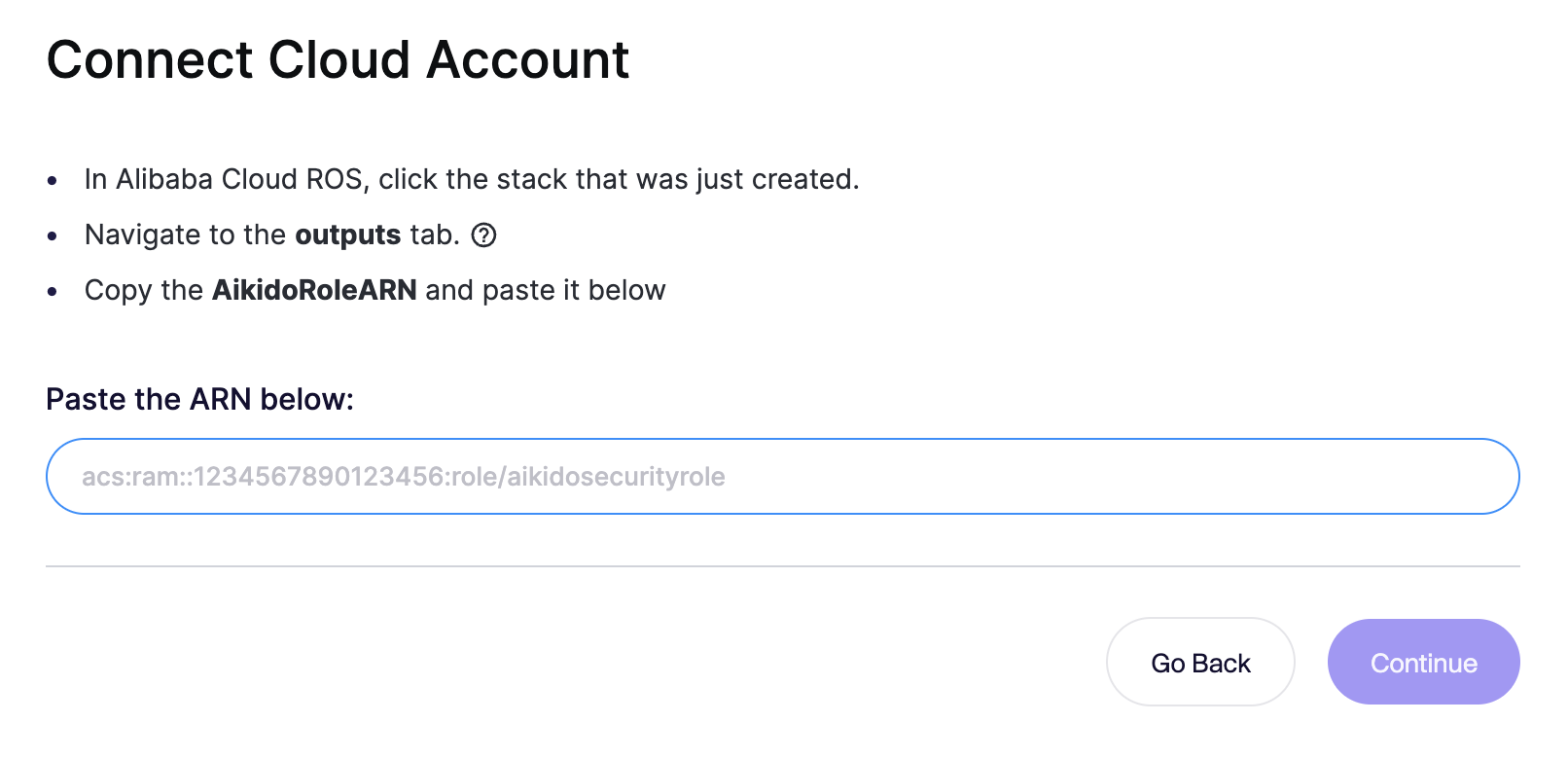
Alibaba Cloud ROS で、作成したスタックを開き、 **出力** タブに移動します。 **AikidoRoleARN** の値をコピーし、Aikido ウィザードの入力欄に貼り付けて、 **続行**.
{% endstep %}
{% step %}
**クラウド接続に名前を付ける**
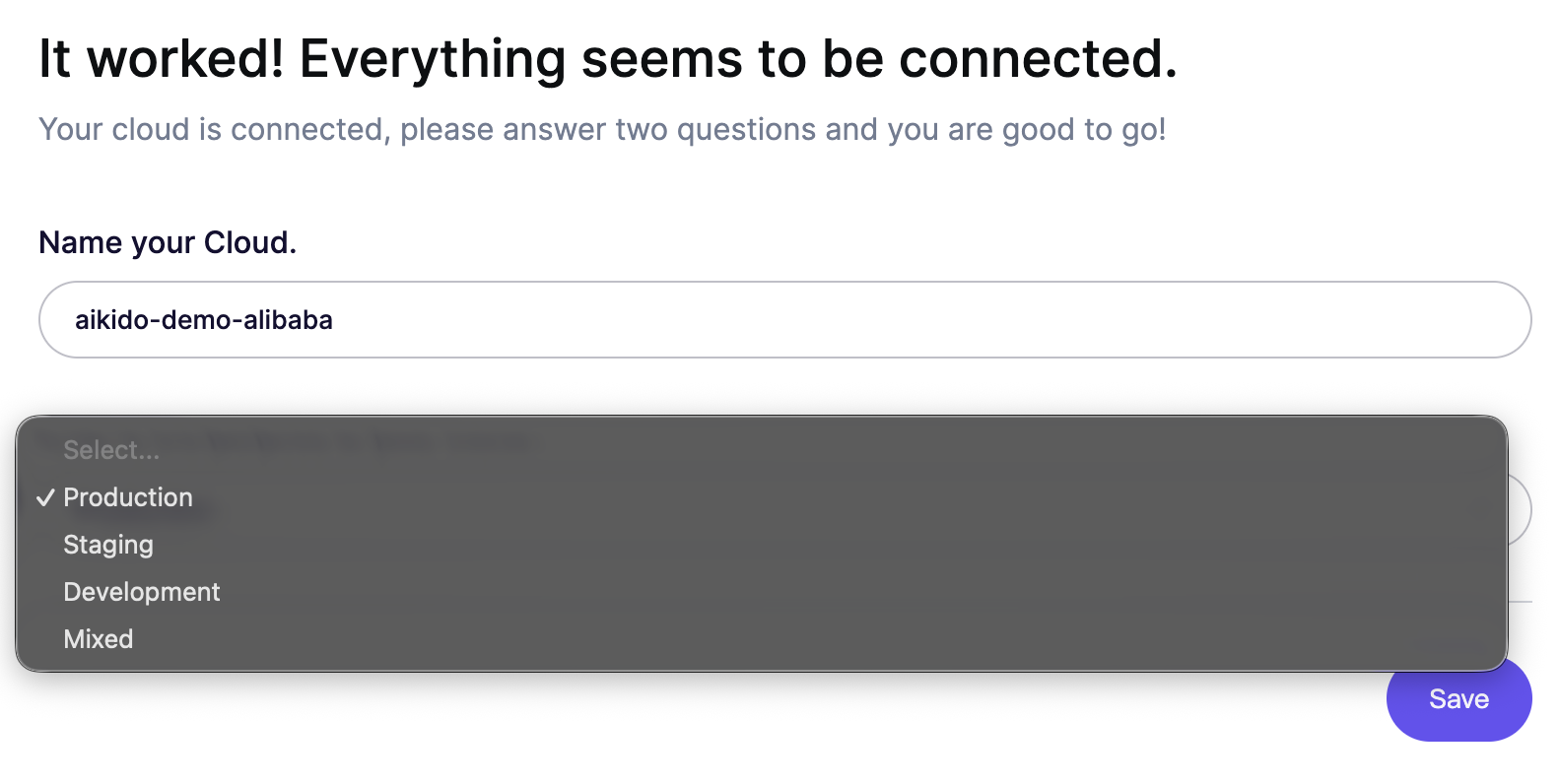
Aikido で接続したクラウドに名前を付け、運用環境を選択します(Production、Staging、Development、または Mixed)。これにより、Aikido は重大度とビジネスへの影響に基づいて検出結果の優先順位を付けやすくなります。 **保存** をクリックして完了します。
{% endstep %}
{% endstepper %}
アカウント接続後、数分以内に Aikido が脅威となり得る設定ミスを報告します。
### コンテナイメージのスキャン
{% hint style="info" %}
Alibaba Cloud Resource Directory を接続している場合、コンテナイメージは RAM ロール経由でスキャンされるため、追加の作業は不要です。このセクションは、個別の ACR 接続にのみ関連します。
{% endhint %}
Alibaba Cloud Container Registry(ACR)と、Alibaba Cloud から利用するほとんどのサードパーティレジストリは OCI 互換なので、Aikido でスキャンできます。
Alibaba Cloud Container Registry で読み取り専用または pull 専用のユーザーを作成します:
次に、以下の OCI ガイドに従ってコンテナイメージスキャンを設定します:
{% content-ref url="/pages/6a5d72cfab9a6689c7c638172ccd7e285110bf66" %}
[汎用 OCI 互換レジストリ](/docs/docs-ja/kontenaimjinosukyan/standalone-registries/generic-oci-compatible-registry.md)
{% endcontent-ref %}
### 仮想マシンのスキャン
Alibaba Cloud 上の仮想マシンをスキャンするには、Local VM Scanner を使用します。これは、インスタンス上でパッケージ、システム依存関係、および設定を直接検査します。
{% content-ref url="/pages/bff6559245dacffd7e3b448230318335c527273b" %}
[ローカル VM スキャン](/docs/docs-ja/mashinnosukyan/local-vm-scanning.md)
{% endcontent-ref %}
ECS インスタンスは、 [user data を設定する](https://www.alibabacloud.com/help/en/ecs/user-guide/customize-the-initialization-configuration-for-an-instance) ことで、必要なバイナリをダウンロードしてインストールする Local VM Scanner を取得できます。通常の自動化ツール(Ansible、Terraform でプロビジョニングしたスクリプト、cloud-init)を使って一元的に展開することもでき、新しい Alibaba Cloud インスタンスは自動的に登録されます。
---
# Agent Instructions
This documentation is published with GitBook. GitBook is the documentation platform designed so that both humans and AI agents can read, navigate, and reason over technical content effectively. Learn more at gitbook.com.
## Querying This Documentation
If you need additional information that is not directly available in this page, you can query the documentation dynamically by asking a question.
Perform an HTTP GET request on the current page URL with the `ask` query parameter, and the optional `goal` query parameter:
```
GET https://help.aikido.dev/docs/docs-ja/kuraudosukyan/connect-your-cloud/connect-alibaba-account.md?ask=&goal=
```
`ask` is the immediate question: it should be specific, self-contained, and written in natural language.
`goal` is optional and describes the broader end goal you are ultimately trying to accomplish on behalf of the user. GitBook uses it to tailor the answer towards what is most useful for that goal.
The response will contain a direct answer to the question and relevant excerpts and sources from the documentation.
Use this mechanism when the answer is not explicitly present in the current page, you need clarification or additional context, or you want to retrieve related documentation sections.