> For the complete documentation index, see [llms.txt](https://help.aikido.dev/llms.txt). Markdown versions of documentation pages are available by appending `.md` to page URLs; this page is available as [Markdown](https://help.aikido.dev/docs/docs-ja/kuraudosukyan/custom-cspm-rules.md).
# カスタムCSPMルール
Aikido のカスタム CSPM ルールでは、自然言語でクラウドの設定ミスに関するルールを定義でき、クラウド資産検索に基づいてフィード内に新しい問題を生成します。これらの問題は、フィード内の他の問題と同じ機能に従います。たとえば、 **無視、スヌーズ、通知アラート**, **タスク作成**, **など**
### **ユースケース**
* Aikido に標準搭載されているクラウドチェックを拡張します。
* データ所在地やタグ付けポリシーなど、組織固有の要件。
* ゼロデイのクラウド設定ミスに対応する。
### **カスタム CSPM ルールを作成する**
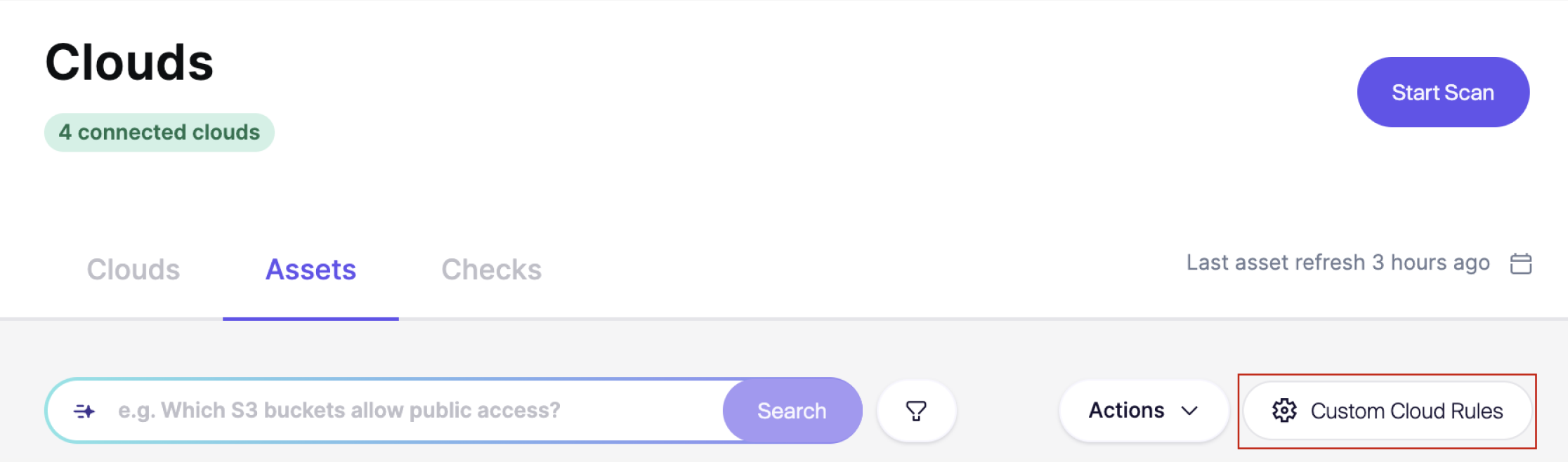
**手順 1.** 次へ移動します [**クラウド資産**](https://app.aikido.dev/clouds/assets) Aikido のページ。
**手順 2.** をクリックします **カスタム CSPM ルール**
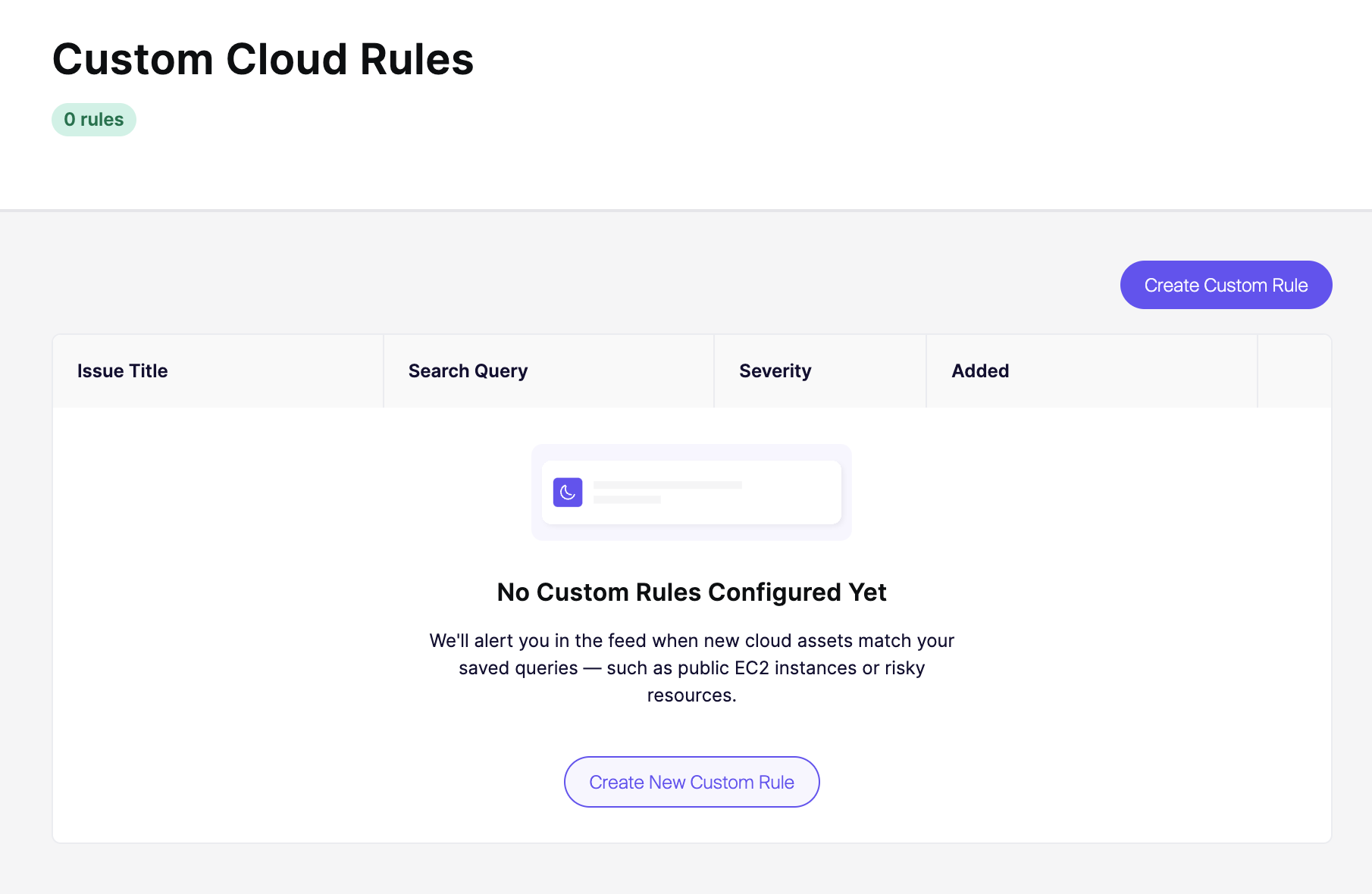
**手順 3.** クリック **カスタムルールを作成** カスタムルールページで。
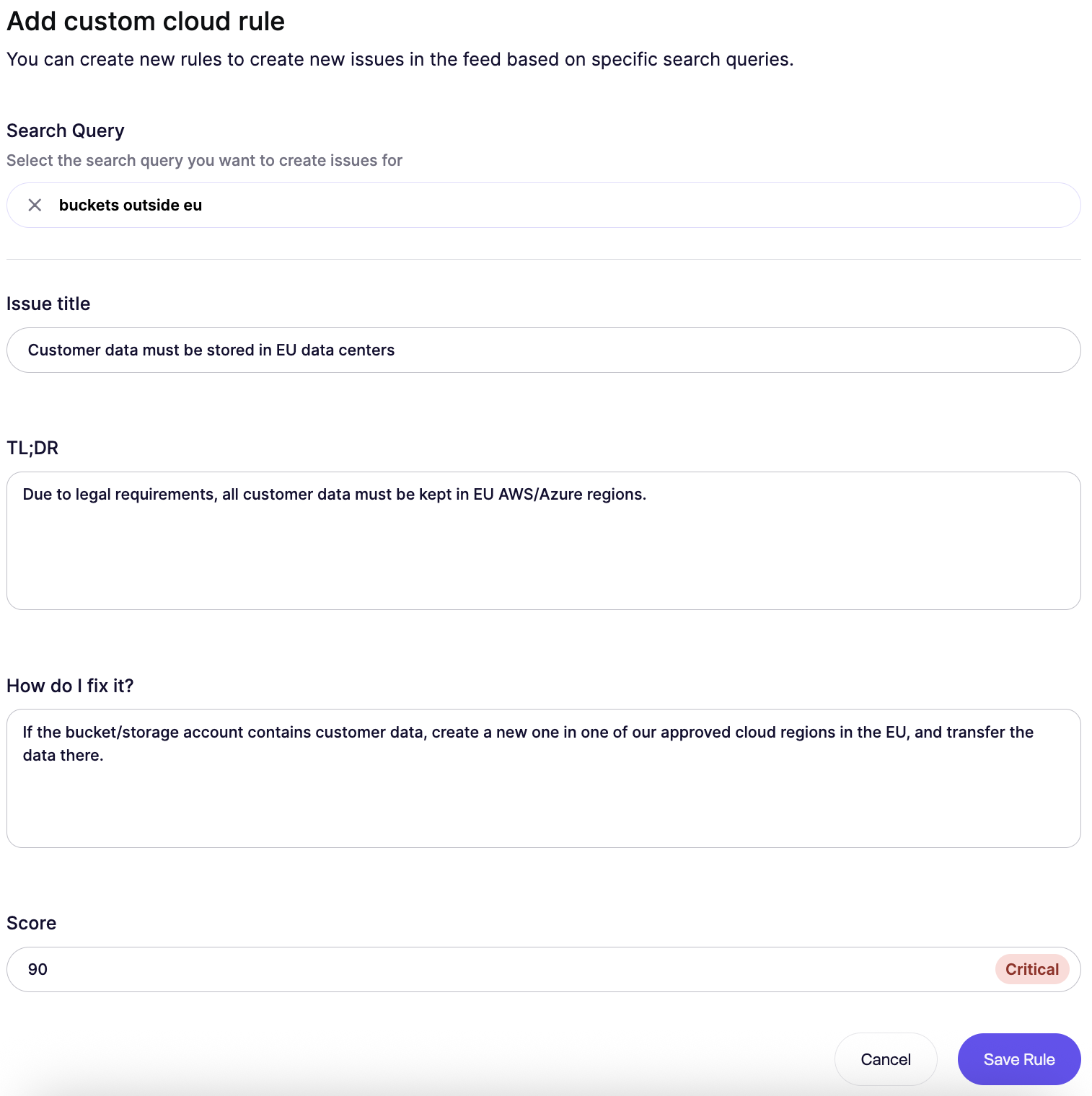
**ステップ 4. ルールを作成するために必要な詳細を入力する**
* 追加 **関連する検索クエリ** 問題を引き起こす条件を定義するために(例: `EU外のバケット`).
* 問題のタイトル
* 要約
* 修正方法
* スコア(重大度に影響します)
カスタムクラウドルールの例
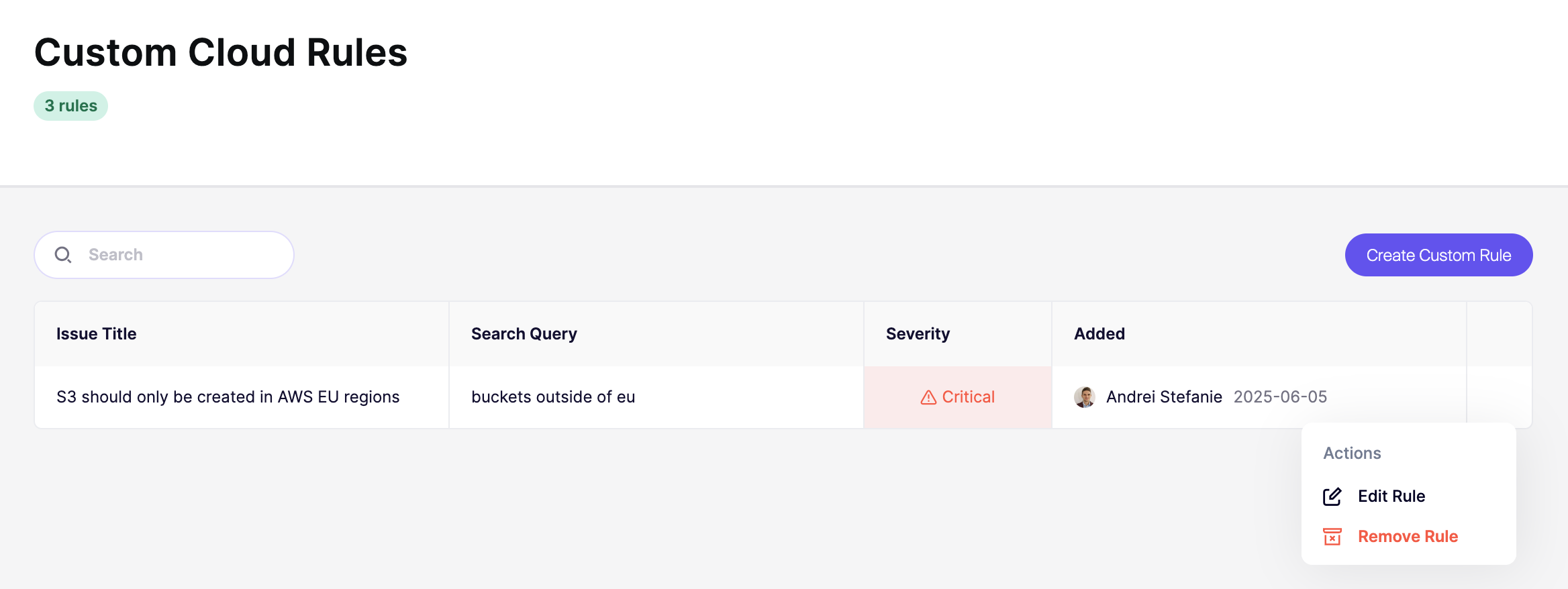
**ステップ 5**。ルールがページに追加されます。アクションのドロップダウンメニューをクリックすれば、いつでも編集または削除できます。
**手順 6。** 手動で新しいクラウドスキャンを実行すると、該当する結果がフィードに表示されます。
### **重要な注意事項**
* カスタム CSPM ルールは、作成後および各クラウドスキャン時に評価されます。
* これらのルールは **クラウドの設定ミスに関する問題を生成します**。これらは、標準のすべての問題機能(重大度の調整、Slack 連携、タスク作成など)に対応しています。
* カスタム CSPM ルールは **接続されているすべてのクラウドアカウントに適用されます**.
### コンプライアンスレポートへのマッピング
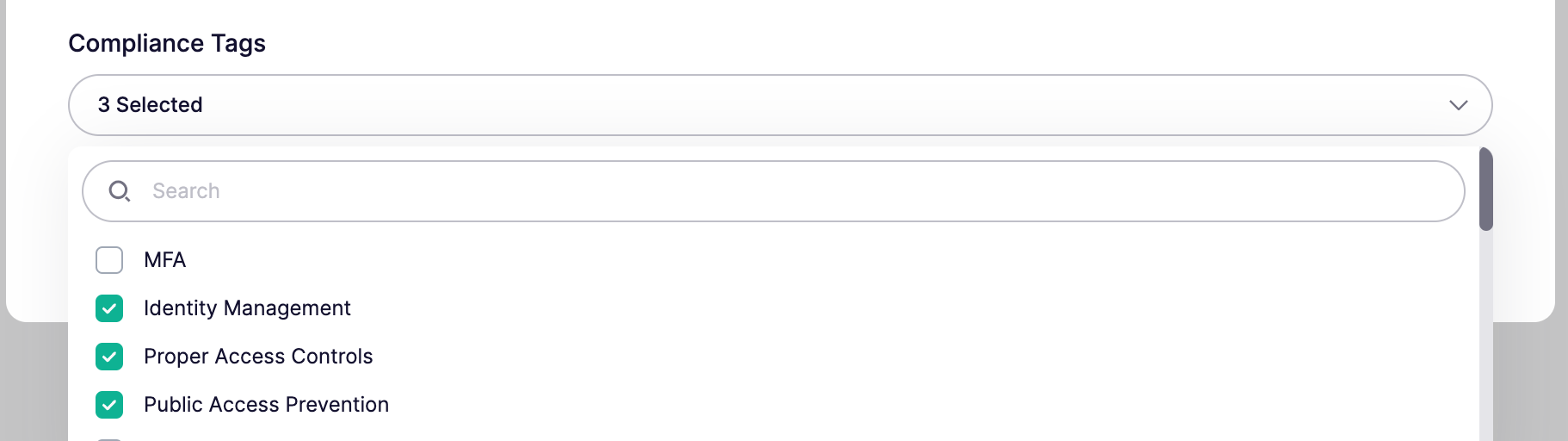
ルールを作成または編集する際にコンプライアンスタグを追加することで、カスタム CSPM ルールをコンプライアンスレポートにマッピングできます。Aikido はこれらのタグを使用して、サポートされているベンチマークの関連するすべてのコンプライアンスセクションに自動的にルールを含めます。タグを追加すると、カスタム CSPM ルールはすぐにコンプライアンスレポートに表示され、他のクラウドルール/チェックと同様に動作します。
たとえば、ルールを「ISO 27001:2022, A.8.13 - バックアップ」にマッピングしたい場合は、 `Backup` タグを追加します。サポートが必要な場合や、どのタグを使うべきかわからない場合は、お気軽にお問い合わせください。
---
# Agent Instructions
This documentation is published with GitBook. GitBook is the documentation platform designed so that both humans and AI agents can read, navigate, and reason over technical content effectively. Learn more at gitbook.com.
## Querying This Documentation
If you need additional information that is not directly available in this page, you can query the documentation dynamically by asking a question.
Perform an HTTP GET request on the current page URL with the `ask` query parameter, and the optional `goal` query parameter:
```
GET https://help.aikido.dev/docs/docs-ja/kuraudosukyan/custom-cspm-rules.md?ask=&goal=
```
`ask` is the immediate question: it should be specific, self-contained, and written in natural language.
`goal` is optional and describes the broader end goal you are ultimately trying to accomplish on behalf of the user. GitBook uses it to tailor the answer towards what is most useful for that goal.
The response will contain a direct answer to the question and relevant excerpts and sources from the documentation.
Use this mechanism when the answer is not explicitly present in the current page, you need clarification or additional context, or you want to retrieve related documentation sections.