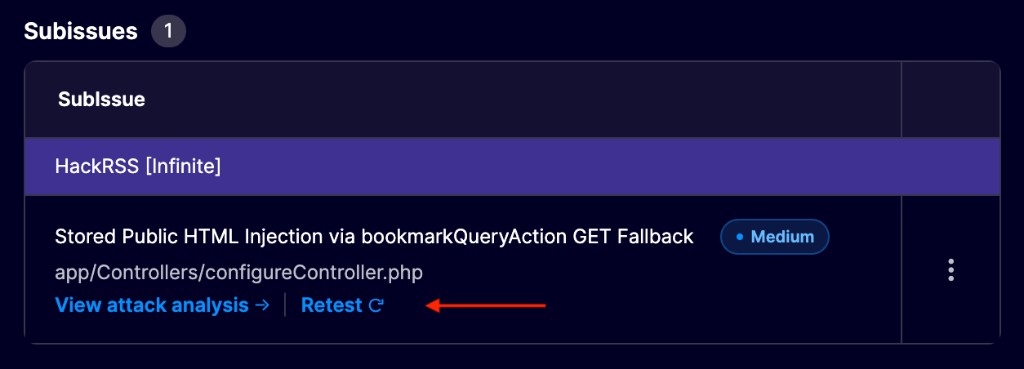
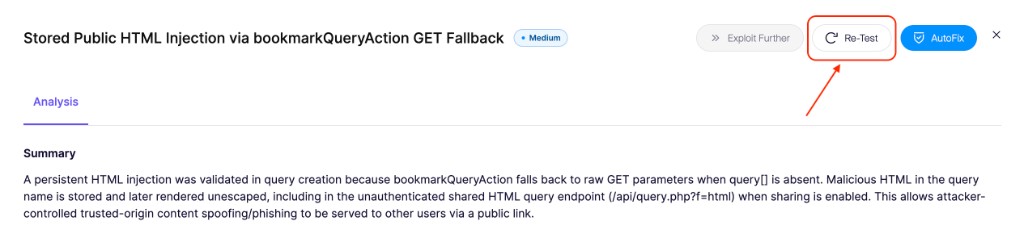
{% endstep %}
{% step %}
### 再テストを確認
次の **再テストを実行** ダイアログで、 **再テストを実行**.
再テストが設定したテスト時間外になる場合は、次を選択します **今すぐ実行** すぐに開始するには、または **スケジュール** 次の許可されたテスト時間帯まで待つには。
{% endstep %}
{% step %}
### 結果を監視する
再テストの実行中は、アセスメントに **再テスト実行中**と表示されます。攻撃分析があるファインディングでは、ライブ再テストを開いて進行状況を確認してください。
再テストが終了すると、Aikido はファインディングを次のようにマークします **解決済み** 問題を再現できない場合です。そうでない場合、ファインディングは次の **未修正** 結果と更新された修正ガイダンスのままオープンです。
{% endstep %}
{% endstepper %}
## Android のファインディングを再テストする
Android のアセスメントでは、修正を含む新しい APK をビルドし、ファインディングを再テストする前にアップロードしてください:
1. アセスメントの概要を開きます。
2. 次の下で **設定の詳細**を見つけます **Android アプリ**.
3. 編集アイコンを選択して、新しい APK をアップロードします。
4. 上記の手順に従ってファインディングの再テストを開始します。
{% hint style="info" %}
今後の再テストでは、新しくアップロードした APK が使用されます。APK を置き換えられるのは、アセスメントが実行されていないときだけです。
{% endhint %}
置き換え用 APK が次を満たしていることを確認してください [Android ペンテスト要件](/docs/docs-ja/pentesuto/configure-a-pentest/android-pentesting.md#prerequisites)。500 MB の上限、証明書ピンニングなし、root 検出なし、エミュレータ検出なしを含みます。
## 次は?
ファインディング内の再テスト結果を確認してください。関連するすべてのファインディングが解決したら、次をダウンロードします [修正後レポート](/docs/docs-ja/pentesuto/coverage-and-findings/pentest-reports.md#report-types) をダウンロードして、現在のセキュリティ状況を関係者と共有してください。
---
# Agent Instructions
This documentation is published with GitBook. GitBook is the documentation platform designed so that both humans and AI agents can read, navigate, and reason over technical content effectively. Learn more at gitbook.com.
## Querying This Documentation
If you need additional information that is not directly available in this page, you can query the documentation dynamically by asking a question.
Perform an HTTP GET request on the current page URL with the `ask` query parameter, and the optional `goal` query parameter:
```
GET https://help.aikido.dev/docs/docs-ja/pentesuto/coverage-and-findings/retest-pentest-findings.md?ask=&goal=
```
`ask` is the immediate question: it should be specific, self-contained, and written in natural language.
`goal` is optional and describes the broader end goal you are ultimately trying to accomplish on behalf of the user. GitBook uses it to tailor the answer towards what is most useful for that goal.
The response will contain a direct answer to the question and relevant excerpts and sources from the documentation.
Use this mechanism when the answer is not explicitly present in the current page, you need clarification or additional context, or you want to retrieve related documentation sections.