> For the complete documentation index, see [llms.txt](https://help.aikido.dev/llms.txt). Markdown versions of documentation pages are available by appending `.md` to page URLs; this page is available as [Markdown](https://help.aikido.dev/docs/docs-ja/pr-torirsugtingu/aikido-ci-gating-functionality/autofix-suggestions-and-inline-commenting-for-pr-checks.md).
# PRチェックのAutoFix提案とインラインコメント
Aikido はプルリクエストにインラインでフィードバックを投稿するため、レビューのワークフローを離れずに問題を解決できます。
PR Checks は、SAST、Secrets、IaC、オープンソース依存関係(SCA)、コード品質、Deep Review の検出結果にコメントできます。
PR Check の設定モーダルで、各リポジトリのコメントを設定します。利用可能な場合、Aikido は AutoFix の提案も提供し、プルリクエストから直接修正を適用できます。
### 前提条件
* Aikido ダッシュボードから CI Checks が有効になっていることを確認してください
* あなたは Aikido の管理者です
## インラインコメントを有効にする
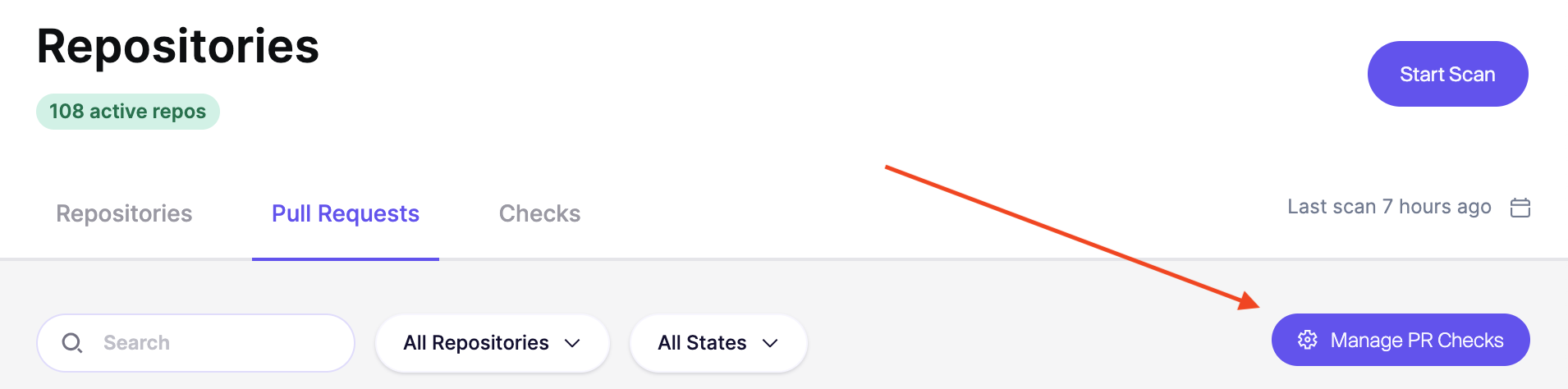
**ステップ 1:** 次の方法で設定ページに移動します **リポジトリ > プル/マージリクエスト > PR/MR Checks を管理**
**ステップ 2:** **リポジトリを選択します** 有効にしたい対象を選択し、クリックします **PR スキャンを設定**
**ステップ 3:** **〜のトグルを有効にします ****コメントを追加**。少なくとも SAST または Secrets のスキャンが有効になっていることを確認してください。
**ステップ 4:** 新しい問題が導入されると(スキャン失敗の重大度に基づいて)、新しいコメントが SCM に追加されます。
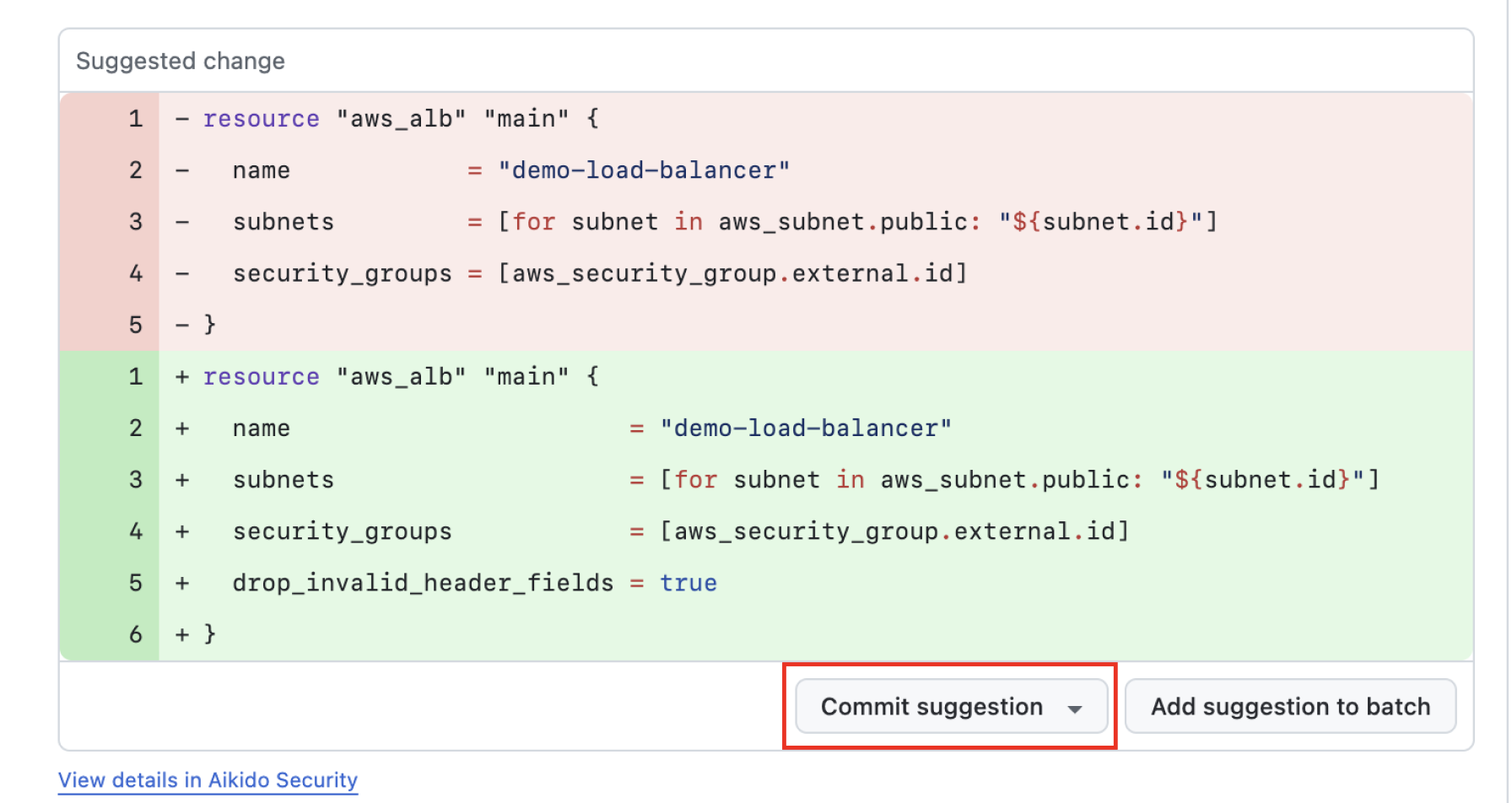
**手順 5.** 利用可能な場合、Aikido は AutoFix の提案を行います。差分を確認し、その提案をコミットして、新たに導入された脆弱性をまとめて修正できます。
## 問題を修正した後、コメントはどうなりますか
後のスキャンまたはレビューで問題が修正されたことが確認されると、Aikido は関連するインラインコメントを解決済みにします。
{% hint style="info" %}
### GitHub の権限例外
次の場合、 [AutoFix](/docs/docs-ja/autofix-to/overview-aikido-autofix.md) が有効になっている場合、Aikido はコメントスレッドを解決済みにします。会話履歴を保持したまま、GitHub 上では解決済みの会話として残ります。GitHub では **内容** これには write 権限が必要です。たとえアプリにすでに Pull requests の write 権限がある場合でも同様です。 [GitHub はこの要件を公開の場で確認しています](https://github.com/github/gh-aw/issues/35726).
AutoFix がない場合、Aikido は最小権限の原則に従い、要求しません **内容** コメントを解決するためだけの write 権限。すると GitHub により Aikido はスレッドを解決できなくなるため、Aikido は問題が修正されたことを確認した後にコメントを削除します。
{% endhint %}
---
# Agent Instructions
This documentation is published with GitBook. GitBook is the documentation platform designed so that both humans and AI agents can read, navigate, and reason over technical content effectively. Learn more at gitbook.com.
## Querying This Documentation
If you need additional information that is not directly available in this page, you can query the documentation by asking a question.
Perform an HTTP GET request on the following URL with the `ask` and `goal` query parameters:
```
GET https://help.aikido.dev/docs/docs-ja/pr-torirsugtingu/aikido-ci-gating-functionality/autofix-suggestions-and-inline-commenting-for-pr-checks.md?ask=&goal=
```
`ask` is the immediate question: it should be specific, self-contained, and written in natural language.
`goal` is what the user is ultimately trying to achieve, the reason they need the answer. Sharing it helps GitBook give you a better, more relevant answer. A goal is most helpful when it describes the outcome the user wants rather than restating the question. For example, with `ask=how do I create an API token`, a goal like `automate deployments from our CI pipeline` lets GitBook tailor the answer to that use case.
The response will contain a direct answer to the question and relevant excerpts and sources from the documentation.
Use this mechanism when the answer is not explicitly present in the current page, you need clarification or additional context, or you want to retrieve related documentation sections.