> For the complete documentation index, see [llms.txt](https://help.aikido.dev/llms.txt). Markdown versions of documentation pages are available by appending `.md` to page URLs; this page is available as [Markdown](https://help.aikido.dev/docs/docs-ja/pr-torirsugtingu/aikido-ci-gating-functionality/default-pr-mr-gating-configuration-for-new-repositories.md).
# 新しいリポジトリに対するデフォルトのPR/MRゲーティング設定
新しいリポジトリが追加されたときに、デフォルトのPR/MRゲーティング設定を自動適用します。
Aikido に頻繁にリポジトリを追加する場合は、既定の PR/MR ゲーティング設定を一度だけ設定しておけば、今後新しく追加されるすべてのリポジトリに Aikido が自動で適用します。
### 前提条件
Aikido が自動的に **新しいリポジトリを有効化する**.
Aikido がそのリポジトリを有効化しない場合、既定の設定を適用できません。
1. 次へ移動します: [リポジトリ設定](https://app.aikido.dev/settings/integrations/repositories).
2. 有効にする **新しいリポジトリを自動で有効化**.
UI の手順ガイドが必要ですか?こちらをご覧ください [Aikidoが新しいリポジトリをスキャンすることを確認する](/docs/docs-ja/kdosukyan/miscellaneous/ensuring-aikido-scans-new-repositories.md).
### 手順
{% stepper %}
{% step %}
**設定ページに移動**
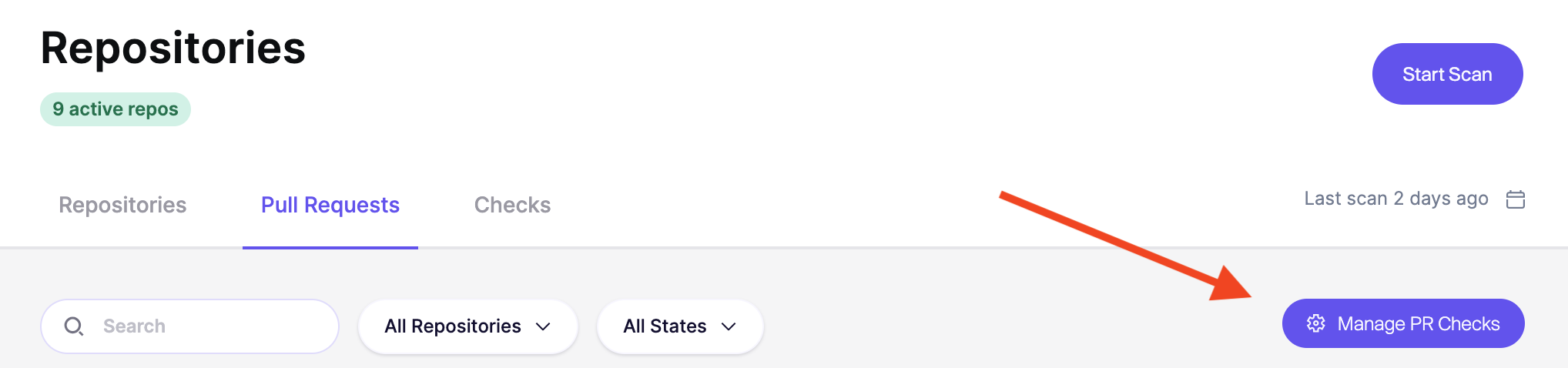
次を開きます: [リポジトリ](https://app.aikido.dev/repositories) → [プル/マージリクエスト](https://app.aikido.dev/repositories/prs) → `PR/MR チェックを管理`.
右上で、次を開きます: `アクション` and select `新しいリポジトリのデフォルトを設定`.
{% endstep %}
{% step %}
**新しいリポジトリへの自動適用を有効にする**
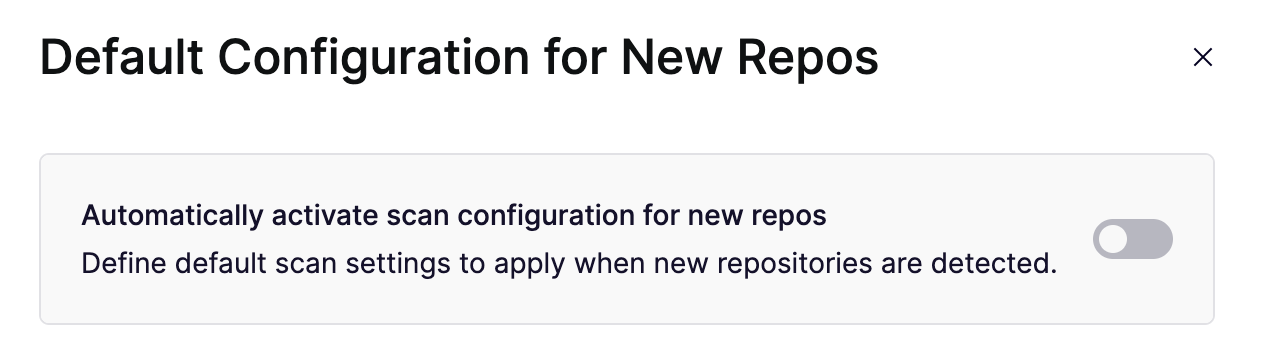
有効にする **新しいリポジトリでスキャン設定を自動的に有効化**.
これにより、Aikido は新しいリポジトリに既定の PR/MR ゲーティング設定を適用します。
{% endstep %}
{% step %}
**既定の設定を選択**
Aikido に既定で適用させたい設定を指定します。
これには以下が含まれます:
* PR/MR で実行するスキャン
* 失敗のしきい値、または **常に合格**
* コメントが追加されるタイミング
{% endstep %}
{% step %}
**設定を保存**
クリックします **設定を保存**.
今後追加されるリポジトリには、この新しい設定が適用されます。
既存のリポジトリはこの変更の影響を受けません。
{% endstep %}
{% endstepper %}
---
# Agent Instructions
This documentation is published with GitBook. GitBook is the documentation platform designed so that both humans and AI agents can read, navigate, and reason over technical content effectively. Learn more at gitbook.com.
## Querying This Documentation
If you need additional information that is not directly available in this page, you can query the documentation by asking a question.
Perform an HTTP GET request on the following URL with the `ask` and `goal` query parameters:
```
GET https://help.aikido.dev/docs/docs-ja/pr-torirsugtingu/aikido-ci-gating-functionality/default-pr-mr-gating-configuration-for-new-repositories.md?ask=&goal=
```
`ask` is the immediate question: it should be specific, self-contained, and written in natural language.
`goal` is what the user is ultimately trying to achieve, the reason they need the answer. Sharing it helps GitBook give you a better, more relevant answer. A goal is most helpful when it describes the outcome the user wants rather than restating the question. For example, with `ask=how do I create an API token`, a goal like `automate deployments from our CI pipeline` lets GitBook tailor the answer to that use case.
The response will contain a direct answer to the question and relevant excerpts and sources from the documentation.
Use this mechanism when the answer is not explicitly present in the current page, you need clarification or additional context, or you want to retrieve related documentation sections.