> For the complete documentation index, see [llms.txt](https://help.aikido.dev/llms.txt). Markdown versions of documentation pages are available by appending `.md` to page URLs; this page is available as [Markdown](https://help.aikido.dev/docs/docs-ja/sonono/private-registries/cloudsmith.md).
# Cloudsmith
Cloudsmith リポジトリに upstream として追加することで、レジストリ トラフィックを Aikido のレジストリ プロキシ経由にルーティングします。Cloudsmith は公開レジストリではなく Aikido からパッケージを取得するため、チームがインストールするすべてのパッケージがマルウェア、公開からの経過日数制限、既知の脆弱性についてチェックされます。
{% stepper %}
{% step %}
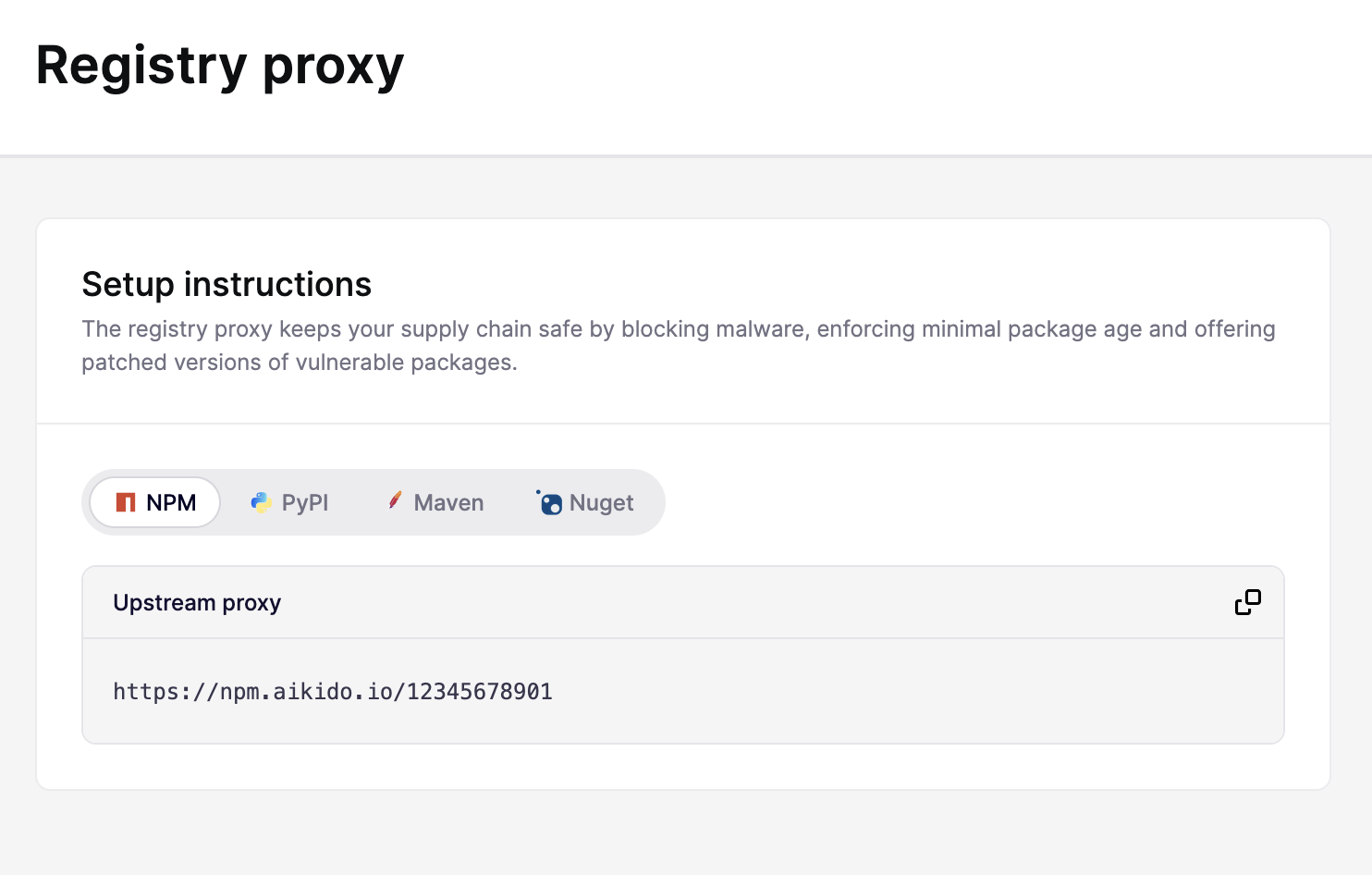
### Aikido のプロキシ URL を取得する
次へ移動します: [設定 > レジストリ プロキシ](https://app.aikido.dev/issues/aikido-libraries/setup-instructions)、対象のエコシステムを選択して upstream プロキシ URL をコピーします
{% endstep %}
{% step %}
### Cloudsmith で upstream を追加する
1. Cloudsmith で、Aikido 経由にルーティングしたいリポジトリを開きます。
2. へ移動 **ソース** タブを開いてクリックします **+ upstream を設定**.
3. 選択 **手動設定** そして、エコシステムに一致する形式(npm、Python、Maven、または NuGet)を選択します。
4. upstream に **Name**、たとえば `aikido`.
5. 次を設定します **プロキシ URL** を手順 1 で取得した Aikido のプロキシ URL に設定します。
6. 次を設定します **モード** を **キャッシュとプロキシ** これにより、Cloudsmith は Aikido が承認したパッケージを配信します。
7. そのままにしておく **SSL 検証** を有効にしたまま、 **優先度** (優先度の高い upstream が先に解決されます)。
8. upstream を保存します。
{% endstep %}
{% step %}
### 開発者マシンが Cloudsmith を使うように設定する
各開発者のパッケージマネージャーを Cloudsmith リポジトリに向けます。Cloudsmith では、名前空間とリポジトリが事前設定されたコピペ用のセットアップ スニペットを、リポジトリの **セットアップ** 手順に用意しています。認証を含む具体的な手順については、Cloudsmith のドキュメントを参照してください:
{% tabs %}
{% tab title="npm" %}
[npm レジストリ](https://docs.cloudsmith.com/formats/npm-registry)
{% endtab %}
{% tab title="Python" %}
[Python リポジトリ](https://docs.cloudsmith.com/formats/python-repository)
{% endtab %}
{% tab title="Maven" %}
[Maven リポジトリ](https://docs.cloudsmith.com/formats/maven-repository)
{% endtab %}
{% tab title="NuGet" %}
[NuGet フィード](https://docs.cloudsmith.com/formats/nuget-feed)
{% endtab %}
{% endtabs %}
{% endstep %}
{% step %}
### (任意)Device Protection で公開レジストリをブロックする
Cloudsmith を導入しても、開発者はパッケージマネージャーを公開レジストリに直接向けることで回避できます。Aikido Device Protection を導入して、すべてのトラフィックがプライベート レジストリを経由するよう強制します。
{% content-ref url="/pages/7fa47c5a1ee5b3c664f0ab37ca9a23372513ddeb" %}
[公開パッケージレジストリをブロックする](/docs/docs-ja/aikido-device-protection/using-aikido-endpoint/block-public-package-registries.md)
{% endcontent-ref %}
{% endstep %}
{% endstepper %}
---
# Agent Instructions
This documentation is published with GitBook. GitBook is the documentation platform designed so that both humans and AI agents can read, navigate, and reason over technical content effectively. Learn more at gitbook.com.
## Querying This Documentation
If you need additional information that is not directly available in this page, you can query the documentation by asking a question.
Perform an HTTP GET request on the following URL with the `ask` and `goal` query parameters:
```
GET https://help.aikido.dev/docs/docs-ja/sonono/private-registries/cloudsmith.md?ask=&goal=
```
`ask` is the immediate question: it should be specific, self-contained, and written in natural language.
`goal` is what the user is ultimately trying to achieve, the reason they need the answer. Sharing it helps GitBook give you a better, more relevant answer. A goal is most helpful when it describes the outcome the user wants rather than restating the question. For example, with `ask=how do I create an API token`, a goal like `automate deployments from our CI pipeline` lets GitBook tailor the answer to that use case.
The response will contain a direct answer to the question and relevant excerpts and sources from the documentation.
Use this mechanism when the answer is not explicitly present in the current page, you need clarification or additional context, or you want to retrieve related documentation sections.