> For the complete documentation index, see [llms.txt](https://help.aikido.dev/llms.txt). Markdown versions of documentation pages are available by appending `.md` to page URLs; this page is available as [Markdown](https://help.aikido.dev/docs/docs-ja/wkufurtogaido/resolve-dependency-vulnerabilities-with-autotriage-and-ai-autofix.md).
# AutoTriageとAutoFixで依存関係の問題を修正する
このチュートリアルでは、コードベースをスキャンして脆弱な依存関係を検出し、誤検知を自動でトリアージし、依存関係ファイルにワンクリック修正を適用するようにAikidoを設定する方法を説明します。
### 前提条件
必要なもの:
* 1件の [Aikidoアカウント](https://app.aikido.dev/login)
* 個人の [GitHubアカウント](https://github.com/login) (サンプルプロジェクトをフォークするため)
## サンプルリポジトリをAikidoに接続する
このチュートリアルでは、次の公開リポジトリを使用します: [Damn Vulnerable Python Web App](https://github.com/anxolerd/dvpwa)、人気のある [Damn Vulnerable Web Application](https://github.com/digininja/DVWA) の派生版で、セキュリティツールのデモに使われます。
まず、 [フォーク](https://docs.github.com/en/pull-requests/collaborating-with-pull-requests/working-with-forks/fork-a-repo) して [DVPWA](https://github.com/anxolerd/dvpwa) リポジトリをGitHubの名前空間に複製し、作業用の個人コピーを用意します。次にAikidoのワークスペースにログインし、 **Repositories > Manage Repos**。クリック **Add Repo**へ移動します。求められた場合は、GitHubにリポジトリの選択権限を付与し、フォークしたDVPWAのリポジトリを選択します。
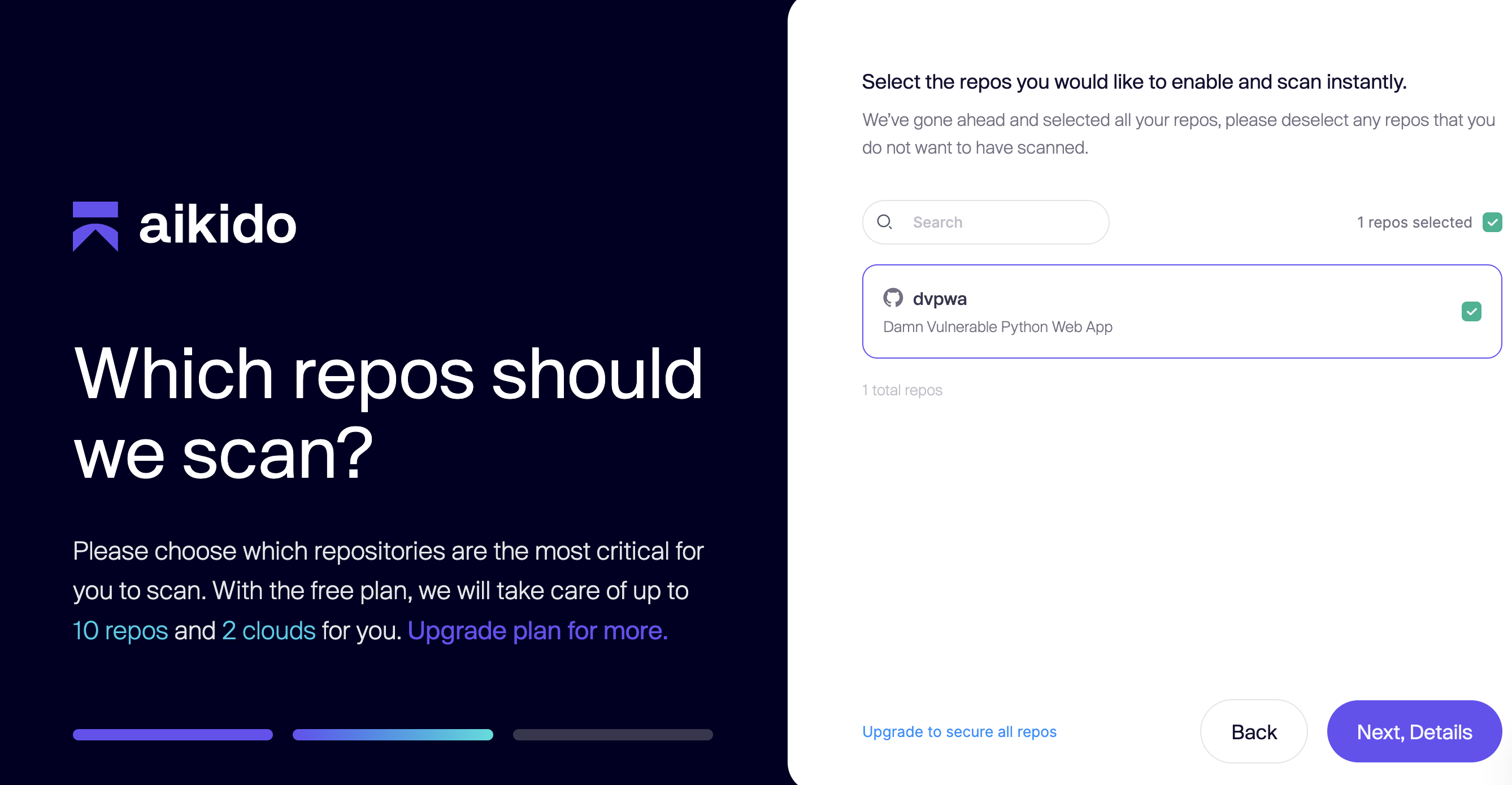
Aikidoにリダイレクトされ、スキャンするリポジトリを尋ねられたら、DVPWAリポジトリを選択します。次に **Next, Details**をクリックします。その後、ワークスペースのフィードに移動します。
## 初期の検出結果と誤検知を分析する
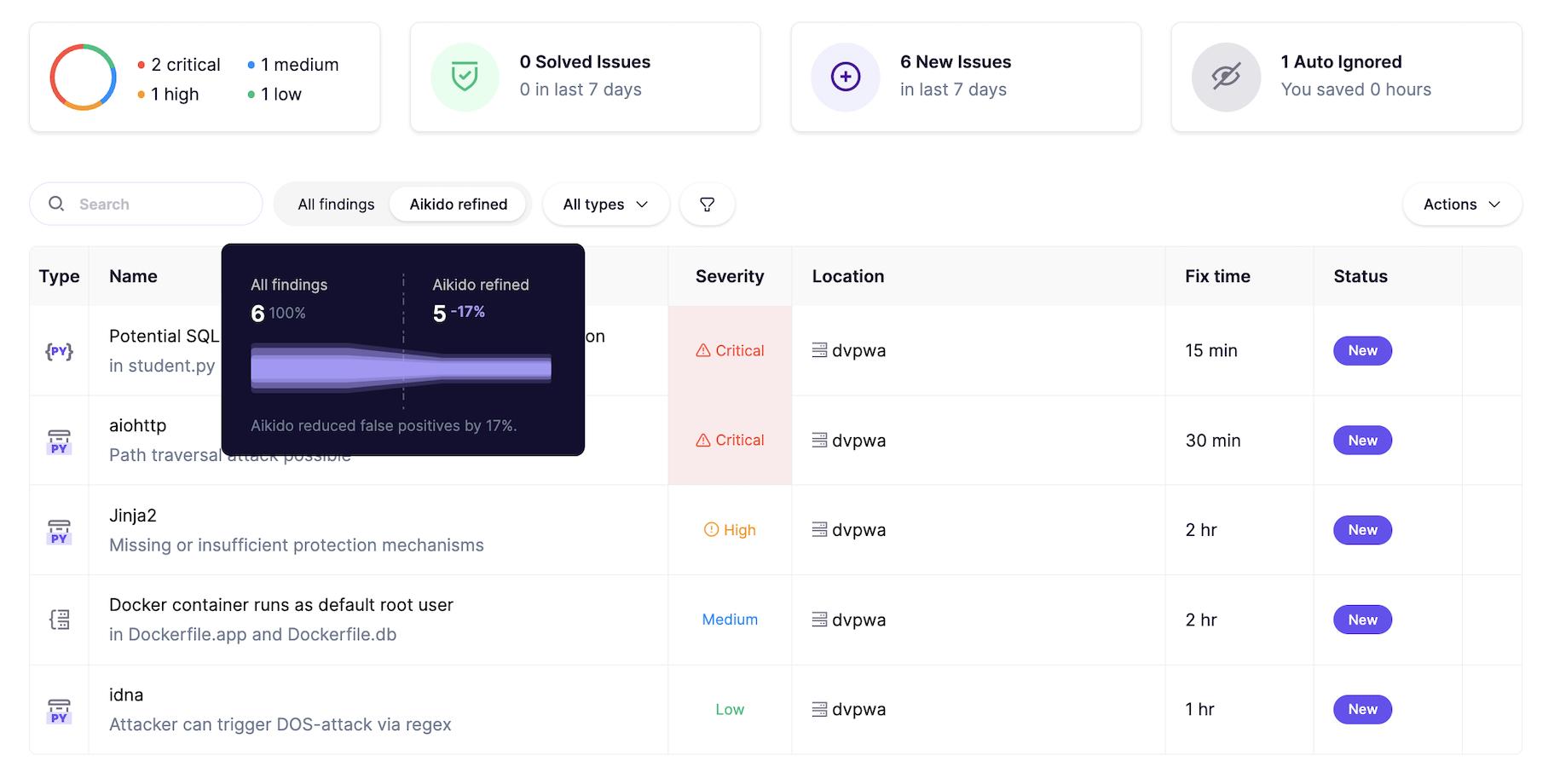
フィードでは、リポジトリに対するスキャン結果の概要が表示されます。デフォルトのフィルターが **Aikidoによって絞り込まれた** 検出結果であることに注目してください。フィルター選択にカーソルを合わせると、Aikidoがどのように誤検知を減らしたかを示すファネルチャートが表示されます。これは意図的に非常に悪用しやすい脆弱性を含むデモアプリなので、トリアージ後もその多くが残ります。ただし、通常のコードベースでは、Aikidoは一般的に誤検知ノイズを90%以上削減します。
右上隅で、 **1件自動無視**と書かれたタイルを選択します。すると **無視済み** セクションに移動します。
問題名(`pyyaml`)、種類(Pythonパッケージ)、重大度(Critical)、および無視の理由に注目してください。かなり古いパッケージに対する重大な脆弱性ではありますが、Aikidoは、その関数が宣言されている以外にはコードベース内のどこでも使われていないと判断しています。
問題をクリックすると、詳細を表示するドロワーが開きます。パッケージの宣言バージョンである3.13は、サブ問題としてマークされた2つの重大なCVEの影響を受けます。
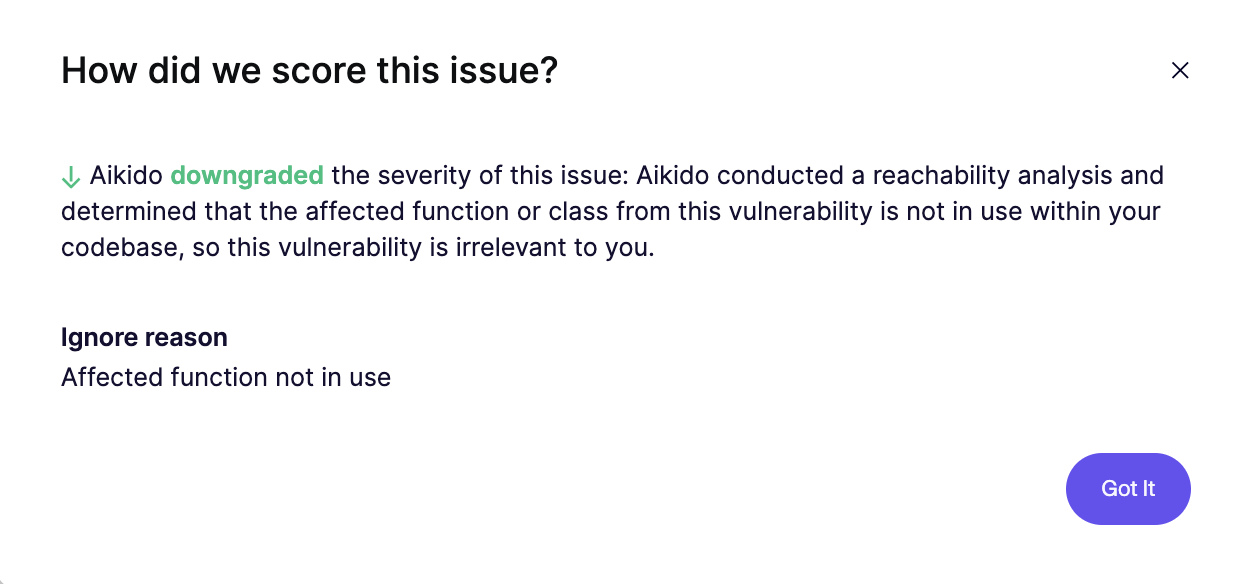
公式の修正方法は5.4へのアップグレードですが、Aikidoはこの問題を安全に無視できると判断しています。サブ問題の1つの下にある **影響を受ける関数は使用されていない** というダウングレードメッセージをクリックしてください。これにより、Aikidoが [到達可能性分析](/docs/docs-ja/hajimeni/reachability-analysis/reachability-engine-to-remove-false-positives.md) を実行し、このパッケージがコード内のどこでも使われていないと判断したことが確認できます。
{% hint style="info" %}
到達可能性は、Aikidoがセキュリティ問題の関連性と影響を評価する方法の中核です。 [続きを読む](/docs/docs-ja/hajimeni/reachability-analysis/reachability-engine-to-remove-false-positives.md) Aikidoの到達可能性エンジンについて。
{% endhint %}
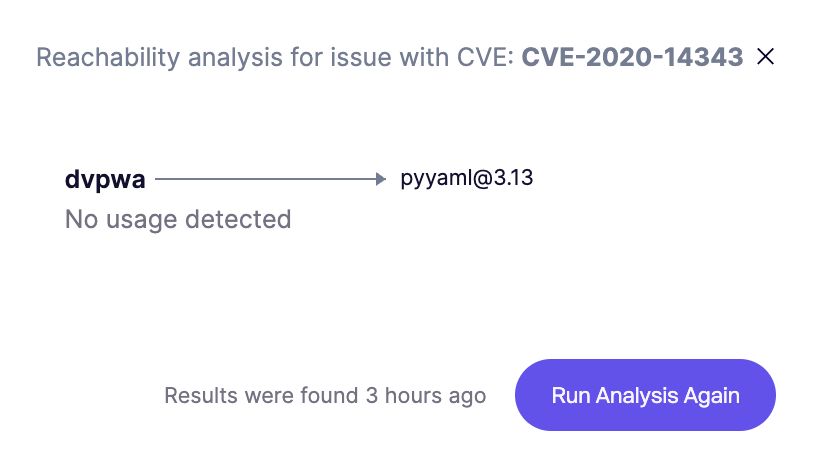
問題の詳細に戻り、 **到達可能性分析を表示**をクリックします。フローチャートは、影響を受ける **pyyaml** のバージョンが requirements.txt で宣言されているにもかかわらず、コード内のどこでも使われておらず、それに依存する関数もないことを示しています。
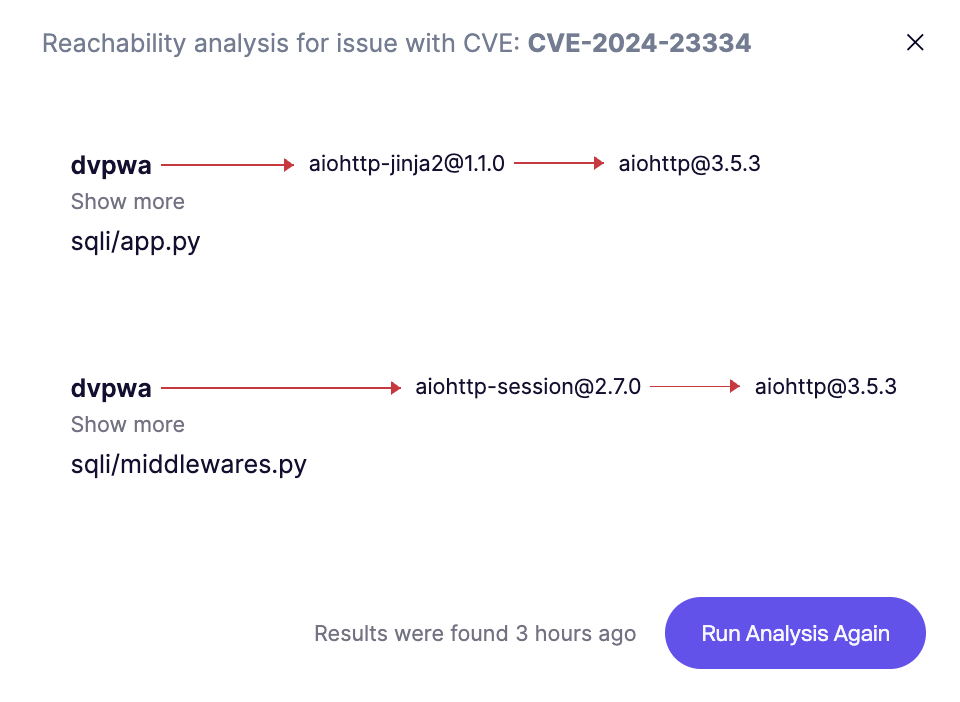
対照例として、Aikidoで絞り込まれたメインの問題フィードに戻ります。重大な脆弱性を持つ `aiohttp` パッケージをクリックします。問題の詳細には多数のCVEが表示されます。CVE-2024-23334については、 **到達可能性分析を表示**をクリックします。ここでは、aiohttpに依存する2つの異なるパッケージが、コードベース内の2つの異なるファイルで使用されていることがわかります。
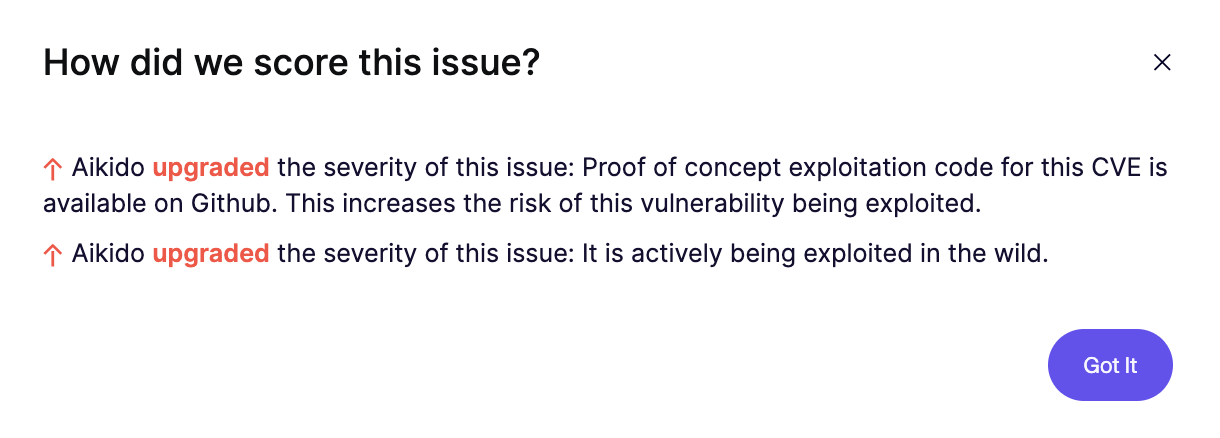
問題の詳細に戻り、CVE-2024-23334の **格上げ** メッセージをクリックします。Aikidoは、重大度を引き上げる理由として2つを示しています。(1) 悪用コードがGitHubに存在するため容易に見つかりやすいこと、(2) この脆弱性が実際の世界で現在も悪用されていることです。
## AutoFixを使ってセキュリティ問題を解決する
{% hint style="info" %}
Aikido AutoFixは、最先端のLLMを活用して、インラインまたはプルリクエスト経由でセキュリティ問題をワンクリックで修正できるエージェントです。 [詳細はこちら](/docs/docs-ja/autofixto/overview-aikido-autofix.md) AutoFixについて。
{% endhint %}
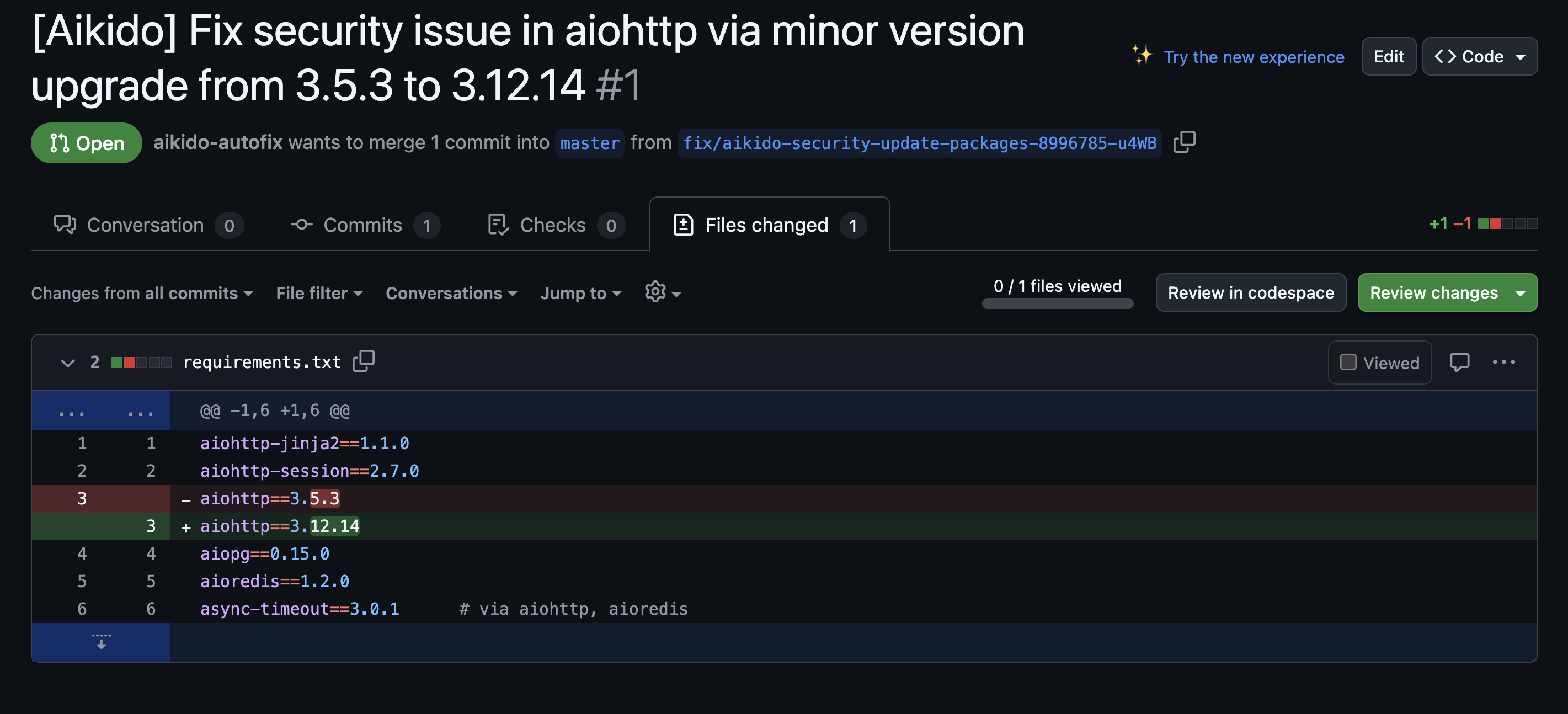
aiohttpの問題の詳細ドロワーで、 **どう修正すればよいですか?**、クリック **AutoFix**の横にあります。これをクリックするとAutoFixページに移動します。ここでAikidoは、requirements.txt内のaiohttpのバージョンを3.5.3から3.12.14へ更新することを提案します。
新しいプルリクエスト経由で修正を適用するには、ステータス列の横にあるケバブメニューを開き、 **Create PR** をクリックします。(注意:Aikidoにリポジトリへの書き込み権限の付与を求められる場合があります。これは、Aikidoがあなたに代わってプルリクエストを作成するために必要です)。
すべてのパッケージまたは特定のパッケージのいずれに修正を適用するか尋ねられたら、 **all packages**を選択します。PR作成処理の間、Aikidoはダイアログウィンドウを開きます。完了したら、 **View PR**.
すると、GitHubリポジトリ(あなたのdvpwaフォーク)内のオープンなPRに移動します。Aikidoは、変更によって解決された脆弱性について詳細な説明を記入しています。 **Files changed** タブをクリックして、requirements.txt内で更新されたパッケージバージョンを確認することもできます。
この時点で、プルリクエストを閉じるか、あるいはそのまま破棄するかを選べます(将来のテストのために脆弱性を残しておきたい場合)。
やりました!このチュートリアルでは、次のことを行いました:
* リポジトリをAikidoに接続し、最初のセキュリティスキャンを実行した
* コードベース内での重大度と露出状況に基づいて、脆弱性を自動トリアージした
* AutoFixを使って、脆弱な依存関係に対する修正案を提示し、適用した
---
# Agent Instructions
This documentation is published with GitBook. GitBook is the documentation platform designed so that both humans and AI agents can read, navigate, and reason over technical content effectively. Learn more at gitbook.com.
## Querying This Documentation
If you need additional information that is not directly available in this page, you can query the documentation dynamically by asking a question.
Perform an HTTP GET request on the current page URL with the `ask` query parameter, and the optional `goal` query parameter:
```
GET https://help.aikido.dev/docs/docs-ja/wkufurtogaido/resolve-dependency-vulnerabilities-with-autotriage-and-ai-autofix.md?ask=&goal=
```
`ask` is the immediate question: it should be specific, self-contained, and written in natural language.
`goal` is optional and describes the broader end goal you are ultimately trying to accomplish on behalf of the user. GitBook uses it to tailor the answer towards what is most useful for that goal.
The response will contain a direct answer to the question and relevant excerpts and sources from the documentation.
Use this mechanism when the answer is not explicitly present in the current page, you need clarification or additional context, or you want to retrieve related documentation sections.