> For the complete documentation index, see [llms.txt](https://help.aikido.dev/llms.txt). Markdown versions of documentation pages are available by appending `.md` to page URLs; this page is available as [Markdown](https://help.aikido.dev/getting-started/core-functionalities/resolving-malware-and-leaked-secret-issues.md).
# Resolving Malware and Leaked Secret Issues
**Malware** and **leaked secret findings** require you to close them manually using **Mark as solved**. For leaked secrets, Aikido detects the secret in your version history but leaves invalidation to you, as this happens in an external system and cannot be fully verified. For malware, Aikido flags the infected package but requires you to confirm removal, since automated verification of a clean state is never fully reliable.
{% hint style="info" %}
More about our Malware Detection and Prevention?
* Read more about [Aikido malware detection](/code-scanning/scanning-practices/malware-detection-in-open-source-dependencies.md)
* Use [Safe Chain](/code-scanning/aikido-malware-scanning.md) to block malicious packages before they are installed
{% endhint %}
### What to do before marking an issue as solved
#### Leaked secrets
A secret can stay in Git history forever, even after you remove it from the latest commit.
Before marking the issue as solved:
1. Revoke or rotate the secret immediately.
2. Confirm the old secret no longer works.
3. Check that no system still depends on it.
4. Only then mark the issue as solved.
{% hint style="warning" %}
Marking a leaked secret as solved does **not** mean the secret disappeared from version history. It means you invalidated it and removed the risk.
{% endhint %}
#### Malware findings
For malware, Aikido cannot prove removal unless it no longer appears in your dependency data.
Before marking the issue as solved:
1. Remove the affected package from the project.
2. Remove it from the lockfile.
3. Reinstall dependencies if needed.
4. Confirm it no longer appears in the dependency tree.
5. Only then mark the issue as solved.
{% hint style="warning" %}
If you are not sure the malware package is gone, contact Aikido support before marking it as solved.
{% endhint %}
### How to mark an issue as solved
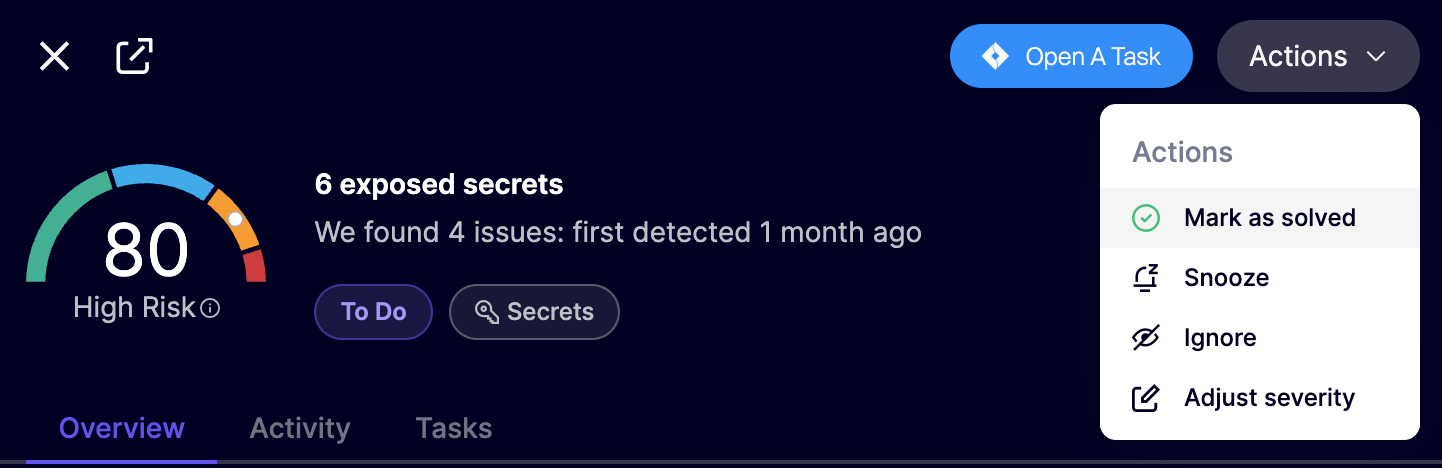
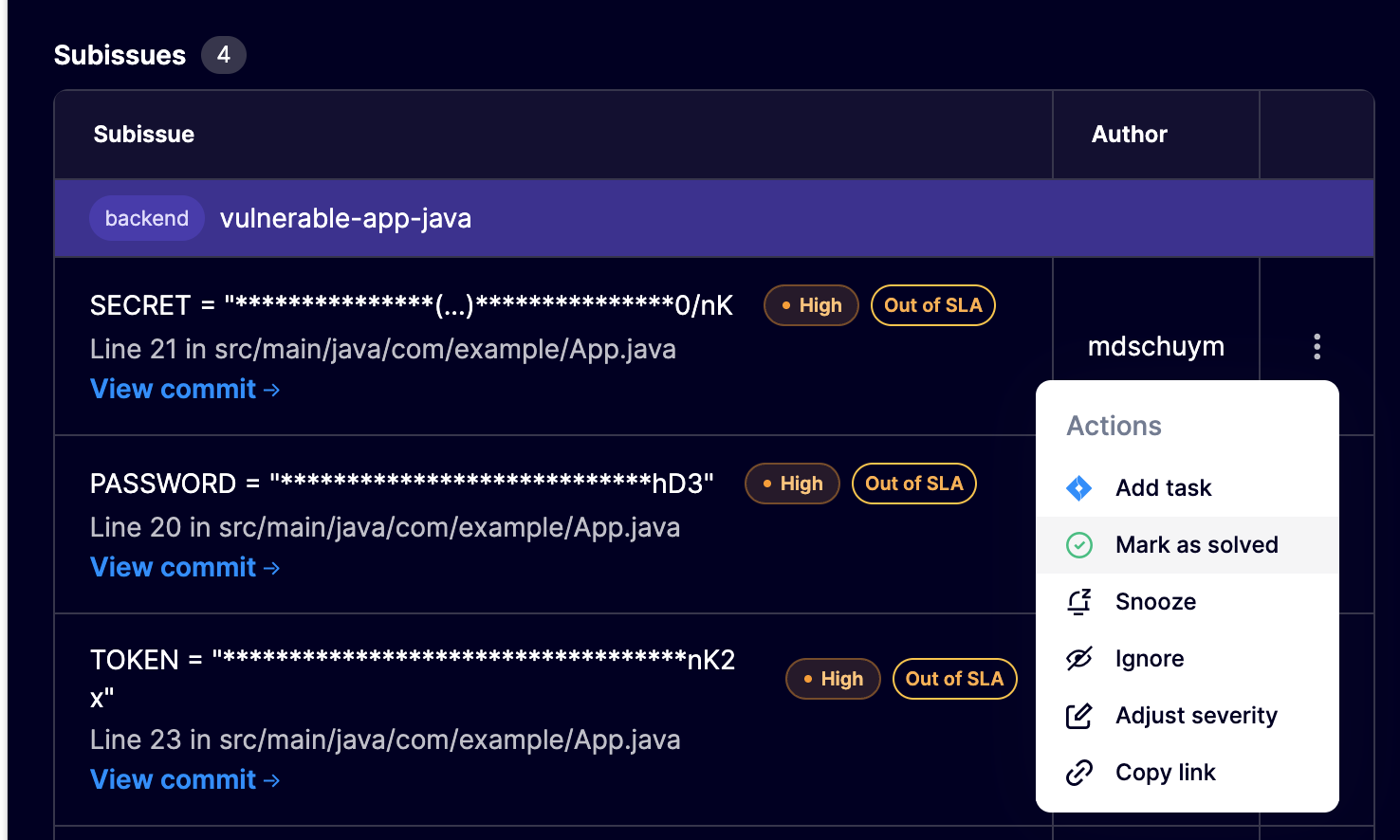
1. Open the issue from the issue list, grouped issue view, or queue sidebar.
2. Open the action menu.
3. Select **Mark as solved**.
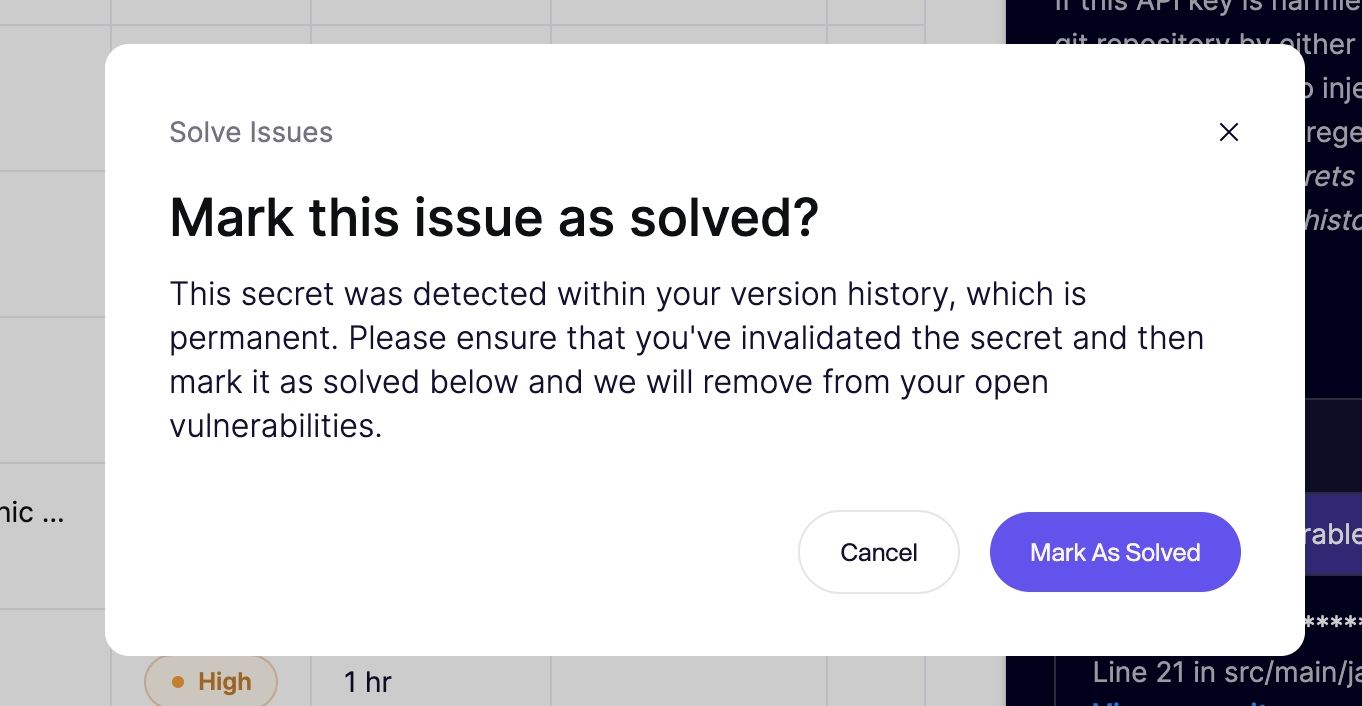
4. Review the confirmation prompt.
5. Confirm.
---
# Agent Instructions
This documentation is published with GitBook. GitBook is the documentation platform designed so that both humans and AI agents can read, navigate, and reason over technical content effectively. Learn more at gitbook.com.
## Querying This Documentation
If you need additional information that is not directly available in this page, you can query the documentation dynamically by asking a question.
Perform an HTTP GET request on the current page URL with the `ask` query parameter, and the optional `goal` query parameter:
```
GET https://help.aikido.dev/getting-started/core-functionalities/resolving-malware-and-leaked-secret-issues.md?ask=&goal=
```
`ask` is the immediate question: it should be specific, self-contained, and written in natural language.
`goal` is optional and describes the broader end goal you are ultimately trying to accomplish on behalf of the user. GitBook uses it to tailor the answer towards what is most useful for that goal.
The response will contain a direct answer to the question and relevant excerpts and sources from the documentation.
Use this mechanism when the answer is not explicitly present in the current page, you need clarification or additional context, or you want to retrieve related documentation sections.