> For the complete documentation index, see [llms.txt](https://help.aikido.dev/llms.txt). Markdown versions of documentation pages are available by appending `.md` to page URLs; this page is available as [Markdown](https://help.aikido.dev/getting-started/core-functionalities/what-does-no-fix-mean.md).
# What Does "No Fix" Mean
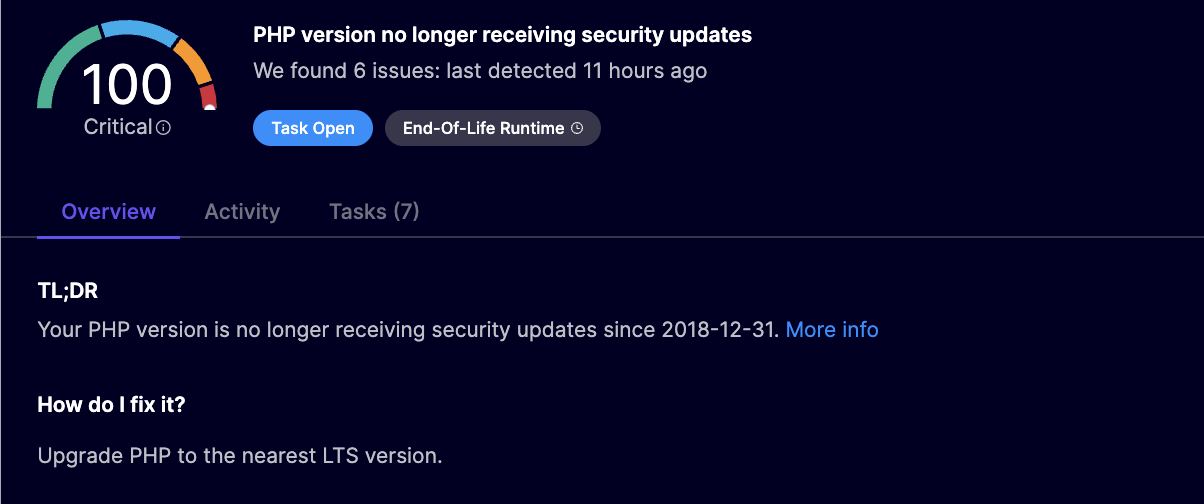
When a package has no fix version available, Aikido may automatically suppress or collapse the related vulnerabilities, especially if they come from an end-of-life (EOL) base image. Instead of showing dozens or hundreds of unfixable issues, we give you one actionable alert: upgrade the base image.
### What Does “No Fix Version” Mean?
Some vulnerabilities (CVEs) are labeled as having “no fix available.” This typically means:
* The package maintainer has stopped support, so no patches are being released.
* The OS version is EOL, so upstream security teams are no longer issuing fixes.
* A patched version of the affected package doesn’t exist.
This is common in old Linux distributions used in container base images, such as:
* Ubuntu 14.04 / 16.04
* Debian Jessie / Stretch
* Alpine 3.10 or older
***
### Why Does Aikido Ignore These CVEs?
We don’t *fully* ignore them. Instead, we collapse them into a higher-level issue that’s actually fixable:
Instead of flooding your dashboard with hundreds of Critical CVEs that can’t be fixed, Aikido points to the real solution: replacing the EOL base image.
### Examples
#### **Debian**
Debian Security Team often marks issues for end-of-life releases as *“not covered”* or *“no DSA”*. For supported releases they may mark *“no-dsa”* (that is, they won’t issue an advisory) when risk is low or impact is limited. This effectively means no patch will be shipped via security updates and the distro relies on regular point releases or upstream-only fixes.
#### Alpine
Alpine’s SecDB advisory database may show no fixed version for older branches where backports are not produced. The remediation is to move to a supported branch.
#### Unmaintained Libraries
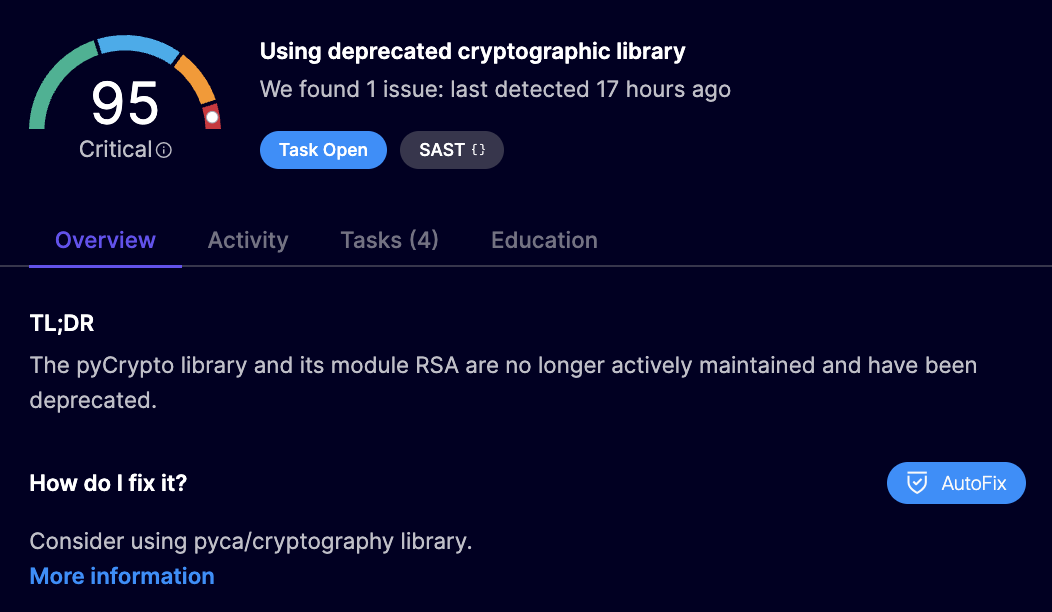
Projects using the abandoned or unmaintained libraries might show as no fix available. This is because maintainers no longer ship fixes. You will ultimately need to replace the library with a maintained alternative, which Aikido may recommend in its issue analysis (for example, replacing the obsolete `pycrypto` with `pyca/cryptography`).
### Benefits of This Approach
✅ **Clearer Priorities**: You won’t waste time triaging vulnerabilities that have no resolution path.
✅ **Less Noise**: By compressing unfixable issues, Aikido helps you focus on what you *can* fix.
✅ **Real Fixes**: We highlight the only practical solution: upgrade the container base image to a supported version.
### But Isn’t That Risky?
No, and here’s why:
We **only** suppress CVEs when:
* Upstream has confirmed no fix will ever be released.
* The issue is not relevant in context (e.g., cannot be exploited in a container).
* Aikido can replace the signal with a more actionable alert (e.g., EOL image).
We **never** suppress vulnerabilities that:
* Have a patch or fix available
* Are known to be exploitable in your context
* Require immediate action for active threats
### What Should You Do?
🔍 Look for:
* “End-of-Life container” warnings or recommendations to upgrade your base image
* Update the base image to a newer, supported version. That will automatically remove most of the unfixable CVEs in one go.
### Advanced Options (Enterprise)
If you must continue using older software, Aikido offers:
* 🔧[ Auto-upgrading containers](/autofix-and-remediation/scope/ai-autofix-for-containers.md)
* 🔐 [Aikido Images: zero-CVE base images with backported patches](/autofix-and-remediation/aikido-images/autofix-for-containers-using-aikido-images.md)
---
# Agent Instructions
This documentation is published with GitBook. GitBook is the documentation platform designed so that both humans and AI agents can read, navigate, and reason over technical content effectively. Learn more at gitbook.com.
## Querying This Documentation
If you need additional information that is not directly available in this page, you can query the documentation dynamically by asking a question.
Perform an HTTP GET request on the current page URL with the `ask` query parameter, and the optional `goal` query parameter:
```
GET https://help.aikido.dev/getting-started/core-functionalities/what-does-no-fix-mean.md?ask=&goal=
```
`ask` is the immediate question: it should be specific, self-contained, and written in natural language.
`goal` is optional and describes the broader end goal you are ultimately trying to accomplish on behalf of the user. GitBook uses it to tailor the answer towards what is most useful for that goal.
The response will contain a direct answer to the question and relevant excerpts and sources from the documentation.
Use this mechanism when the answer is not explicitly present in the current page, you need clarification or additional context, or you want to retrieve related documentation sections.