Safety Measures
To minimise the impact the pentest can have on your environment, the following safety mechanisms are in place.
We strongly recommend launching the pentest in a staging, test, or isolated environment. Why use a testing environment?
Preventing pentests outside of intended scope
By design, the pentesting agents cannot reach domains that have not been explicitly approved during the setup of the pentest. Two security boundaries are in place:
- Attackable domains: Domains that can be actively attacked during the pentest
- Accessible domains: Domains that should not be actively attacked but are allowed to be used.
In the example configuration below, the agents can attack the specified subdomains under attack-me.com and use auth.provider.com. All other domains are blocked.
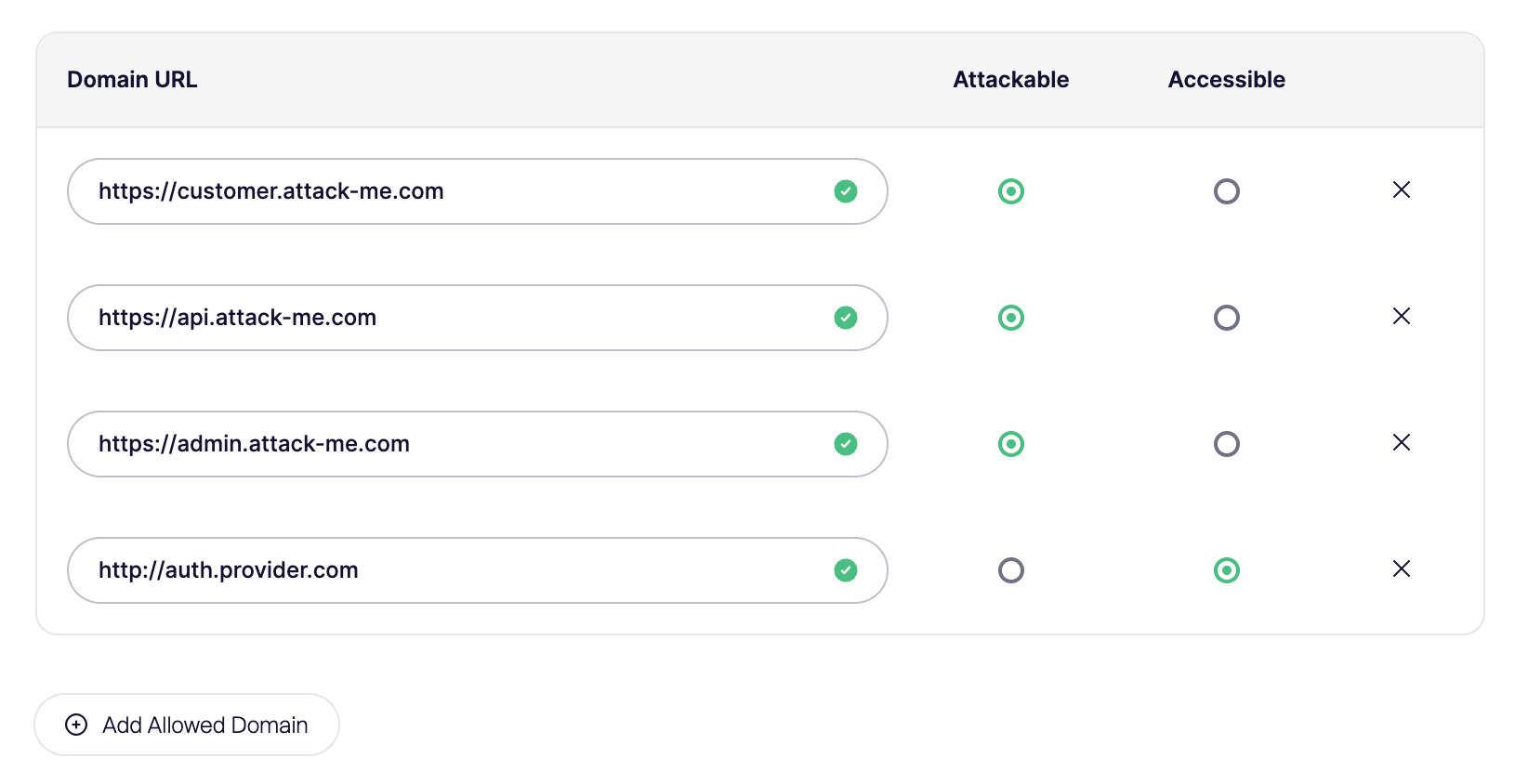
Note: Requests containing static files or that are part of developer tool platforms are automatically accessible, but will not be attacked.
Pause or Cancel a Pentest
Cancel permanently stops the assessment, you can't resume it. Credits used on the run are not refunded unless you cancel within the first few minutes of launch. Use Pause instead if you want to stop attacks and continue the same assessment later.
Pause temporarily stops attack agents while the assessment stays open. Resume continues testing. Pause is only available once agents are actively attacking. It isn't available during scheduling, codebase analysis, access checks, or discovery. Each assessment can be paused manually up to 3 times.
Aikido may also pause the assessment on its own when something needs attention, for example blocked requests or login issues. Check the status on the assessment page, fix what it asks for, then click Resume when you're ready to continue.
Mitigating high server load
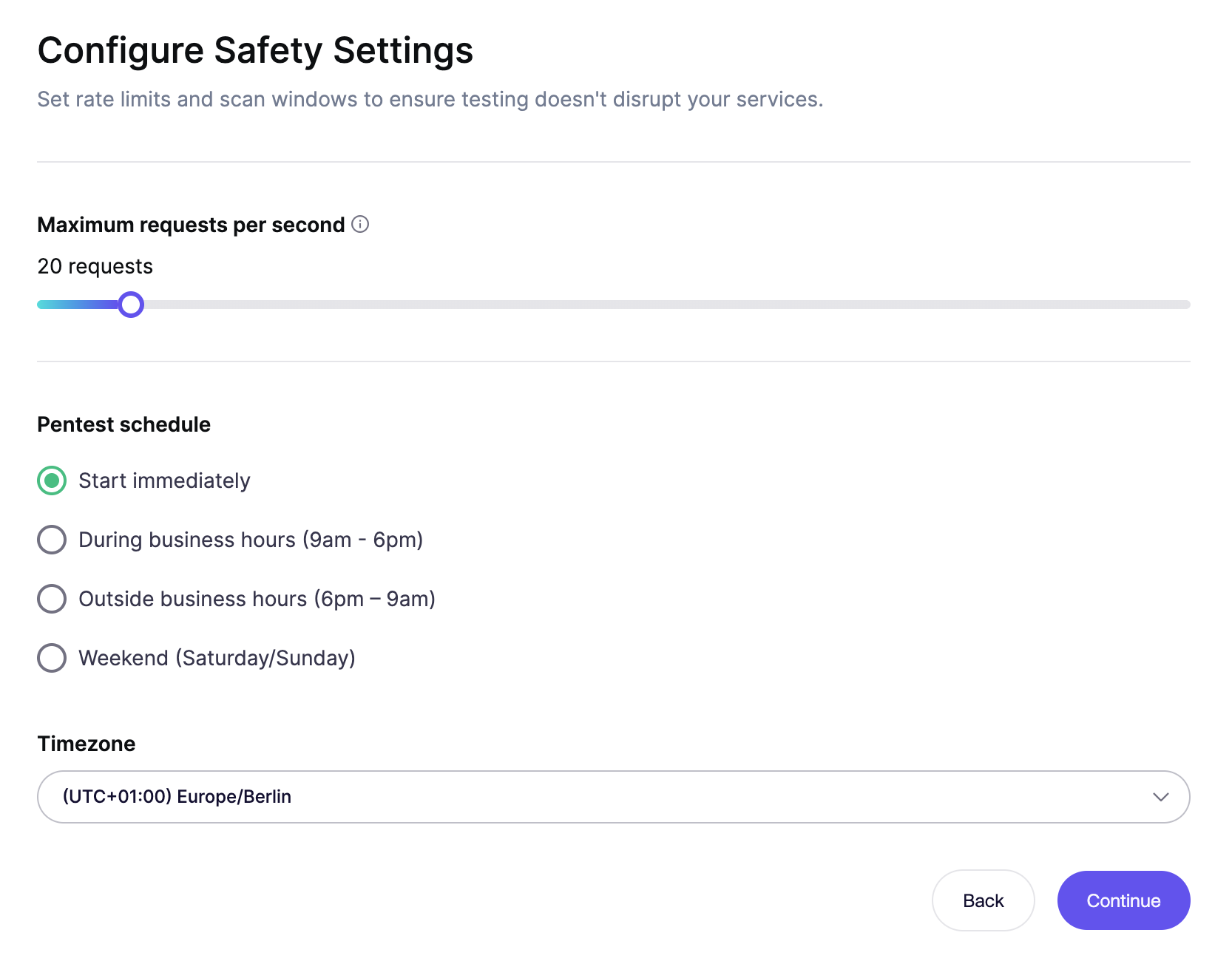
To minimize potential impact due to server load, the setup allows the configuration of the maximum requests per second that the pentest generates and the option to execute it in our outside of business hours.
You can change this setting during the pentest as well after it was launched.