
How to Setup a Pentest
Setting up a pentest shouldn't involve weeks of emailing or complex scoping documents. Aikido streamlines the process so you can get your assessment running immediately, whether you're prepping for an audit or just hardening your security posture.
Prerequisites
Before starting, ensure you have:
- Manage Pentests permission in Aikido
- Sufficient credits in your wallet.
- Authorization to scan the target domains.
To launch the wizard, navigate to Pentests in Aikido, open your Project and click Create Assessment.
Select Pentest Target
Choose the target you want to test:
- Web Application: websites, frontends, APIs, and MCP servers. Continue with the steps below. For a remote MCP server, follow Testing MCP Servers.
- Mobile Application: native and hybrid Android and iOS apps. Test one app, or both in the same assessment when they share a backend. Follow Pentesting Android Apps or Pentesting iOS Apps.
- Network: public-facing hosts and services. Follow Network Pentests
- AI Capabilities Only: follow Testing AI Capabilities
Define your scope
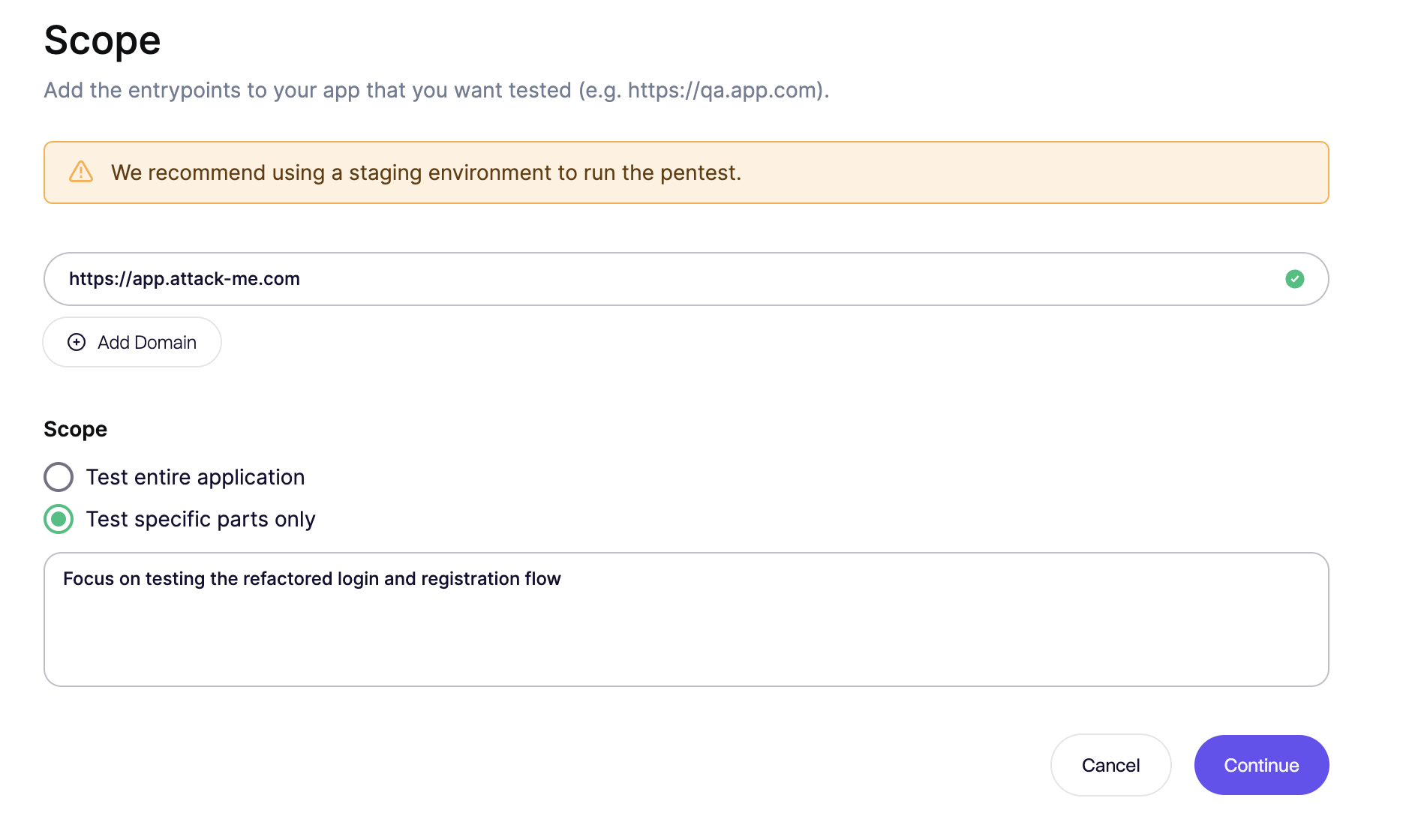
We recommend focusing on a single application per assessment to keep the report actionable.
Use a test environment: Run the pentest on a staging or QA environment, not production. Most proofs are harmless, but some bugs can only be confirmed by changing data. Why use a testing environment?
- Enter Domain: Input your application's URL.
- Scope: Choose to test the entire application or give specific instructions on where to focus the test on.
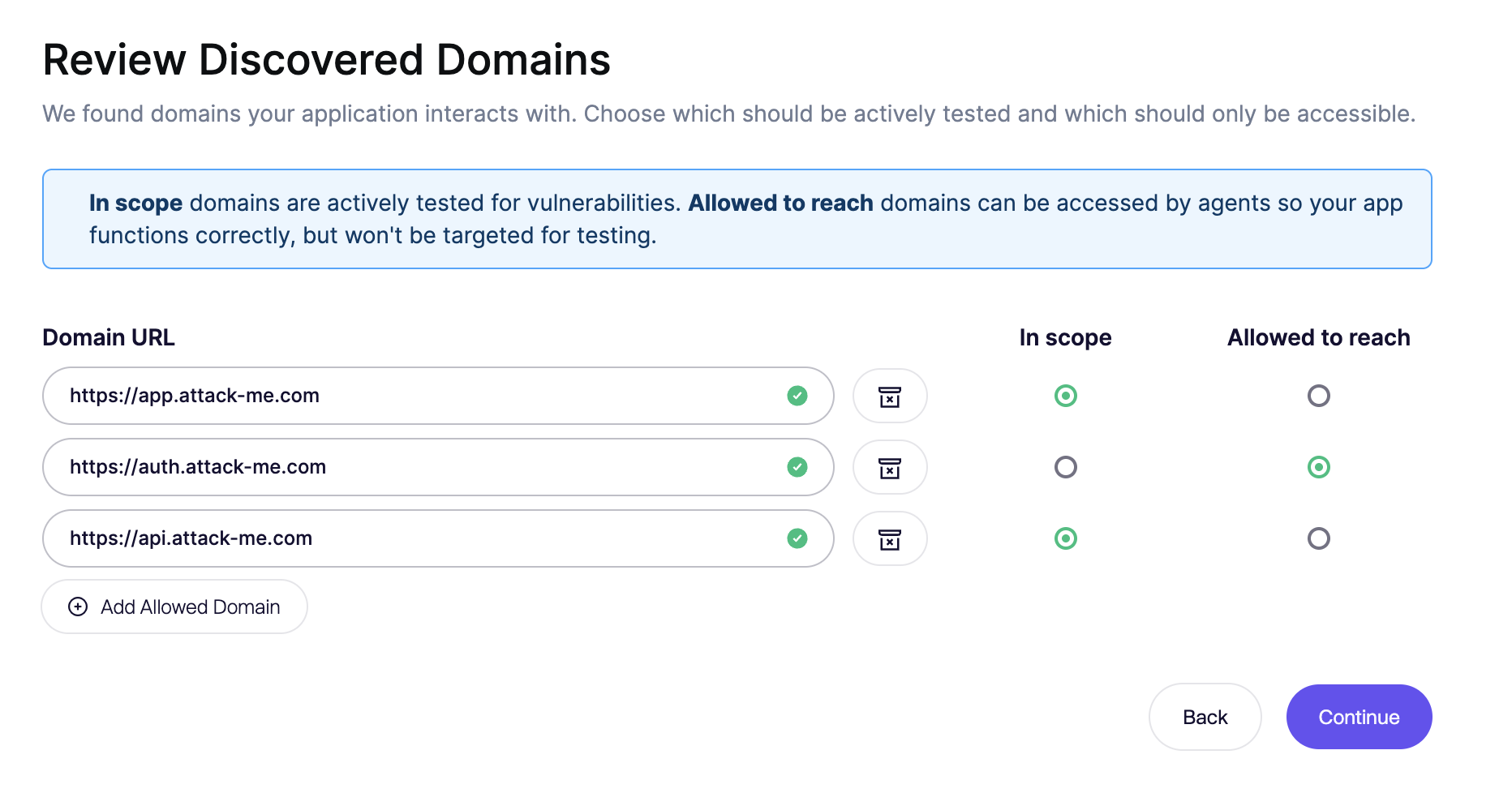
Review discovered domains
The system will detect dependencies (e.g., authentication service, API gateways, ... ).
- Add and mark domains as
In scopeto be included in the pentest. - Add and mark domains as
Allowed to reachto allow usage, but exclude from pentesting. - Blocked: Anything that is not defined will be blocked by default for safety.
- Add and mark domains as
Authentication
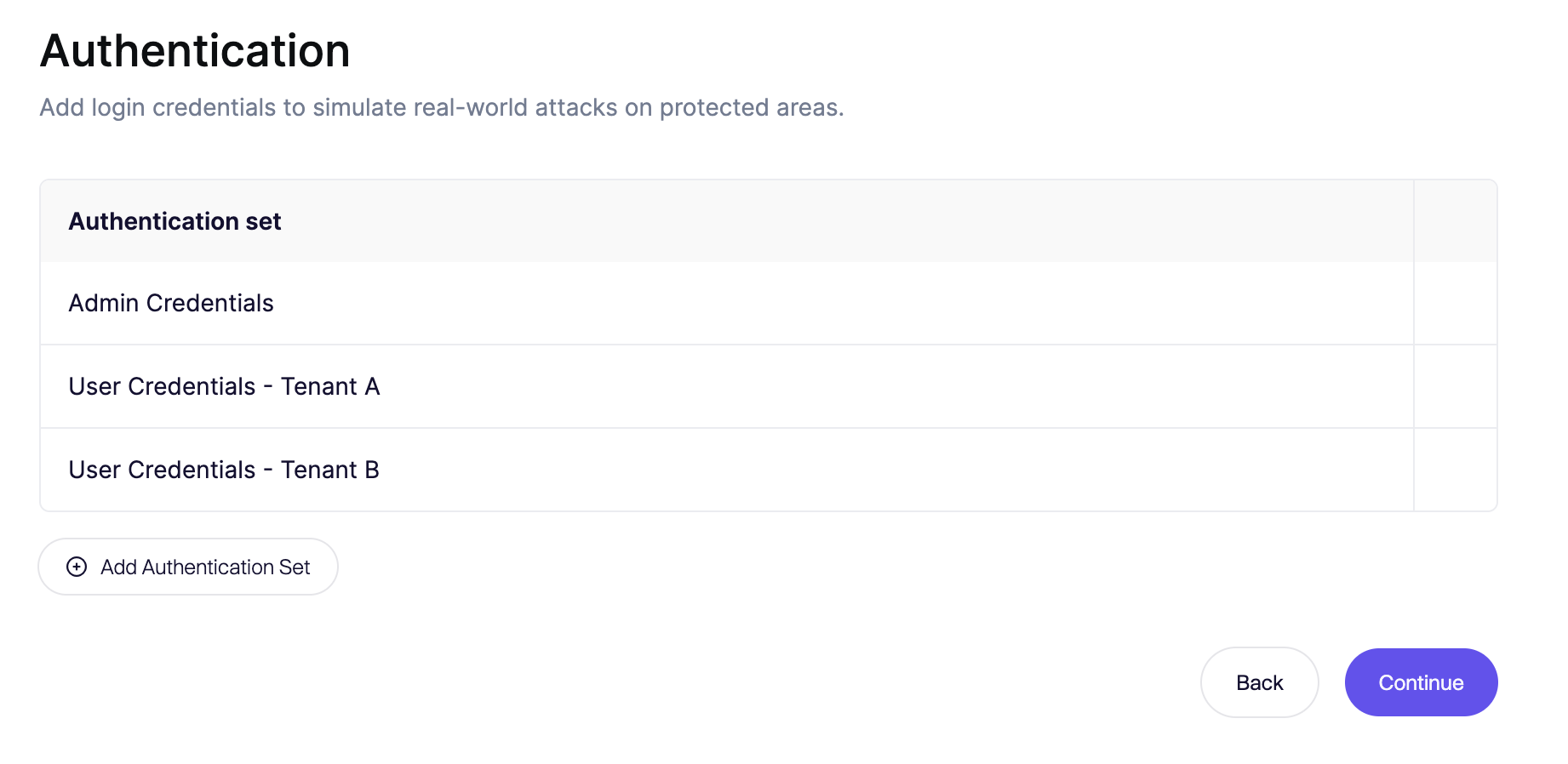
Aikido uses AI agents to navigate complex login flows. You don't need complex scripts, just tell us how to log in.
-
Define Roles: Create credential sets for different user types (e.g.,
Admin,Tenant A User,Read-Only User). This ensures we test authorization logic, not just authentication. -
Write Instructions: Use plain English.
Example: "Navigate to /admin. Login with user 'admin' and password '1234'. If a 2FA prompt appears, use the provided OTP secret."
-
Self-Registration: If your app allows public sign-ups, the agent can create its own account.
-
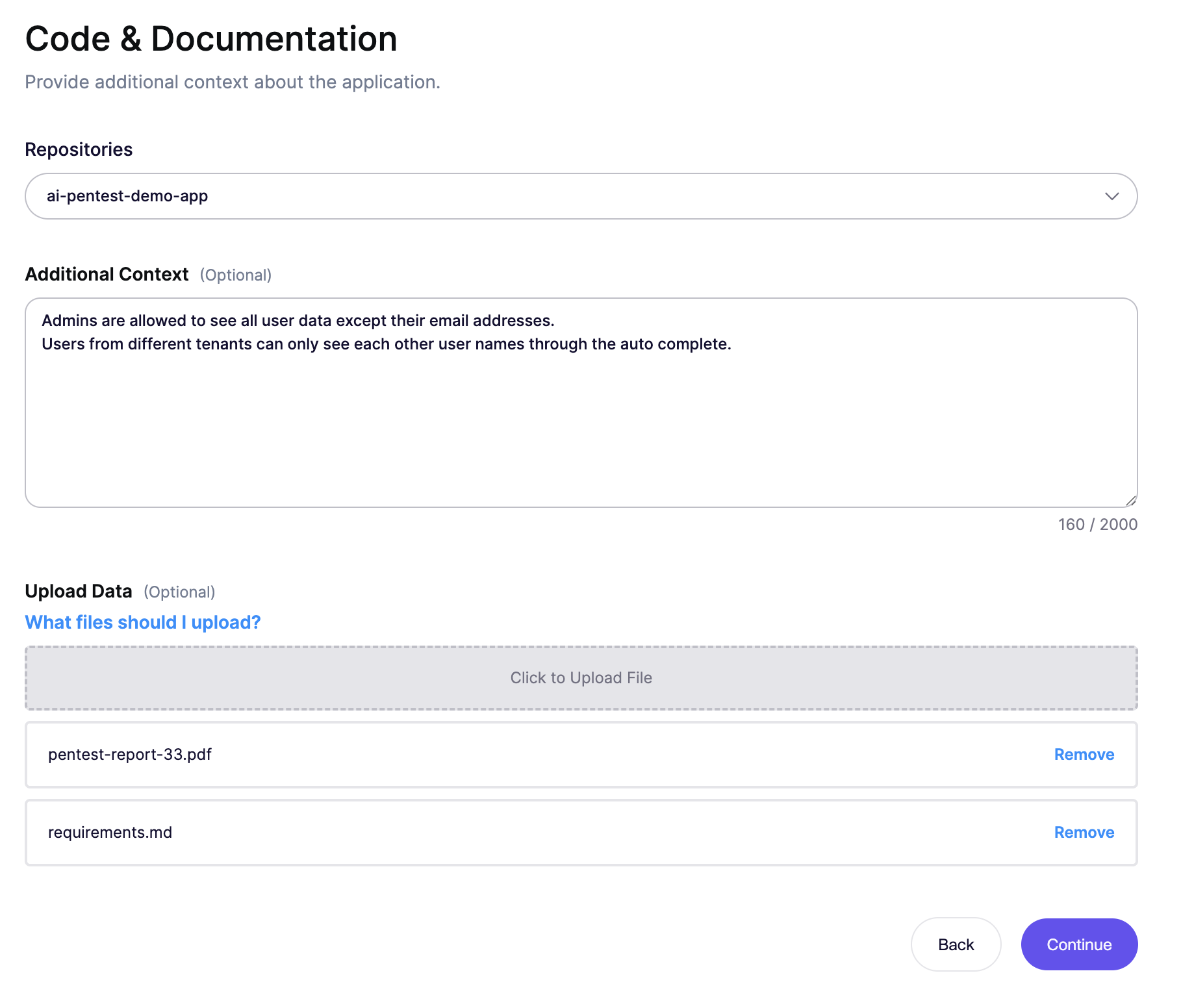
Code and documentation
White Box testing significantly increases the ability to analyse deep logic and lowers the risk of missing critical issues. More detailed information here.
- Link Repositories: Connect your code repo. We index the codebase to identify logic flaws that aren't visible from the outside.
- Upload Specs: Attach OpenAPI/Swagger specs or previous pentest reports to guide the scanner toward known sensitive areas.
- Additional Context: Provide any additional context that helps to understand the behaviour of the application.
Safety
Pentests can be intense. Configure these settings to prevent service degradation.
- Maximum Requests Per Second:
- High: Faster completion, higher server load.
- Low: Slower, more gentle load on your system.
- Allowed Scanning Time: Restrict pentesting to specific hours to avoid impacting other work.
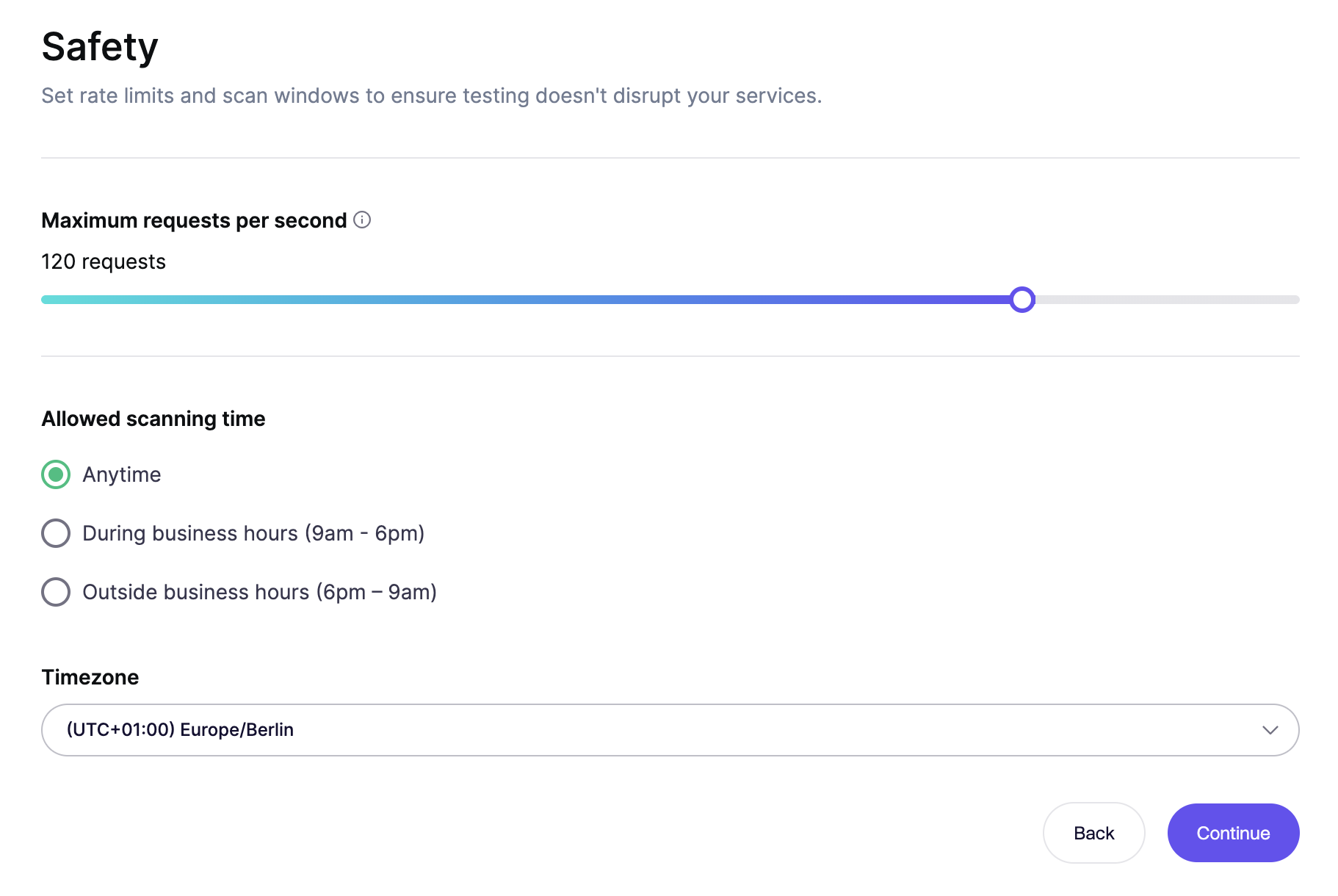
- Maximum Requests Per Second:
Select assessment type
Choose the assessment profile that matches your goal.
- Standard Pentest: A typical time-boxed assessment for one application and its primary APIs with a fixed price.
- Rightsized Pentest: Our recommendation for covering all security-relevant parts of your application. Aikido sizes the assessment to your application's scope and complexity. See What the Coverage Levels Mean.
See Pentest Pricing for more pricing details and fixed-tier references.
Summary and launch
Review your configuration and click Run Assessment to start the scan.
- Cancellation Policy: If you realize you made a mistake or something went wrong in the run, you can cancel immediately after launch.
- Note: If cancelled early, your credits will be automatically refunded.
- Cancellation Policy: If you realize you made a mistake or something went wrong in the run, you can cancel immediately after launch.
Need help?
If the scanner is failing to authenticate or you're unsure about scoping, open the Intercom chat in the bottom right corner. Our team is here to help!