> For the complete documentation index, see [llms.txt](https://help.aikido.dev/llms.txt). Markdown versions of documentation pages are available by appending `.md` to page URLs; this page is available as [Markdown](https://help.aikido.dev/pentests/continuous-pentesting.md).
# Continuous Pentesting
Aikido Infinite: Pentest every release.
Fix automatically.
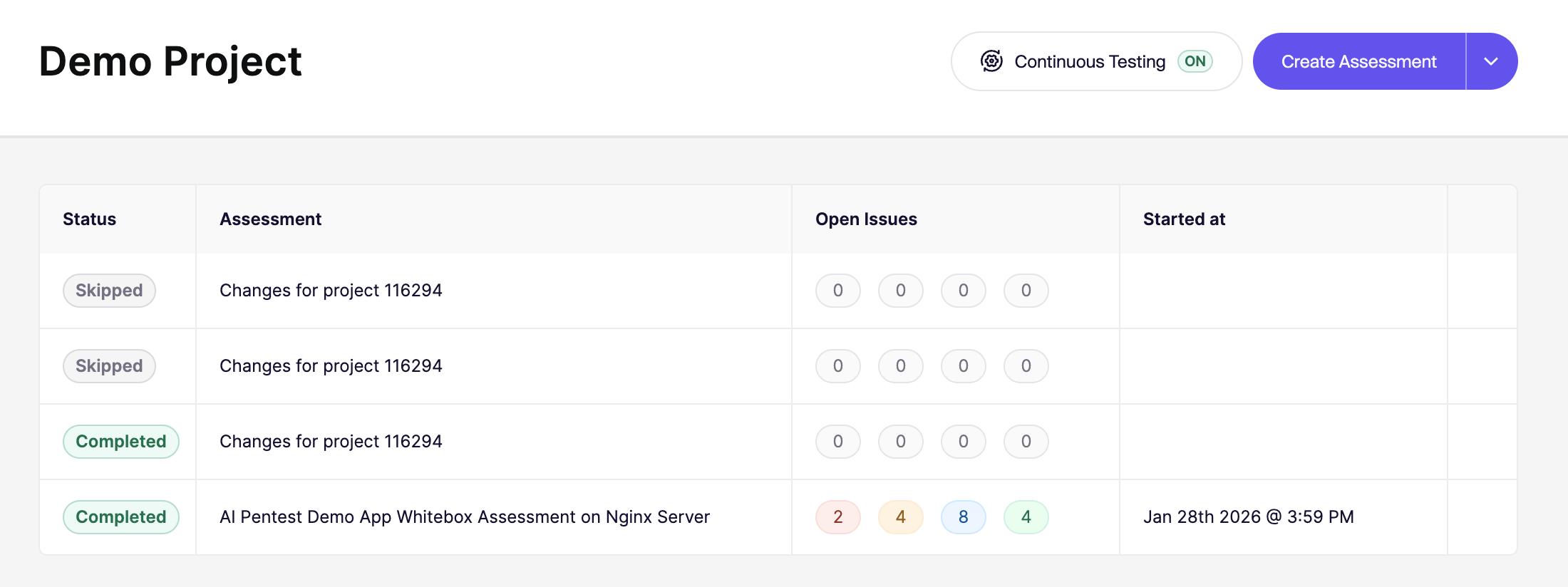
Continuous Pentesting automatically retests your application after changes.
It uses your last full assessment as the base configuration. It then runs smaller, targeted follow-up tests as your code evolves.
## When to use it
A full [Aikido Pentest](/pentests/aikido-pentest.md) is an on-purpose assessment of a running testing environment. Continuous Pentesting is the follow-up: after that first assessment, it retests the running app when you deploy or on a schedule.
Use it when you are in a heavily regulated industry such as finance or health tech, or when you have a complex setup with connected systems.
It is not a replacement for [Deep Review](/deep-review/how-deep-review-works.md). Deep Review reads the pull request in source (security and quality, 1 credit per PR) and does not send traffic at a live target. Continuous Pentesting does, and it is usage-based.
For the full map, see [Which Aikido product should I use?](/getting-started/which-aikido-product-should-i-use.md).
## Pricing and usage
Continuous Pentesting is usage-based. Each run is based on how many agents actually launch, and each agent costs 10 credits.
To preview your expected cost:
1. Open the [Pricing page](https://app.aikido.dev/ai-pentests/pricing).
2. Select the repositories to include in your estimate.
The Pricing page shows an estimated yearly credit cost for Continuous Pentesting. **1 credit = $1 USD.**
This is an annualized projection based on your Git activity from the last 30 days. It can change as your activity changes.
On every configured deploy or schedule, Aikido first reviews the changes. It launches the agents needed for security-relevant changes and charges credits based on the final number launched. Larger changes can launch more agents, while smaller changes usually launch fewer. Documentation, test-only, and other non-security changes are skipped at no cost.
{% hint style="info" %}
**Rule of thumb:** run cost = `agents launched × 10 credits`.
{% endhint %}
See the [Pricing page](https://app.aikido.dev/ai-pentests/pricing) for your annualized estimate and [Pentest Pricing](/pentests/pentest-pricing.md) for all pricing options.
The **Run now, pay later** no-pay condition (no High or Critical findings means you don't pay) applies only to your **first full assessment**. It does not apply to Continuous Pentesting runs. See [Run now, pay later](/pentests/pentest-pricing.md#run-now-pay-later) for details.
## Enable Continuous Pentesting
### Prerequisites
Before you enable Continuous Pentesting, make sure:
* You have the **Manage Pentests** permission.
* You completed at least one full assessment for this project.
* The full assessment has repositories connected.
* Your wallet balance is at least **1,000 credits**.
### Configure the Frequency
1. Go to **Pentests** and open your project.
2. Click **Continuous Testing** in the project header.
3. Choose your frequency:
* **Run on every deploy**
* Select which branch should trigger testing for each connected repository.
* Set a **Start Delay** to bundle multiple commits into one run.
* **Run on schedule**:
* Daily, weekly, monthly, or a custom interval.
* The schedule starts when you enable Continuous Pentesting.
4. Click **Enable Continuous Testing** and confirm.
## How it works
Each cycle follows this flow:
1. Aikido checks whether your project is eligible to run.
2. It compares the latest commits on your configured branches with the last tested baseline.
3. If the changes should trigger a run, Aikido starts a new continuous assessment and analyzes the relevant code delta.
To avoid noisy or wasteful runs, Aikido applies guardrails:
* It waits for your configured **Start Delay** before triggering.
* It does not start a new run while another continuous run is still active.
* It requires the minimum wallet balance to launch agents.
## Why a run might not start
If you expected a run but none started, check:
* No full assessment exists yet for this project.
* Wallet balance dropped below **1,000 credits**.
* No new commits were detected on your configured branches.
* The latest commit is still within your **Start Delay** window.
* Another continuous run is still in progress.
---
# Agent Instructions
This documentation is published with GitBook. GitBook is the documentation platform designed so that both humans and AI agents can read, navigate, and reason over technical content effectively. Learn more at gitbook.com.
## Querying This Documentation
If you need additional information that is not directly available in this page, you can query the documentation dynamically by asking a question.
Perform an HTTP GET request on the current page URL with the `ask` query parameter, and the optional `goal` query parameter:
```
GET https://help.aikido.dev/pentests/continuous-pentesting.md?ask=&goal=
```
`ask` is the immediate question: it should be specific, self-contained, and written in natural language.
`goal` is optional and describes the broader end goal you are ultimately trying to accomplish on behalf of the user. GitBook uses it to tailor the answer towards what is most useful for that goal.
The response will contain a direct answer to the question and relevant excerpts and sources from the documentation.
Use this mechanism when the answer is not explicitly present in the current page, you need clarification or additional context, or you want to retrieve related documentation sections.