> For the complete documentation index, see [llms.txt](https://help.aikido.dev/llms.txt). Markdown versions of documentation pages are available by appending `.md` to page URLs; this page is available as [Markdown](https://help.aikido.dev/pr-and-release-gating/github-ci-pr-gating-via-aikido-dashboard.md).
# GitHub PR Gating
You can easily configure GitHub PR Gating via the Aikido interface. This functionality lets you block **newly introduced** issues for a threshold you decide and see which existing issues a pull request solves. These checks run **everytime** changes are committed to the feature branch. This doc focusses on managing configurations in bulk - multiple repos at the same time - without code.
### Use Cases
* **Bulk Repository Management**: Easily specify and manage configurations for multiple repositories at once through the Aikido interface.
* **Zero Code Integration**: Install the Aikido app on GitHub to manage checks without embedding any code, simplifying the setup process.
* **Cost Efficiency**: By managing GitHub Checks through Aikido, avoid using CI minutes on GitHub, leading to significant cost savings.
### Setting up GitHub CI
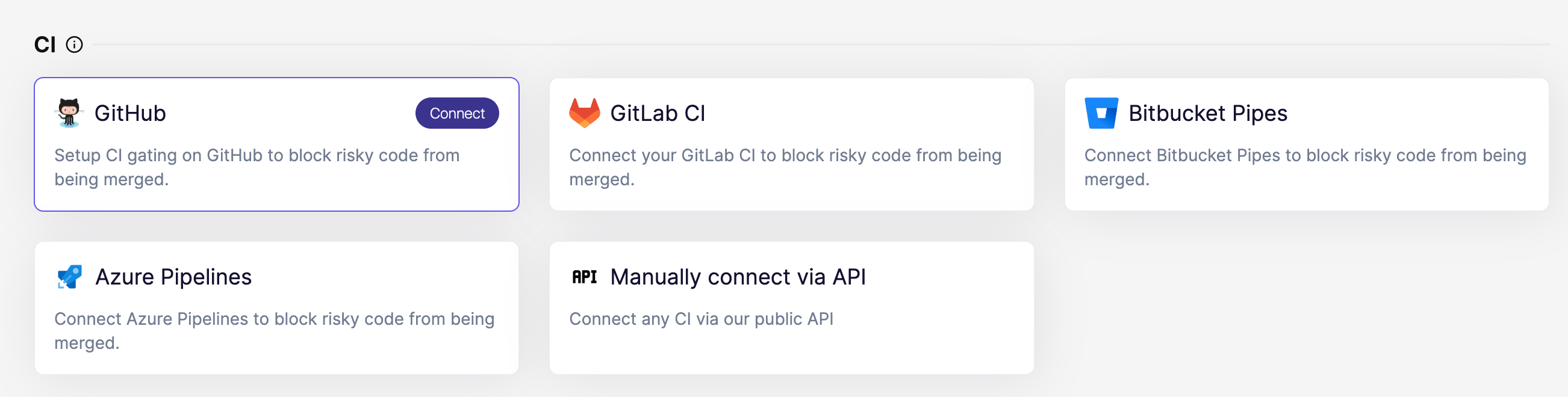
**Step 1.** Go to the [Integrations Page](https://app.aikido.dev/settings/integrations) and select GitHub in the CI gating section.
**Step 2.** Install the **Aikido PR Checks app** in GitHub. Make sure that you select the GitHub organisation that is currently being used in your workspace. Choose which repos that Aikido is allowed to access. We recommend giving access to all repos so these can easily be managed from within Aikido.
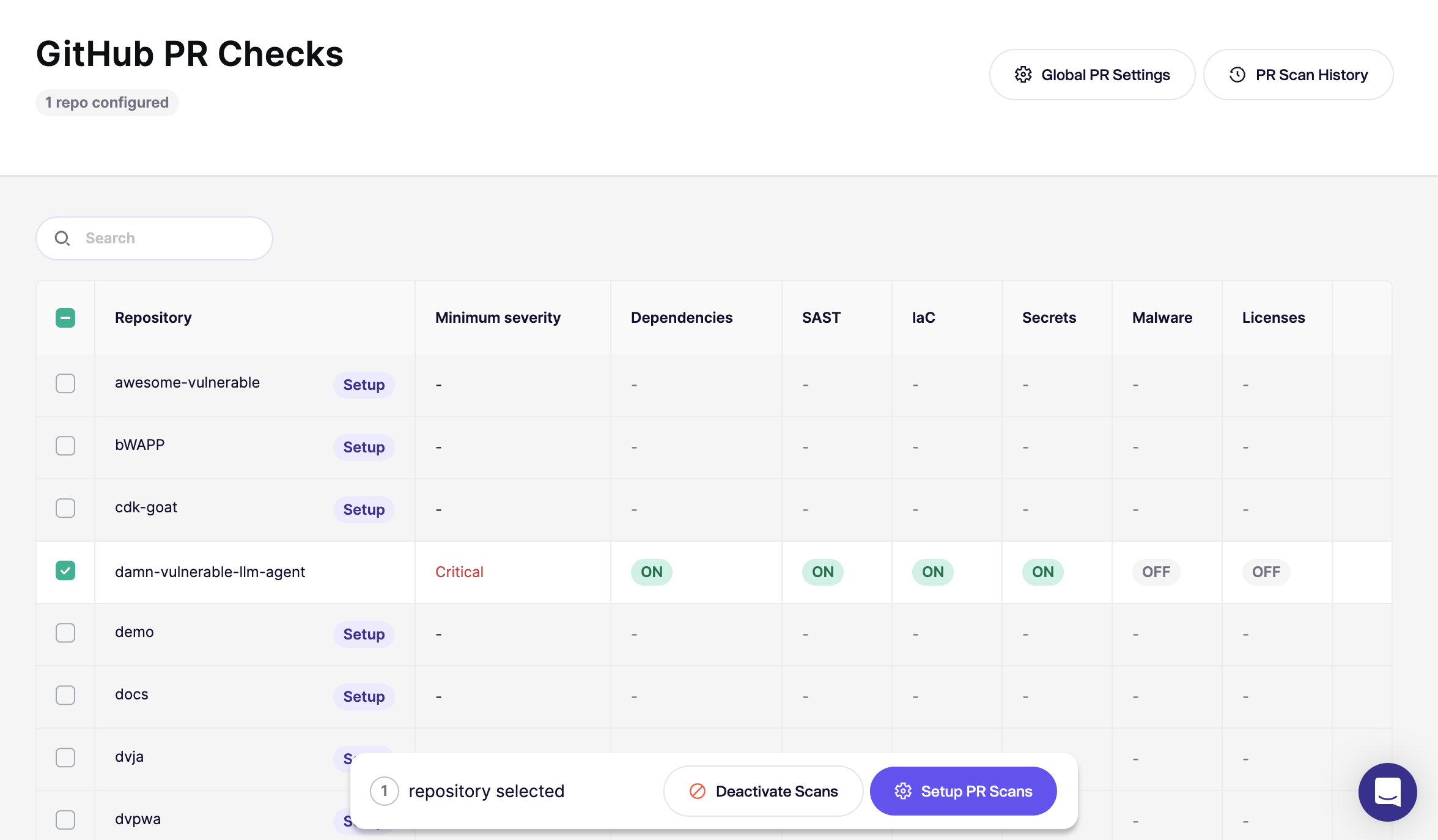
**Step 3.** Aikido redirects you to the [GitHub CI page](https://app.aikido.dev/settings/integrations/github/checks) with an overview of your repos. You can start configuring your repos. We recommend starting out with 1 repo to make sure everything works well.
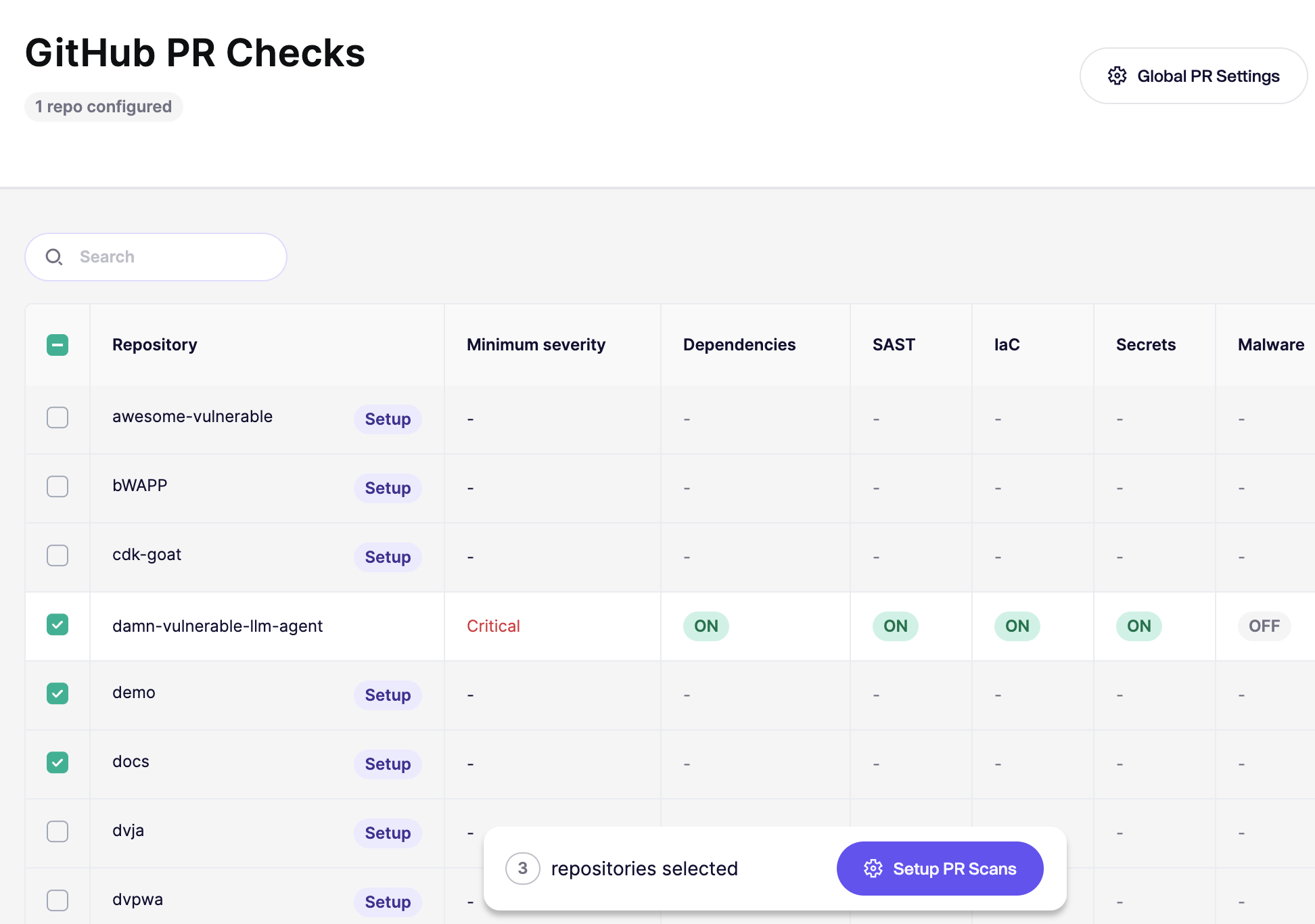
**Step 4. Select repos in bulk** and click **Setup PR Scans** in the floating bar on the bottom
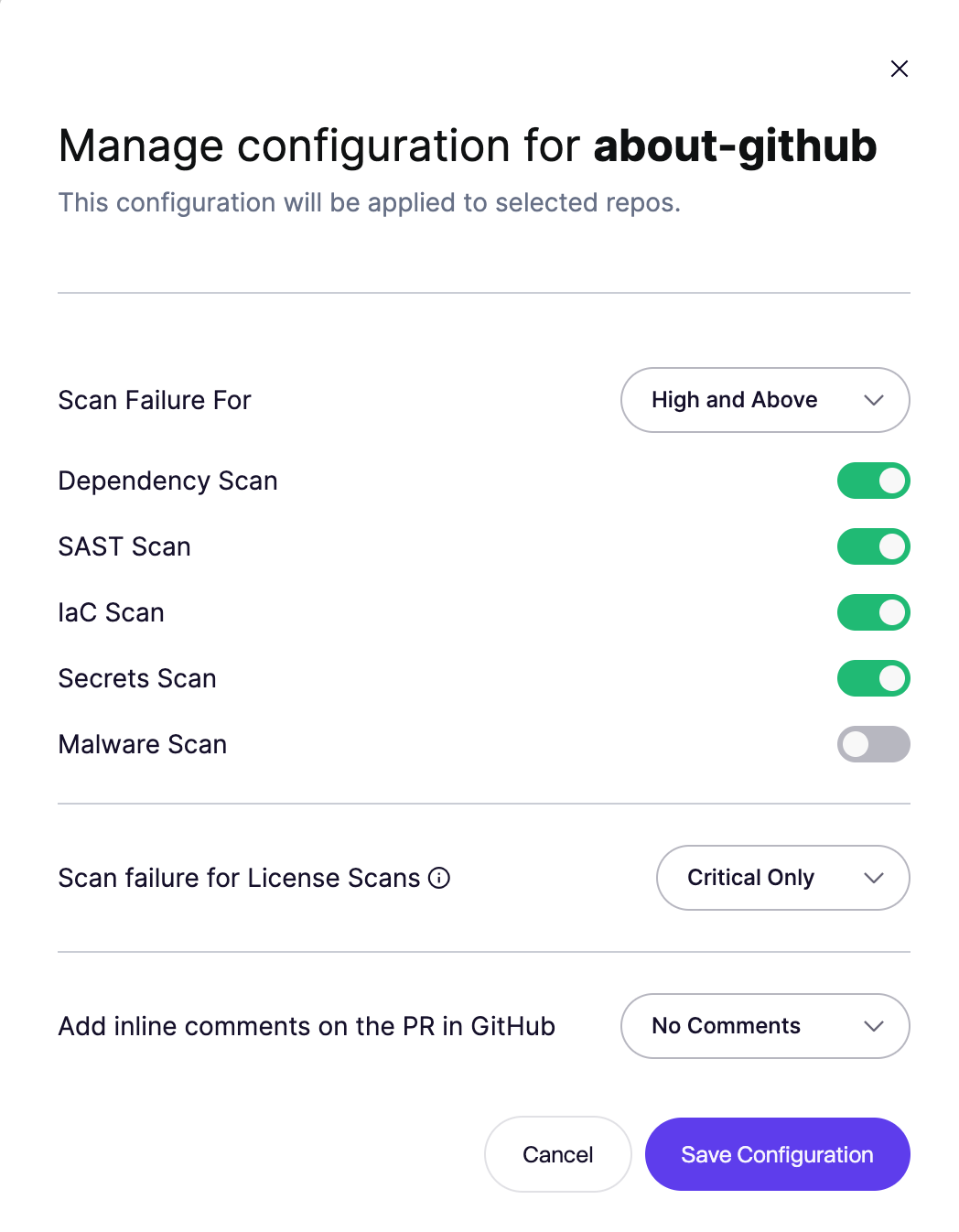
**Step 5.** This opens the configuration modal, where you choose the failure threshold and scans for the selected repositories.
To run the enabled scans without failing the GitHub PR check, select **Always Pass**.
{% hint style="info" %}
If you've added new repositories after the initial setup, you'll need to configure those repos as well.
To apply a default configuration automatically, see [Default PR/MR gating configuration for new repositories](/pr-and-release-gating/aikido-ci-gating-functionality/default-pr-mr-gating-configuration-for-new-repositories.md).
{% endhint %}
### Ignore issues directly from PR comments
When Aikido posts an inline PR comment for a finding, you can ignore that issue directly from GitHub by replying to the comment with:
`@AikidoSec ignore: [your reason to ignore]`
Example:
`@AikidoSec ignore: This secret is used for tests only.`
This performs the same action as manually ignoring the issue in the Aikido platform:
* The issue is marked as ignored in Aikido.
* The ignore reason is stored.
* PR gating can turn green once all blocking issues are resolved or ignored.
{% hint style="info" %}
If you do not have ignore permissions, this comment creates a request in the [Approval Inbox](/getting-started/core-functionalities/approval-inbox-for-ignored-issues.md) instead of ignoring the issue immediately. The finding stays in the feed until an admin approves or rejects it.
{% endhint %}
### Make failed PR checks block merges
Aikido can fail the PR check, but GitHub decides whether that failing check blocks a merge. Configure branch protection with required status checks:
* [GitHub Docs: About protected branches](https://docs.github.com/en/repositories/configuring-branches-and-merges-in-your-repository/managing-protected-branches/about-protected-branches#require-status-checks-before-merging)
* [GitHub Docs: Managing a branch protection rule](https://docs.github.com/en/repositories/configuring-branches-and-merges-in-your-repository/managing-protected-branches/managing-a-branch-protection-rule)
### Adding Exceptions for specific repos
You might want to have 1 specific repo where the configuration slightly differs. You can easily add exceptions by clicking the triple dots on a repo item or just select 1 or more items and go through the **Configure Scans** process again.
---
# Agent Instructions
This documentation is published with GitBook. GitBook is the documentation platform designed so that both humans and AI agents can read, navigate, and reason over technical content effectively. Learn more at gitbook.com.
## Querying This Documentation
If you need additional information that is not directly available in this page, you can query the documentation dynamically by asking a question.
Perform an HTTP GET request on the current page URL with the `ask` query parameter, and the optional `goal` query parameter:
```
GET https://help.aikido.dev/pr-and-release-gating/github-ci-pr-gating-via-aikido-dashboard.md?ask=&goal=
```
`ask` is the immediate question: it should be specific, self-contained, and written in natural language.
`goal` is optional and describes the broader end goal you are ultimately trying to accomplish on behalf of the user. GitBook uses it to tailor the answer towards what is most useful for that goal.
The response will contain a direct answer to the question and relevant excerpts and sources from the documentation.
Use this mechanism when the answer is not explicitly present in the current page, you need clarification or additional context, or you want to retrieve related documentation sections.