> For the complete documentation index, see [llms.txt](https://help.aikido.dev/llms.txt). Markdown versions of documentation pages are available by appending `.md` to page URLs; this page is available as [Markdown](https://help.aikido.dev/virtual-machine-scanning/misc/virtual-machine-reachability-analysis.md).
# Virtual Machine Reachability Analysis
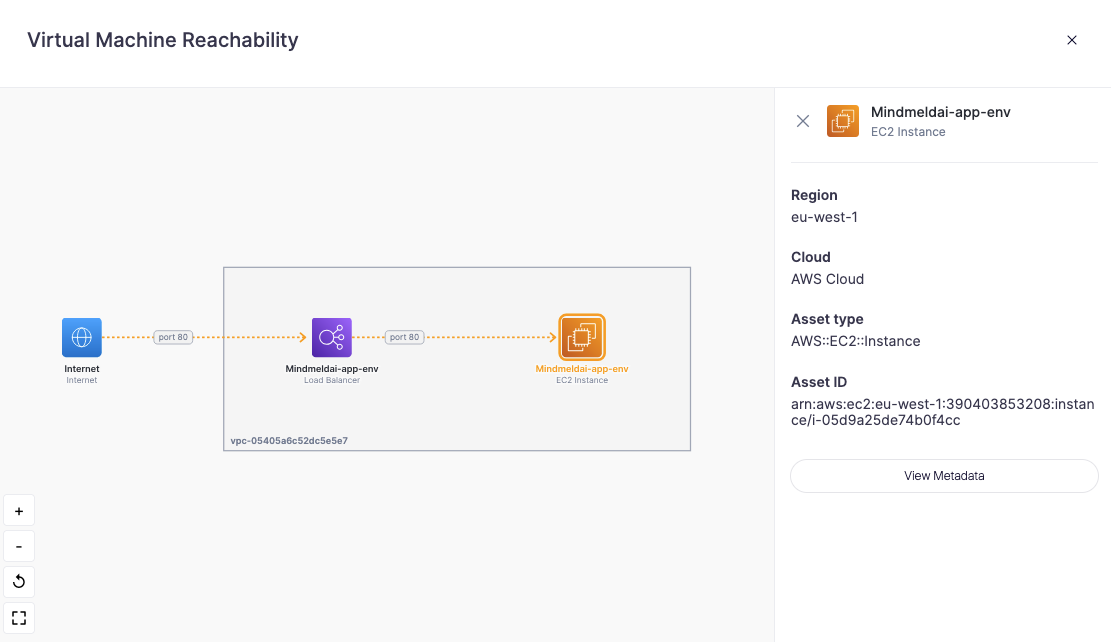
Virtual Machine Reachability Analysis shows how a VM can be reached inside your cloud network. It builds an interactive diagram of the network path to an instance (for example: Internet → Load Balancer → VM), including the ports involved, so you can quickly spot unintended exposure.
## What it helps you do
* **Confirm public exposure:** See if a VM is reachable from the internet, and through which components.
* **Understand the attack path:** Visualize the exact route traffic takes (load balancers, security groups, network hops) instead of just seeing a "public" or "private" label.
* **Reduce risk faster:** Identify surprising entry points and tighten access where needed.
## Where to find it
You can open the reachability diagram in two ways:
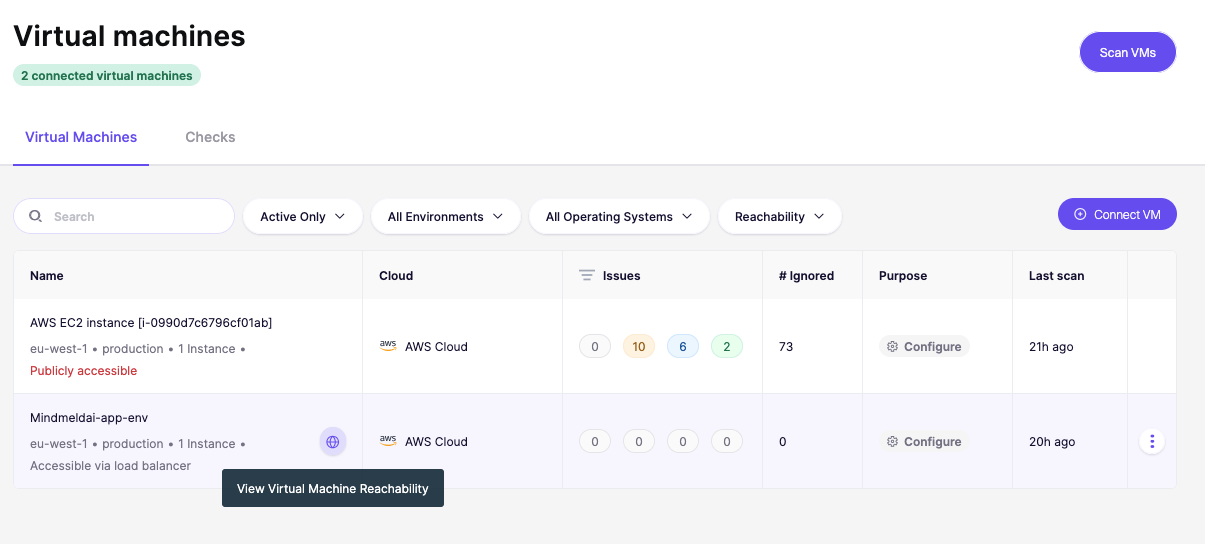
1. In [Virtual Machines](https://app.aikido.dev/virtual-machines), hover over your VM and select **"View Virtual Machine Reachability"**.
2. From the [feed](https://app.aikido.dev/queue), open any VM issue and click the reachability diagram link directly from the issue detail view.
### How reachability affects your issues
Aikido uses reachability data to automatically adjust the severity of VM issues, so you spend less time triaging findings that can't actually be exploited.
* **Severity downgrade:** If the affected package isn't reachable from the internet, Aikido lowers the severity. You'll see *"No network reachability"* in the scoring breakdown.
* **Severity upgrade:** If other risk factors apply (for example, a proof-of-concept exploit is publicly available), Aikido raises the severity accordingly.
* **Auto-ignore:** Aikido automatically ignores issues affecting specific packages if the VM is not reachable on the package-specific port(s). The issue shows an ignore reason of *"No network reachability"* in the feed.\
\
Here are some examples of packages and the ports Aikido checks:
| Package(s) | Port(s) |
| -------------------------------- | ------------- |
| `openssh`, `openssh-server` | 22 |
| `telnet`, `telnetd`, `inetutils` | 23 |
| `redis` | 6379 |
| `mongodb`, `mongod` | 27017 |
| `n8n` | 80, 443, 5678 |
This list continues to grow as Aikido adds support for more packages.
---
# Agent Instructions
This documentation is published with GitBook. GitBook is the documentation platform designed so that both humans and AI agents can read, navigate, and reason over technical content effectively. Learn more at gitbook.com.
## Querying This Documentation
If you need additional information that is not directly available in this page, you can query the documentation dynamically by asking a question.
Perform an HTTP GET request on the current page URL with the `ask` query parameter, and the optional `goal` query parameter:
```
GET https://help.aikido.dev/virtual-machine-scanning/misc/virtual-machine-reachability-analysis.md?ask=&goal=
```
`ask` is the immediate question: it should be specific, self-contained, and written in natural language.
`goal` is optional and describes the broader end goal you are ultimately trying to accomplish on behalf of the user. GitBook uses it to tailor the answer towards what is most useful for that goal.
The response will contain a direct answer to the question and relevant excerpts and sources from the documentation.
Use this mechanism when the answer is not explicitly present in the current page, you need clarification or additional context, or you want to retrieve related documentation sections.