> For the complete documentation index, see [llms.txt](https://help.aikido.dev/llms.txt). Markdown versions of documentation pages are available by appending `.md` to page URLs; this page is available as [Markdown](https://help.aikido.dev/workflows-and-guides/resolve-dependency-vulnerabilities-with-autotriage-and-ai-autofix.md).
# Fix Dependency Issues with AutoTriage and AutoFix
This tutorial shows you how to configure Aikido to scan your codebase for vulnerable dependencies, automatically triage false positives, and apply one-click fixes to your dependency files.
### Prerequisites
You'll need:
* An [Aikido account](https://app.aikido.dev/login)
* A personal [GitHub account](https://github.com/login) (to fork the sample project)
## Connect sample repo to Aikido
This tutorial will make use of a public repository called [Damn Vulnerable Python Web App](https://github.com/anxolerd/dvpwa), a variant of the popular [Damn Vulnerable Web Application](https://github.com/digininja/DVWA) used for demoing security tools.
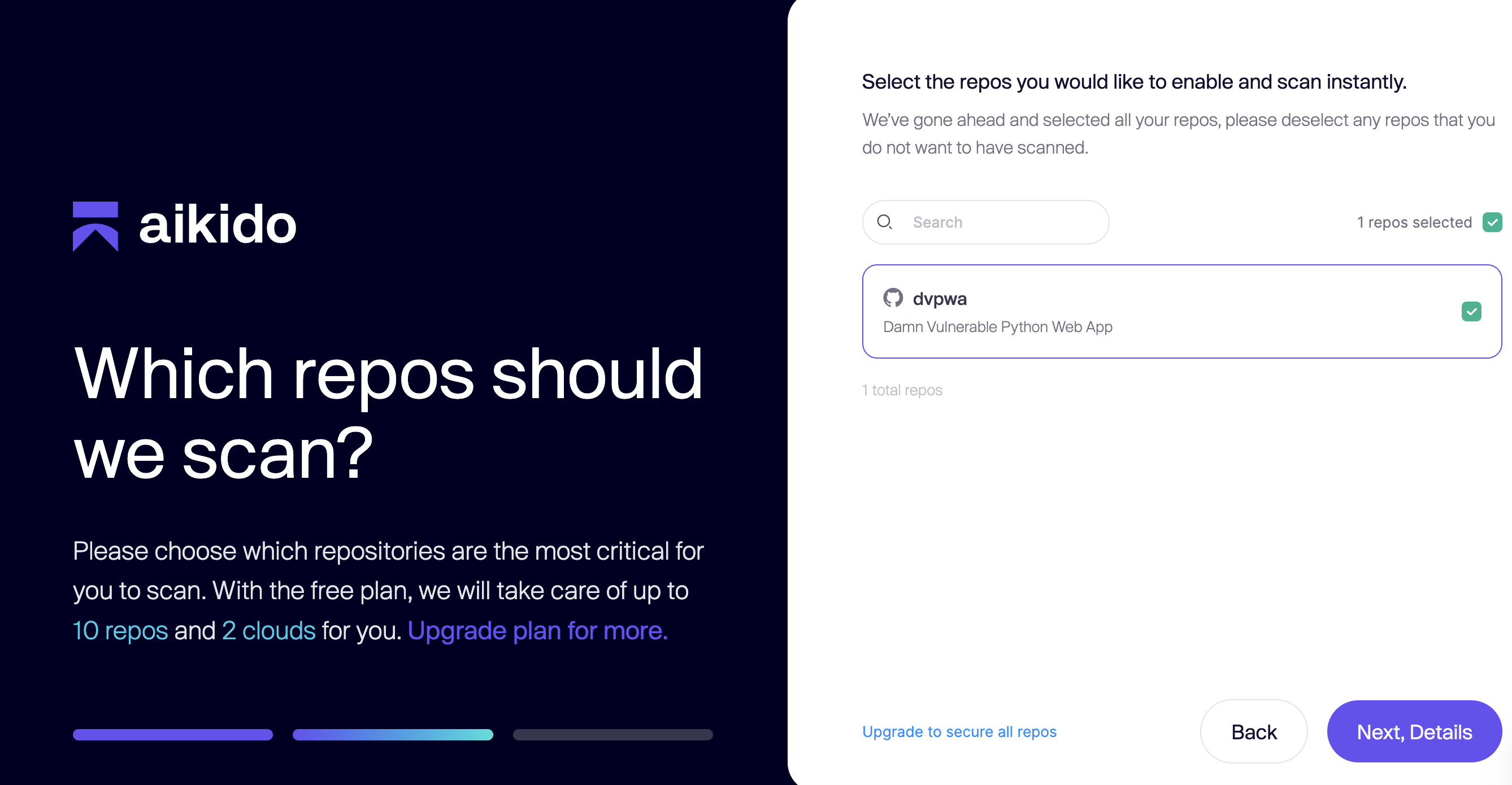
First, [fork](https://docs.github.com/en/pull-requests/collaborating-with-pull-requests/working-with-forks/fork-a-repo) the [DVPWA](https://github.com/anxolerd/dvpwa) repository to your GitHub namespace so you have a personal copy to work with. Then log into an Aikido workspace and navigate to **Repositories > Manage Repos**. Click **Add Repo**. If prompted, grant GitHub permission to select repositories and choose your forked repo of DVPWA.
If redirected to Aikido and asked which repos to scan, select your DVPWA repo. Then click **Next, Details**. You will then be brought to into the feed for your workspace.
## Analyze initial findings and false positives
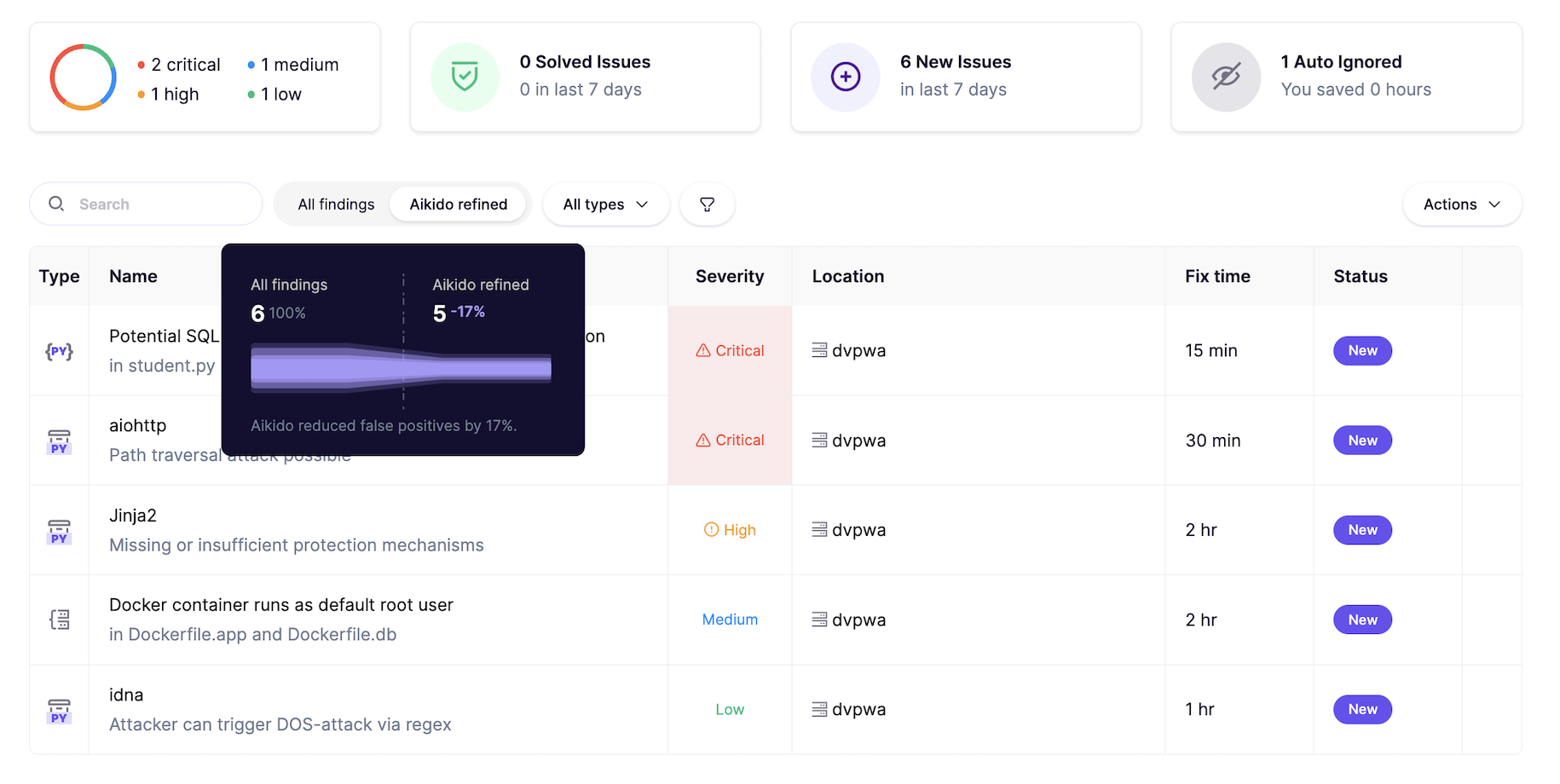
In your feed, you'll see a summary of the scan results against the repository. Take note of the default filter being **Aikido refined** findings. Hover your cursor over the filter selection to view a funnel chart showing how Aikido has reduced false positives. Since this is a demo app with deliberately highly exploitable vulnerabilities, most of them remain after triage. However, Aikido will commonly reduce false positive noise by upwards of 90% in your typical codebase.
In the upper right corner, select the tile that reads **1 Auto Ignored**. That will take you to the **Ignored** section of your feed.
Note the issue name (`pyyaml`), type (Python package), severity (Critical) and reason for ignoring. Even though this is a critical vulnerability for a severely outdated package, Aikido suggests that the function is not used anywhere in the codebase (aside from being declared).
Click into the issue to open a drawer showing more details. The declared version of the package, 3.13, is affected by two critical CVE's marked as subissues.
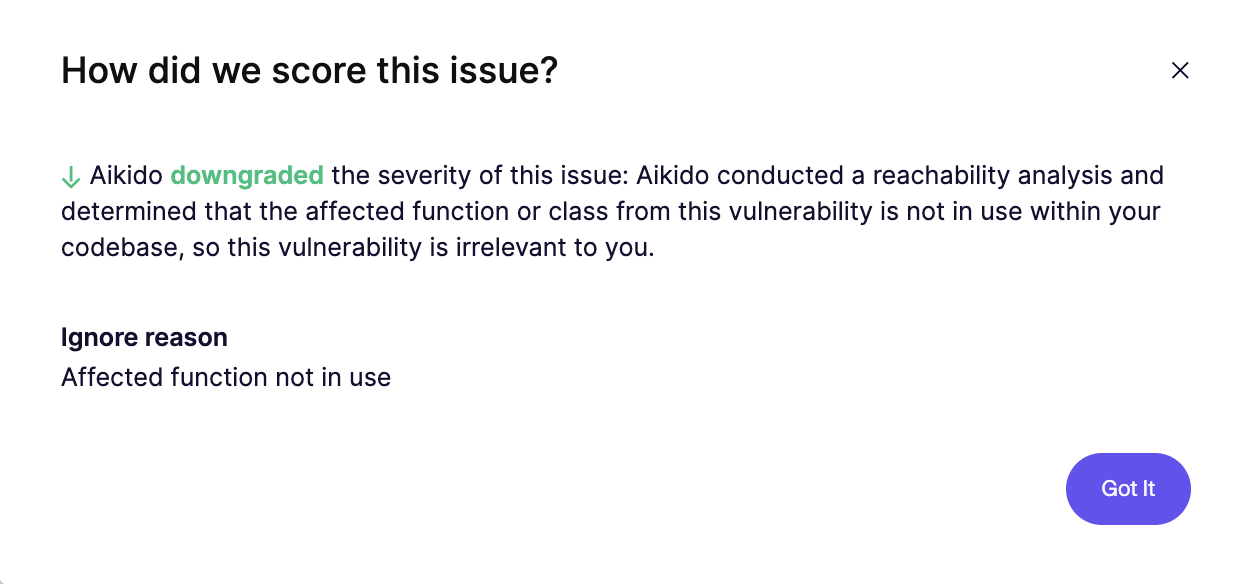
While the official fix is to upgrade to version 5.4, Aikido has marked the issue as safe to ignore. Click the **Affected function not in use** downgrade message beneath one of the subissues. This confirms Aikido has performed a [reachability analysis](/getting-started/reachability-analysis/reachability-engine-to-remove-false-positives.md) and determined the package is not used anywhere in the code.
{% hint style="info" %}
Reachability is core to how Aikido assesses the relevance and impact of security issues. [Read more](/getting-started/reachability-analysis/reachability-engine-to-remove-false-positives.md) about Aikido's reachability engine.
{% endhint %}
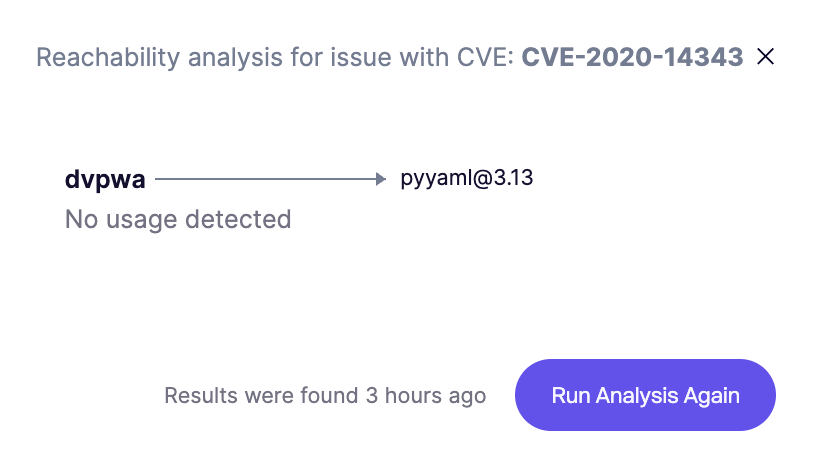
Return to the issue details and click **View reachability analysis**. The flowchart shows that the affected version of **pyyaml,** while declared in requirements.txt, is not used anywhere in the code nor are any functions that depend on it.
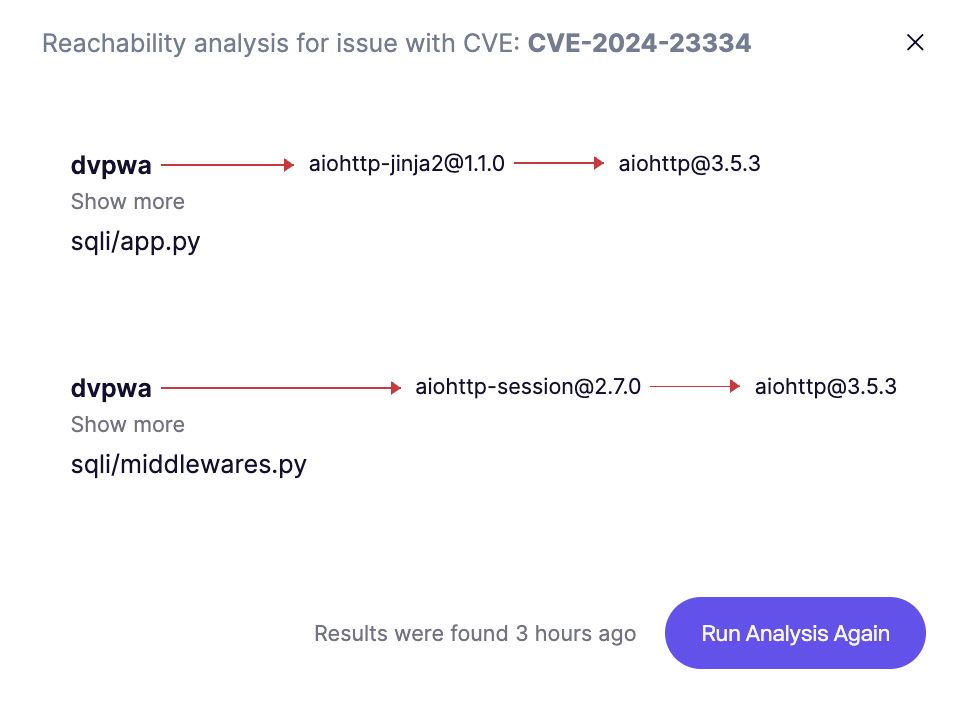
As a counter-example, return to the main Aikido refined issue feed. Click into the criticaly vulnerable `aiohttp` package. The issue details show a multitude of CVE's. For CVE-2024-23334, click **View reachability analysis**. Here we see that two different package depending on aiohttp are used by two different files in the codebase.
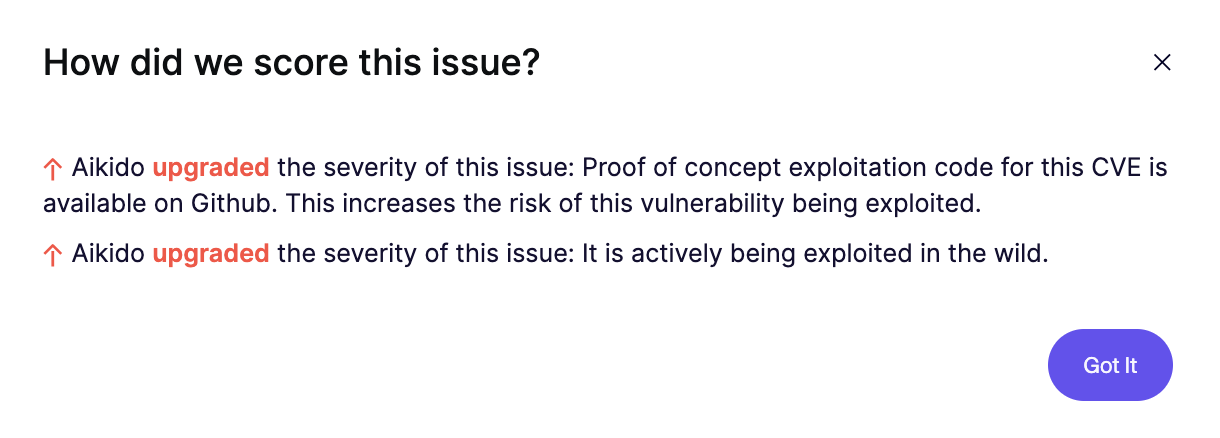
Back in the issue details, click the **Upgraded** mesage for CVE-2024-23334. Aikido provides two reasons for the upgraded severity: (1) exploitation code exists on GitHub and is therefore highly discoverable, and (2) the vulnerability is actively being exploited in the real world.
## Use AutoFix to resolve security issues
{% hint style="info" %}
Aikido AutoFix is an agent that leverages best-in-class LLMs to offer one-click fixes to security issues, either inline or via pull request. [Learn more](/autofix-and-remediation/overview-aikido-autofix.md) about AutoFix.
{% endhint %}
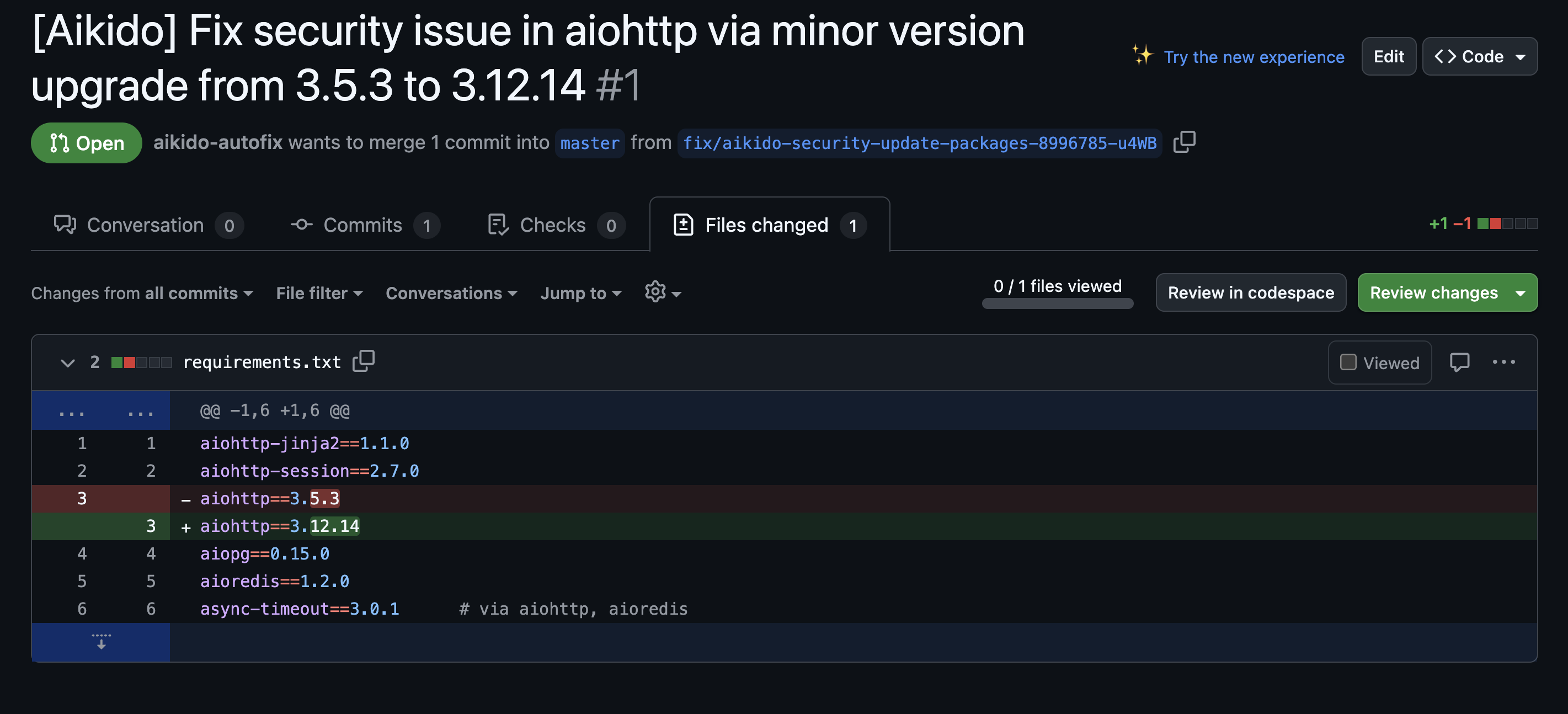
Still in the details drawer for the aiohttp issue, next to **How do I fix it?**, click **AutoFix**. This will take you to the AutoFix page. Here Aikido will propose bumping the version of aiohttp in requirements.txt from 3.5.3 to 3.12.14.
To apply the fix via a new pull request, open the kebab menu next to the status column and click **Create PR.** (Note: you may be prompted to grant Aikido write access to your repository. This is necessary for Aikido to open pull requests on your behalf).
If prompted to apply a fix to either all packages or specific packages, select **all packages**. Aikido will open a dialog window as the PR creation processes. When it is finished, click **View PR**.
You will then be taken to an open PR in your GitHub repository (your dvpwa fork). Aikido has filled out a detailed description as to the vulnerabilities resolved by the change. You can also click the **Files changed** tab to see the bumped package version in requirements.txt
At this point you can choose to either close the pull request or abandon in (if you'd like to preserve the vulnerability for future testing).
You did it! In this tutorial, you:
* Connected a repository to Aikido and ran your first security scan
* Auto-triaged vulnerabilities based on their severity and exposure in the codebase
* Used AutoFix to propose and apply a fix to a vulnerable dependency
---
# Agent Instructions
This documentation is published with GitBook. GitBook is the documentation platform designed so that both humans and AI agents can read, navigate, and reason over technical content effectively. Learn more at gitbook.com.
## Querying This Documentation
If you need additional information that is not directly available in this page, you can query the documentation dynamically by asking a question.
Perform an HTTP GET request on the current page URL with the `ask` query parameter, and the optional `goal` query parameter:
```
GET https://help.aikido.dev/workflows-and-guides/resolve-dependency-vulnerabilities-with-autotriage-and-ai-autofix.md?ask=&goal=
```
`ask` is the immediate question: it should be specific, self-contained, and written in natural language.
`goal` is optional and describes the broader end goal you are ultimately trying to accomplish on behalf of the user. GitBook uses it to tailor the answer towards what is most useful for that goal.
The response will contain a direct answer to the question and relevant excerpts and sources from the documentation.
Use this mechanism when the answer is not explicitly present in the current page, you need clarification or additional context, or you want to retrieve related documentation sections.