> For the complete documentation index, see [llms.txt](https://help.aikido.dev/llms.txt). Markdown versions of documentation pages are available by appending `.md` to page URLs; this page is available as [Markdown](https://help.aikido.dev/~/revisions/SGhJfnCIOpxRjx1gC1k5/dast-surface-monitoring/attack-surface-scanning.md).
# Attack Surface Monitoring
Attack Surface Monitoring (ASM) provides visibility in your exposure to external threats from the internet. Most ASM solutions focus on purely infrastructure related exposures but most often breaches happen due to identity related attacks. "Attackers don't 'hack' in, they log in". That's why the Aikido platform includes both infrastructure and identity related threats to cover the whole attack surface.
## Use Cases
* 🔍 **Attack Surface Monitoring**: Detect forgotten subdomains, exposed databases, outdated software, and more before attackers do.
* 🕵️ **Shadow IT Discovery**: Uncover unauthorised or forgotten assets that may not be under proper security management
* :tophat: **Darknet monitoring:** Identify already compromised credentials on the darknet.
* :office: **Boost Third Party Risk Management (TPRM) ratings:** Address key factors TPRM platforms use to assess your security posture and boost your chances of closing new deals.
* ✅ **Compliance Verification**: Validate that your external-facing systems meet industry standards and regulatory requirements.
## Infrastructure Attack Surface Monitoring
infrastructure monitoring provides visibility into your external security posture by continuously monitoring your internet-facing assets for vulnerabilities and exposures.
This proactive approach helps you identify and remediate security risks before they can be exploited.
### **Asset Inventory Management**
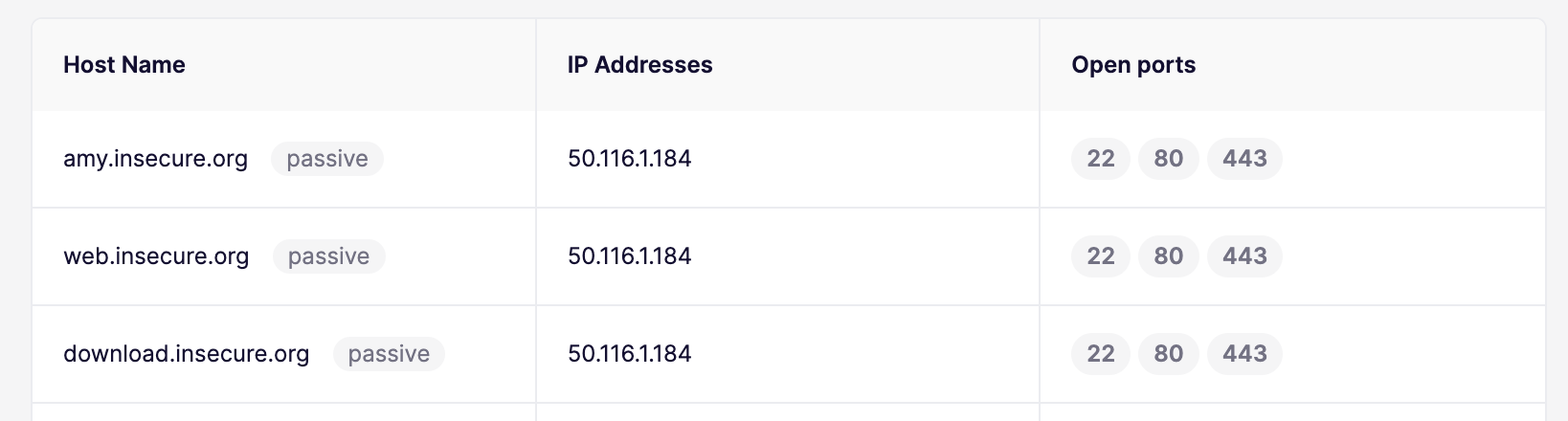
* Performs subdomain enumeration to map systems that are publicly accessible
* Resolves IP addresses and verifies reachability from the internet
{% hint style="info" %}
If AWS is connected in Aikido CSPM, the subdomains for a configured root domain are automatically enriched with Route 53 records and continuously monitored. \
\
**Note:** Root domains like insecure.org are not automatically added to the Attack Surface module to avoid unwanted traffic to your domains. The subdomains like web.insecure.org are imported.
{% endhint %}
### **Vulnerability Scanning**
* Leverages a vast library of security checks to identify known vulnerabilities
* Detects misconfigurations in web servers, applications, and infrastructure
* Identifies outdated software versions with known security issues
### **Subdomain Takeover Identification**
Detects misconfigurations in DNS records that could lead to subdomain takeovers
* Identifies vulnerable subdomains pointing to deprovisioned or unclaimed services
* Continuously monitors for dangling DNS records (Domain Dangling) that could be exploited by attackers
### Email Spoofing Protection
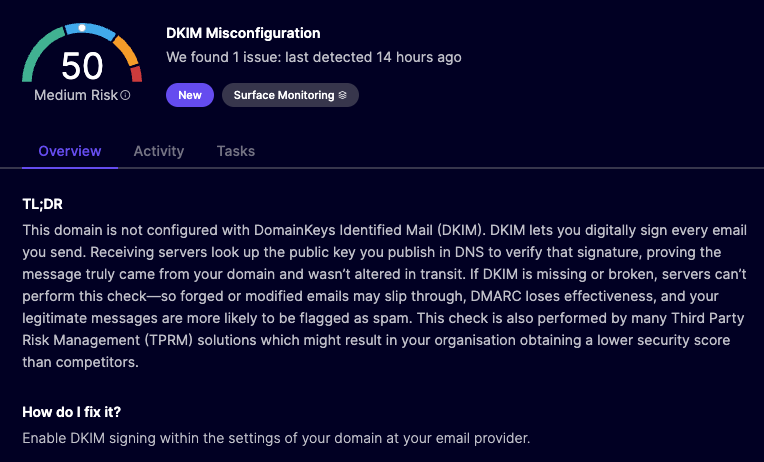
Identifies missing or misconfigured mail security records like SPF, DKIM and DMARC to validate email security settings and prevent spoofing of your domains in phishing attacks.
### **DNS Zone Transfer Attacks**
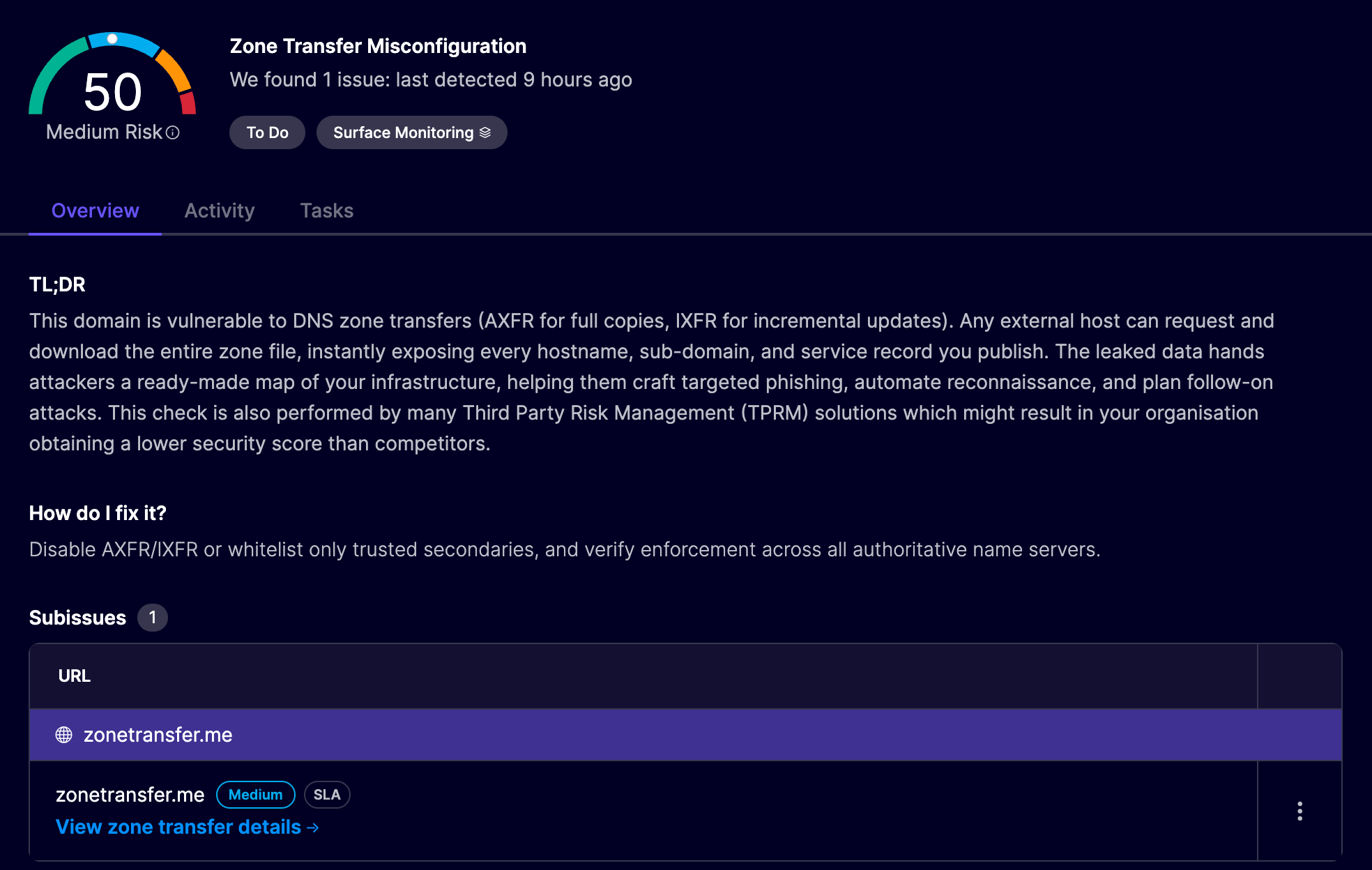
Identifies misconfigurations in the DNS nameservers that would allow for zone transfer attacks.
### **Port Exposure Detection**
Identifies open ports that are exposed to the internet and highlights management, file sharing ports or database ports.
### TLS Security Hardening
Identifies insecure or weak TLS configurations
* Detects weak or insecure TLS protocols in use like SSL 3.0, TLS 1.0 and TLS 1.1
* Discovers weak or insecure cipher suites that are configured to establish the encrypted connection
* Assesses the Post-Quantum readiness of your TLS configuration
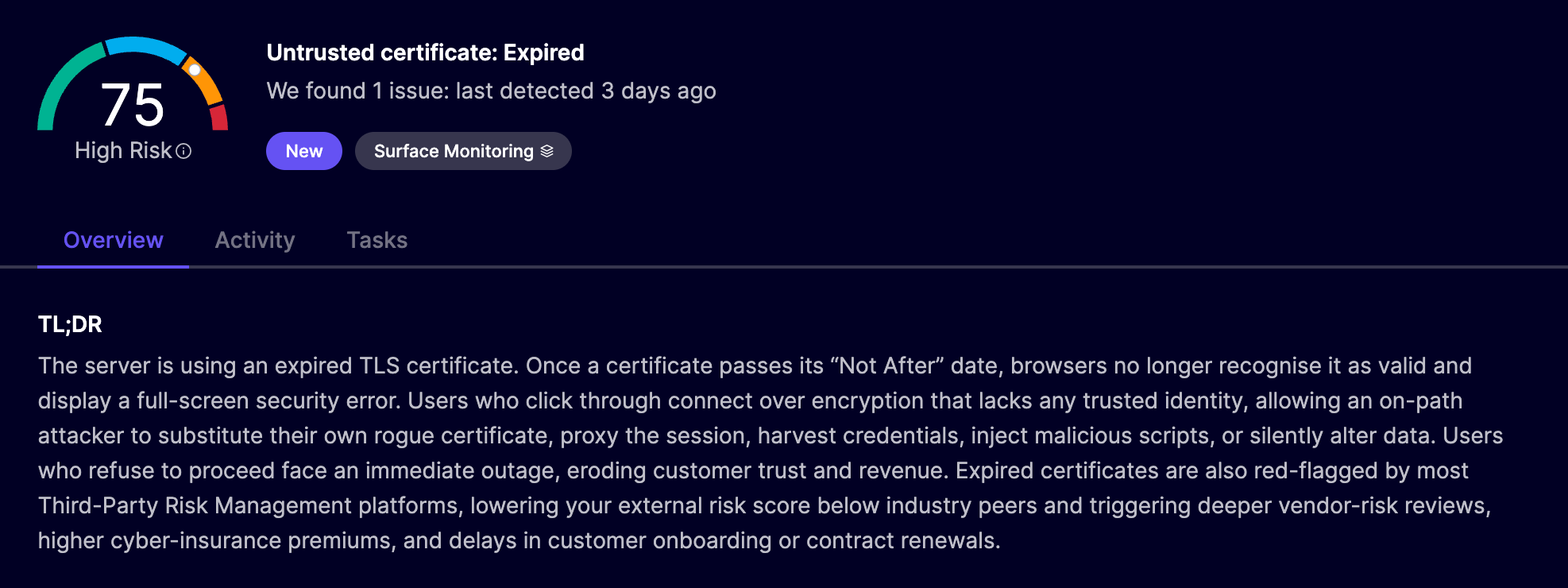
* Highlights issues in certificates that could provide problems in verifying and establishing a chain of trust
* Monitors the health of the certificates used by your servers and alerts these are about to expire
### Supabase Potential Data Breach Validation
Identifies Supabase instances for which a misconfigured Row Level Security (RLS) policy results in a potential data breach. It works in the following steps:
1. **Key discovery**: Crawl deployed frontend JavaScript assets to extract the Supabase client anon key.
2. **Project identification**: Determine the Supabase project endpoint (e.g., https\://\.[supabase.co](http://supabase.co/)) from the JWT token or code references.
3. **Credential validation**: Establish a connection to the project to verify that the extracted anon key is valid.
4. **Surface enumeration**: Enumerate tables within the public schema that are addressable through the client context.
5. **Permission testing**: Attempt read and write operations on each table using only the anon key to identify gaps caused by missing or misconfigured RLS.
6. **Sensitivity assessment**: For any table that is readable, analyze returned records for PII and other sensitive fields to determine exposure severity and remediation priority.
## Identity Exposure Monitoring
To defend against identity-related attacks, the platform detects exposed credentials on the dark web and safely tests for default, weak, and leaked passwords across your organisation’s login portals.
### **Darknet Monitoring**
* Discovers leaked usernames and passwords on the darknet
* Monitors code repositories, paste sites, and data breach collections
* Helps prevent account takeovers and unauthorized access
### Weak and Default Credentials Usage Detection (COMING SOON!)
Identifies the exposure of weak and default credentials on login portals related to your organisation.
### Leaked Credential Validation (COMING SOON!)
Validates the leaked credentials identified in previous steps to verify whether these still work on exposed login portals and whether these have been reused accross applications.
## How to Set-up
**Step 1:** Click **Add Domain** in the [Domain Overview ](https://app.aikido.dev/domains)and **select Attack Surface**

**Step 2.** Enter the domain name of your **environment**. Ensure this is a root domain (e.g., `example.com`). In case you only want to scan a subset of domains that are f.e. connected to a specific departement or geography, you can also use `us.example.com` to only scan subdomains from `*.us.example.com`.

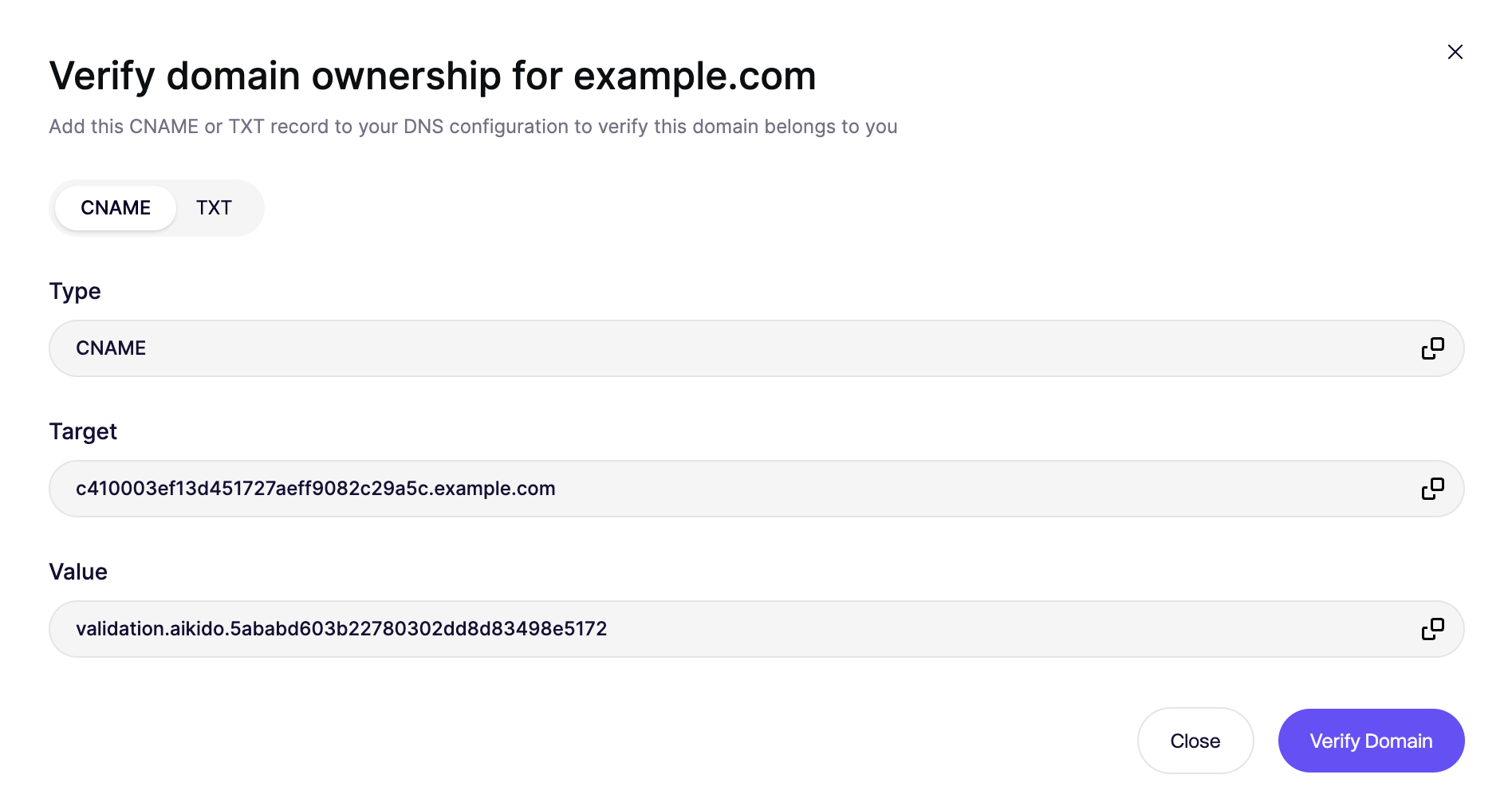
**Step 3.** To prevent abuse, we require you to prove that you are the owner of the domain you'd like to scan. Configure the CNAME or TXT record in your DNS registrar and once done, click "Verify Domain".
{% hint style="info" %}
Domains are automatically marked as verified when the Attack Surface scan is configured by a user whose email address matches the target domain in scope.
{% endhint %}
**Step 4.** A scan will automatically start after completing the set-up.
## Identifying Traffic
All requests coming from Aikido Attack surface scans will have:
* the `User-Agent` set to `aikido-surface-agent/1.0`
* the following header `aikido-surface-test` set to value `1` in the request
* [will come from the IP's documented here](/~/revisions/SGhJfnCIOpxRjx1gC1k5/dast-surface-monitoring/allowing-ip-addresses-for-dast-surface-monitoring.md)
---
# Agent Instructions
This documentation is published with GitBook. GitBook is the documentation platform designed so that both humans and AI agents can read, navigate, and reason over technical content effectively. Learn more at gitbook.com.
## Querying This Documentation
If you need additional information that is not directly available in this page, you can query the documentation by asking a question.
Perform an HTTP GET request on the following URL with the `ask` and `goal` query parameters:
```
GET https://help.aikido.dev/~/revisions/SGhJfnCIOpxRjx1gC1k5/dast-surface-monitoring/attack-surface-scanning.md?ask=&goal=
```
`ask` is the immediate question: it should be specific, self-contained, and written in natural language.
`goal` is what the user is ultimately trying to achieve, the reason they need the answer. Sharing it helps GitBook give you a better, more relevant answer. A goal is most helpful when it describes the outcome the user wants rather than restating the question. For example, with `ask=how do I create an API token`, a goal like `automate deployments from our CI pipeline` lets GitBook tailor the answer to that use case.
The response will contain a direct answer to the question and relevant excerpts and sources from the documentation.
Use this mechanism when the answer is not explicitly present in the current page, you need clarification or additional context, or you want to retrieve related documentation sections.