> For the complete documentation index, see [llms.txt](https://help.aikido.dev/llms.txt). Markdown versions of documentation pages are available by appending `.md` to page URLs; this page is available as [Markdown](https://help.aikido.dev/zen-firewall/zen-features/attack-wave-protection.md).
# Attack Wave Protection
The internet is constantly being scanned by automated tools. Security scanners like Nuclei, ZAP, Wapiti, and SQLMap probe applications for weaknesses, looking for sensitive files, testing hidden directories, and injecting malicious payloads. These reconnaissance attempts flood your servers with requests that waste CPU cycles and generate endless 404 errors.
## How It Works
Zen automatically detects these attack waves in real time by spotting probing patterns. For example:
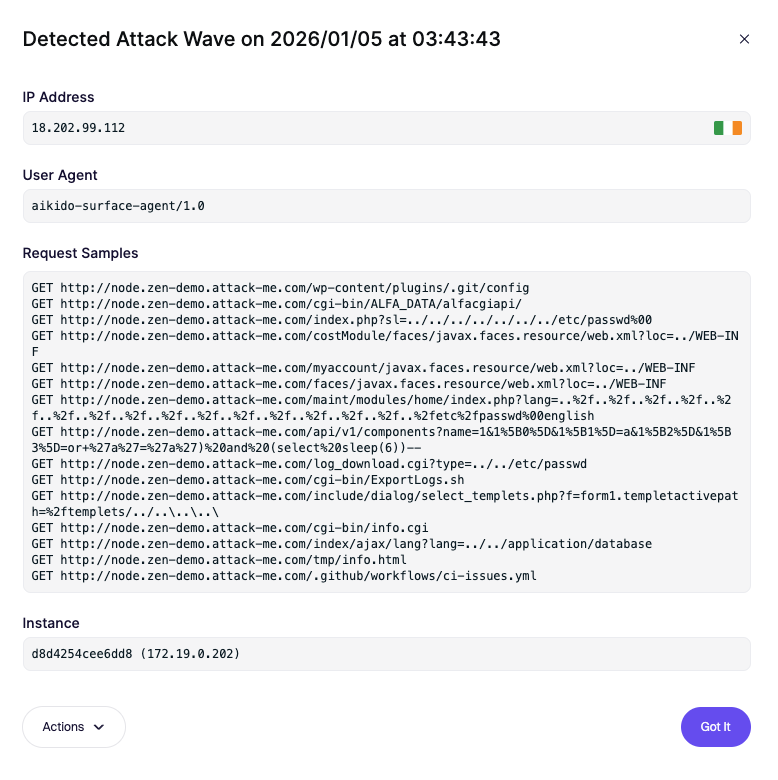
* An IP making 15 suspicious requests within a minute.
* Attempts to access files like .env or wp-config.php.
* Requests for hidden directories like .git/config.
* Payloads designed to trigger SQL injection errors.
When this behavior is detected, Zen flags it as an attack wave. This shifts your security posture from reactive to proactive, giving you instant visibility into who is systematically probing your applications.
## What You’ll See
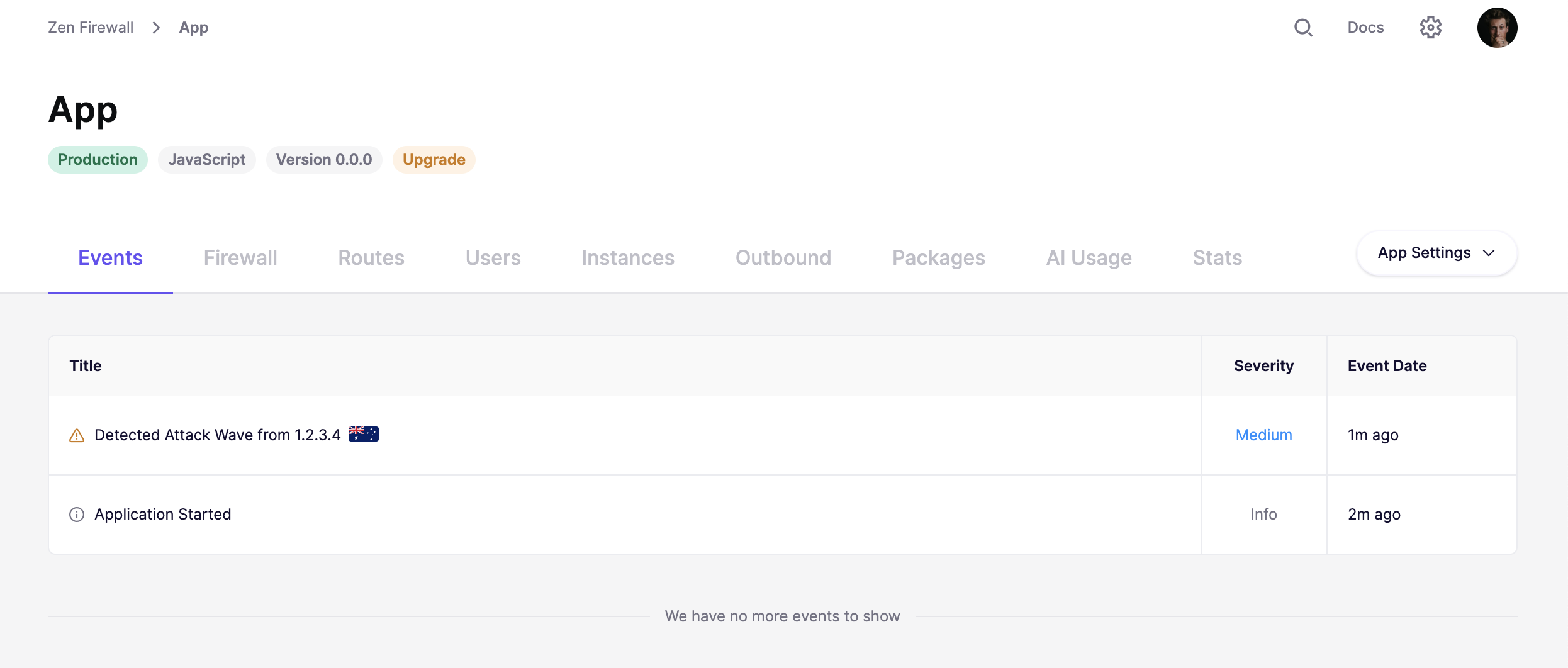
A live feed in your Aikido dashboard showing which IPs are targeting your applications.
### Try It Yourself
You can easily simulate an attack wave to confirm Zen is working. Just click Simulate Attack in your dashboard and watch the events appear.
## Block attack waves automatically
Use a [playbook](/zen-firewall/zen-features/playbooks.md) to block the IP behind an attack wave for a set period, without waiting for someone to act on the alert.
---
# Agent Instructions
This documentation is published with GitBook. GitBook is the documentation platform designed so that both humans and AI agents can read, navigate, and reason over technical content effectively. Learn more at gitbook.com.
## Querying This Documentation
If you need additional information that is not directly available in this page, you can query the documentation dynamically by asking a question.
Perform an HTTP GET request on the current page URL with the `ask` query parameter, and the optional `goal` query parameter:
```
GET https://help.aikido.dev/zen-firewall/zen-features/attack-wave-protection.md?ask=&goal=
```
`ask` is the immediate question: it should be specific, self-contained, and written in natural language.
`goal` is optional and describes the broader end goal you are ultimately trying to accomplish on behalf of the user. GitBook uses it to tailor the answer towards what is most useful for that goal.
The response will contain a direct answer to the question and relevant excerpts and sources from the documentation.
Use this mechanism when the answer is not explicitly present in the current page, you need clarification or additional context, or you want to retrieve related documentation sections.